
Bring useful inputs
Set the reader, purpose, required points, sources and section budgets. Review extracted material from an upload, paste or URL before using it as grounding.
Start from a brief, selected source material, or an existing draft. Create structured content, inspect citations and evidence details, edit with your team, then transform, export, or deliver the approved version. Set a structured, versioned editorial brief — primary keyword, search intent, audience, required topics, and the questions to answer — that flows into generation as coverage requirements, choose the source scope and evidence standard before generation, inspect citations afterward, and apply configurable writing and terminology controls during review.
What your plan includes.Comments, mentions and team sharing are on Professional plans and above — from $79 per seat a month, minimum three seats. Writing, checks, exports, public share links and publishing are on every plan, and Brand Voice is on Starter and above. The 14-day trial works like Starter, so it includes writing, checks, exports, publishing and Brand Voice, but does not include comments.
An AI content generator is software that produces a first draft of written content from instructions, uploaded material, or an existing draft. Gixo Quill extends that starting point into a source-aware production workspace: teams can choose the source and evidence policy, inspect citations, edit and review the document, create localized or derivative versions, and export or deliver approved work without separating the draft from its workflow.
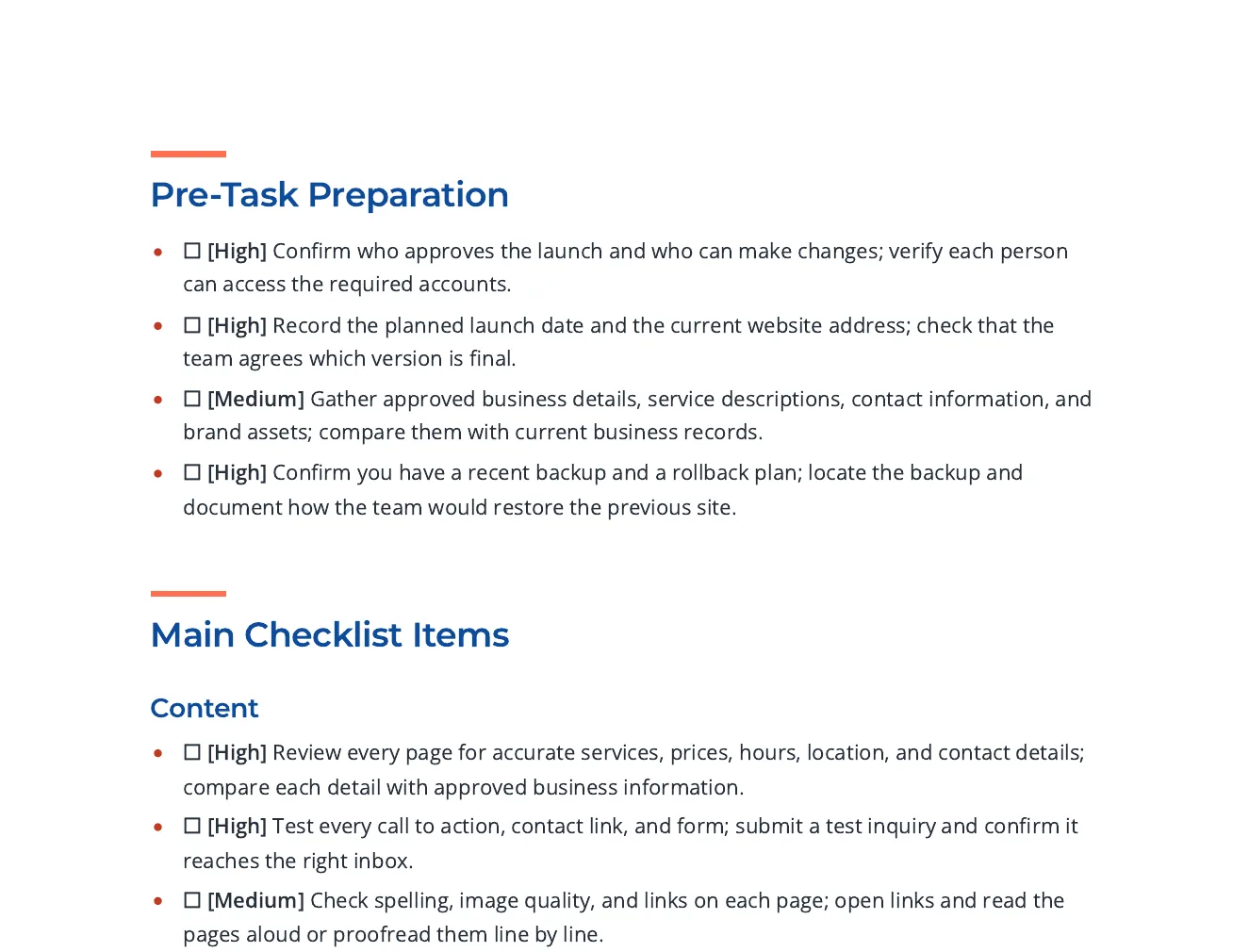
This is an actual Quill export, with the input brief available alongside it. Use the workflow below to connect source material, structure, editing and delivery.
Checklist items grouped by phase, each with a priority tag and a way to check it, with links to Google, W3C and FTC guidance for the search, accessibility and security items.
Write an actionable checklist for a small business about to launch a new website. Group the items under content, search visibility, accessibility, performance, security and privacy, analytics, and what to verify on launch day. Each item should be a single action someone can tick off and should say how to check it. Cite published guidance for the search, accessibility and security items.
Open the full export and compare its statements with the cited sources before reuse.
Set the reader, purpose, required points, sources and section budgets. Review extracted material from an upload, paste or URL before using it as grounding.
Review the outline, then the draft. Add structured blocks, edit selected passages and use Image Studio for permitted generation, photo selection and responsive insertion; retain attribution where required.
Review citations, wording and metadata. Use the supported export or connected destination for the current account; Markdown handoff and a live publishing connection are different delivery paths.
Power Edit starts from an active selection. You can give iterative or voice-transcribed instructions, choose a reply language, stop a streamed response, inspect the result and explicitly replace the selected range. Full-document context is reference material. Structured blocks have typed fields, item-level regeneration and previews; their AI field assistance is separate from their layout.
Use builder or advanced prompts with the subject and document context. Shape style, mood, lighting, palette, composition, camera and supported image dimensions. Inspect generated alternatives or a selected real photo, retain required source attribution and edit alternative text before insertion. Finishes and prompt edits create a new result; compare it with the original instead of assuming an edit is lossless.
Import options depend on the source type: pasted text, Markdown or HTML; document extraction; spreadsheet cells; image OCR; and supported media transcription. Review extracted material before drafting. Export settings include the supported format, theme, author, spacing, headers, footers and page appearance. Inspect the actual download because HTML, print PDF and editable Word represent structure differently.
A source-led draft needs human review. HTML, PDF and editable Word have different layout fidelity; connected publishing support is destination-specific.
See the source controls, evidence details, citations, writing tools, and review workflow that remain attached to a Quill draft.
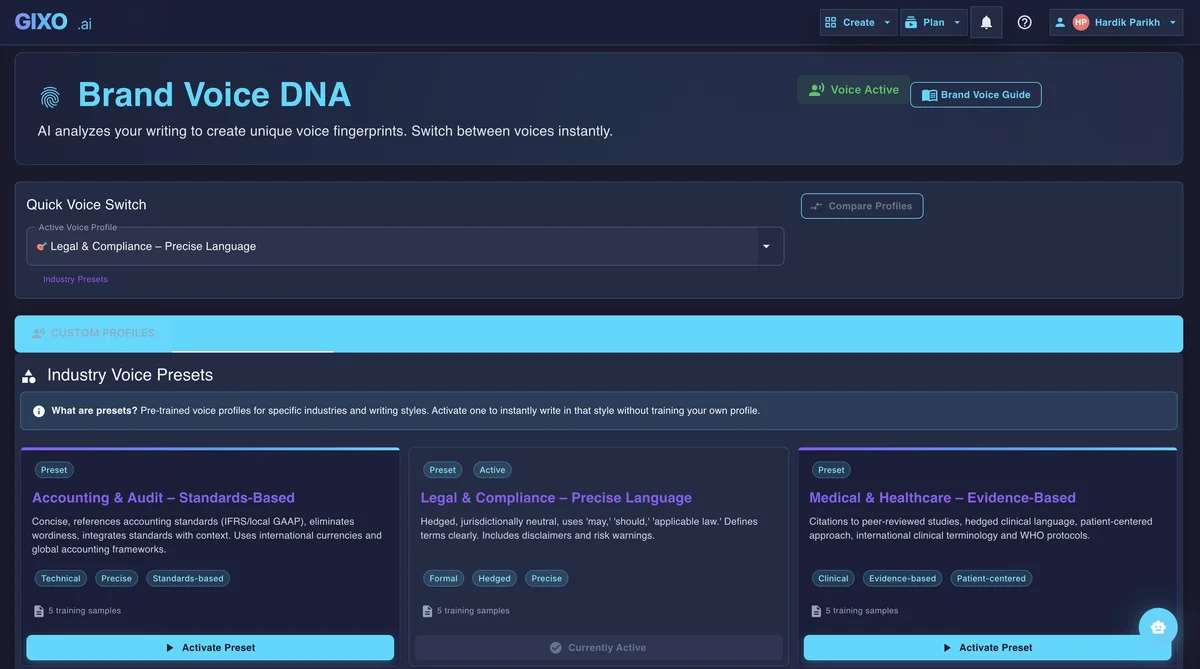
Reusable voice settings and industry-aware presets keep the first shot consistent before editing, repurposing, or localization begin.
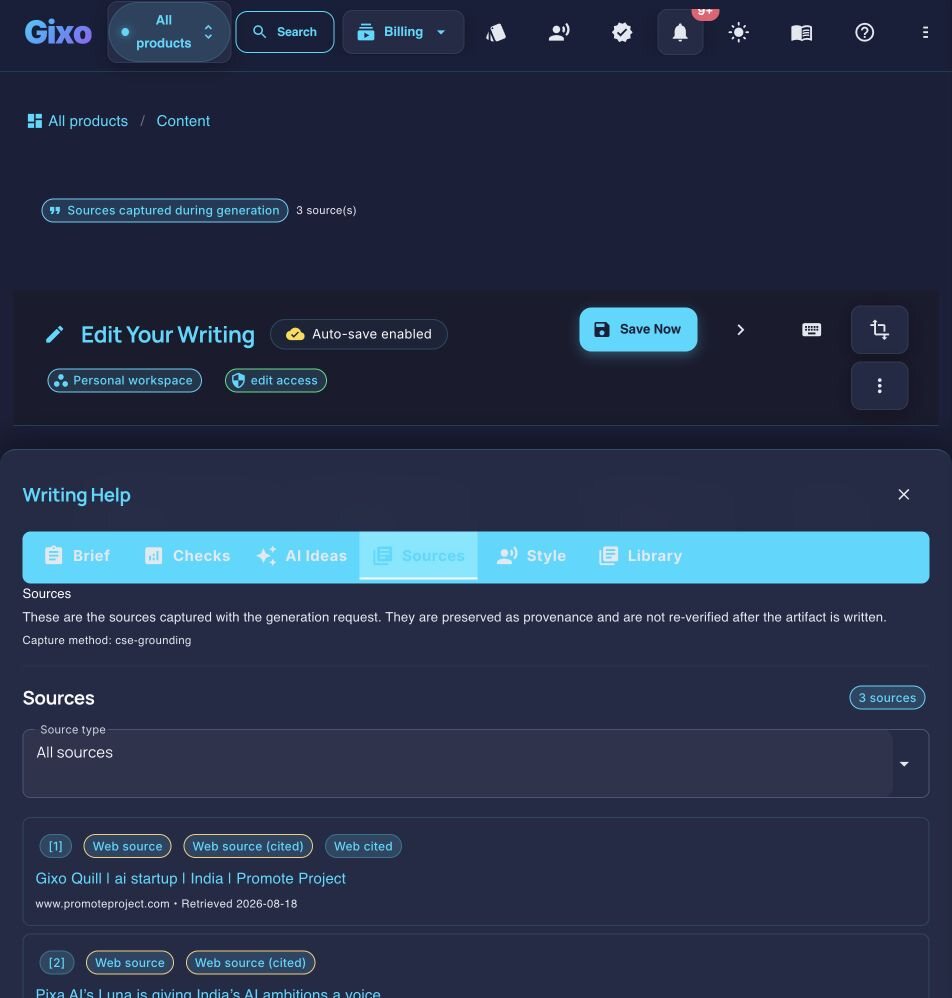
Sources, citations, and reference quality stay attached to the draft so reviewers can inspect claims in context without leaving the workspace.
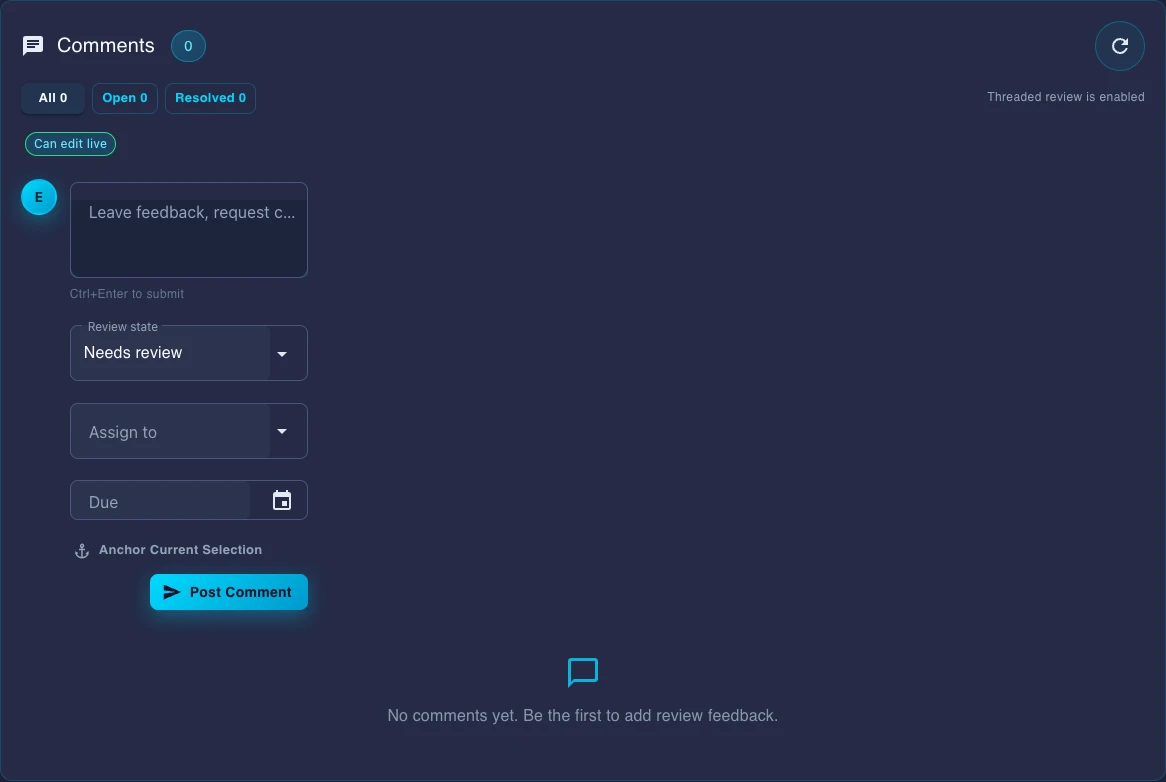
Comments, review state, assignees, and due dates live inside the document instead of being rebuilt in chat threads or external checklists.
Turn briefs, source material, and existing drafts into structured content, then keep editing, evidence review, collaboration, transformation, export, and publishing attached to the same document.
Use Quill as an AI text generator for articles, reports, guides, and product descriptions, or as an AI newsletter generator when the brief calls for a newsletter. Each format starts from briefs, uploads, or existing content with selectable source and evidence controls.
Power Edit, structured blocks, and inline AI actions help the team tighten or expand a draft while keeping layout, source context, and references available for review.
Comments, mentions, review states, assignees, due dates, guest approvals, presence, activity history, and versions let teams finish content where it is written.
Repurpose approved content into other formats, create localized versions across 89 language and locale options, and keep the source narrative available for review.
Send approved work to connected WordPress and Ghost sites. Export in PDF, DOCX, HTML, Markdown, TXT, and JSON or use the Medium manual export or article-form draft handoff, and Substack export paths for other channels.
This is not prompt in, text out. The workspace after generation is part of the product.
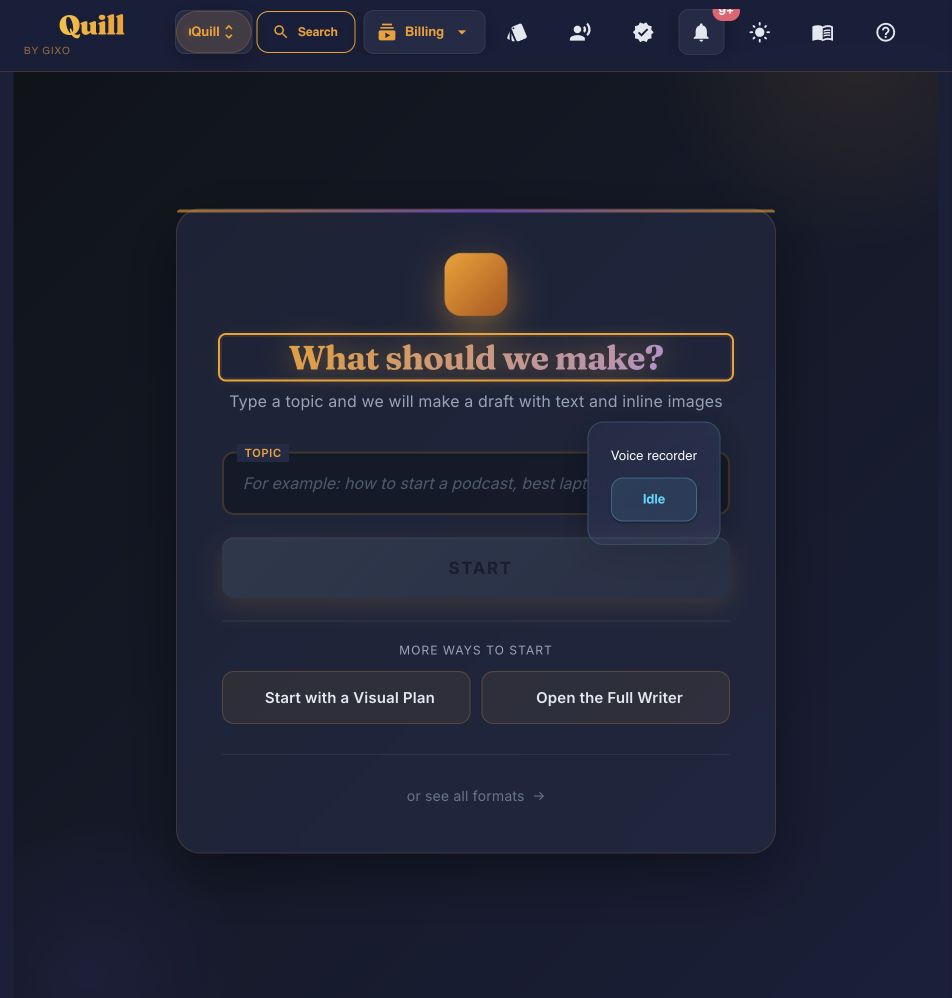
Start with a topic, uploaded references, or an existing draft so the generator has the right inputs and context.
Get a structured draft using the selected source scope, evidence standard (the trust profile and trusted domains that limit which web pages it can use), writing controls, and workspace-ready formatting; inspect citations and evidence details before approval.
Use comments, mentions, review status, assignees, and due dates to move the piece through editorial and stakeholder review.
Publish the approved version, export it, localize it, or transform it into follow-on assets without recreating the work.
The main gap is not who can produce text. It is who gives your team a usable workspace after the first draft appears.
| Capability | Gixo | General assistant | Broad marketing AI platform |
|---|---|---|---|
| Review-ready first shot | Yes | Prompt-dependent | Varies by workflow |
| Source, evidence, and writing controls | Built in | Manual prompting | Varies |
| Editor with inline AI revision | Built in | Usually chat-first | Varies |
| Comments and review workflow | Built in | Limited | Partial |
| Repurposing and localization | Built in | Manual setup | Varies |
| Direct publishing destinations | connected WordPress and Ghost sites | None | Varies |
| Substack handling | Medium manual export or article-form draft handoff, and Substack export | Manual | Varies |
| Capability | Gixo | General assistant | Broad marketing AI platform |
|---|---|---|---|
| Content formats supported | 49 direct-create content formats | Prompt-dependent | Varies by workflow |
| Localization coverage | 89 language and locale options | Manual prompting | Varies |
| Content blocks | 21+ | Usually chat-first | Varies |
| Connected publishing destinations | connected WordPress and Ghost sites | None | Varies |
| Export-only destinations | Medium manual export or article-form draft handoff, and Substack export | Manual | Varies |
| Export formats | PDF, DOCX, HTML, Markdown, TXT, and JSON | Manual | Varies |
| Review workflow (comments, mentions, assignees, approvals, versions) | Built in | Limited | Partial |
This page owns the broad source-to-draft workflow. Choosing the narrower page keeps the promise specific and takes you to the right part of Quill.
Gixo supports 49 direct-create content formats, including SEO articles, blog posts, news reports, how-to guides and checklists. A newsletter can be drafted from an explicit brief within a supported type; it is not a dedicated selector option or a newsletter sending service. Each result remains editable and reviewable in the workspace.
The draft arrives structured for the editor around the selected source and evidence settings, brief, writing controls and supported blocks. Inspect references in the Sources panel when available. These settings guide generation; they do not verify every claim or exclude model knowledge. Review and refine the draft before publication; publication approval is an optional owner-controlled policy.
Professional or higher supports permissioned team collaboration with comments, mentions, review context, assignees, due dates and activity history. Access roles control available actions. Sharing approval and optional publication approval are separate controls; review state does not universally block publication.
You can send approved work to connected WordPress and Ghost sites. For other channels, export in PDF, DOCX, HTML, Markdown, TXT, and JSON or use the Medium manual export or article-form draft handoff, and Substack export paths.
No. Search-oriented writing checks are part of the product, but the product itself is a content workspace for teams that need strong first drafts plus editing, review, transformation, export, and publishing.
An AI content generator produces a first draft of written content from instructions, an upload, or an existing draft. Gixo Quill adds selectable source and evidence controls, citation review, editing, comments, transformation, export, and delivery workflows around that draft.
Gixo supports 49 direct-create content formats, 89 language and locale options, and 21+ content blocks for structuring drafts.
Inside Quill
Updated