
Surfer SEO alternative: what Gixo Quill replaces, and what it does not
These two overlap more than a comparison page usually admits: both draft, both carry a brand voice, both guide on-page structure. What separates them is the job on either side of that overlap. Quill grounds a draft in sources you can inspect and carries it to a designed file and a publish button. Surfer measures visibility — against the live SERP and, now, against what AI engines say about you — which Quill has no equivalent for at all.
What your plan includes.Comments, mentions and team sharing is on Professional plans and above — from $79 per seat a month, minimum three seats. Writing, checks, exports, public share links and publishing are on every plan. The 14-day trial works like Starter, so it does not include comments.
Gixo Quill is a content production workspace: it gets you to a review-ready draft grounded in sources you supply or it retrieves, keeps those sources visible beside the claims for review, and carries the document through editing, team review, a designed DOCX or PDF export and direct publishing. Surfer is a search-visibility platform that also writes: alongside its writing and optimization surface it measures how you appear in the live SERP and in AI answers, which is the part Quill does not attempt. So the question is not which is the better tool but which side of the overlap you are paying for. If you need to know where you stand in search and in AI answers, that is Surfer's job and Quill will not replace it. If your problem is producing defensible, sourced documents and getting them out of the building, that is what Quill is built for. Plenty of teams have both problems, and there is no shame in paying for both.
What you get when you export to Word or PDF
Most AI writers hand back prose and a download link. Quill gives you a document you set up first, with a live preview that redraws as you change it.
Headings export as real Word heading styles, not bold paragraphs, so the navigation pane and any contents list work. Numbered and bulleted lists carry their own numbering rather than typed-in digits.
Pick a theme, write the cover, choose where page numbers sit, turn the contents list on or off, set line spacing and orientation. A live preview redraws the whole document as you change each control, so you know what you are getting before you download it.
Inline markers, a references section with retrieval dates and full URLs, or both — they are separate switches. Images keep their attribution and licence line as a caption, so the file you hand over carries its own provenance rather than losing it at the door.
Six formats — PDF, Word, HTML, Markdown, plain text and JSON. The cover page and the contents list, when you include them, open both the PDF and the Word file; in Word the headings are real heading styles, the lists carry Word's own numbering and the footer numbers the pages.
See the actual export, not a description of it
Rather than describe the export, here is one. Both files are the same Quill article, exported on 30 September 2026 through the ordinary Export Document screen, both A4 portrait. Nothing was tidied up afterwards, and the article is a sample written for this purpose rather than a customer document.
3.2 MB, 36 pages, A4 portrait. The document design exactly as it was set up: a cover page with the title and date, a contents list, and a numbered footer on every page.
2.8 MB, A4 portrait, opens in Word. The same article as an editable layout: the same cover page and contents list, real Word heading styles so the navigation pane works, list numbering Word owns rather than typed-in digits, a page-numbered footer, and 19 embedded images.
They are not identical, and that is the point. PDF preserves the document design exactly; DOCX arrives as an editable Word layout, where fonts, backgrounds and page breaks may differ. Both open with the cover page and the contents list. In the Word file that list is written out as text rather than a field Word refreshes, so if you restructure the document, retype it; and the file names its fonts rather than carrying them, so a computer without Inter shows another font in its place. Both files carry the same 19 images, byte for byte. Open both before deciding which one your workflow needs — Quill exports PDF, DOCX, HTML, Markdown, TXT, and JSON, and these two are the ones that carry a document design.
What does Gixo Quill actually replace, and what does it leave behind?
A switch is only worth making if it removes a step rather than adding one, so it is worth being exact about which steps move and which do not. Three things Quill takes over, and one large thing it does not.
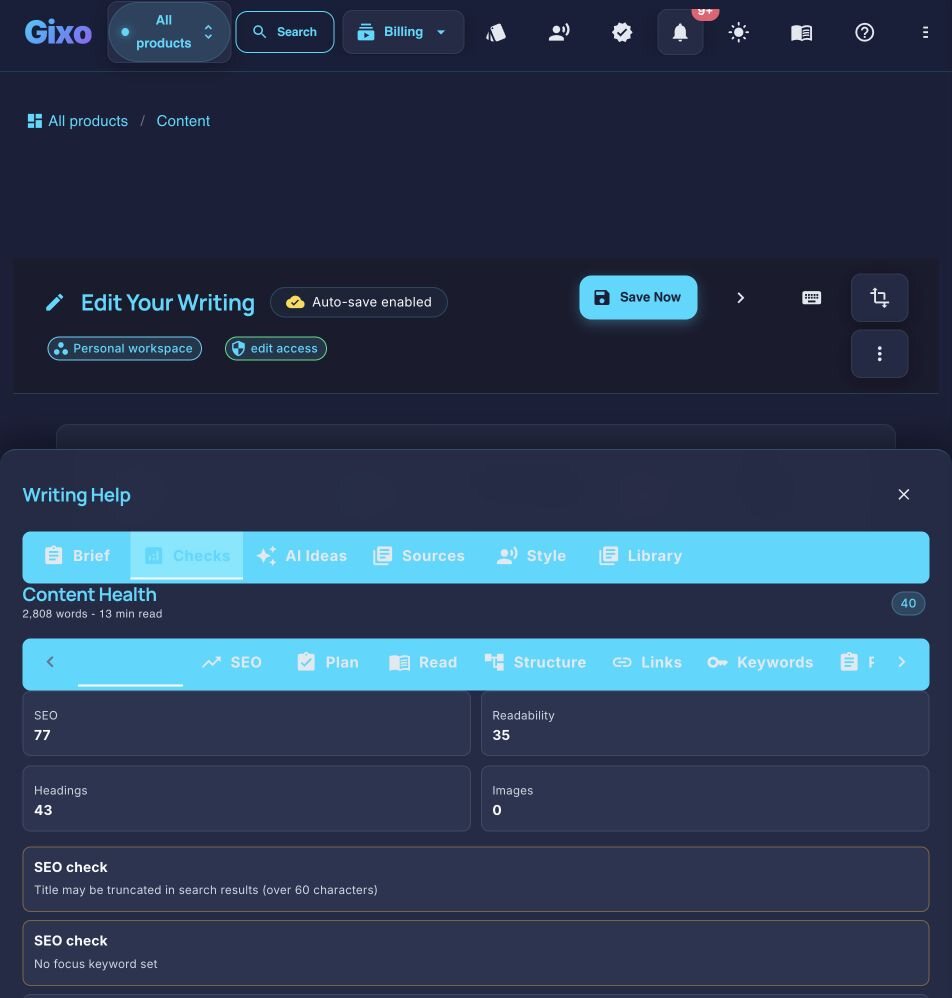
- The on-page check happens inside the draft. Keyword placement, heading hierarchy, readability and internal-link suggestions from your own library sit in the editor, so there is no export-check-reimport loop. This is structural analysis of your own page, not a score against anybody else's.
- Evidence and references travel with the draft. Grounding and citations are part of the document, not a separate research pass a writer does before opening the optimizer.
- Review, transformation and publishing are the same product. Team review, format changes and the publish path do not need another tool or another seat.
- One plan instead of two — where the optimizer was doing the on-page job. An optimizer is usually priced on top of a writing tool. Where what you were buying is on-page structure and coverage guidance, a workspace absorbs both line items rather than adding a third. Where what you were buying is the live SERP score, it is not replaced and that line item stays — as the paragraph below says.
And the large thing Quill does not do. It has no rank tracker, no backlink index, no SERP scraper, no keyword research, no cannibalisation report and no way of telling you whether ChatGPT or Perplexity mentions your brand. Measuring visibility — in Google and in AI answers — is a whole discipline Quill sits outside of. If that measurement is what you are buying, Quill replaces none of it and you should keep paying for a tool that does it. Read from surferseo.com on 20 September 2026; check it yourself, because this category moves quickly and our description of somebody else's product is only as fresh as that date.
What is the difference between Surfer SEO and Gixo Quill?
Surfer presents itself as a search-visibility platform: as well as a writing and optimization surface, it tracks how a brand appears in the live SERP and in AI answers across engines like ChatGPT, Perplexity and Google's AI Overviews. That measurement side has no counterpart in Quill.
Gixo Quill is a content workspace. The question it answers is different: how do you get to a review-ready first shot with brand voice, evidence grounding, and references, then finish the work with editing, comments, review states, transformations, localization, export, and publishing in one place?
Set a structured, versioned editorial brief — primary keyword, search intent, audience, required topics, and the questions to answer — that flows into generation as coverage requirements, choose the source scope and evidence standard before generation, inspect citations afterward, and apply configurable writing and terminology controls during review.
Turn briefs, source material, and existing drafts into structured content, then keep editing, evidence review, collaboration, transformation, export, and publishing attached to the same document.
Surfer SEO or Gixo Quill — which one should you use?
The Gixo Quill stack stays the same
Against Surfer, the reason teams switch is not visibility optimization. It is brand voice, evidence grounding, visible references, team review, and publishing from one content workspace.
Brand voice
Shared voice settings and industry-aware presets keep the first shot consistent across writers, reviewers, and formats.
Grounding
The workflow expects grounded claims, so teams do not have to bolt trust checks onto the document after generation.
References
Visible sources and reference-quality notes stay attached to the draft so reviewers can inspect the supporting material directly.
Review
Comments, review states, assignees, due dates, versions, and activity belong to the document rather than scattered follow-up tools.
Publish
Direct publishing plus export keep the finish path inside the same product after the draft is approved.
Content optimization tool comparison: how do Gixo Quill and Surfer SEO compare feature by feature?
| Capability | Gixo Quill | Surfer |
|---|---|---|
| Primary role | Content production workspace | Search and AI-visibility platform that also writes |
| Drafts a full article | Core product promise | Yes — it ships an AI writing assistant, so compare both on your own brief |
| Brand voice | A voice profile learned from samples you supply | Custom voices and brand knowledge are published plan features — ask which tier |
| Evidence grounding with inline citations | Sources visible beside the claim they support | Ask to see a finished draft with its sources attached |
| Editor + inline AI revision | Built in | Has its own writing and optimization editor |
| Comments, assignees, due dates, versions | Built in from Professional | Team collaboration and seats are published plan features — ask what review states exist |
| Designed export (DOCX and PDF) | Themed, with a downloadable sample on this page | Ask for a DOCX of a finished piece and open it in Word |
| Direct publishing destinations | connected WordPress and Ghost sites | Via integrations you configure — ask which are live on your plan |
| Live SERP content score | Not in the product | Core capability |
| AI-answer visibility tracking | Not in the product | Tracks brand mentions across AI engines |
| Keyword research, rank tracking, cannibalisation | Not in the product | Included on its plans |
| Published entry price | $10 per seat per month | $49 per month billed yearly, as published 20 Sep 2026 |
Surfer SEO vs the other optimizers: Frase, Clearscope, MarketMuse, Semrush, Page Optimizer Pro
Most people comparing Surfer are choosing between tools in the same category, not leaving it. It is worth being clear about what separates them, because four of the five do substantially the same job and the fifth does a different one.
- Frase — SERP research and brief-building with drafting attached. Closest in shape to Surfer, usually chosen when the brief matters more than the on-page score.
- Clearscope — term coverage and readability grading, aimed at editorial teams with an existing writing process. Narrower than Surfer by design.
- MarketMuse — topic modelling and content inventory planning. Answers "what should we write next" rather than "is this draft optimized".
- Semrush — the broad SEO suite: rank tracking, backlinks, site audit, keyword research, with content optimization as one module. If you are comparing Surfer to Semrush you are usually asking whether a point tool earns its seat next to a platform.
- Page Optimizer Pro — on-page scoring against a specific competing SERP, deliberately narrow and priced accordingly.
Where Gixo Quill sits, plainly: not in this list. All five are optimization layers you add to a writing and publishing stack you already own. Quill is the stack — drafting from your sources, brand voice, evidence and references, review, transformation, localization and publishing. If what you need is a better score on a draft you already have, one of the five above is the right answer and Quill is not. If the workflow around the draft is the bottleneck, that is the swap this page is about.
Frequently Asked Questions
Inside Quill
Review concrete content and SEO signals before delivery
Updated