
Automate content creation without losing quality
Gixo Quill connects content creation automation to reliable sources, brand voice, human review, transformations, localization, and publishing. It is an AI content automation workflow for producing review-ready work, not a prompt box that treats an unverified draft as finished content. A source-aware content production workspace for marketing, editorial, product, and knowledge teams working from briefs, reference files, and existing drafts.
What your plan includes.Comments, team sharing and Brand Voice is on Professional plans and above — from $79 per seat a month, minimum three seats. Writing, checks, exports, public share links and publishing are on every plan. The 14-day trial works like Starter, so it does not include them.
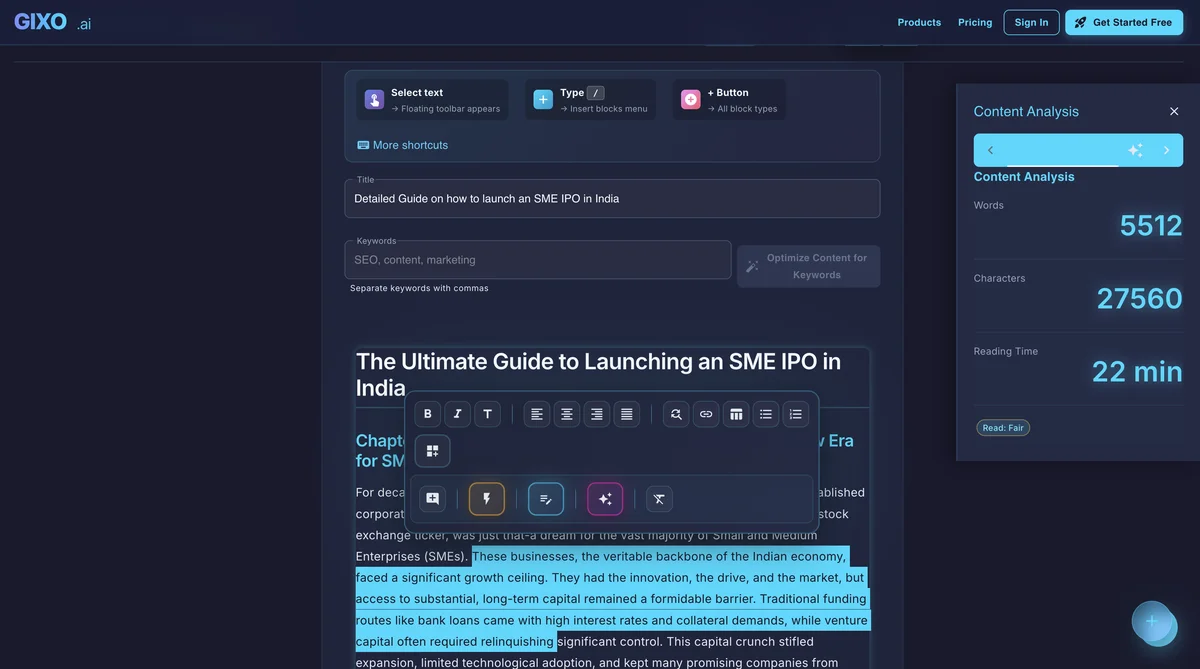
Content automation is the disciplined use of software, repeatable workflows, data, and AI to reduce manual work across planning, briefing, research, drafting, editing, approval, repurposing, and publishing. A content automation platform should connect automated content generation to the controls that make a draft trustworthy. Automated content creation improves speed only when reliable inputs, clear constraints, and skilled human review remain part of the system. Quill owns the content workflow; Lumen, Prism, Business, Lex, and Folio remain separate products and plans for their respective deliverables.
Reviewed 2026
What does an AI content creation platform actually do?
Turn briefs, source material, and existing drafts into structured content, then keep editing, evidence review, collaboration, transformation, export, and publishing attached to the same document.
Generate structured articles, comparisons, tutorials, newsletters, and other source assets in the workspace where they will actually be reviewed and finished.
Use an approved Quill narrative as source material in Gixo Lumen when the next deliverable is a presentation. Lumen remains a separate product and plan.
Carry approved content into the separate Gixo Prism visual workflow as source context rather than presenting infographics as Quill content formats.
Turn approved articles and source pieces into email-ready derivatives with shared voice and structure instead of rewriting by channel.
Keep long-form articles and guides in Quill from first shot through comments, approval, transformation, and export. Book production belongs to the separate Gixo Folio workflow.
Repurpose, localize, export, and publish from the same workflow. Send approved work to connected WordPress and Ghost sites, hand a draft to Medium, or export it for other destinations.
What is content creation automation?
Content creation automation combines production automation with process automation. Production automation generates, transforms, formats, localizes, or distributes content. Process automation creates assignments, applies templates, routes reviews, records approvals, and maintains the source history around each asset. Teams need both: generating text faster does not repair a weak editorial process.
AI automated content creation uses machine learning or generative models for constrained tasks such as classifying information, summarizing approved materials, proposing an outline, drafting from a brief, or adapting an approved source. It should not independently establish truth, interpret strategic risk, or take accountability for a published claim.
Automation, augmentation, and autonomy are different
Before teams automate content, they should decide how much control a task can safely surrender. The right level depends on the consequence of an error, stability of the task, quality of the inputs, and whether a mistake can be reversed.
| Operating mode | What it means | Appropriate content example | Human responsibility |
|---|---|---|---|
| Automation | A defined task follows a defined rule. | Create a review task, apply metadata fields, or route an approved asset. | Design the rule and handle exceptions. |
| Augmentation | Software helps a professional complete a task. | Suggest headings, summarize a source packet, or flag missing links. | Judge the suggestion and complete the work. |
| Autonomy | A system completes a task without immediate intervention. | Low-risk formatting or distribution after explicit approval. | Set boundaries, monitor results, and retain accountability. |
Plan the automation before generating content
A durable automated content workflow starts with a structured inventory, evidence-based priorities, and explicit boundaries for each content type.
Build a content inventory
Give every asset an owner, audience, purpose, lifecycle status, source record, publication location, review date, and performance history. A structured inventory helps prevent duplicate pages, conflicting guidance, and forgotten evergreen content.
Prioritize with evidence
Score opportunities by audience need, strategic fit, evidence availability, differentiation potential, and production effort. Search demand is useful, but it should not outrank relevance, maintainability, or a distinctive point of view.
Define automation boundaries
Document the audience, required source quality, brand voice, metadata, reviewers, regulatory constraints, and tasks that must remain human-led for every recurring content type.
Use an automated brief without automating strategy
A strong brief is a structured editorial contract, not merely a longer prompt. Automated content creation tools can populate approved fields from a topic database, content inventory, keyword repository, customer-question library, brand guide, and product documentation. A reviewer should still confirm the audience, purpose, scope, evidence standard, and desired outcome.
What should the brief contain?
- Working title, reader intent, audience context, primary question, and desired action.
- Required sections, excluded claims, factual questions needing verification, internal links, examples, and accessibility requirements.
- Source hierarchy, voice rules, approved terminology, prohibited phrasing, review owners, and success measures.
Separate facts, instructions, and creative choices
Facts are verifiable claims, data, quotations, and source excerpts. Instructions define the required output and constraints. Creative choices control framing, voice, examples, and narrative order. Keeping these classes separate lets editors validate evidence without confusing a generated suggestion for an approved fact.
Ground automated content generation in evidence
Create a source hierarchy
Prefer primary sources, official documentation, original research, regulatory material, and direct transcripts. Use reputable secondary sources for context. Generated text and unattributed summaries are not evidence.
Automate capture, not judgment
Software can collect URLs, metadata, excerpts, repeated concepts, version differences, and citation records. A qualified reviewer must still decide whether the evidence supports the exact adjacent claim.
Maintain a claim ledger
For important claims, record the source, supporting passage, verification owner, confidence, and review date. The ledger makes updates traceable when evidence, pricing, product behavior, or policies change.
How to automate content creation without losing quality
The safest workflow automates repeatable handling while keeping people responsible for strategy, evidence, editorial judgment, and final approval.
Define the audience, business objective, owner, format, freshness requirement, and measurable outcome.
Set the question, scope, required sections, source standard, voice, constraints, and review roles.
Attach approved sources, map evidence to sections, and flag unanswered questions instead of filling gaps.
Interpret the brief, outline, draft section by section, and check coverage before assembling the first shot.
Review purpose and structure first, then evidence, clarity, brand voice, mechanics, and final presentation.
Route technical, legal, brand, or compliance review according to the consequences of a wrong claim.
Adapt only approved material and retain a link to the source asset so later corrections reach every derivative.
Preview the final asset, publish or export it, then track quality, usefulness, corrections, and freshness.
Choose the right AI drafting mode
An effective AI content automation system changes its drafting method according to the source material, format stability, and amount of judgment required.
| Drafting mode | Best use | Quality control |
|---|---|---|
| Assisted drafting | A writer requests headings, passages, alternatives, summaries, or transitions while controlling the reasoning and evidence. | Best for nuanced work because the writer remains active throughout drafting. |
| Structured generation | The system creates a first shot from an approved brief, source package, output template, and constraints. | Works for recurring formats when the brief and review checklist are stable. |
| Transformational generation | Approved content is adapted into another format, audience level, language, or channel. | Review against the destination's purpose and retain source lineage. |
Use modular prompts instead of one-shot instructions
Large prompts combine too many decisions and make failures difficult to diagnose. A modular sequence interprets the brief, builds an outline, maps evidence, drafts one section at a time, checks coverage, and prepares an editorial handoff. Reviewers can correct a bad assumption before it spreads through the entire draft.
Protect brand voice: AI content creation software needs examples and rules
Brand voice is more than adjectives such as “clear” or “professional.” It includes preferred vocabulary, sentence rhythm, evidence standards, audience assumptions, framing, and patterns of explanation. Effective AI content creation software needs a voice guide with approved examples, anti-examples, required terminology, and phrases to avoid. Editors then calibrate the output against approved work rather than assuming a single prompt permanently solves voice.
Edit automated content in layers
Developmental edit
Check whether the piece answers the right question for the intended reader, has a defensible structure, covers the necessary scope, and leads to the intended outcome.
Substantive edit
Verify facts, reasoning, terminology, evidence use, comparisons, exceptions, and any claim that could mislead the reader or create reputational risk.
Copyedit and proofread
Improve clarity, grammar, voice, consistency, links, metadata, accessibility, and final layout after the higher-order editorial issues are resolved.
Optimize for usefulness, not keyword repetition
Optimization tools can reveal questions, topical gaps, headings, internal links, and readability problems. Treat those recommendations as signals. Repeating a phrase without adding explanatory value weakens the page. The purpose of optimization is to match the reader's language while delivering a complete, original answer.
Look for synthetic weakness patterns
Common warning signs include vague openings, repetitive transitions, unsupported certainty, generic examples, symmetrical but shallow lists, and conclusions that merely restate the introduction. Revision should add verified detail, practical reasoning, meaningful exceptions, audience context, and first-hand expertise where available.
Where blog automation and AI blog automation fit
Blog automation is the broader workflow: topic intake, assignment, briefing, scheduling, formatting, approval, publishing, updating, and reporting. AI blog automation is the subset that uses AI for classification, research organization, outlining, drafting, transformation, or quality checks. Neither term should imply unsupervised publishing.
To automate content creation safely for a blog, start with a documented editorial method and approved source package. Then automate the repetitive movement around the work. A generated article should land as a reviewable draft with an owner, evidence, and acceptance criteria—not as an anonymous page sent directly to production.
Automated content generation is not inherently good or bad for SEO. Search performance depends on usefulness, originality, accuracy, accessibility, technical implementation, and whether the page resolves the reader's intent. Thin or misleading pages create risk regardless of whether a person or software produced them.
Build quality gates into automated content creation
A quality gate is a point where content cannot advance until a named owner confirms measurable acceptance criteria.
| Gate | Automated support | Human decision |
|---|---|---|
| Strategy and brief | Check required fields, taxonomy, duplication, template, owner, and due date. | Confirm the audience need, purpose, scope, differentiation, and success measure. |
| Evidence | Capture sources, metadata, excerpts, dates, missing citations, and unsupported-claim flags. | Validate that each material source supports the exact claim and remains current. |
| Draft | Check required sections, terminology, readability, repetition, links, and formatting. | Evaluate reasoning, completeness, original value, nuance, and audience fit. |
| Risk review | Route by topic, content type, jurisdiction, product area, or claim sensitivity. | Approve or reject technical, legal, compliance, brand, and policy statements. |
| Publishing handoff | Move approved copy, metadata, links, author details, accessibility text, categories, and timing. | Preview headings, media, links, mobile layout, metadata, and visible formatting. |
| Maintenance | Flag stale review dates, changed source pages, broken links, terminology changes, and declining performance. | Decide whether the change materially affects the asset and approve the update. |
How to evaluate content automation platforms — and any content marketing platform on your shortlist
Compare content automation tools against the full operating system around the draft, not only the quality of a one-off generated paragraph.
Strategy and knowledge
Look for structured briefs, taxonomies, approved sources, terminology, product facts, reusable components, freshness controls, and a clear source of truth.
Production and governance
Assess drafting modes, transformations, brand controls, comments, approvals, permissions, audit history, evidence handling, exception paths, and human review.
Distribution and measurement
Check publishing and export options, metadata handling, localization, accessibility, analytics, correction tracking, review dates, integrations, and source lineage.
Who benefits most
The strongest fit is teams that need connected workflows, not solo users looking for one-off prompt output.
What does an AI content creation platform need to include?
How does Gixo compare to other AI content tools?
| Capability | Gixo | Jasper + Canva | Multiple Tools |
|---|---|---|---|
| Structured source draft | Built in | Partial | Split across tools |
| Review workflow | Built in | Limited | Fragmented |
| Cross-format transformation | Built in | Manual | Manual |
| Shared voice and approvals | Unified | Split settings | Fragmented |
| Localization | 90 languages | Varies | Separate workflow |
| Direct publishing | connected WordPress and Ghost sites | No | Manual |
| Export-only handling | Medium draft handoff and Substack export | Manual | Manual |
Tips to get the most out of it
Frequently Asked Questions
Inside Quill
Start with the amount of structure you already have

Updated