
AI Content Writer that audits, generates, and publishes review-ready content
Use the Content Workbench free path to audit generated or imported drafts with deterministic SEO, readability, structure, link, keyword, and publish-readiness checks. Free Quill access includes the catalog-backed content allowance; paid plans add more generation, brand voice, web-evidence grounding, full AI imagery, clean export, CMS publishing, teams, and scale.
Lite
Good for one person getting started
$19/seat/month
Starter
For individual writers publishing regularly
$59/seat/month
Core content generation
Sources, uploads, and exports
Personal content workspace
Version history and restore
Professional
For editors who need review and collaboration
$79/seat/month
Everything in Starter
Pro templates and Brand Voice
Sharing, comments, and mentions
Live collaboration and review
Business
For brand-led content operations
$99/seat/month
Everything in Professional
Brand Kit
Bulk content generation
Team workspaces and management
Enterprise
For Azure and private-offer deployments
$129/seat/month
Everything in Business
Azure marketplace or private offer
Onboarding and commercial support
Enterprise rollout support
Free includes the Content Workbench and 10 Quill AI documents per month. Lite removes free-tier limits. Professional adds AI enhancement and collaboration. Business adds Brand Kit, web research, full imagery, CMS publishing, bulk generation, and team workflows. Enterprise buying is handled through Azure or private offer.
Why teams switch
Teams switch when the first shot is stronger, the claims stay inspectable, and the finish path stays attached to the same document.
Stronger first shots
Teams switch when the first draft already carries usable structure, brand voice, evidence grounding, and references instead of starting from prompt churn.
Inspectable claims
Voice, sources, and references stay visible in the workspace, so reviewers can evaluate the content itself instead of trusting a black-box output.
One finish path
Comments, review state, assignments, versions, publishing, and export all happen against the same document instead of spilling into other tools.
Audit, generate, edit, transform, publish
An industry-aware content workspace for marketing, editorial, product, and knowledge teams that need strong first drafts plus shared brand voice, evidence grounding, references, structured editing, review, transformation, and publishing.
Brand voice, evidence grounding, and references are built into the workflow, which is still uncommon across content tools.
Paste or import articles, briefs, PDFs, reference files, images, audio, web links, and drafts so the workspace can improve what you already have. Paste a web-page URL and Quill extracts the page into an editable draft.
Check SEO, readability, heading structure, keywords, internal links, orphan risk, schema, CTA coverage, and publish readiness without spending AI budget.
Generate structured articles, guides, reports, landing pages, newsletters, and other formats; paid plans add web evidence, brand voice, full imagery, and AI enhancement.
Use Power Edit, block-based structure, comments, mentions, review states, assignments, approvals, activity history, and versions around one document.
Turn one piece into more formats, localize it across 90 languages, export as HTML, Markdown, and PDF, and publish directly to WordPress, Medium, Ghost, and Gixo Blog.
Five capability pillars
Built for teams working in real industries, with format-first drafting, shared brand voice, evidence grounding, references, review workflow, and publishing in one place.
Quill pillar guides
Strategic guides for teams building reliable, governed, source-backed AI content programs.
Proof from the actual workspace
Brand Voice DNA, evidence, references, and team review are visible on the page, not left as abstract claims in product copy.
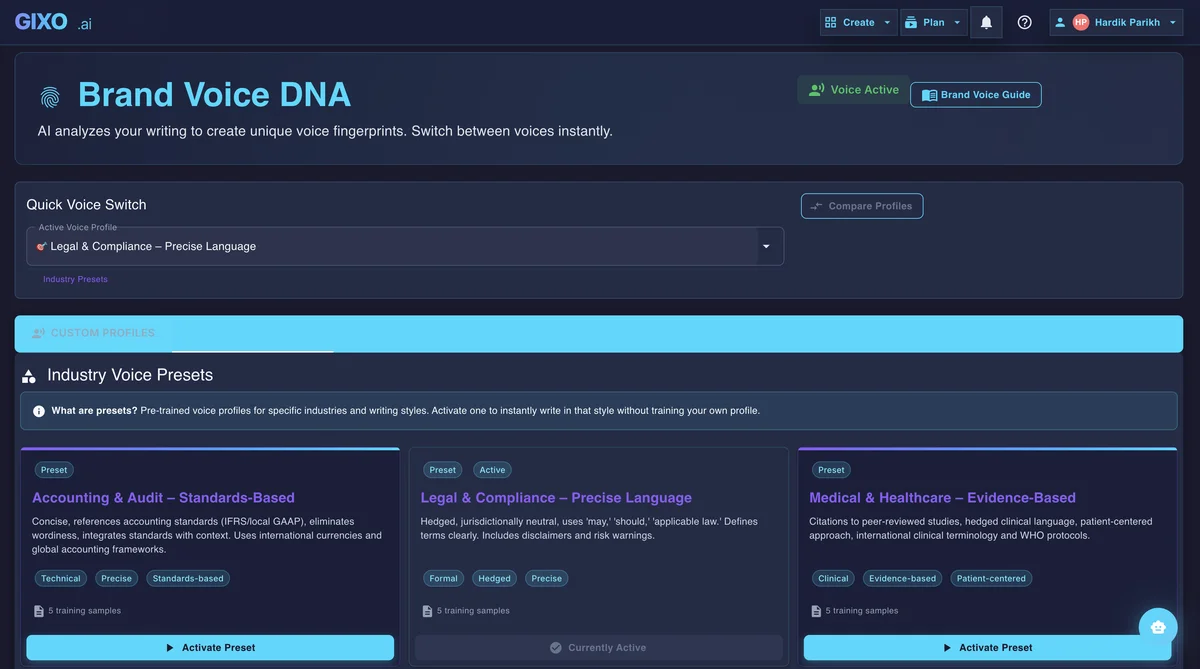
Brand Voice DNA
Reusable voice settings and industry-aware presets keep the first shot consistent before editing, repurposing, or localization begin.
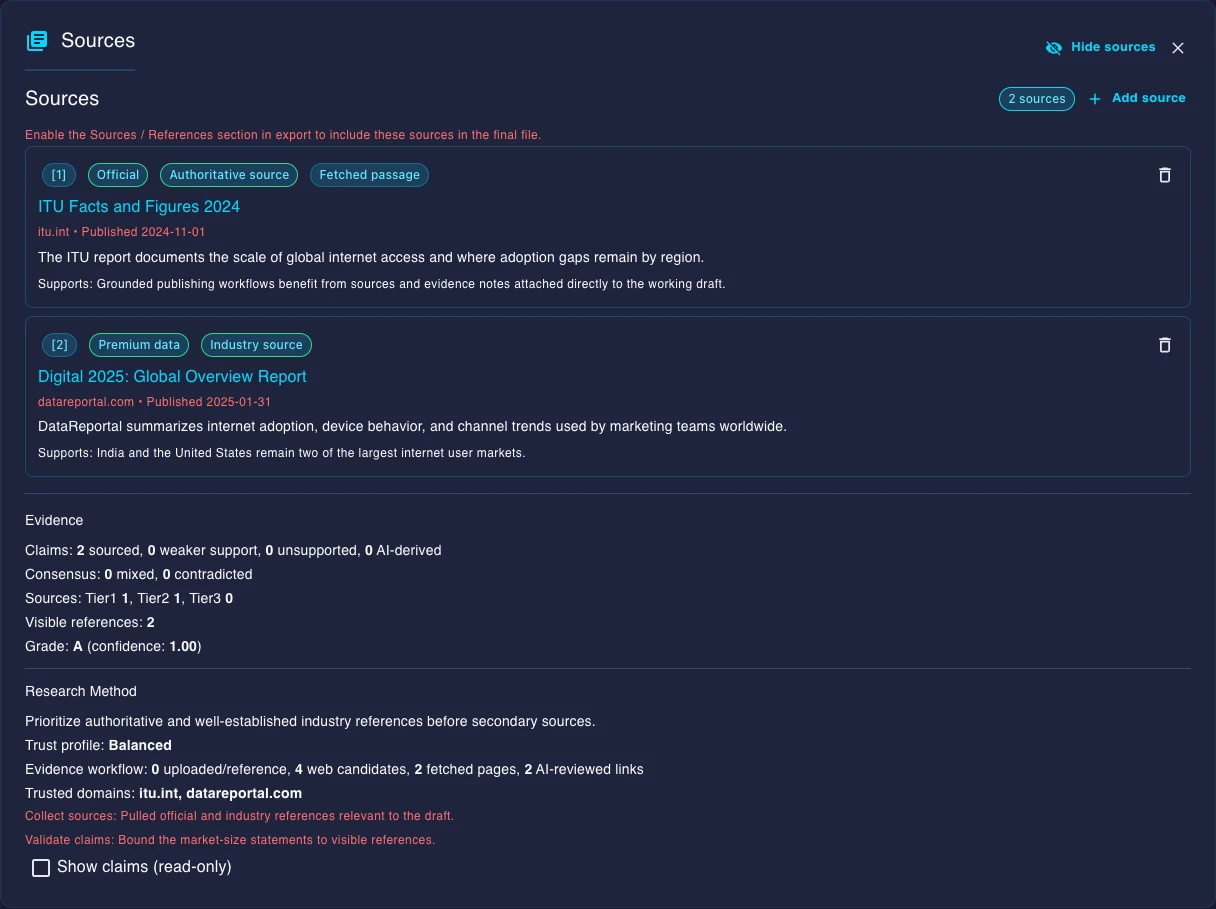
Evidence & References
Sources, citations, and reference quality stay attached to the draft so reviewers can inspect claims in context without leaving the workspace.
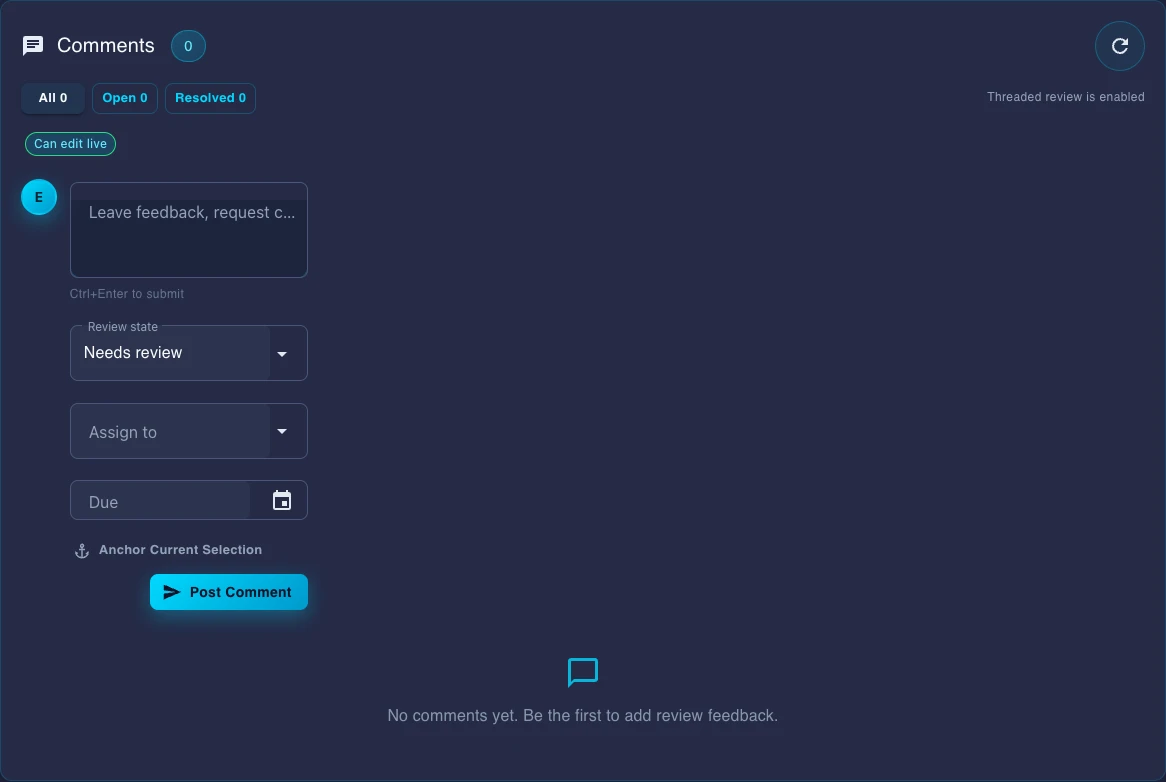
Team Review Workflow
Comments, review state, assignees, and due dates live inside the document instead of being rebuilt in chat threads or external checklists.
Start with the first shot. Finish in the workspace.
An industry-aware content workspace for marketing, editorial, product, and knowledge teams that need strong first drafts plus shared brand voice, evidence grounding, references, structured editing, review, transformation, and publishing. Brand voice, evidence grounding, and references are built into the workflow, which is still uncommon across content tools.