
An AI writing assistant that edits with you, not for you
Your real-time editing partner that improves writing as you go. Highlight any paragraph for instant rewrites, adjust tone with one click, fix grammar and style issues inline, and refine your own drafts, all without generating content from scratch.
How AI edits a document in Quill
Three different jobs, three different tools. Pick by how much of the piece you want to change.
Quick AI — six one-click actions on the selection: rewrite, simplify, expand, fix, professional, casual. The result replaces your selection in place and you accept or undo it.
Power Edit — type your own instruction instead of picking an action, with the rest of the article available as context. Preview the replacement before you accept it.
Ask Quill — describe the change you want and Quill proposes the individual edits, each with its reason, before anything is saved. Keep the ones that help and drop the rest. Proposing uses your plan's capacity; applying what you keep is free.
A proposal can still be wrong, and Ask Quill needs full edit access on the document. Reviewing what it suggests is the point — nothing is saved until you choose it.
What your plan includes.Brand Voice is on Professional plans and above — from $79 per seat a month, minimum three seats. Writing, checks, exports, public share links and publishing are on every plan. The 14-day trial works like Starter, so it does not include Brand Voice.
An AI writing assistant is a real-time editing partner that improves text you've already written, rather than generating new content from a prompt. It works paragraph by paragraph: highlight any text for instant rewrites, switch tone with one click, fix grammar and style issues inline, and expand or condense sections — all while you keep control of the structure and argument. Unlike a blank-page content generator, it edits with you, not for you.

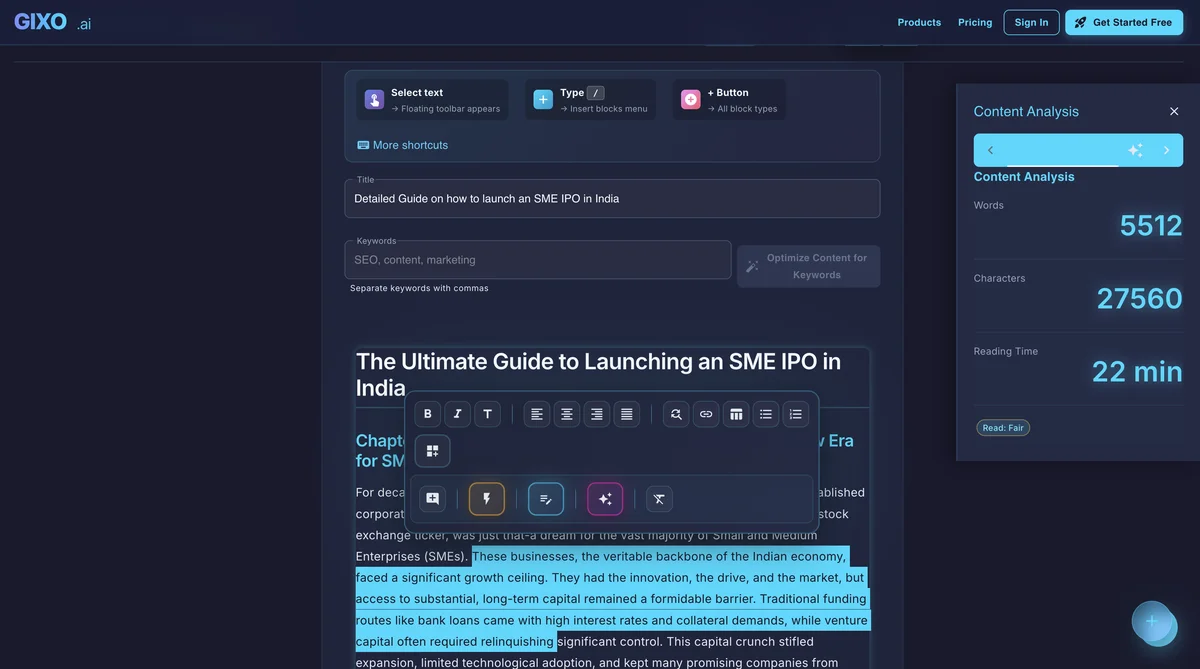
What is an AI writing assistant and why does it matter for your workflow?
Most AI writing tools focus on generating content from scratch. You enter a prompt, the tool produces a draft, and you spend the next hour fixing awkward phrasing, factual gaps, and a tone that sounds nothing like your brand. The fundamental problem is that generation-first tools treat writing as a one-shot event rather than an iterative craft. Professional writers do not work that way. They draft, revise, restructure, and polish — often cycling through multiple rounds of editing before a piece is ready.
An AI writing assistant takes the opposite approach. Instead of replacing the writer, it enhances the writing process itself. You stay in control of the narrative, the argument, and the structure. The assistant handles the mechanical refinements that slow you down: tightening sentences, smoothing transitions, catching inconsistencies, and adjusting tone to match different audiences. The result is content that sounds like you wrote it on your best day, produced in a fraction of the time.
The Shift from Generation to Collaboration
The most effective AI writing workflows in 2026 are collaborative, not generative. Writers who use AI as an editing partner report higher satisfaction with their output because they maintain creative ownership while offloading the tedious polish work. This distinction matters for brand voice: when you write the core ideas and the AI refines the delivery, the final piece carries your expertise and perspective rather than sounding like generic machine output.
Gixo's writing assistant is built around this collaborative model. Every feature — from inline rewrites to paragraph-level tone control — is designed to work with your existing text rather than replacing it. The AI understands context within your document, so suggestions are relevant to what comes before and after the section you are editing. This contextual awareness is what separates a true writing assistant from a simple grammar checker or a blank-page content generator.
Real-time editing, not blank-page generation
Unlike content generators that start from scratch, Gixo's writing assistant works alongside your existing text, improving clarity, tone, and structure paragraph by paragraph.
Highlight any text and get instant rewrite options. Improve clarity, change tone, fix grammar, or expand a point — all without leaving your document.
Switch between a professional or casual tone with one click, or any tone you describe in Power Edit. Maintain the right voice for every audience and channel.
Turn bullet points into paragraphs, outlines into full articles, or notes into polished documents. AI understands context and expands naturally without filler.
Condense lengthy documents into concise summaries, executive briefs, or key takeaways. Preserve critical information while reducing length to your target.
Write or translate content in 71 languages across 89 locales. Create native-quality content for international audiences without hiring separate writers for each market.
Beyond grammar: AI catches inconsistencies, redundancies, weak arguments, and unclear passages. Get suggestions that improve substance, not just surface-level errors.
Why the best writers use AI writing tools differently
Professional Writers Treat AI as a Refinement Tool
A useful writing-assistant workflow keeps the writer's argument in control. There is a difference between handing a machine a topic and accepting a finished article versus drafting an argument, selecting a weak paragraph, and asking for tighter alternatives. The second approach lets the writer keep the original thinking while using AI for sentence-level refinement; every suggestion still needs a factual and voice check.
This refinement-first workflow is especially important for subject matter experts. A physician writing about treatment protocols, a financial analyst explaining market trends, or a legal professional drafting client communications — each brings domain knowledge that no AI model can replicate. When these professionals use an AI writing assistant to polish their drafts rather than generate from scratch, the result preserves their hard-won expertise while eliminating the rough edges that come from writing under time pressure. The AI does not add knowledge; it removes friction from the communication process.
How Inline Editing Preserves Voice While Improving Quality
Voice is the most fragile element of any piece of writing. It emerges from word choice, sentence rhythm, the ratio of short punchy statements to longer explanatory ones, and dozens of other subtle patterns that define how a writer sounds on the page. Traditional AI content generators destroy voice entirely because they start from their own model of language rather than from the writer's established patterns. The output may be grammatically correct and topically relevant, but it sounds like nobody — or worse, like everybody.
Inline editing solves this problem by keeping the writer's original text as the foundation. When you highlight a paragraph and request a rewrite, Gixo analyzes not just that paragraph but the surrounding context — your sentence length patterns, vocabulary preferences, and structural choices throughout the document. The suggested rewrites maintain these patterns while addressing the specific issue you flagged, whether that is tightening a wordy passage, strengthening a weak transition, or adjusting formality for a different audience segment. The result reads like your best writing because it is your writing, refined.
How does an AI writing assistant fit your workflow?
Begin with your existing draft, paste source text, or start from a draft created in Gixo. The assistant is ready whenever you are.
As you write, AI offers improvements for clarity, style, and engagement. Replace, discard, or retry each suggestion — you stay in control.
Use inline tools to expand sections, adjust tone, add citations, or restructure content. AI handles the execution while you direct the strategy.
Save as PDF, DOCX, HTML, Markdown, TXT, and JSON. Publish directly to your CMS or share with collaborators for review.
Who benefits most from AI-powered writing tools
Different professionals use AI editing assistance in different ways. Here is how each role benefits from an inline writing partner.
Leaders drafting board updates, investor letters, and company-wide announcements need a polished, authoritative tone that inspires confidence. An AI writing assistant refines rough drafts into executive-quality communications — tightening language, removing hedging phrases, and ensuring every sentence carries weight. The result is leadership writing that sounds decisive and clear without requiring hours of revision or a dedicated speechwriter.
Researchers and academics juggle precision, clarity, and adherence to disciplinary conventions across lengthy manuscripts. The writing assistant helps refine complex arguments without diluting technical depth — tightening sentences, ensuring consistent terminology across sections, flagging logical gaps, and adjusting formality for journal submissions versus conference presentations. Inline editing preserves the author's analytical voice while improving readability for reviewers and broader audiences.
Marketing teams producing blog posts, landing pages, email campaigns, and social copy across multiple writers need brand voice consistency. The AI writing assistant acts as a style guide enforcer — each team member drafts in their natural voice and then uses tone presets and inline suggestions to align output with the brand's established patterns. This eliminates the bottleneck of a single editor reviewing every piece while maintaining the unified voice that audiences recognize and trust.
Professionals writing in a second language often have strong ideas and deep expertise but struggle with idiomatic phrasing, preposition usage, and natural sentence rhythm. The AI writing assistant smooths out awkward constructions, suggests more natural word choices, and ensures grammar accuracy — all while preserving the writer's original meaning and argumentation structure. The result reads like polished native-quality content without losing the author's unique perspective and domain knowledge.
What does Gixo's AI writing assistant include, and how does it compare to Grammarly and ChatGPT?
| Feature | Gixo | Grammarly | ChatGPT |
|---|---|---|---|
| Full content generation | Complete articles | Editing only | Yes |
| Inline editing | Context-aware | Grammar focus | Separate chat |
| Brand voice | Voice profile from your samples | Ask which plan carries brand voice | Ask which plan carries brand voice |
| SEO optimization | Built-in | No | No |
| Evidence citations | Automatic | No | No |
| Multi-format export | PDF, DOCX, HTML, Markdown, TXT, and JSON | No | Copy only |
| Content + presentations | All-in-one | No | No |
Tips for getting the most from AI editing
Follow these practices to maximize the value of your AI writing assistant and produce better content faster.
Frequently Asked Questions
Inside Quill
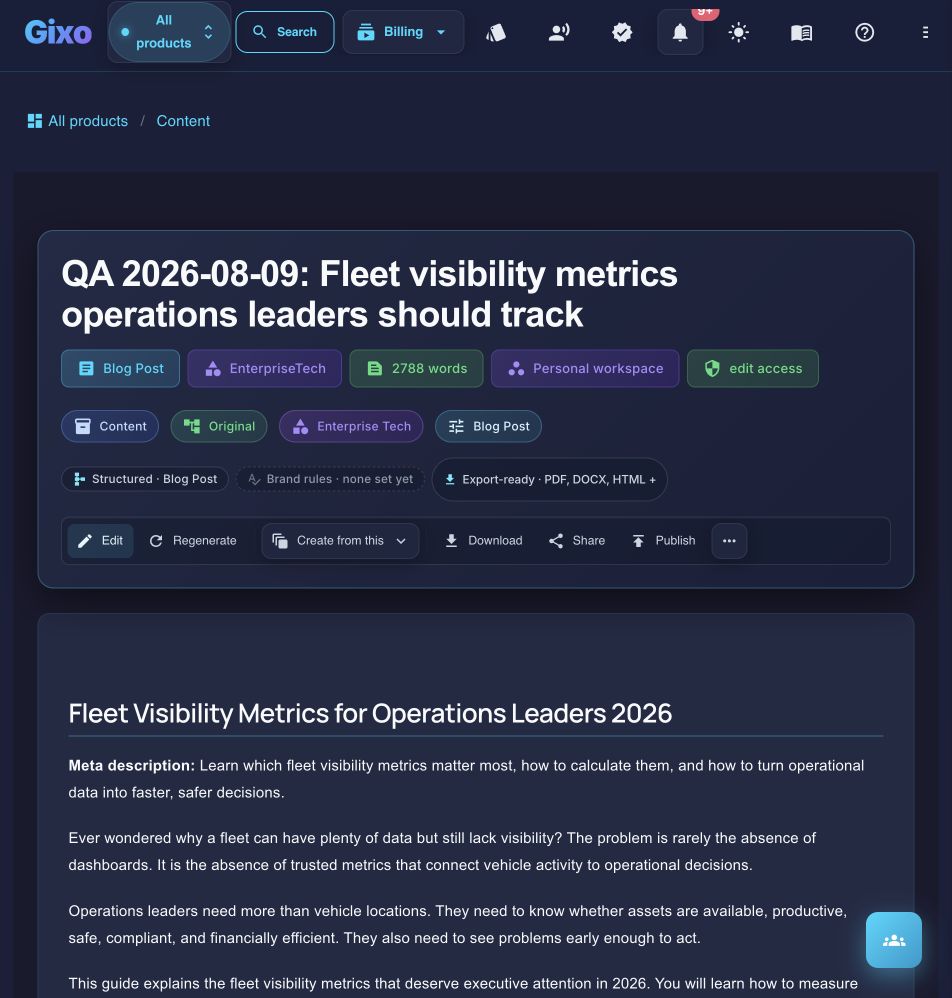
Keep the finished draft and its next actions together
Updated