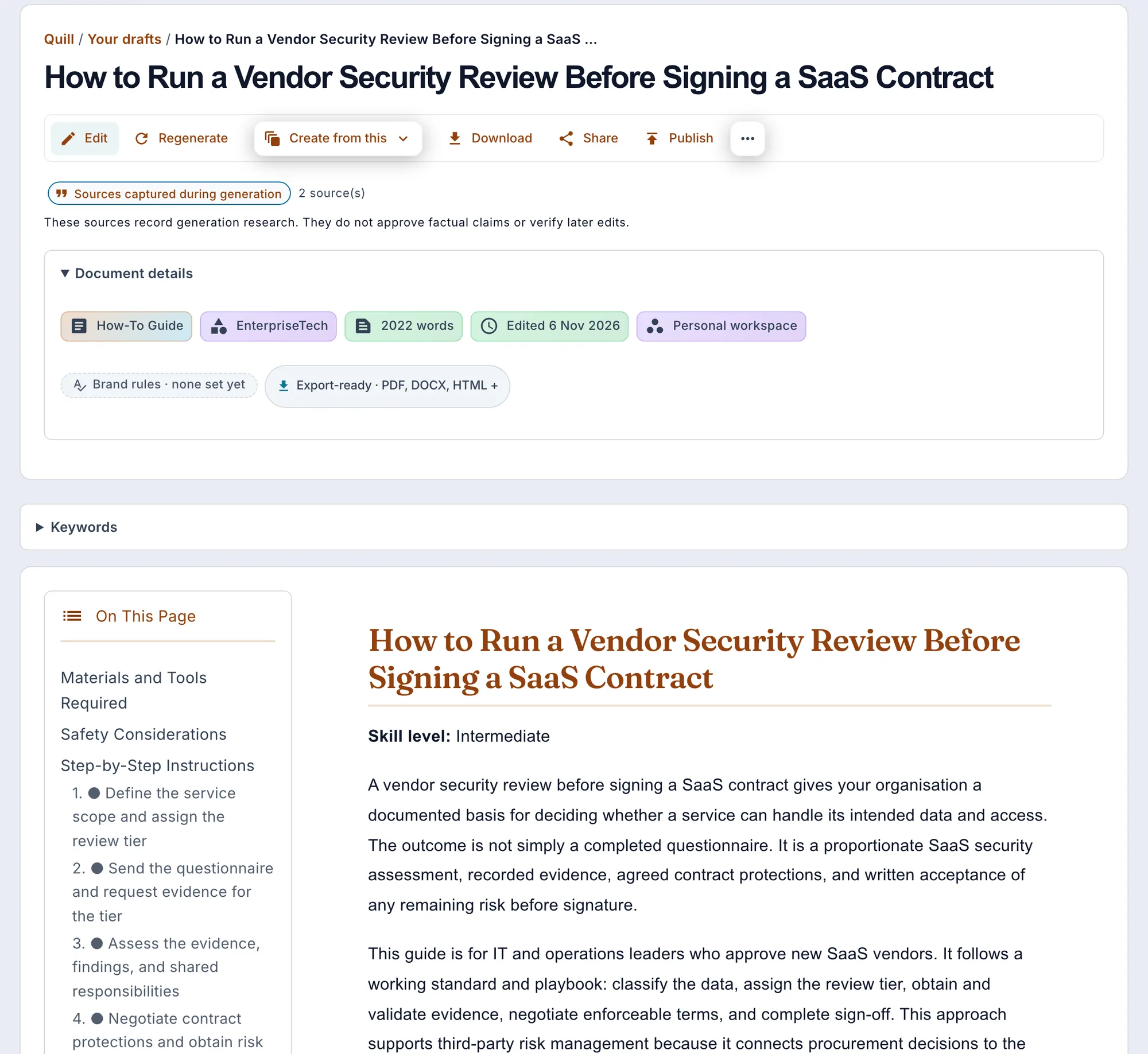
Bring useful inputs
Set the reader, purpose, required points, sources and section budgets. Review extracted material from an upload, paste or URL before using it as grounding.
Turn a product brief into short-form copy: product descriptions and social posts, with LinkedIn posts and Twitter threads available by transforming a finished piece. Grounded in your product's real facts, in a voice profile learned from your own writing.
An AI copywriting tool turns a product brief into short-form marketing copy. Gixo Quill drafts product descriptions from a brief. LinkedIn posts and Twitter threads are transformations of existing material, rather than direct-create formats. It uses your product's real facts and a voice profile learned from samples of your own writing, generates variations you can compare, and exports as HTML, Markdown or PDF. The same Quill workspace also drafts long-form articles and blog posts; it does not send campaigns or measure conversion lift.
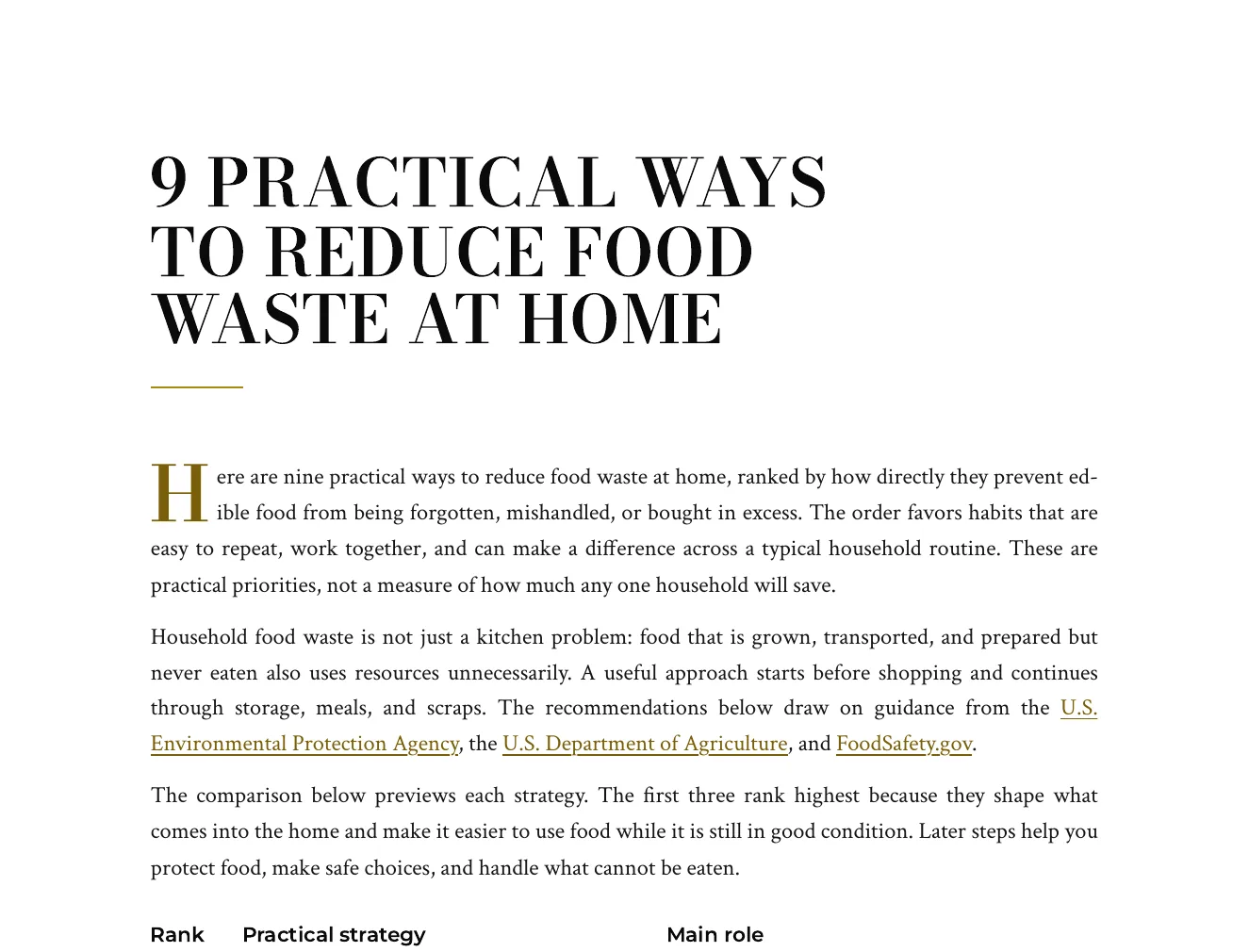
This is an actual Quill export, with the input brief available alongside it. Use the workflow below to connect source material, structure, editing and delivery.
Nine numbered tips, each saying what to do, why it works and how to start, with a ranked summary table and EPA, USDA and FoodSafety.gov guidance linked in the text.
Write a numbered article of nine practical ways a household can reduce the food it throws away. Each item should say what to do, why it works and how to start. Include how to plan meals, store food, read date labels, use leftovers and handle scraps. Ground the advice in guidance published by the U.S. Environmental Protection Agency, the U.S. Department of Agriculture and FoodSafety.gov, and cite those agency pages. Cite no other organisation. Do not quote statistics, percentages or dollar amounts; give practical advice and attribute each piece of guidance to the agency page it comes from.
Open the full export and compare its statements with the cited sources before reuse.
Set the reader, purpose, required points, sources and section budgets. Review extracted material from an upload, paste or URL before using it as grounding.
Review the outline, then the draft. Add structured blocks, edit selected passages and use Image Studio for permitted generation, photo selection and responsive insertion; retain attribution where required.
Review citations, wording and metadata. Use the supported export or connected destination for the current account; Markdown handoff and a live publishing connection are different delivery paths.
Power Edit starts from an active selection. You can give iterative or voice-transcribed instructions, choose a reply language, stop a streamed response, inspect the result and explicitly replace the selected range. Full-document context is reference material. Structured blocks have typed fields, item-level regeneration and previews; their AI field assistance is separate from their layout.
Use builder or advanced prompts with the subject and document context. Shape style, mood, lighting, palette, composition, camera and supported image dimensions. Inspect generated alternatives or a selected real photo, retain required source attribution and edit alternative text before insertion. Finishes and prompt edits create a new result; compare it with the original instead of assuming an edit is lossless.
Import options depend on the source type: pasted text, Markdown or HTML; document extraction; spreadsheet cells; image OCR; and supported media transcription. Review extracted material before drafting. Export settings include the supported format, theme, author, spacing, headers, footers and page appearance. Inspect the actual download because HTML, print PDF and editable Word represent structure differently.
A source-led draft needs human review. HTML, PDF and editable Word have different layout fidelity; connected publishing support is destination-specific.

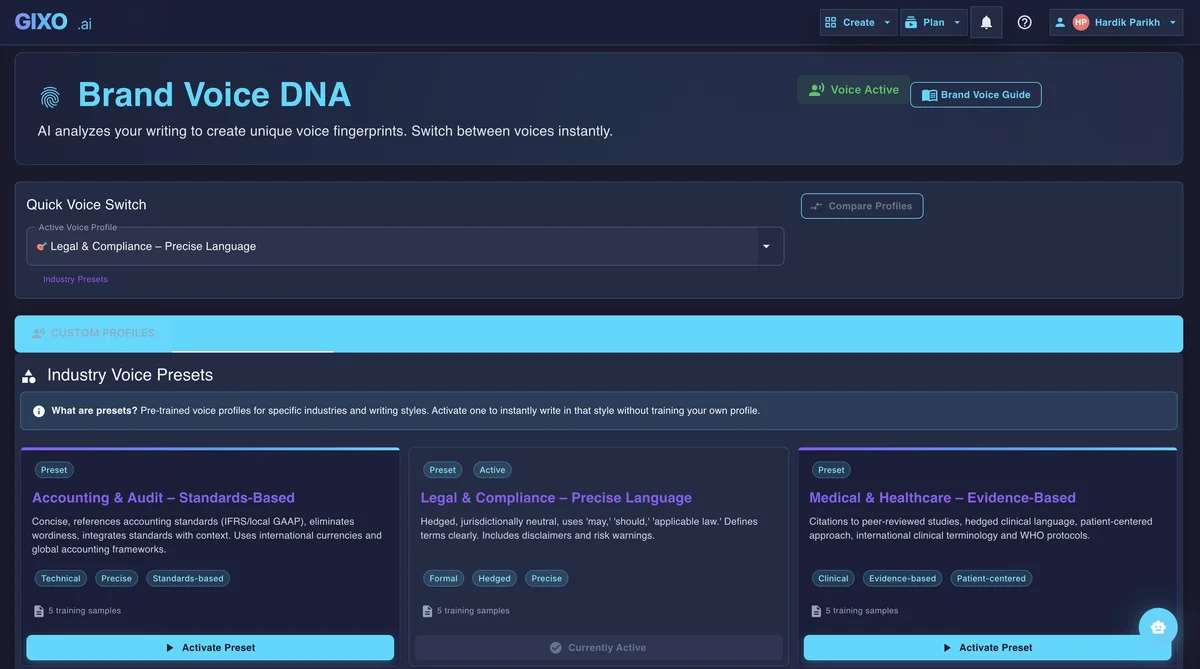
Draft product descriptions and social posts from a brief, grounded in your product's real facts. LinkedIn posts and Twitter threads come from transforming a finished piece.
Provide product facts and source material so Quill can ground the copy in the details you supply. Review claims and omissions before using the draft in a campaign.
Generate product descriptions from your entered product data, with deterministic Product/Offer JSON-LD built from the same fields.
Transform a finished article into a LinkedIn post or Twitter thread, keeping the argument intact rather than excerpting it.
Draft product descriptions that highlight benefits, address supplied objections, and use the keywords in your brief. Check the final wording against the product and its audience.
Generate several versions of a description or post from the same brief, compare them side by side, and keep the one that fits.
When your plan includes Brand Voice, provide brand guidelines, past copy, and tone preferences to shape generation. Review each piece because a voice profile guides output; it does not replace editing.
Four steps from a product brief to reviewed copy for your publishing or campaign tools.
Enter what you sell, who you sell to, and what action you want readers to take. The more context you provide, the more targeted the copy.
Select the format — product description or social post — and the tone that fits.
Ask for alternative headlines, calls to action, or description wording in the editor. Compare the suggestions against the same product facts and audience; Quill does not run an A/B experiment or identify a winning conversion rate.
Check specifications, benefits, care instructions, and any exclusions, then copy or export the reviewed text. Your store, ad platform, or email service handles placement and campaign delivery.
Prepared example: the supplied product sheet says “750 ml stainless steel bottle; lid must be hand-washed.” A description can say, “Carry a 750 ml stainless steel bottle every day. Hand-wash the lid.” It should not add a dishwasher-safe claim, a lifetime warranty, or a cooling duration the sheet does not support.
Review important product claims against their sources after rewriting. Save the corrected copy and rerun source review before renewing editorial approval. Where approval is required for publication, deliver an approved release of the saved revision. The product description generator guide lists the factual inputs to bring.
Use these checks when evaluating Quill alongside Copy.ai or Jasper. Compare the current workflow and plan directly instead of assuming every tool offers the same copy formats.
| Feature | Gixo | What to verify in another tool |
|---|---|---|
| Brand voice from your samples | Reusable voice guidance when included in your plan | Which plan supports saved profiles, and how an editor reviews the output |
| Supported copy formats | Product descriptions and social posts; transformations for LinkedIn and Twitter | Whether the required format is supported, and what inputs it uses |
| Factual product review | Selected-source review with advisory findings and human decisions | Whether product specifications and limitations stay traceable after a rewrite |
| SEO checks | Deterministic checks against supplied keywords, structure, and links | What the score measures, and whether it uses live SERP data |
| Source context | Supplied or retrieved sources where the selected workflow supports them | Whether citations are present, and whether the cited source supports the claim |
| Multi-format export | PDF, DOCX, HTML, Markdown, TXT, and JSON | Open a sample export in the destination tool and inspect formatting |
| Campaign delivery | Draft and export copy; no ad placement or email sending | Which parts are authored, published, or sent by the platform |
Inside Quill