
Prompt box vs content workspace
A prompt box can produce text. A content workspace helps a team turn source material into approved, on-brand, evidence-backed assets with review, versions, transformations, export, and publishing attached.
What your plan includes.Comments, mentions and team sharing is on Professional plans and above — from $79 per seat a month, minimum three seats. Writing, checks, exports, public share links and publishing are on every plan. The 14-day trial works like Starter, so it does not include comments.
A prompt box is a chat interface: you type an instruction and get a one-off answer to copy out. A content workspace is where that draft gets source material, brand voice, references, review states, versions, export, and publishing attached, so the same work can be repeated, trusted, and shipped by a team rather than one person. Use a prompt box for exploration, quick rewrites, and individual low-risk drafts; use a content workspace once the output must be evidence-backed, reviewed by others, and published. In Gixo Quill's case that workspace means 48 direct-create content formats plus 2 transformation-only formats, 21 structural content blocks, 90 language and locale options, export as PDF, DOCX, HTML, Markdown, TXT, and JSON, and direct publishing to connected WordPress and Ghost sites — priced across 5 per-seat plans from $10 to $129 per seat per month after a 14-day no-card trial.
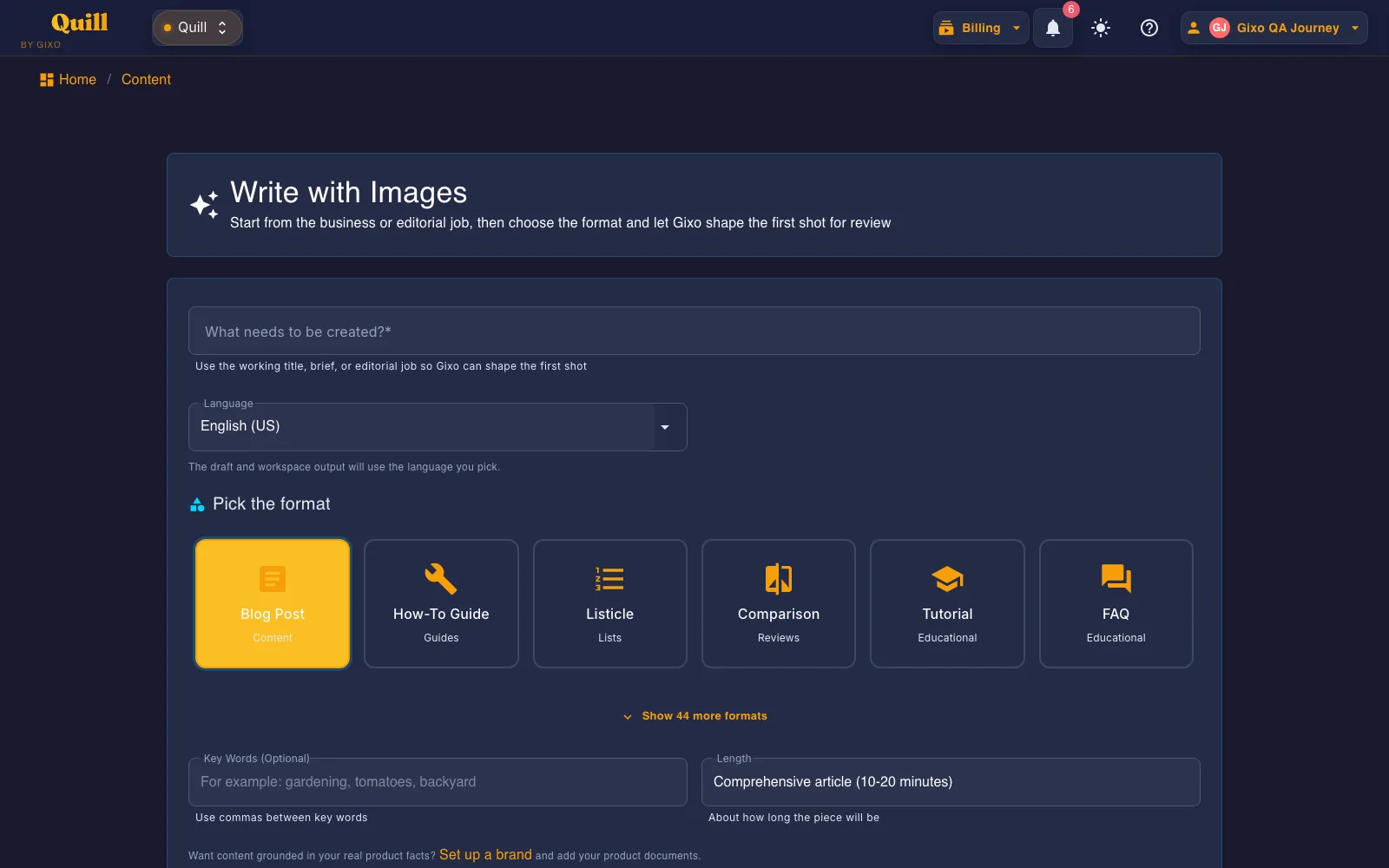
What is the difference between a prompt box and a content workspace?
The prompt box is the most familiar AI interface: type an instruction, receive an answer, copy what you need, and iterate. It is excellent for exploration, ideation, quick rewrites, summarization, and one-off tasks.
Content teams hit the limit when the work must be repeatable. They need brand voice, approved sources, references, comments, review states, versions, export formats, publishing destinations, and a quality gate. Those are workspace problems, not prompt problems.
What does a content workspace add that a prompt box does not?
| Dimension | Prompt box | Content workspace |
|---|---|---|
| Best for | One-off ideation, drafts, rewrites, research questions, and exploratory chat. | Recurring content production with brand, evidence, review, and publishing requirements. |
| Inputs | Whatever the user remembers to paste into the conversation. | Source packs, brand voice, content type, reusable context, references, and project history. |
| Evidence | Manual. The user must ask for sources and verify every claim separately. | Designed into the workflow so source material and references stay attached to the draft. |
| Collaboration | Usually outside the tool, through copied text, docs, comments, and message threads. | Comments, versions, review states, assignments, and approvals around the content itself. |
| Publishing | Copy and paste into another system. | Export or publish from the same place once the piece clears review. |
The same comparison in numbers
Workspace claims are easy to make in the abstract. These are the counts Gixo Quill actually ships, and the boundary where a prompt box is still the right tool.
What you get when you export to Word or PDF
Most AI writers hand back prose and a download link. Quill gives you a document you set up first, with a live preview that redraws as you change it.
Headings export as real Word heading styles, not bold paragraphs, so the navigation pane and any contents list work. Numbered and bulleted lists carry their own numbering rather than typed-in digits.
Pick a theme, write the cover, choose where page numbers sit, turn the contents list on or off, set line spacing and orientation. A live preview redraws the whole document as you change each control, so you know what you are getting before you download it.
Inline markers, a references section with retrieval dates and full URLs, or both — they are separate switches. Images keep their attribution and licence line as a caption, so the file you hand over carries its own provenance rather than losing it at the door.
Six formats — PDF, Word, HTML, Markdown, plain text and JSON. The cover page and contents list are on the PDF; the Word file carries the heading styles, the list numbering and a page-numbered footer.
See the actual export, not a description of it
Rather than describe the export, here is one. Both files are the same Quill article, exported on 20 September 2026 through the ordinary Export Document screen, both A4 portrait. Nothing was tidied up afterwards, and the article is a sample written for this purpose rather than a customer document.
3.8 MB, 39 pages, A4 portrait. The document design exactly as it was set up: a cover page with the title and date, a contents list, and a numbered footer on every page.
2.8 MB, A4 portrait, opens in Word. The same article as an editable layout: real Heading 1 and Heading 2 styles so the navigation pane works, list numbering Word owns rather than typed-in digits, a page-numbered footer, and 19 embedded images.
They are not identical, and that is the point. PDF preserves the document design exactly; DOCX arrives as an editable Word layout, where fonts, backgrounds and page breaks may differ. The cover page and contents list belong to the PDF; the Word file gives you the structure to edit instead. Its contents list is written out as text rather than a field Word refreshes, so if you restructure the document, retype that list. Both files carry the same 19 images, byte for byte. Open both before deciding which one your workflow needs — Quill exports PDF, DOCX, HTML, Markdown, TXT, and JSON, and these two are the ones that carry a document design.
| What you get | Prompt box | Gixo Quill workspace |
|---|---|---|
| Content formats you can start from | Whatever you describe in the message | 48 direct-create content formats plus 2 transformation-only formats |
| Structural content blocks | None — output is one block of text | 21 block types |
| Language and locale options | Model-dependent, unstated | 90 |
| Industry style guidance | Only what you paste in each time | 38 industry categories with format-aware guidance |
| Export formats | Copy and paste | PDF, DOCX, HTML, Markdown, TXT, and JSON (6 formats) |
| Direct publishing | None | connected WordPress and Ghost sites |
| Export-only destinations | None | Medium draft handoff and Substack export |
| Published plans | Varies by assistant | 5 per-seat plans: $10 Lite, $59 Starter, $79 Professional, $99 Business, $129 Enterprise — per seat per month |
| Seats included per plan | Usually one | 1 / 1 / 3 / 5 / 10 |
| Entry path | Sign up and start typing | 14-day no-card trial; no standing $0 plan |
| Where the prompt box still wins | Open-ended thinking, one-off rewrites, throwaway drafts | Gixo Quill is not a general assistant and does not replace one |
When is a prompt box enough?
Exploration
You are testing angles, asking questions, or searching for language before committing to a content asset.
Low-risk drafts
The output is internal, temporary, or easy to correct, and the cost of a weak claim is low.
Short transformations
You need a summary, headline options, a rewrite, a translation check, or a quick explanation.
Individual work
One person owns the output and does not need approval, versioning, source trails, or publishing workflow.
When do you need a content workspace instead?
The piece must be trusted
Claims, examples, product facts, and recommendations need evidence and review before they reach a public audience.
Multiple people touch the work
Writers, marketers, founders, SMEs, legal reviewers, and clients need to see what changed and approve the final version.
Brand voice matters
The team cannot rely on generic model tone. Voice, terminology, claim style, and structure need to stay consistent.
Publishing is part of the job
The work is not complete until it is exported, published, repurposed, localized, or reused without losing structure.
How Quill fits into AI content production
Gixo Quill is not positioned as another chat window. It is a content workspace for teams that want the speed of AI plus source-aware drafting, brand voice, references, deterministic checks, comments, review workflow, export, and publishing.
Use chat when the output is a disposable step. Use a workspace when the output becomes a public asset that your team, customers, and search or answer engines will judge.
Frequently Asked Questions
Is a content workspace better than ChatGPT or Claude?
Not universally. General assistants are excellent for flexible thinking and exploration. A content workspace is better when the same work needs source grounding, brand consistency, review, export, and publishing.
Can teams use both?
Yes. Many teams use a general assistant for exploration and a workspace for production. The key is not letting exploratory drafts become published assets without evidence, review, and structure.
What is the biggest risk of prompt-box content?
The output can sound complete while hiding weak sourcing, missing context, generic voice, and unsupported claims. The risk appears after publication, when the team has less control.
What should a content workspace include?
At minimum: source material, templates or content types, brand voice, references, editing, review states, comments, versions, quality checks, export, and publishing paths.
What is a prompt box vs a content workspace?
A prompt box is a chat interface for typing an instruction and getting a one-off answer to copy out — good for exploration, quick rewrites, and individual low-risk drafts. A content workspace keeps the source material, brand voice, references, review states, versions, export, and publishing attached to the draft itself, which matters once the output must be repeatable, evidence-backed, reviewed by others, and published.
How is evidence handled differently in each?
In a prompt box, evidence is manual: the user has to ask for sources and verify every claim separately. In a content workspace, source material and references are designed into the workflow so they stay attached to the draft rather than depending on the user remembering to check.
What does a content workspace include that a prompt box cannot, in concrete numbers?
Gixo Quill ships 48 direct-create content formats plus 2 transformation-only formats, 21 structural content blocks, 90 language and locale options, and 38 industry categories of format-aware guidance. Work exports as PDF, DOCX, HTML, Markdown, TXT, and JSON and publishes to connected WordPress and Ghost sites, with Medium draft handoff and Substack export for the rest. A prompt box supplies none of these as durable settings; you restate them in every message.
What does a content workspace cost compared with a prompt box?
Gixo Quill publishes 5 per-seat plans: $10 Lite, $59 Starter, $79 Professional, $99 Business, and $129 Enterprise, all per seat per month, with 3 seats included at Professional and 5 at Business. General assistants are typically cheaper per seat because they do not carry the review, versioning, export, and publishing layer.
Is there a free version of the workspace?
It's a 14-day free trial (no card required), not an unlimited free tier — Gixo Quill has no standing $0 plan. After the trial, continued generation requires a paid plan.
When should a team stay in the prompt box?
Stay in the prompt box when one person owns the output, the piece is internal or disposable, no approval step is required, and the cost of a weak claim is low. Those four conditions cover most exploration and rewriting. The moment any one of them fails — a public audience, a second reviewer, a claim that needs a source, or a publishing destination — the work belongs in a workspace.
Inside Quill
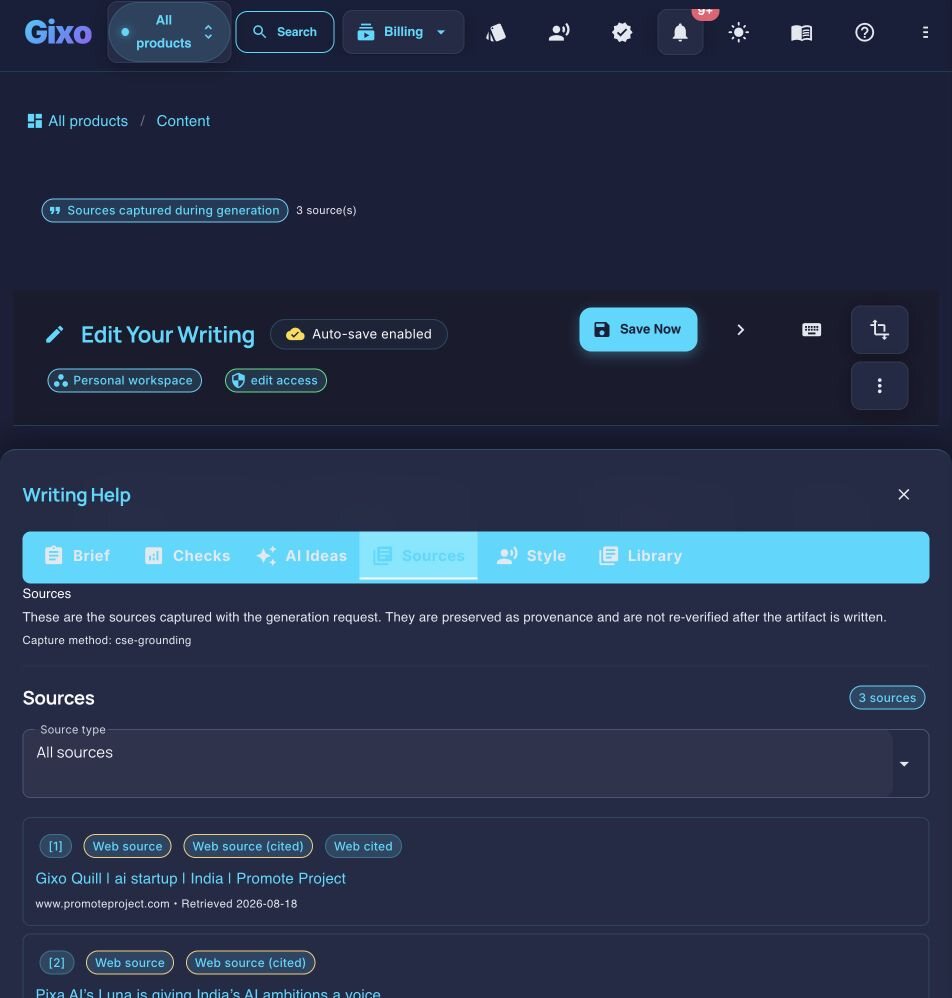
Inspect captured sources beside the working draft
Updated