
Move review-ready content into your publishing workflow
Gixo helps editorial, marketing, and product teams take structured drafts through review, send approved work to connected WordPress or Ghost sites, hand a draft to Medium, or export for another destination.
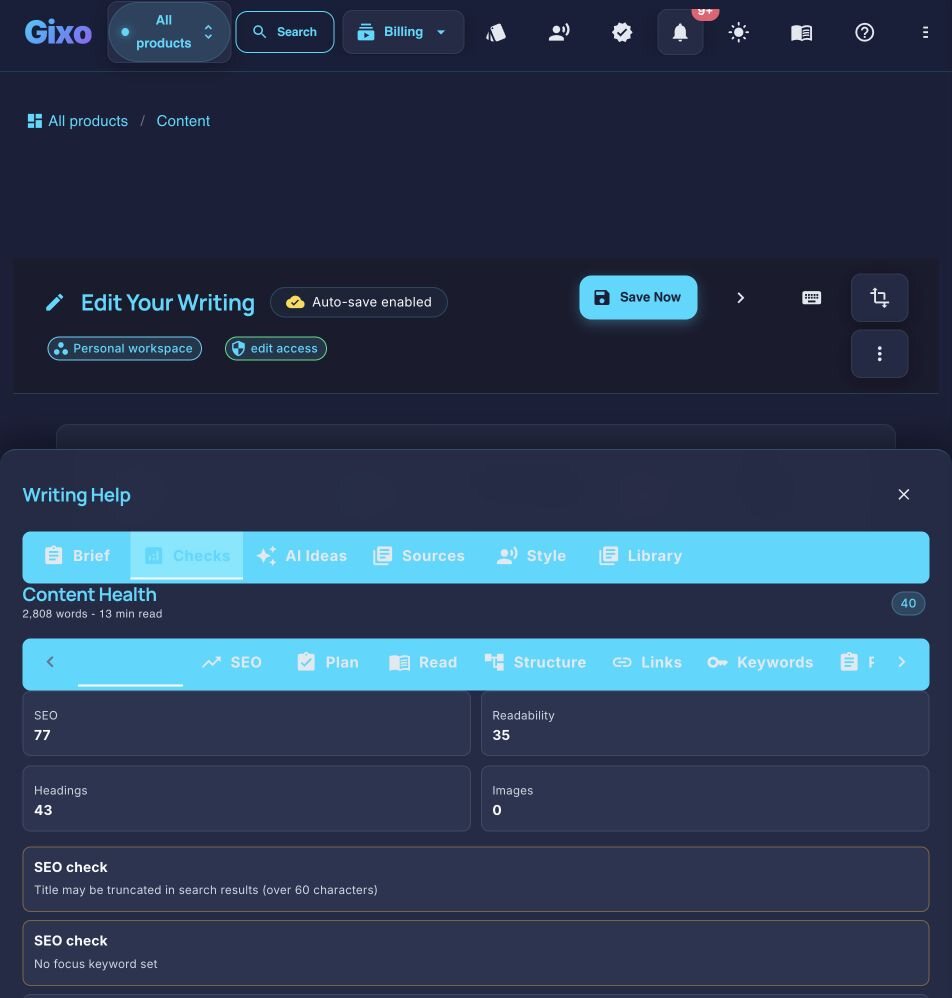

A publish-ready AI content tool keeps structure, evidence, editorial review, metadata, and delivery in one workflow instead of stopping at raw text. Send approved work to connected WordPress and Ghost sites, hand a draft to Medium, or export it for other destinations. Export in PDF, DOCX, HTML, Markdown, TXT, and JSON for other destinations. Quill reduces copy-paste and reformatting, but it does not remove factual verification, destination-only metadata, generic schema, or the receiving preview from the publishing process.
What makes a publish-ready AI content tool different from a regular AI writer?
Other AI tools stop at raw draft text. Gixo keeps the editor, review steps, formatting, and publishing path connected so teams can ship without rebuilding content downstream.
Content comes out with heading hierarchy, paragraph spacing, bullet lists, and visual structure. That reduces downstream reformatting, while the destination preview remains part of the final review.
Quill keeps keyword placement, heading structure, readability, links, source grounding, citations, and deterministic SEO checks in the draft workflow. The delivery workflow can generate and edit destination metadata before publishing.
Source-aware drafting and citations make claims easier to inspect, while editorial and subject-matter review remain required before publication.
Send approved work to connected WordPress and Ghost sites, hand a draft to Medium, or export it for other destinations. Review destination-specific formatting and metadata before the work goes live.
Images and their position remain attached to the document and supported exports. Review alt text, usage rights, and the destination rendering before publication.
Writing and terminology controls shape generation, and deterministic readability checks help editors find issues. Human editing still owns grammar, tone, accuracy, and final approval.
Why does AI-generated content still take so long to publish?
AI content generation solved the writing bottleneck. But the gap between a finished draft and a live, published page remains painfully manual.
Why AI Content Generation Stalls in the Last Mile Before Publishing
A generated article still needs claim verification, heading and link review, destination metadata, generic schema where appropriate, theme-aware formatting, and image checks. When those tasks live in disconnected tools, the team spends its time moving text and reconstructing context instead of reviewing the page.
The problem is structural. Traditional AI tools treat content as a text blob. They output paragraphs with no awareness of where that content will live — what CMS will render it, what metadata fields need to be populated, or what export format the distribution channel requires. Every article becomes a reformatting project before it can go live.
How Publish-Ready Output Changes the Workflow
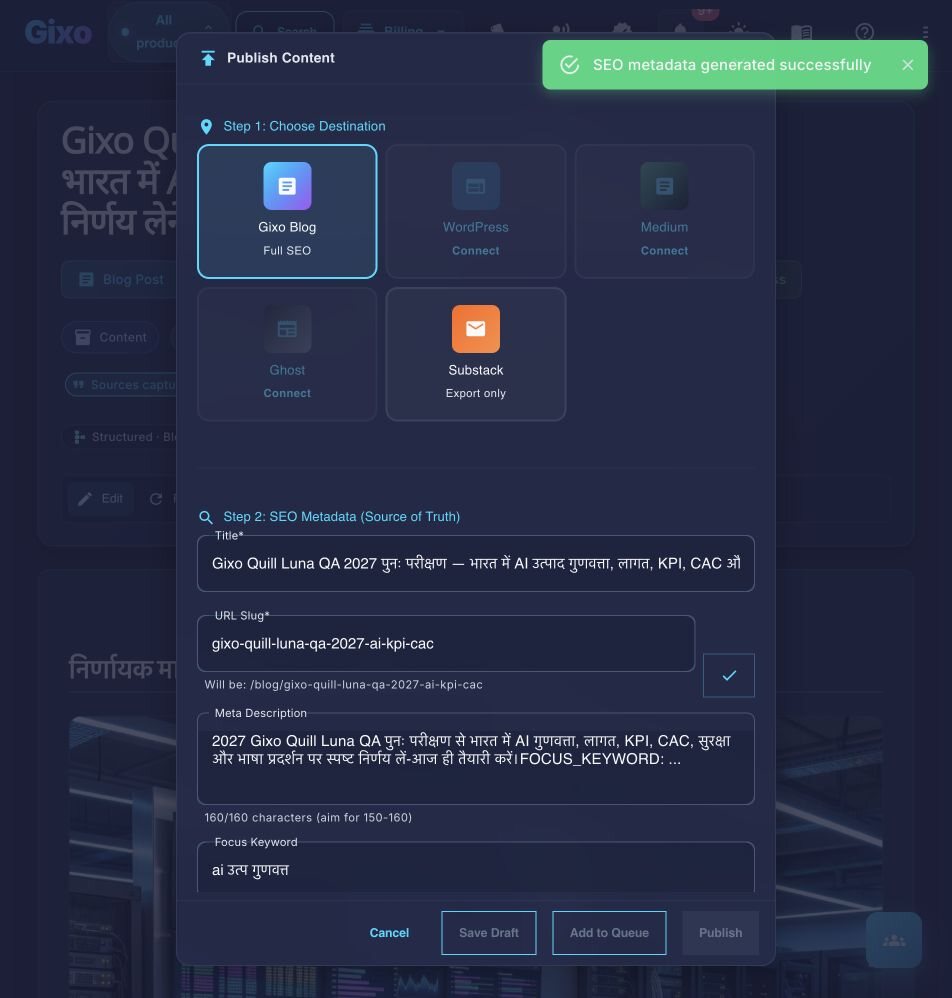
Gixo treats the publishing destination as part of the workflow. Quill keeps heading structure, evidence, image context, citations, comments, and link review attached while the team reviews the draft. Approved work can then use a connected WordPress or Ghost path, a Medium draft handoff, or an export. The delivery metadata editor can generate or refine fields such as the meta description before the final destination preview.
This reduces copy-paste and reformatting work without skipping the destination review. CMS themes, API fields, permissions, and editorial standards can still change the final result, so Quill keeps the handoff inspectable instead of presenting generation as automatic publication.
How It Works
Provide the topic, supplied keyword, audience, likely intent, required points, and source scope. Quill uses that direction; it does not infer measured intent from live SERP data.
Quill generates structured content from the brief and retrieved source set, with citations and attached sources for review.
Inspect claims, citations, structure, imagery, metadata, and destination requirements in the editor before delivery.
Use the connected WordPress or Ghost path, send a Medium draft, or export in PDF, DOCX, HTML, Markdown, TXT, and JSON. Check the receiving preview before publication.
Who uses it for content distribution
From solo bloggers shipping daily posts to agencies managing dozens of client deliverables, publish-ready output removes the bottleneck between creation and distribution.
Tips for the best results
Small workflow adjustments that compound into significant time savings across your publishing pipeline.
What does a publish-ready AI content tool include?
| Capability | Gixo | ChatGPT | Jasper | Manual Writing |
|---|---|---|---|---|
| Formatted output | Structured and reviewable | Prompt-dependent | Varies by workflow | Full control |
| SEO workflow | Built-in checks | Prompt-dependent | Separate Surfer subscription, from $49/mo as of 9 Aug 2026 | Manual |
| Evidence citations | grounded source set with review | Tool- and mode-dependent | Product-dependent | Manual research |
| CMS direct publish | WordPress, Ghost; one post per action | Tool-dependent | Product-dependent | Manual or CMS workflow |
| Factual verification | Human reviewer | Human reviewer | Human reviewer | Human reviewer |
| Heading structure | Format-guided, then checked | Prompt-dependent | Product-dependent | Manual control |
| Meta descriptions | Generated or edited in delivery workflow | No | Separate tool | Manual |
Competitor capabilities and packaging change. Confirm current vendor terms and test the complete review-to-destination workflow with your own content.
What you get when you export to Word or PDF
Most AI writers hand back prose and a download link. Quill gives you a document you set up first, with a live preview that redraws as you change it.
Headings export as real Word heading styles, not bold paragraphs, so the navigation pane and any contents list work. Numbered and bulleted lists carry their own numbering rather than typed-in digits.
Pick a theme, write the cover, choose where page numbers sit, turn the contents list on or off, set line spacing and orientation. A live preview redraws the whole document as you change each control, so you know what you are getting before you download it.
Inline markers, a references section with retrieval dates and full URLs, or both — they are separate switches. Images keep their attribution and licence line as a caption, so the file you hand over carries its own provenance rather than losing it at the door.
Six formats — PDF, Word, HTML, Markdown, plain text and JSON. The cover page and contents list are on the PDF; the Word file carries the heading styles, the list numbering and a page-numbered footer.
See the actual export, not a description of it
Rather than describe the export, here is one. Both files are the same Quill article, exported on 20 September 2026 through the ordinary Export Document screen, both A4 portrait. Nothing was tidied up afterwards, and the article is a sample written for this purpose rather than a customer document.
3.8 MB, 39 pages, A4 portrait. The document design exactly as it was set up: a cover page with the title and date, a contents list, and a numbered footer on every page.
2.8 MB, A4 portrait, opens in Word. The same article as an editable layout: real Heading 1 and Heading 2 styles so the navigation pane works, list numbering Word owns rather than typed-in digits, a page-numbered footer, and 19 embedded images.
They are not identical, and that is the point. PDF preserves the document design exactly; DOCX arrives as an editable Word layout, where fonts, backgrounds and page breaks may differ. The cover page and contents list belong to the PDF; the Word file gives you the structure to edit instead. Its contents list is written out as text rather than a field Word refreshes, so if you restructure the document, retype that list. Both files carry the same 19 images, byte for byte. Open both before deciding which one your workflow needs — Quill exports PDF, DOCX, HTML, Markdown, TXT, and JSON, and these two are the ones that carry a document design.
Frequently Asked Questions
Inside Quill
Carry an approved draft into publishing metadata and delivery
Updated