
Bring useful inputs
Set the reader, purpose, required points, sources and section budgets. Review extracted material from an upload, paste or URL before using it as grounding.
A content brief is the editorial handoff a writer works from: what the piece is for, who it is for, the sections it must contain, and what has to be true before it can be approved. It is agreed before drafting starts, which is what separates it from an outline.
Build that handoff here: intent, audience, required sections, word budgets, sources, links, assets, review, and acceptance criteria.
No account. Nothing stored. Static style-guide rules only — no AI model call.
Inside Quill
Changing content type resets the section list, word budget, tone, and voice to Quill's published structural defaults. Edit any field before building.
This fictional assignment shows how a content brief template connects search intent to an editorial decision. The inputs are invented, and the section budgets below come from this tool's deterministic builder. It is not a customer brief or a recorded Quill generation.
| Working headline | How to prepare a monthly support report |
|---|---|
| Audience and question | A support lead deciding whether a staffing change needs further investigation. What should the monthly support report establish before that decision? |
| Search intent | Informational: explain the report before asking the reader to act. |
| Primary keyword | monthly support report |
| Supporting topics | support reporting checklist, customer support metrics. Use them where they help answer the question, rather than repeating each phrase in every section. |
| Source material | An invented October support log and a fictional metric definition sheet. The log covers 840 tickets; it does not establish the cause of a change. |
| Reviewer decision | Confirm the reporting period, metric definitions and arithmetic. Separate observations from proposed causes before making a staffing recommendation. |
The 1000-word brief divides the available space among these required sections. These are planning allocations, not a promise about an AI draft's final length.
| Required section | Planned words |
|---|---|
| Introduction | 75 |
| Define the reporting period | 300 |
| Compare the measures | 300 |
| Choose a next step | 275 |
| Conclusion | 50 |
Acceptance criteria: answer the audience's question, define the measures, preserve the period and sample, cite the supplied records, and make uncertainty explicit. The builder supplies a structural checklist; a reviewer decides whether the finished article meets these editorial requirements.
Build your own brief above and download Markdown, HTML or gixo-brief.json. Compare the finished draft with its brief using the free brief compliance checker; its literal checks are prompts for review. Use Quill's source-review workflow separately when claims need comparison with selected documents. This free brief builder does not research keywords, verify sources or write the article.
The planning tool stays free. Gixo Quill saves briefs, applies your brand system, uses approved sources, and turns the handoff into a reviewable draft.
A content brief answers who the piece serves, which search job it must answer, which sources it may use and how the editor will decide whether the draft is ready. The free builder turns those supplied instructions into deterministic handoff formats.
| Part | Worked detail |
|---|---|
| Reader and job | A first-time buyer comparing two hosting approaches; answer the practical decision, not every related keyword. |
| Structure | Assign section headings, word budgets, required points and reader questions. |
| Evidence | List permitted sources and mark claims that still need a source. |
| Acceptance | The comparison must state trade-offs, name assumptions and answer the opening question. |
Inspect the populated brief before downloading Markdown, HTML or the versioned gixo-brief.json. Open the keyword-to-article workflow when ready to draft and carry the reviewed instructions across. A brief export is not a completed article or a live keyword-research report.
A worked workflow
Plan a fictional article for an operations manager deciding how to review an onboarding pilot. The brief is a set of supplied editorial instructions; building it does not research keywords or write the article.
The seven-heading brief and fictional PILOT-01/02/03 material were pasted into Quill's topic and notes fields. The saved guide retains all seven headings, the source identifiers, the 30-to-18 request calculation and the no-comparison-group qualification. Quill saved the complete draft with visible review findings; the actual PDF and Word exports are retained below.
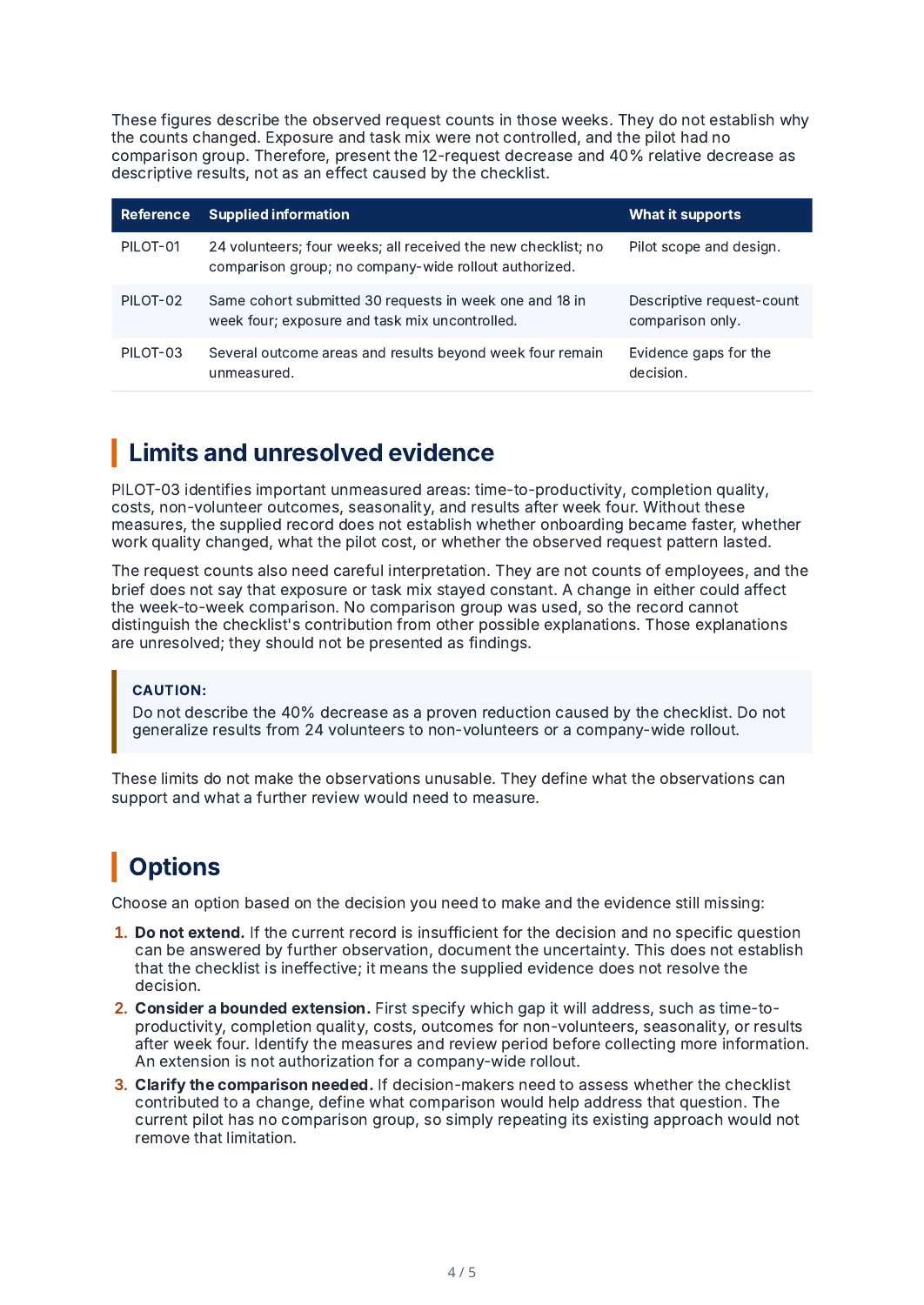
This is a paste-based brief-to-draft workflow, not a successful JSON brief import or source-file upload. The brief requested a 900-word Blog Post, while the form retained How-To Guide and a short-length setting; Quill reported 998 words and the export workspace counted 1,005. The saved draft visibly flags the length mismatch and incomplete final source review. The literal checker checks the headline, required headings, keywords and requested links. Word budget, audience, tone, assets, source support and qualitative acceptance criteria still require review; its score is not an editorial or source-verification approval. The title retained part of the long topic prompt. Review these findings before publication.
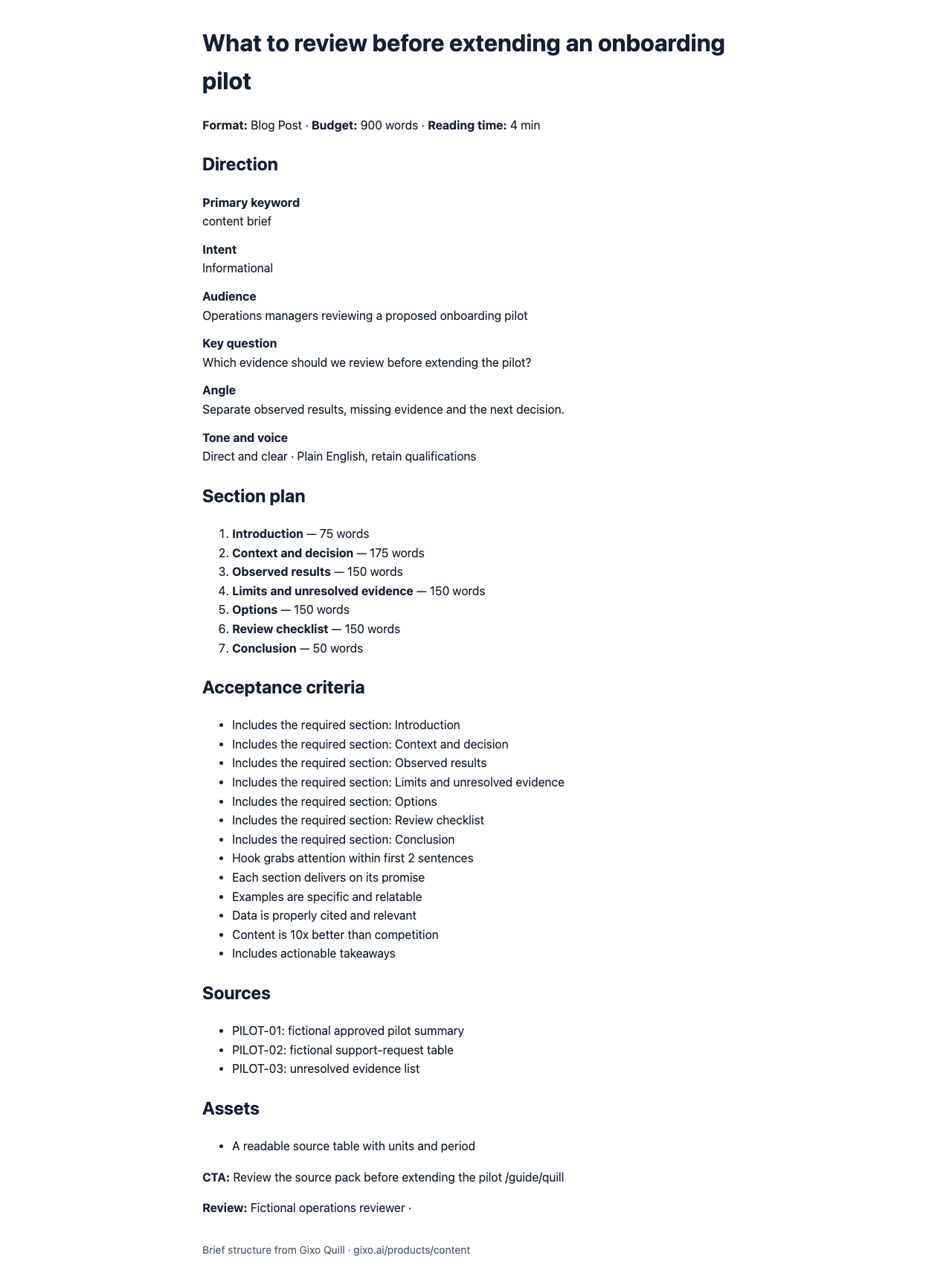
Select the content type and inspect its structural defaults. Enter the audience, question, angle, sources and primary keyword.
Inspect: Changing the content type resets the default sections, word budget, tone and voice. Make that choice before investing in custom section edits.
Assign a purpose, required evidence and word budget to each section; remove irrelevant defaults and add a missing question.
Inspect: The section budgets should support the overall length. A heading containing the keyword does not prove that the planned section answers it.
Build the brief, read the rendered structure and check required links, assets, review and acceptance criteria.
Inspect: The result reflects supplied instructions and static structural rules. It does not validate the truth of a source or provide fresh search-volume data.
Inspect the Markdown, HTML and versioned gixo-brief.json. Use the supported keyword-to-article handoff when ready to draft.
Inspect: Check that the key question, sources, budgets and reviewer criteria survived the handoff before generating a draft.
A fictional editorial brief using the real deterministic planning tool. No AI-written article, keyword-research result or approved publication is implied.
This is an actual Quill export, with the input brief available alongside it. Use the workflow below to connect source material, structure, editing and delivery.
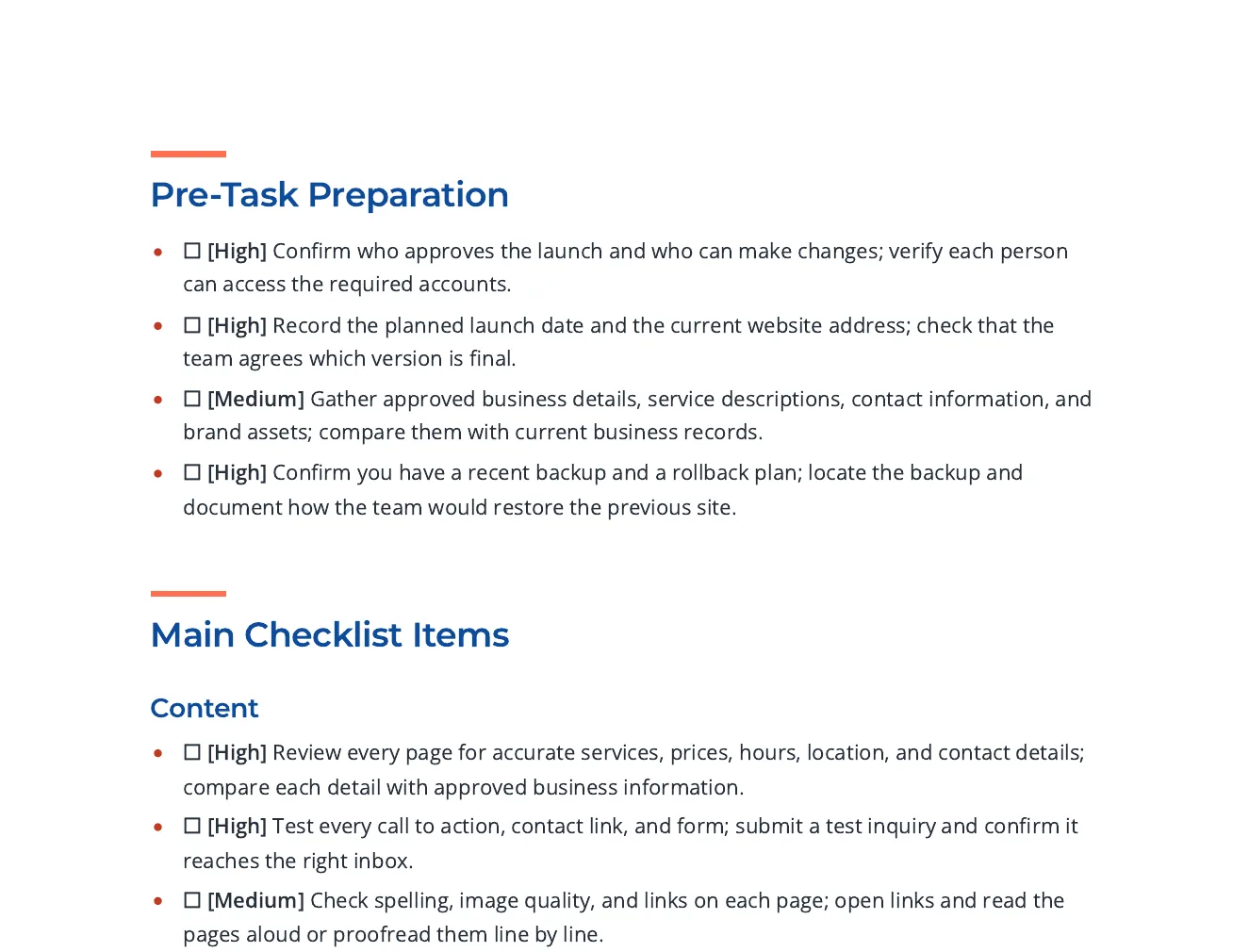
Checklist items grouped by phase, each with a priority tag and a way to check it, with links to Google, W3C and FTC guidance for the search, accessibility and security items.
Write an actionable checklist for a small business about to launch a new website. Group the items under content, search visibility, accessibility, performance, security and privacy, analytics, and what to verify on launch day. Each item should be a single action someone can tick off and should say how to check it. Cite published guidance for the search, accessibility and security items.
Open the full export and compare its statements with the cited sources before reuse.
Set the reader, purpose, required points, sources and section budgets. Review extracted material from an upload, paste or URL before using it as grounding.
Review the outline, then the draft. Add structured blocks, edit selected passages and use Image Studio for permitted generation, photo selection and responsive insertion; retain attribution where required.
Review citations, wording and metadata. Use the supported export or connected destination for the current account; Markdown handoff and a live publishing connection are different delivery paths.
Power Edit starts from an active selection. You can give iterative or voice-transcribed instructions, choose a reply language, stop a streamed response, inspect the result and explicitly replace the selected range. Full-document context is reference material. Structured blocks have typed fields, item-level regeneration and previews; their AI field assistance is separate from their layout.
Use builder or advanced prompts with the subject and document context. Shape style, mood, lighting, palette, composition, camera and supported image dimensions. Inspect generated alternatives or a selected real photo, retain required source attribution and edit alternative text before insertion. Finishes and prompt edits create a new result; compare it with the original instead of assuming an edit is lossless.
Import options depend on the source type: pasted text, Markdown or HTML; document extraction; spreadsheet cells; image OCR; and supported media transcription. Review extracted material before drafting. Export settings include the supported format, theme, author, spacing, headers, footers and page appearance. Inspect the actual download because HTML, print PDF and editable Word represent structure differently.
A source-led draft needs human review. HTML, PDF and editable Word have different layout fidelity; connected publishing support is destination-specific.
Updated