Gixo Quill · User guide
Everything you need to write, check and publish in Quill
Articles, guides and posts grounded in your own sources, from first brief to WordPress, with a link to each screen.
Start here
What Quill is
Quill is Gixo's writing workspace. Start from a brief, your own source files or a draft you already have, and Quill produces a structured document — not a block of text — that you edit, review and deliver without leaving the page. It offers 49 direct-create formats, from how-to guides and listicles to industry reports, video scripts and web pages, with 89 language and locale options.
Quill grounds what it writes in the sources you select and cites them inline. Once a piece is written, an AI source review reads it against those sources; anything it could not settle is saved with the draft as a note to check, and the draft is kept either way. Its checks look at structure, readability, coverage of your brief and overlap with your existing content, and the Sources tab lists captured generation-time sources for inspection. It doesn't independently prove every claim is true, so a reviewer still reads before anything goes out.
Your Quill dashboard
New draft at the top opens every way to start, in three columns: Create new (New draft, Blog post and Web page), Convert existing content and Tools. Below it, Your drafts lists your work 72 pieces at a time, with search, sort and Load More; open a card to read it. A card saved with notes to check says how many, for example “2 to check”. Recently deleted, beside the heading, lists what you deleted so you can restore it. Your full library, including social posts made from articles, is on the all-products home at /dashboard.
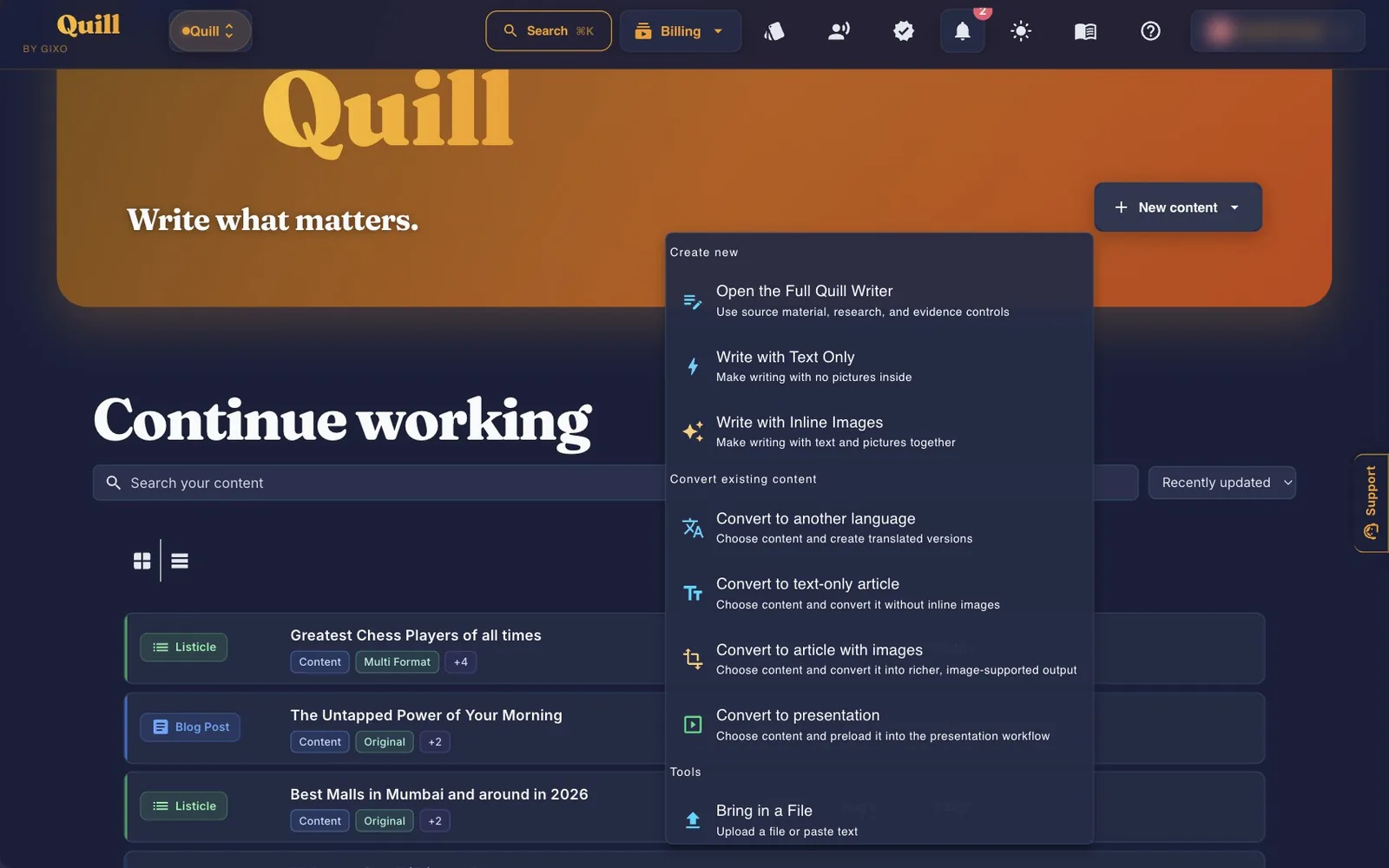
Ways to start
| Start point | What it does |
|---|---|
| New draft gixo.ai/content/create | Quill's one writer: type a topic and Quill picks a format, or pick one yourself; pictures on or off, your own files, web research limits, brand facts and an editorial brief are one click away. The older quick-start and text-only addresses open this writer too. Uses plan capacity. |
| Blog post gixo.ai/content/create?type=BlogPost | The same writer with Blog Post chosen. You pick the article's web layout and theme when you publish. Uses plan capacity. |
| Web page gixo.ai/content/create?type=WebPage | The same writer with the web page format chosen and a Page purpose: Homepage, About, Services, Pricing or Contact. Uses plan capacity. |
| Convert existing content gixo.ai/content/convert/language | Translate a piece, or turn it into another format with or without images. A presentation conversion needs Gixo Lumen too. Each result uses plan capacity. |
| Bring in a File gixo.ai/content/import | Paste Text (plain text, HTML or Markdown) or Upload File (a document, audio or video file), free. From a URL writes an original article from a web page and uses plan capacity. |
| Make Many at Once gixo.ai/content/bulk | Up to 25 topics per batch, pasted one per line or uploaded with the XLSX utility. Business plan and up. |
| Content Health Check gixo.ai/tools/article-health-check | A free score for SEO, readability and publish readiness. No account needed. |
| Document Formatter gixo.ai/tools/format-document | Free paste clean-up that restores headings, lists and tables. No account needed. |
The full writer
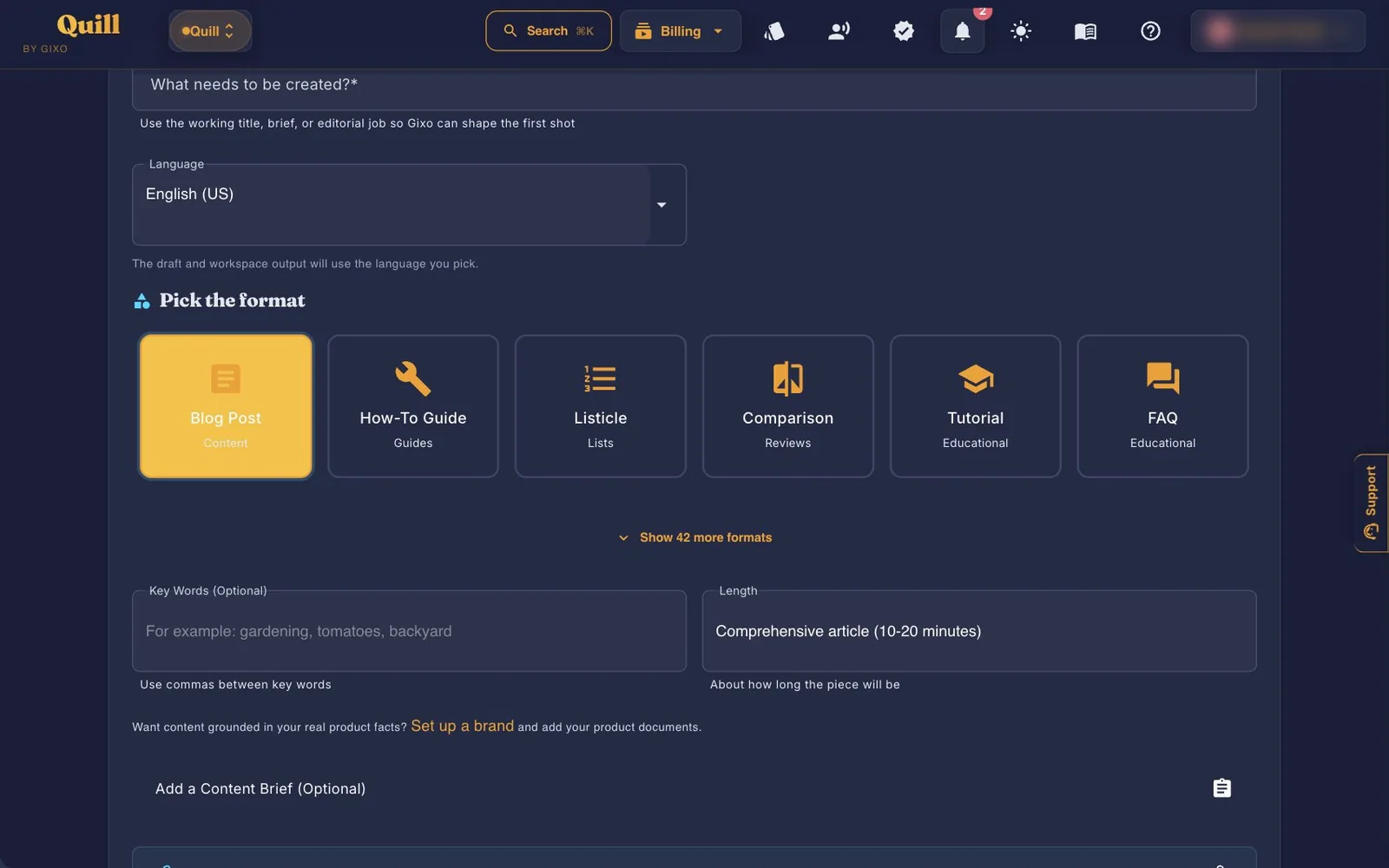
It's one form: the topic first, then the format, pictures and sources, each on one line, with everything else under More options. Fill in what you need, press Start writing, and Quill writes the piece in the background.
- TopicA working title, a question or a whole brief. The document title uses the first 200 characters; a longer brief stays with the draft. To say it instead of typing, use Speak your topic in the box.
- FormatSix common formats are shown first: Blog Post, How-To Guide, Listicle, Comparison, Tutorial and FAQ. More formats shows the rest, with a search box. Until you pick one, the format follows the topic's Best match; a click on any tile overrides it.
- Add picturesOn, Quill adds pictures where the format calls for them. Off, you get a text-only draft and can add pictures later in the editor.
- SourcesOne line says where Quill may look; Change opens it. Where can it look? is Auto (your files only if you add any, otherwise a web search), My material only or My material and web research. Unless you chose your material only, Which websites can it use? is Most sites, Well-known sites or Official sources only, and Only these websites limits it to the sites you name. Your files takes up to five at a time: PDF, Word, text, Markdown, pictures, audio and video. The general file ceiling is 500 MB and Word DOCX files have a 64 MB limit; extraction or transcription has its own processing limits.
- More options (optional)Language; Length, three tiles: Short (about 800 words), Standard (about 1,500) or Long (about 2,500), and for a Video Script about 1 minute, 90 seconds or 2 minutes instead; Key words, separated by commas; Brand, which grounds product facts in your saved brand documents; Add a content brief, which sets the main topic, related keywords, what the reader is looking for, whether they are ready to choose, who it is for, what they should learn or do, what makes the piece different, topics to include, questions to answer, facts or sources to include and pages on your site to link to; and Extra Notes.
- Plan the sections first (optional)Takes your setup to the plan page. Use this plan brings the plan back to the writer.
- Start writingYou can leave this page while it writes. When it's done, Your Piece Is Ready! shows the word count, pictures, number of sources cited and any notes to check, with Open and Edit and View.
Tone goes in Extra Notes
The writer has no tone field. Describe tone, audience and constraints in Extra Notes, under More options. When you want a draft with no pictures at all, switch off Add pictures.
When a draft has things to check
Quill keeps every draft it finishes. If its checks found something while writing — a claim the final source review could not settle, a section left empty, a requested length it missed — the draft is saved as written with a To check list: “Your draft is saved as written. Quill flagged these while writing it; check before you publish.” Each note names the section, says what to do, and in the editor offers Show me and Fix with Ask Quill (or Write this section). The list shows on the finished screen, above the article in the read view, at the top of the editor's Checks tab and in the Publish dialog.
| Format group | Formats |
|---|---|
| Guides (10) | How-To Guide, Beginner's Guide, Ultimate Guide, Quick Start Guide, Pillar Content, Troubleshooting Guide, DIY Guide, Best Practices, Buying Guide, Decision Guide |
| Educational (6) | Tutorial, FAQ, Glossary, What Is Article, 101 Introduction, Explanation Article |
| Lists (9) | Listicle, Resource List, Statistics Roundup, Pros & Cons, Alternatives List, Complete Directory, Checklist, Tips & Hacks, Mistakes to Avoid |
| Analysis (9) | News Report, Industry Report, Trend Analysis, Cost Analysis, Benchmark Article, Year in Review, Prediction Article, Myth Busting, History Article |
| Reviews (5) | Product Review, Comparison, Buyer's Checklist, Roundup, Overview |
| Tools (3) | Worksheet, Calculator Guide, Template |
| Travel, Creative, Content (7) | Travel Guide, Travel Itinerary, Video Script, Podcast Script, Blog Post, Product Description, WebPage |
LinkedIn posts and Twitter threads are made from an existing piece: open it and use Create from this → Rewrite as another format.
Reading, editing and reviewing
Every piece opens in a read view with an action bar: Edit, Regenerate (or Ask Quill, for a document Quill did not write), Create from this (other formats, web page or blog layouts, languages and visuals), Download, Share and Publish. More actions holds Versions, Import a new version, Copy Link, Embed, Past publishing and Delete this. Notes to check sit above the article. Below it are its sources, a writing check, suggested next moves, people and comments, and the Editorial workspace.
The editor
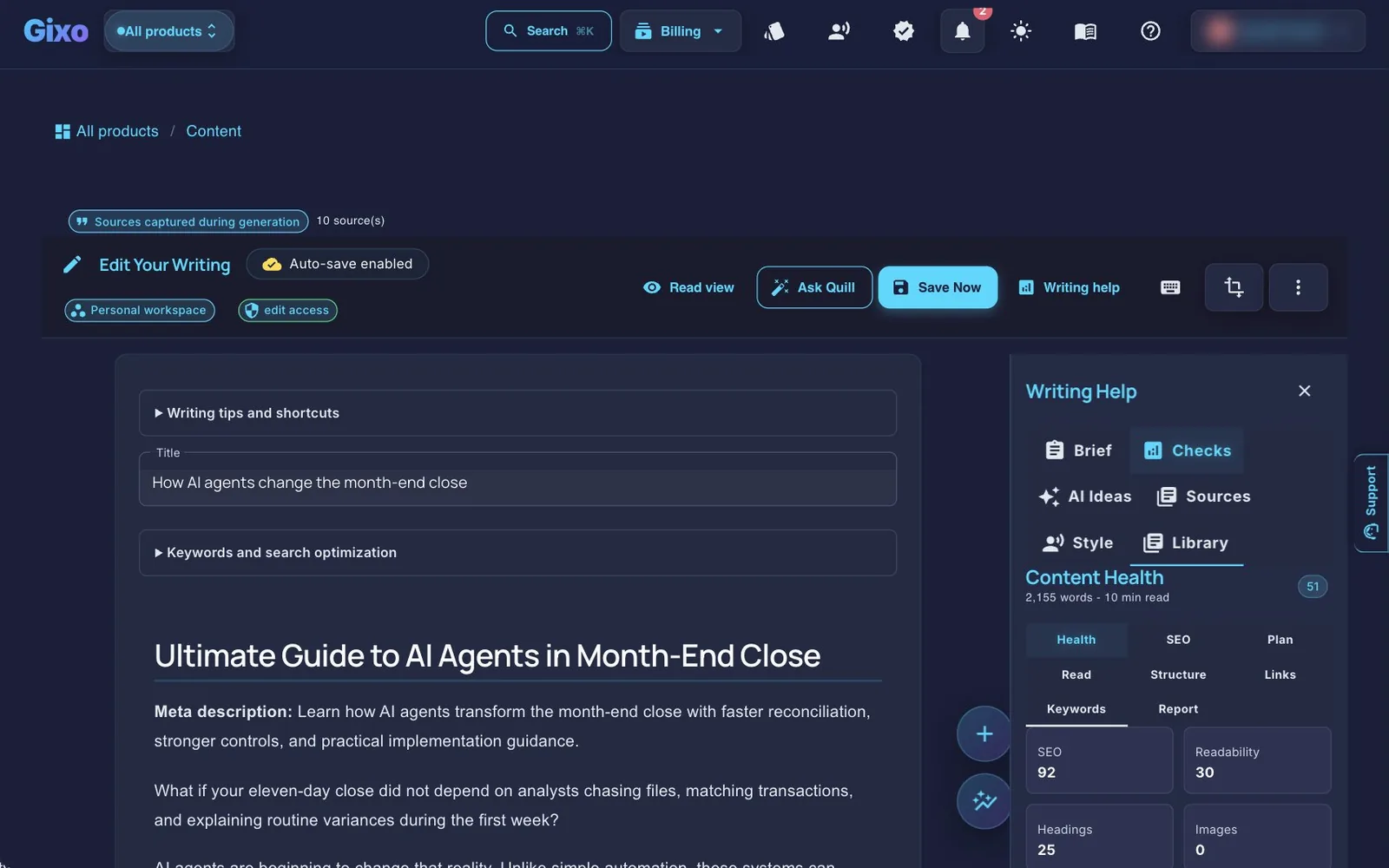
One row of controls stays in view: + Insert (Block, Table, Picture, Chart or diagram, Source reference), Ask Quill, undo and redo, Writing help, the save state, Download, Share (Share with people, Copy Link and Publish) and More (Save now, Read view, Keyboard help, Save a Version, Versions and Create from this). Select text for the formatting bar: bold, italic, heading, link, list and comment, then Rewrite… for the AI, then a More menu with alignment, text direction (including right to left), insert table, insert block, insert picture, insert chart or diagram, find and replace, and plain paragraph. Type / on a new line, or use + Insert → Block, to add a content block. There are 21 block types, including tips, warnings, pull quotes, FAQs, KPI stats, checklists, steps and tables, plus a separate AI Write entry point.

| What you want | Use |
|---|---|
| Rework a passage you've highlighted | Rewrite… in the selection bar: Rewrite, Simplify or Expand. Uses your plan's monthly AI assists. For a fix, a more formal or a more casual version, ask Power edit. |
| A bigger rewrite of a selection | Power edit, in the same Rewrite… panel, or Ctrl/Cmd+P. |
| A set of changes across the piece | Ask Quill: describe the change, and Quill proposes edits for you to keep or drop. It uses plan capacity when it proposes; applying the edits is free. |
| Work key words in naturally | Improve for These Words, under Keywords and search optimization. The earlier text is kept in version history. |

Ask Quill proposes; you choose
Describe the changes you want across the article. Compare the current and proposed text, select the changes you want, and use Apply selected changes. You can refine the proposal with another instruction or return to an earlier proposal before applying it. Review each suggestion — a proposal can still be wrong. A new proposal or follow-up uses plan capacity; applying your reviewed selection does not request another charged proposal.

Editing images inside the article
Click an existing illustration to open Image Editor. Inspect the preview, choose an edit preset or write your own instruction, and use region selection when you want to target part of the image. You can also open Image Studio from + Insert → Picture to prepare an image brief. The same dialog exposes Find real photos; availability depends on the search result, and you should review attribution and usage rights before use. Image generation and editing depend on available allowance; inspect the result before applying it.

Writing help
Writing help opens a panel beside the editor with three tabs. When the draft has notes to check, the button says how many, for example “Writing help · 2 to check”. Nothing in it rewrites your draft unless you choose a change.
- Checks (opens first) — the To check notes saved with the draft; then Draft checks: a draft health score out of 100 and findings to review, filtered by Structure, Search, Sources and Style, each with Show in article and, where it helps, Propose a fix; then brief coverage, answer readiness, library overlap, readability, structure, links and keywords. Below them, Suggestions gives rule-based writing checks (Show guidance explains one; Dismiss removes it), and Style and terms holds your Brand Voice profile and Check Terminology against your brand dictionary, with recommended replacements.
- Sources — Check claims compares every figure in the saved article with the sources it cites and the documents it was written from, and flags statements those sources contradict or do not support. It changes nothing, uses your normal Quill generation allowance, and its results are advisory. Check against your documents compares the saved article with up to 12 source documents you select. Below are Refresh recorded sources, the sources captured during generation and the Fact library of approved facts, claims and sources to add to your writing.
- Plan — the editorial brief the piece is written to, with its requirements and owners, reviewed facts, and the plan, generation and derived copies. A saved report with metric tables can be repeated here for a new period.
Which checks use AI
The health score, findings, answer readiness, library overlap, readability, structure, links and keywords are rules: they use no AI. Brief coverage is the exception. When you press Run checks (or Review coverage), an AI judge reads the draft against each topic, question and evidence requirement in your saved brief and shows the passage that covers each one; key words and internal links stay exact matches. That review draws no plan capacity. While you type, the panel reuses a recent review of the same draft and brief, or marks those items not reviewed until you run checks. Check claims on the Sources tab also uses AI for part of its reading, alongside rule-based figure checks.
Saving, versions and comments
- Autosave runs 20 seconds after you stop typing and never more than 60 seconds after your first change. The save state in the editor row shows where it stands. Save now, under More, or Ctrl/Cmd+S saves straight away.
- Versions are saved whenever the body changes, and Save a Version, under More, saves one on purpose. You can preview a version, compare it word by word with the current draft, and restore it.
- Comments can carry a review state, an assignee and a due date. They start on the Professional plan.
Getting it out
Download
Download opens the export page. Download as PDF, Word or Web page, or Copy text; More formats has Copy HTML, Markdown, plain text and JSON. Under Style, pick one of 18 themes, each shown as a small cover page, all included; on Professional and up your Brand Kit appears there too. Switch the cover page and table of contents on or off. Page setup holds the author, line spacing, header, footer, page numbers, paper size, orientation, margins and two columns, citations (inline APA citations, a sources or references section, uploaded file names), an appendix of validator notes and your own confidential stamp.
Good to know
Downloading your own writing is free on every plan and never watermarked, and that holds after a trial ends too. You just need download access to the document.
Publish as a blog or web page
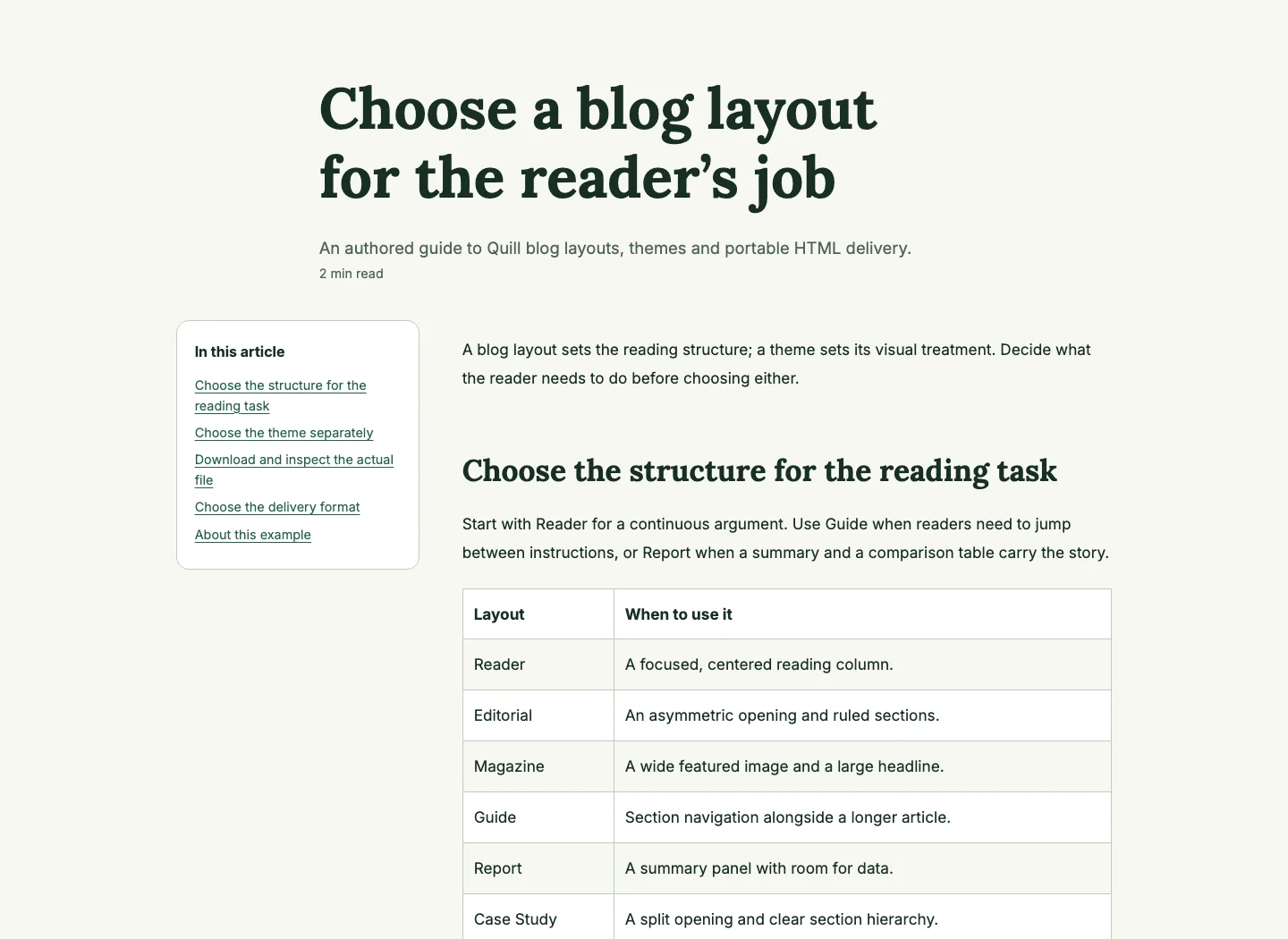
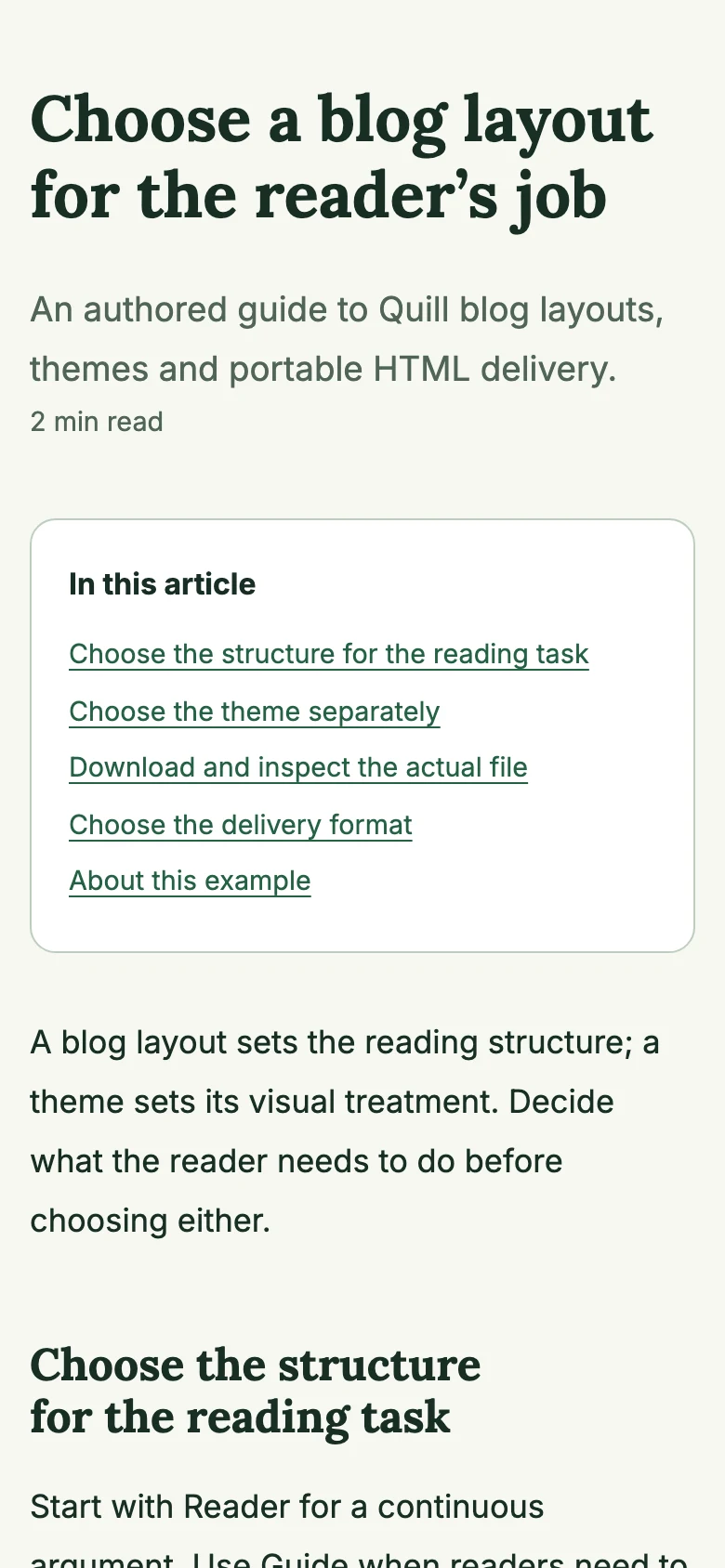
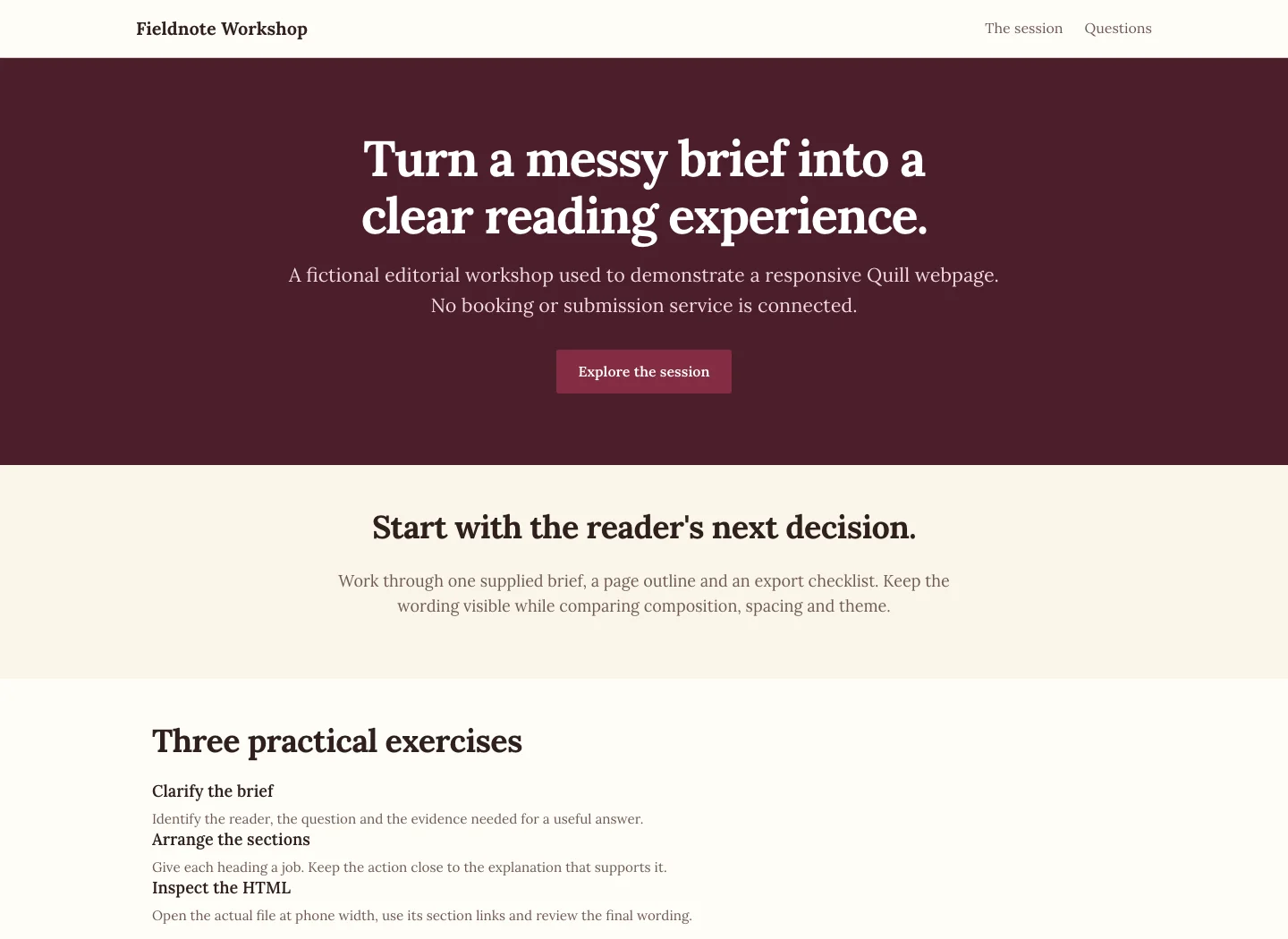
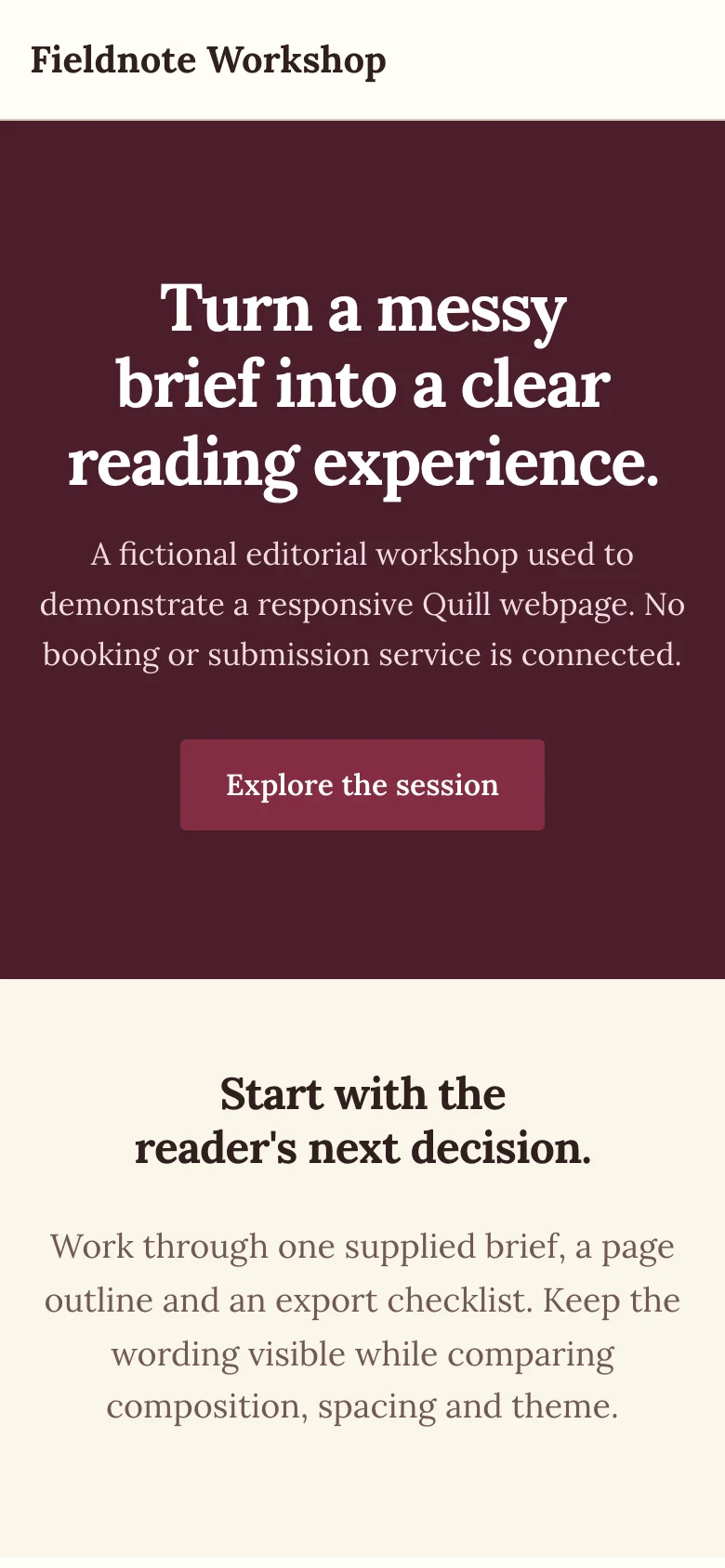
Publish on a piece (also under Share in the editor, and Web page or blog layouts under Create from this) opens Publish as a blog or web page. It presents your saved piece with a web layout; your wording and format stay the same. Choose Blog / article or Web page, then a layout and one of eight visual themes, and check the preview. Any notes to check show here too.
- Blog layouts (6): Reader, Editorial, Magazine, Guide, Report and Case Study.
- Page layouts (6): Stacked, Split, Showcase, Editorial, Bento and Compact.
- Themes (8): Modern SaaS, Minimal, Editorial, Gixo, Midnight, Botanical, Terracotta and Heritage.
Save design keeps your choice. More → Create public link publishes a view-only page with that design. Download HTML saves the page for your own site. More → Send to connected blog opens the delivery form below. A piece written in the web page format opens as a page whose sections you edit one at a time with Edit section; a contact form on it needs your own submission service.
Send to a connected blog
Connect your sites once at Settings → Integrations. In the delivery form, fill in the title, slug, meta description, focus keyword, category, tags, featured image and an optional call to action. The category starts as the document's own (Uncategorized when it has none), so you can publish without picking one. Then choose the publishing action: Save draft, Publish now (not on Medium) or, on WordPress and Ghost, Schedule: pick a date and time in your own time zone and the site publishes the new post then. Scheduling makes a new post; an update to a post you already delivered goes now. Delivery runs in the background; Past publishing shows the outbox.
| Destination | How it connects | What happens |
|---|---|---|
| WordPress | Site URL, username and an Application Password | Publishes, saves a draft or schedules a new post, with categories and tags. Images stay hosted by Gixo, and the featured image isn't set on WordPress. |
| Ghost | Site URL and an Admin API key | Publishes, saves a draft or schedules a new post, and sets the featured image. |
| Medium | An integration token | With no connection, Export for Medium hands the piece over for you to post. With a working legacy-token connection, the form shows Medium (Legacy) and saves a draft. Review and publish inside Medium. The legacy API adapter can send unlisted posts, but that mode is not offered in the current form; destination availability depends on Medium and the account. |
| Substack | Nothing to connect | Export only: copy-ready Markdown, title, subtitle and images. |
Share
Share has two options. A Public Link can be view only (the default) or view and download, with an optional expiry date and password. Once it exists, you can copy it, get embed code (unless it's password-protected), open the share page or revoke it. Recipients who can download get PDF or DOCX. Every link tracks views and downloads under I shared on the Sharing page. Team Sharing shares with named people or a team, and starts on the Professional plan. In the editor, Share holds Share with people, Copy Link and Publish. gixo.ai/collaboration?tab=i-shared
Your brand in Quill
- Brand product sources — upload your product documents so that product, brand and service facts come from them. gixo.ai/settings/brand-sources
- Brand dictionary — banned and preferred terms, applied when Quill writes and checked in the editor's Style tab. gixo.ai/settings/brand-style
- Brand Voice — a voice profile built from your writing samples and used at generation time. It needs a Professional plan or higher in any Gixo product. gixo.ai/settings/brand-voice
Plans and your trial
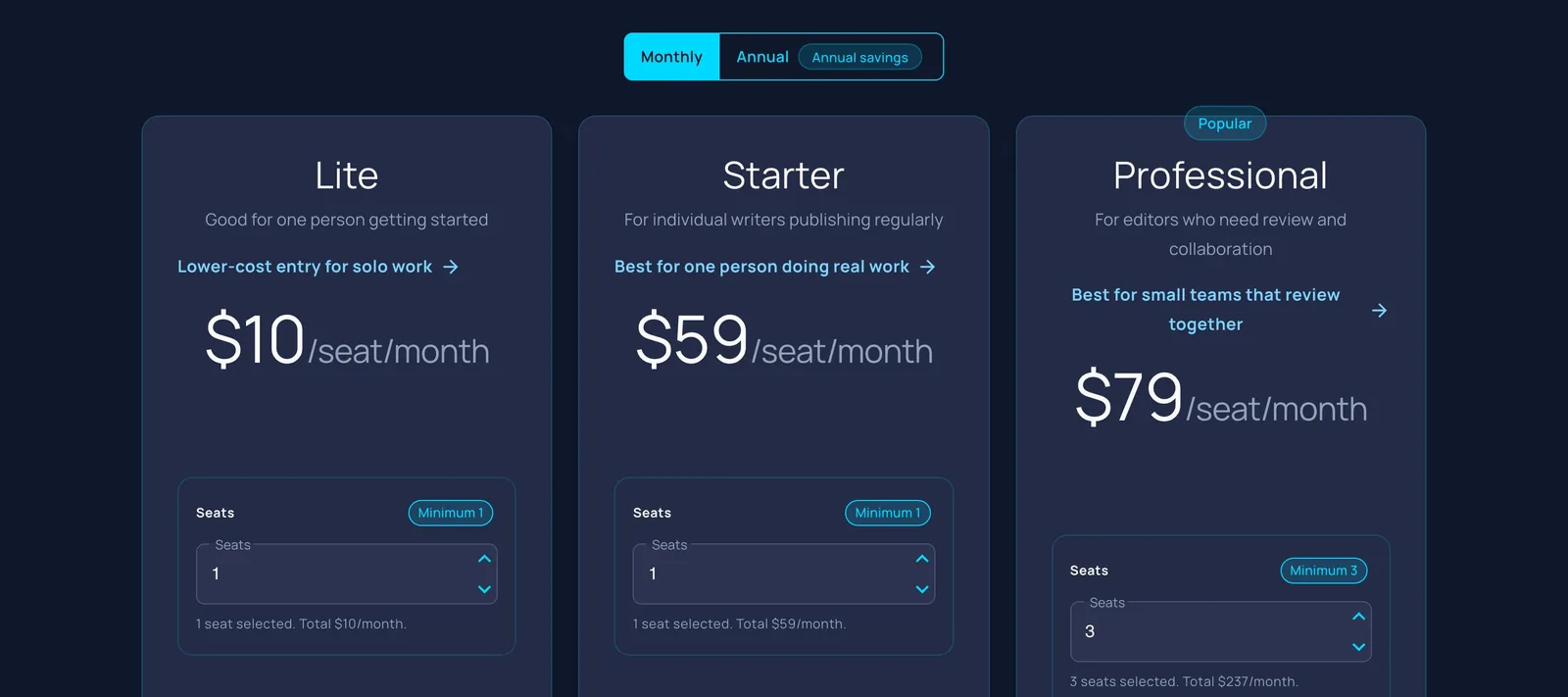
Quill is priced per seat, in US dollars. Every plan includes generation capacity that resets each month; your subscriptions page shows a usage bar rather than counts.
| Plan | Per seat, monthly | Per seat, annual | Minimum seats |
|---|---|---|---|
| Lite | $10 | $90 | 1 |
| Starter | $59 | $599 | 1 |
| Professional | $79 | $799 | 3 |
| Business | $99 | $999 | 5 |
| Enterprise | $129 | $1,299 | 10, through Azure Marketplace or a private offer |
- Every plan: writing, conversions, checks, exports, public share links and publishing to WordPress and Ghost, and available Medium draft handoff.
- Professional and up: comments, sharing with named people or a team, Brand Voice and Brand Kit.
- Business and up: Make Many at Once.
- The 14-day trial needs no card, and each email address gets one. The clock starts when you click Start my 14 days. It works like Starter, so it includes sharing and publishing but not comments, Brand Voice, Brand Kit or bulk writing. When it ends, you can still read and download everything; writing, AI assists, sharing and publishing stop until you choose a plan.
Free tools, no account needed
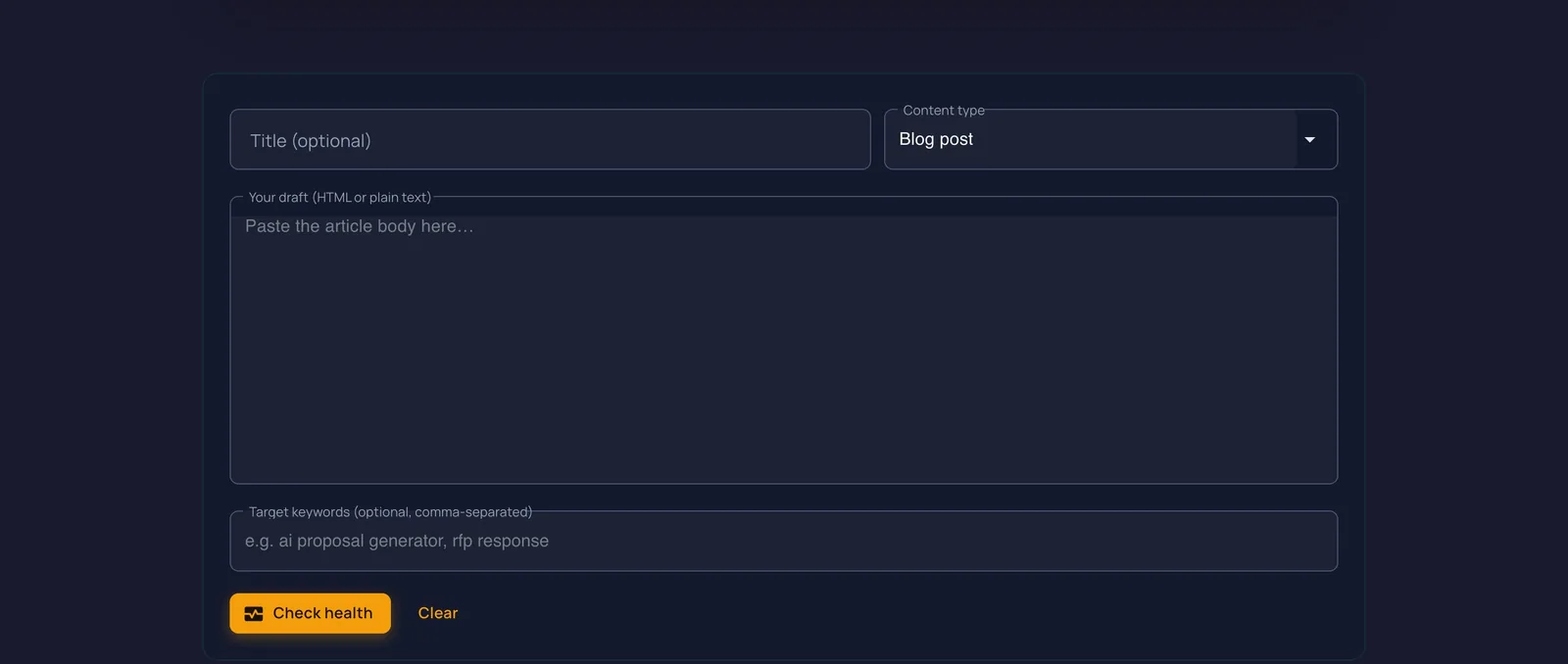
Paste your text and get a rule-based result. These tools use no AI and store nothing.
| Tool | What it does |
|---|---|
| Article Health Check gixo.ai/tools/article-health-check | A 0–100 health score with SEO and readability snapshots, a publish-readiness checklist, keyword placement and a link audit. |
| Document Formatter gixo.ai/tools/format-document | Uses rules to clean text, Markdown or HTML into headings, lists and tables. Plain-text formatting checks retained letters and digits; HTML is sanitized. |
| Content Brief Builder gixo.ai/tools/content-brief-builder | Builds an editorial brief with sections, word budgets, acceptance criteria, sources and links. |
| Article Outline Generator gixo.ai/tools/article-skeleton | Turns a topic and supporting points into a heading and evidence skeleton. |
| Brief Compliance Checker gixo.ai/tools/brief-compliance-check | Compares a finished draft with its brief. |
| AEO Answer Check gixo.ai/tools/answer-extractability | Checks direct-answer and extractability signals in a draft. It does not predict an AI citation. |
| Style-Guide Linter gixo.ai/tools/style-guide-linter | Checks copy against your own “avoid” and “prefer” rules. |
| Cannibalization Checker gixo.ai/tools/content-overlap-check | Compares up to 20 documents and flags likely overlap. |
| Content Audit Prioritiser gixo.ai/tools/content-refresh-scorer | Ranks a CSV of pages for refresh by age, traffic and conversions. |
| Draft Diff / Redline gixo.ai/tools/draft-diff | A section-by-section redline between two drafts. |
Tips
- Conversions start straight away. Choosing target formats and pressing Convert queues one piece per format, with no review step.
- “Copy Link” copies your private workspace link. To send something outside your team, create a public link from Share.
- Check the category before you send. It starts as the document's own; change it in the delivery form if your site files the post elsewhere.
- Looking for an older piece? Your drafts loads 72 at a time; use Load More or search, and everything is on
/dashboard. - Deleted something by mistake? Recently deleted on the Quill home restores it.
Quick links
| Quill dashboard | gixo.ai/dashboard/quill |
| New draft (the writer) | gixo.ai/content/create |
| Plan a draft | gixo.ai/outline-generation |
| Bring in a File | gixo.ai/content/import |
| Make Many at Once | gixo.ai/content/bulk |
| Integrations | gixo.ai/settings/integrations |
| Sharing: I shared | gixo.ai/collaboration?tab=i-shared |
| Recently deleted | gixo.ai/content/trash?product=quill |
| Brand Voice | gixo.ai/settings/brand-voice |
| Quill free tools | gixo.ai/quill/tools |
| Quill plans | gixo.ai/products/content#plans |
| Help and support | gixo.ai/support |
Text checked against the Quill code on 24 October 2026, at commit 9c3e18153e. Editing-console, Power Edit, Ask Quill and Image Editor screens were captured on 9 October 2026 using a local reviewed sample clone, before the writer, the editor's toolbar and Writing help were redesigned, so some show older controls. Other screenshots are from the earlier September guide and may show older screens. Scratch identity details are masked. If a screen does not match what you see, tell us at gixo.ai/support.