An AI content writing tool for teams that need review, not chaos
Gixo gives content teams one workspace for strong first drafts with brand voice, evidence grounding, and references, plus comments, mentions, review states, assignees, due dates, permissions, guest approvals, activity history, versions, and publishing history.
What your plan includes.Comments, mentions and sharing with named people is on Professional plans and above — from
$79 per seat a month,
minimum three seats. Writing, checks, exports, public share links and publishing are on every plan.
The 14-day trial works like Starter, so it does not include comments.
Gixo is an AI content writing tool for teams that keeps writing and review in one shared workspace: strong first drafts with brand voice, evidence grounding, and references, plus comments, mentions, review states, assignees, due dates, permissions, and guest approvals attached directly to the document. Every change is tracked through activity history, version history, and publishing history, so teams always know what changed, who approved it, and what shipped. Finished content publishes directly from that workspace rather than moving through separate chat threads, docs, and email attachments.
1Shared source of truth
ReviewComments, mentions, assignees, due dates
GuestApproval support and permissions
HistoryActivity, versions, and publishing trail
What does an AI content writing tool for teams actually include?
Turn briefs, source material, and existing drafts into structured content, then keep editing, evidence review, collaboration, transformation, export, and publishing attached to the same document.
Shared workspace
All drafts, revisions, and approvals stay in one place instead of jumping between chat threads, docs, and email attachments.
Review threads with accountability
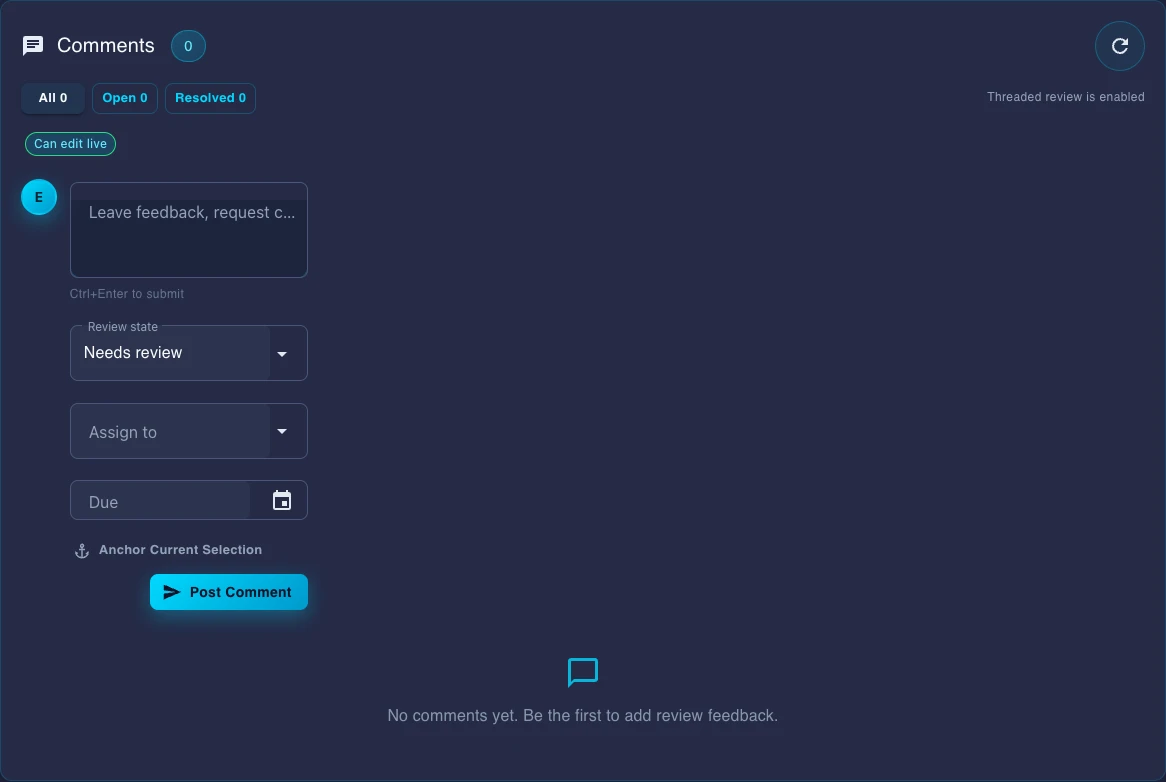
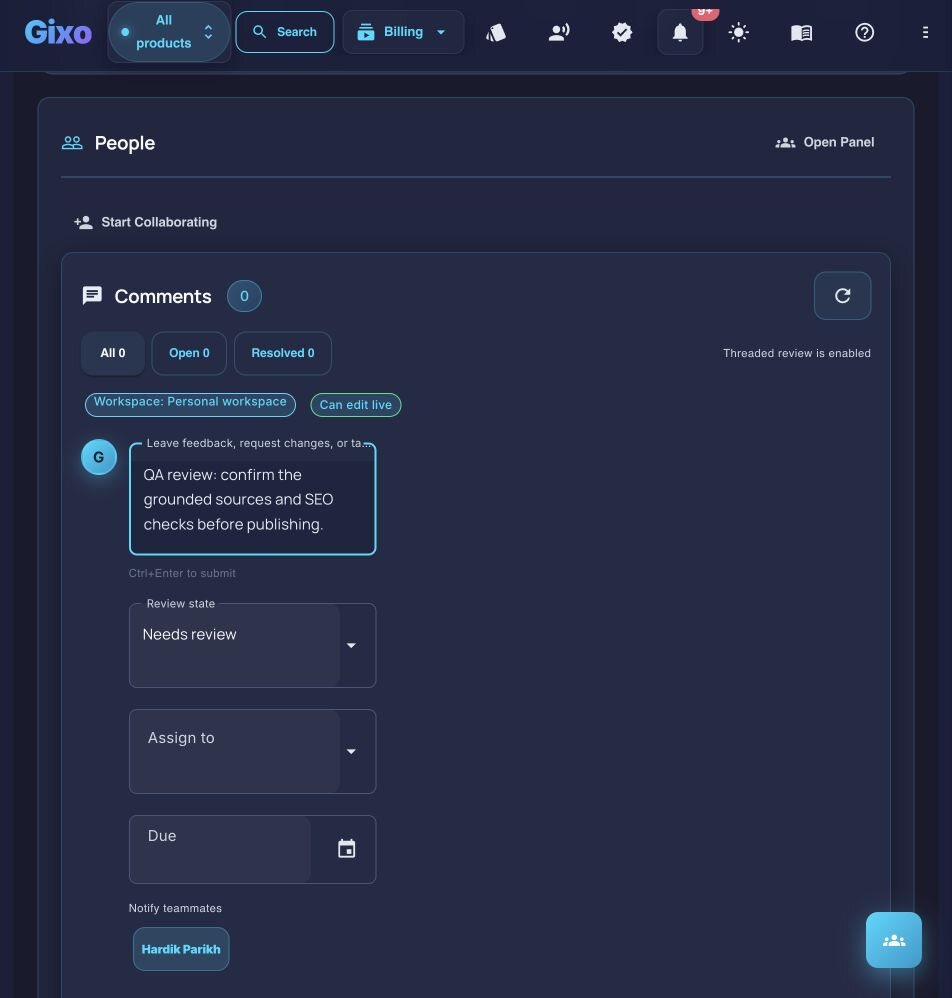
Comments, mentions, review state, assignees, and due dates keep review work attached to the document instead of external checklists.
Permissions and guest approvals
Use role-based permissions and guest approval flows when internal reviewers, clients, or outside stakeholders need controlled access.
Activity and version history
Track who changed what, when it changed, and how the document moved from draft to approved version to published asset.
Shared voice and structure
Strong first shots, reusable brand voice settings, evidence grounding, references, and structured editing keep output consistent without turning the team into prompt specialists.
Finish and ship in one place
Publish directly to connected WordPress and Ghost sites, export in PDF, DOCX, HTML, Markdown, TXT, and JSON, and keep the publishing trail attached to the source document.
What does Gixo's AI content writing tool for teams add to an AI writing assistant?
Capability
What it covers
Shared workspace
Drafts, revisions, and approvals stay in one place instead of chat threads, docs, and email attachments
Review threads
Comments, mentions, review state, assignees, and due dates attached directly to the document
Permissions and guest approvals
Role-based permissions plus guest approval flows for outside stakeholders and clients
Activity and version history
Tracks who changed what, when, and how a document moved from draft to approved to published
Shared voice and structure
Reusable brand voice settings, evidence grounding, references, and structured editing for consistent output
Publishing
Direct publishing to connected WordPress and Ghost sites, plus export in PDF, DOCX, HTML, Markdown, TXT, and JSON for channels like Substack
AI content writing tool for teams: frequently asked questions
How do multiple writers collaborate in Gixo?
Writers and editors work in the same shared workspace. Review happens through comments, mentions, review state, assignees, and due dates attached directly to grounded, referenced content.
What team controls are built in?
Gixo supports role-based permissions, guest approvals, activity history, version history, and publishing history so teams can manage both internal and external review cleanly.
Can we track who changed a document?
Yes. Gixo keeps activity and version history so the team can see how a document changed over time and what version was ultimately approved or published.
Does Gixo support contractors or outside reviewers?
Yes. Guest approval flows and scoped access make it possible to involve outside stakeholders without giving away full workspace control.
Where does publishing fit for teams?
Publishing is part of the same workflow. Gixo publishes directly to connected WordPress and Ghost sites and uses export for channels like Substack that are outside the direct path.
What is an AI content writing tool for teams?
It's a shared workspace where a team writes, reviews, and publishes content together: AI produces a strong first draft with brand voice, evidence grounding, and references, and the team layers on comments, mentions, review states, assignees, due dates, permissions, and guest approvals directly on that document, with activity, version, and publishing history kept alongside it.
How is this different from a single-user AI writing tool?
A single-user tool stops at the draft. Gixo adds the team layer on top of the draft: role-based permissions, guest approvals for outside reviewers, review state and assignees to track who owns what, and activity/version/publishing history so the team can see how a document moved from first draft to published asset.
Is this an AI writing assistant?
It includes one, but the assistant is the smaller half. Most tools sold as an AI writing assistant help one person produce a draft faster; the harder problem for a team is everything after the draft — whose voice it has to match, who reviews it, what changed since the last version, and whether it can be published without a separate approval thread. Gixo pairs the drafting with brand voice, evidence grounding, review states, assignees and version history on the same document.
What should we look for in the best AI writing assistant for a team?
Three things that single-user tools rarely have. Does it hold your brand voice and style rules rather than asking each writer to prompt for them? Does it ground claims in sources you supply, so review is checking rather than rewriting? And does the review trail live on the document itself — comments, states, assignees, version history — instead of in a separate chat thread nobody can audit later? Draft quality converges across tools quickly; those three do not.
Give the team one content workspace to finish the job
Turn briefs, source material, and existing drafts into structured content, then keep editing, evidence review, collaboration, transformation, export, and publishing attached to the same document. Set a structured, versioned editorial brief — primary keyword, search intent, audience, required topics, and the questions to answer — that flows into generation as coverage requirements, choose the source scope and evidence standard before generation, inspect citations afterward, and apply configurable writing and terminology controls during review.
Current Quill review composer with a QA request typed but deliberately not submitted for this capture. The live controls support review state, assignment, due date, teammate notification, and anchored feedback without claiming that a reviewer has acted.
Updated
More from Gixo
Keep exploring
Cookie
We value your privacy
We use cookies to improve the product, measure site usage, and keep settings in sync.
Choose which categories you want to allow.