
What is Keystone?
Keystone is Gixo’s project delivery workspace for tasks, milestones, recorded time, commercial controls and client decisions. Some controls depend on your subscription and account access.
Gixo Keystone · Project delivery
Keep what you agreed, what your team is doing and what your client still needs to decide in one project workspace. Keystone connects the plan with time, commercial records and delivery decisions, so the next conversation starts with the work in front of you.
Project access, your subscription and the current release determine which controls are available.
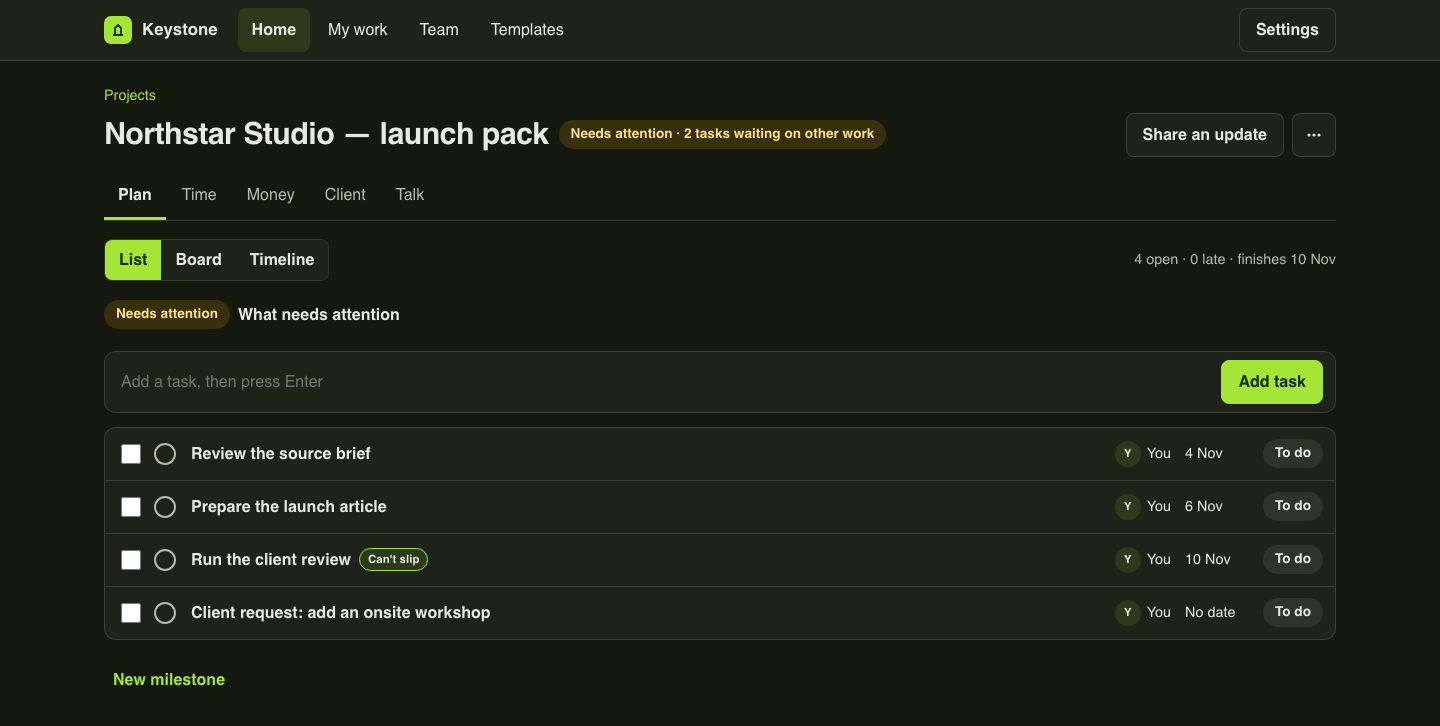
The next delivery decision
See the sequence, review the finish and compare with a saved plan.
02 · ReviewKeep approved recorded work distinct from pending time and incomplete monetary totals.
03 · DecideGive an added request a manager's decision tied to the recorded agreement.
04 · TeamCompare explicit availability with planned effort and inspect what is missing.
Break a project into milestones and tasks. Use List for the next action, Board for the flow of work and Timeline for the dates. Keep responsibility, due dates and discussion beside the task instead of rebuilding the same plan for each audience.
Bring accepted Arc scope into the project when that connection is available. Review an added client request against that recorded scope, record a manager’s decision and prepare a change order for work that needs a separate agreement. The decision stays visible with its reason.
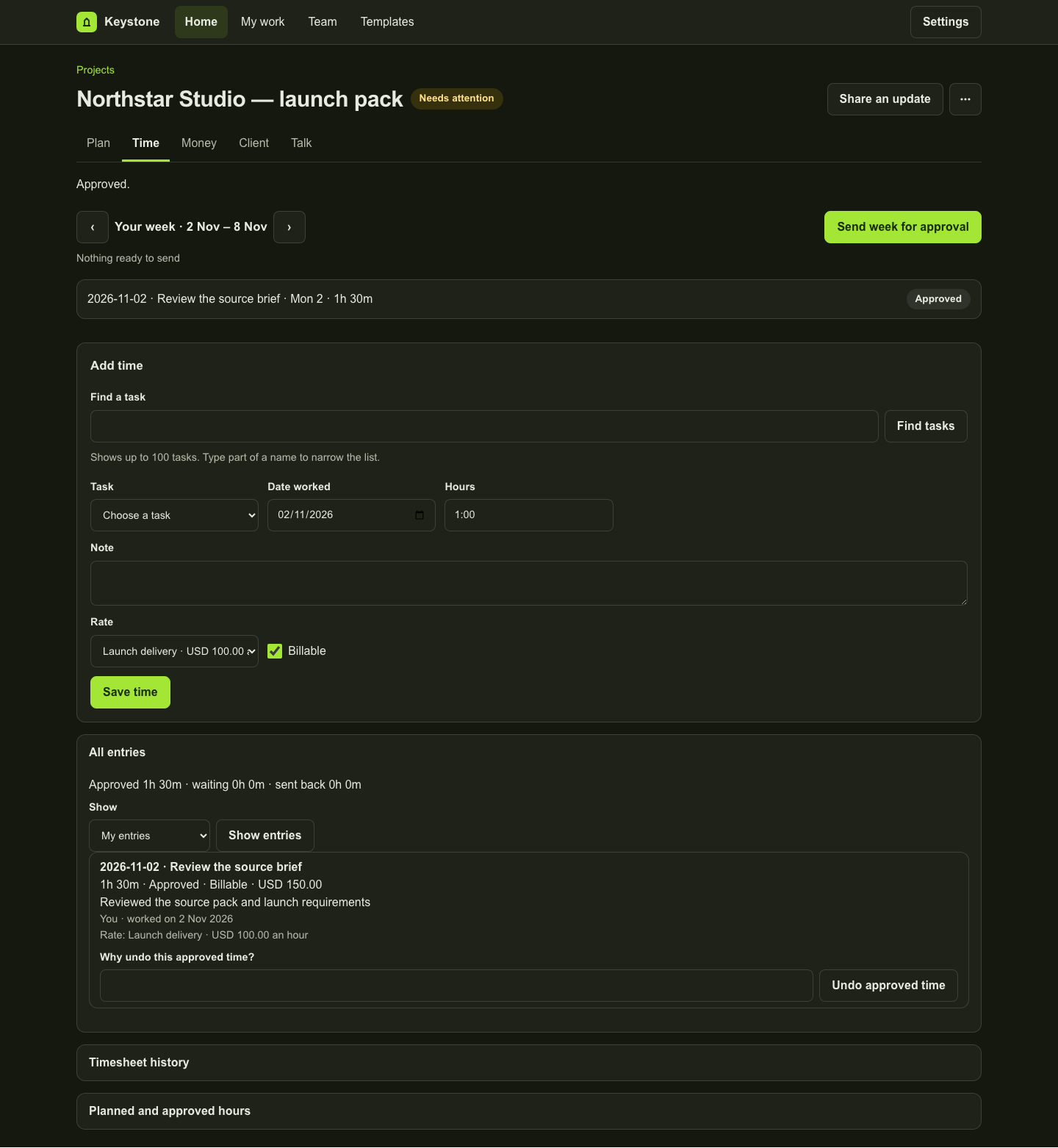
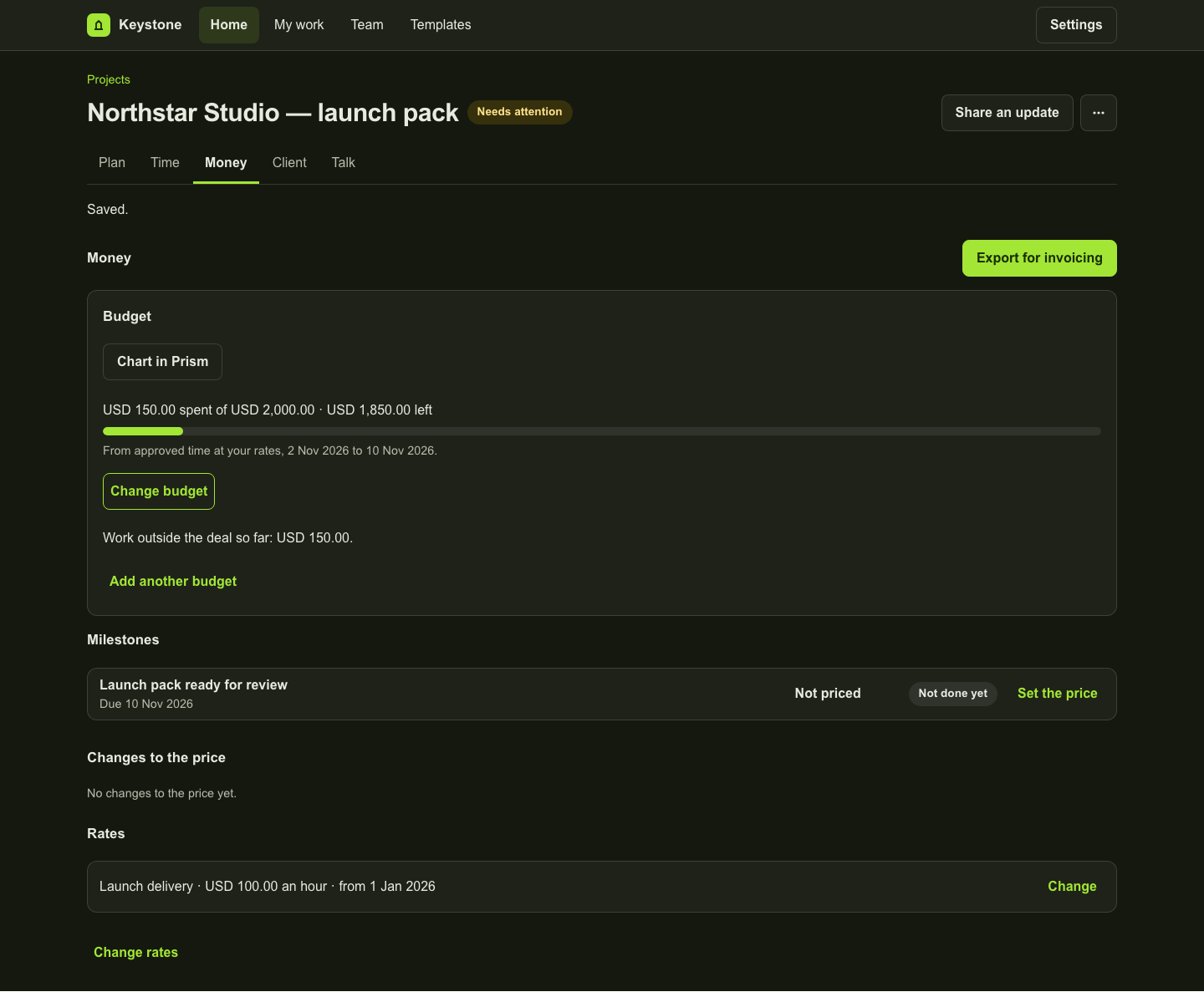
Record project time, submit it for review and compare approved recorded time and value with the budgets you set. Keep submitted work separate from approved actuals. Missing rates or different currencies stay visible instead of becoming an apparently complete monetary total.
Finishing a task, completing a milestone and recording a client decision are different steps. Review the completed work and its commercial record before requesting acceptance. Where saved-deliverable links are available, copied review findings sit beside the completion; they do not decide acceptance.
Starter covers core project work, Professional adds scheduling and commercial controls, and Business adds portfolio and capacity planning. Each paid seat covers one person. Compare the controls and billing options below, then open the full plan comparison.
Explore the fictional Northstar Studio launch project, follow the tour and read the complete guide. Availability depends on your account and the current release. The preview examples show product controls, not a customer result.
Inspect the work
These examples use fictional data in an isolated local preview. Each caption explains what its screen establishes. They do not represent a customer result.
Keystone is Gixo’s project delivery workspace for tasks, milestones, recorded time, commercial controls and client decisions. Some controls depend on your subscription and account access.
Keystone manages project delivery. Accord manages contacts and deals. A supported deal-to-project connection can carry context between them; a Keystone subscription does not include an Accord subscription.
Arc creates proposals and Lex supports legal drafting and review. Keystone keeps the accepted project context and delivery decisions connected to the work. Access to another product follows that product’s subscription and permissions.
No. Milestone completion and client acceptance are recorded separately. Review the priced completion and its decision record to understand what was accepted.
Product copy reviewed 2 November 2026.