
Gixo Keystone · Resource planning
Resource scheduling and capacity planning for delivery teams
Use Keystone’s resource scheduling software to compare explicit weekly availability with planned task effort. Review the work behind an overloaded week and the tasks your plan could not count.
Project access, your subscription and the current release determine which controls are available.
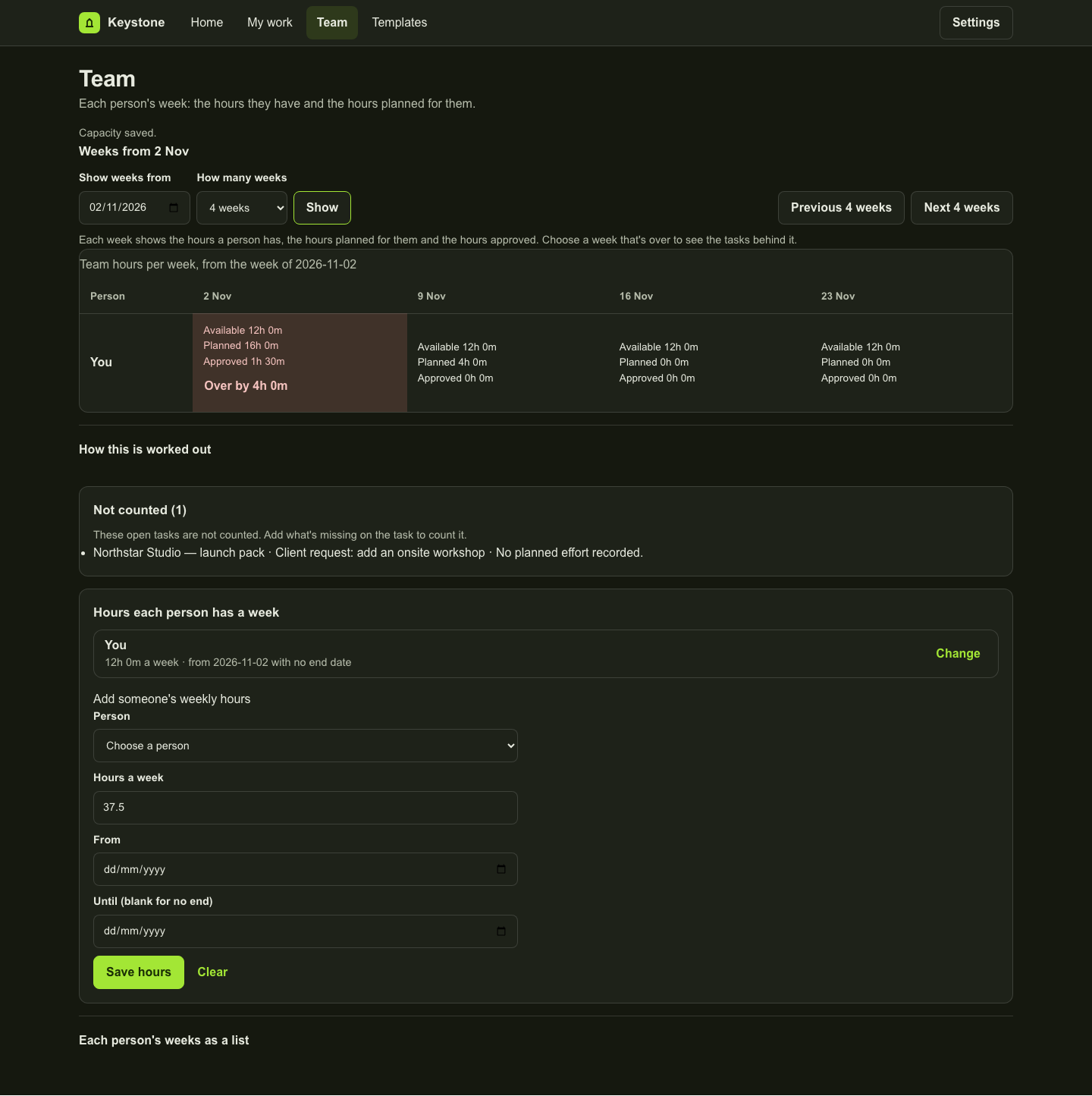
Make availability explicit
Record weekly capacity for each person in the selected team view. Review the planning window and compare available time with planned effort. A missing capacity value remains unset; it does not become a full working week by assumption.
Look behind the total
Review the tasks contributing to an overloaded week before changing the plan. Tasks need the required planning details to contribute meaningfully. Check the view’s notices about work that could not be counted or projects outside its readable scope.
Separate planned effort from recorded time
Capacity planning uses planned work. Time entries record work performed. Use each for its own decision, then review both when discussing the next commitment. Planned utilisation is not proof of billable utilisation or profit.
Use the view to make a decision
Discuss dates and ownership with the people doing the work. Where reassignment controls are available, review the task and person before saving a change. Keystone does not promise automatic staffing, skills matching or an optimised schedule.
Choose the right scope
The Business tier includes portfolio and capacity planning. This page describes project-team planning; it does not claim HR, leave management, payroll or organisation-wide workforce forecasting.
Inspect the work
A fictional project in the actual workspace
These examples use fictional data in an isolated local preview. Each caption explains what its screen establishes. They do not represent a customer result.
Product copy reviewed 2 November 2026.