
Gixo Keystone · Product tour
Follow one project from the plan to the client’s decision
Northstar Studio is preparing a launch pack for a fictional client. The team has a delivery plan, a review milestone and a request for one extra deliverable. Follow the same project through the workspace.
Project access, your subscription and the current release determine which controls are available.
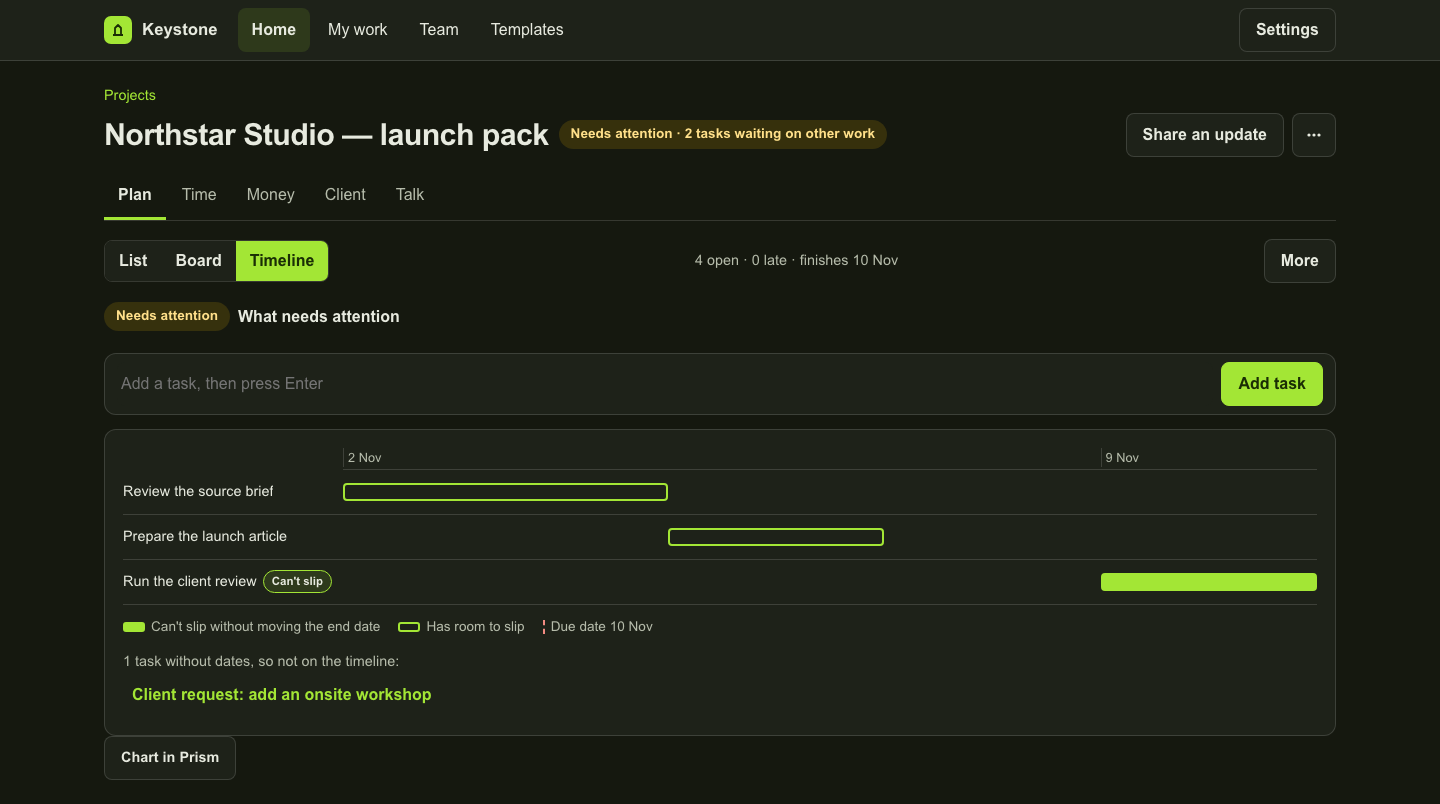
1. Start with the agreed work
Create a project from a blank plan, a saved template or a supported source. Name the project clearly. Add a review milestone and the tasks needed to reach it. If you bring accepted scope from Arc, review the captured sections before you create the project.
2. Plan the next action
In Plan, add an owner and due date to each task. Switch between List, Board and Timeline without maintaining separate task lists. Use the task panel for details and discussion. Save or discard an open edit before moving to another tab.
3. Record and review time
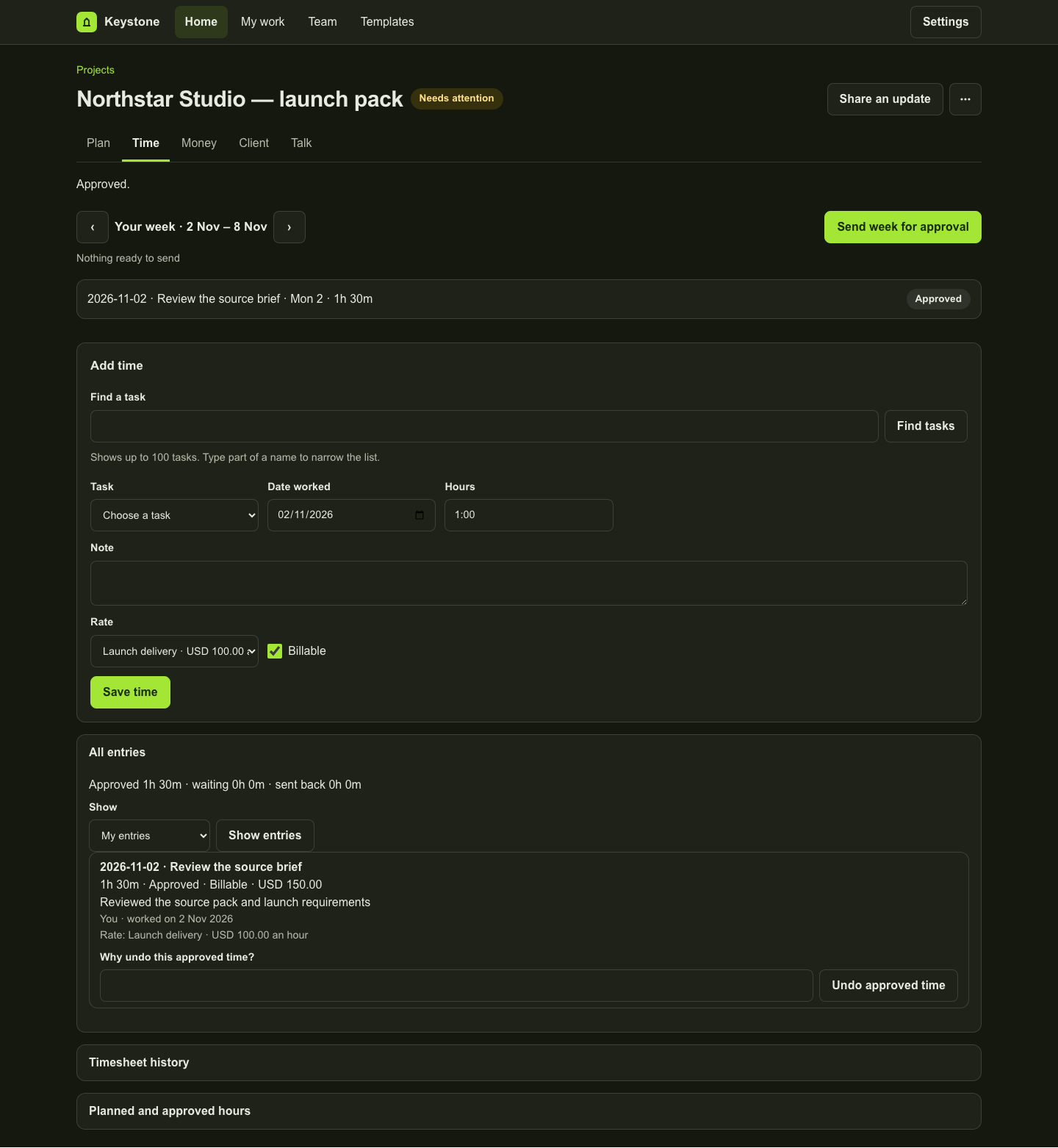
In Time, record the date, task, duration and billable details. Use Send week for approval to submit the week’s entries for review. The reviewer’s decision preserves the submitted record. Approved time is distinct from drafts and pending submissions.
4. Review the commercial picture
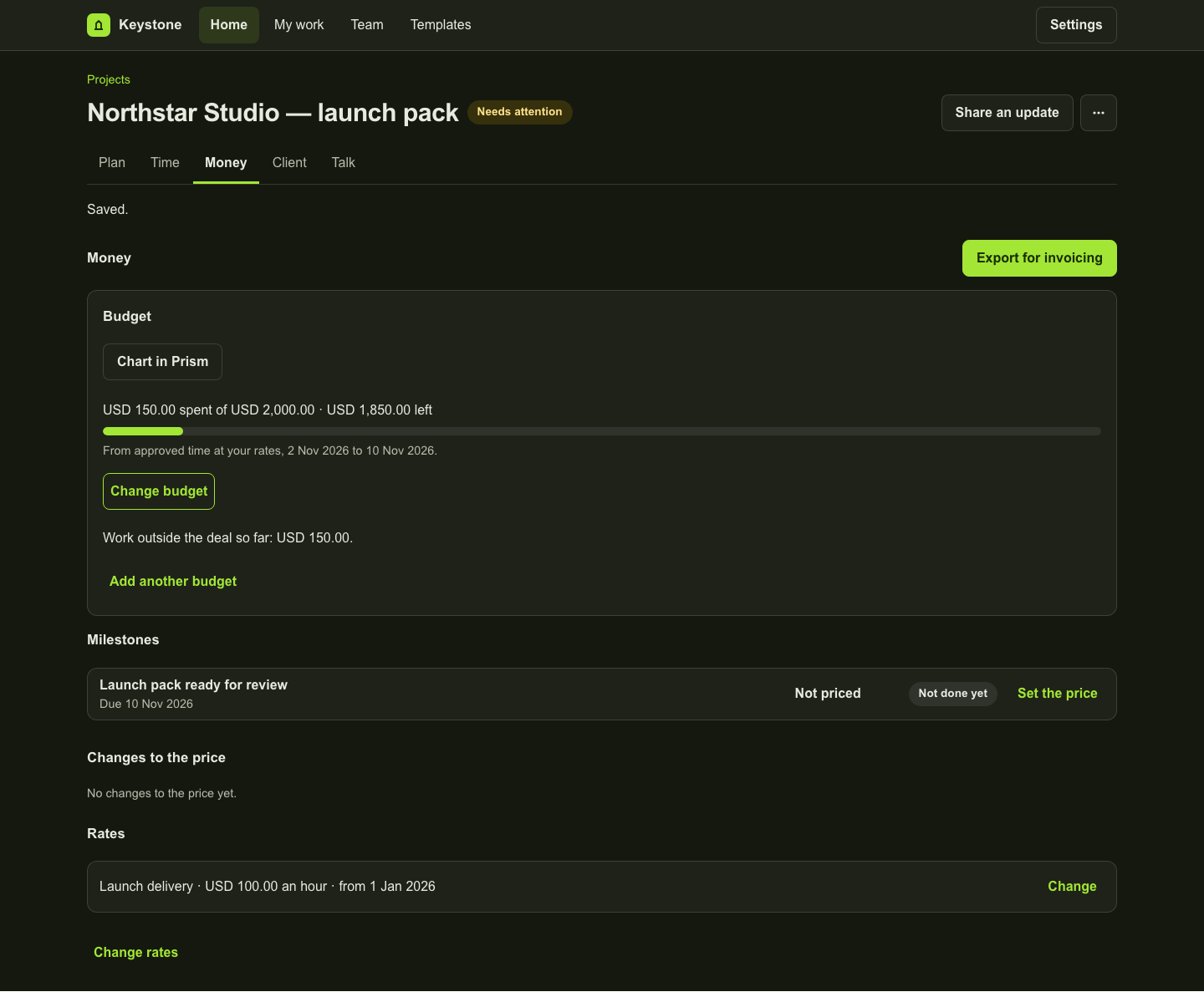
In Money, inspect the project’s budgets and commercial records. Review approved recorded value by currency and check incomplete-rate notices. Prepare the supported invoicing export when the records are ready for your invoicing process.
5. Resolve the added request
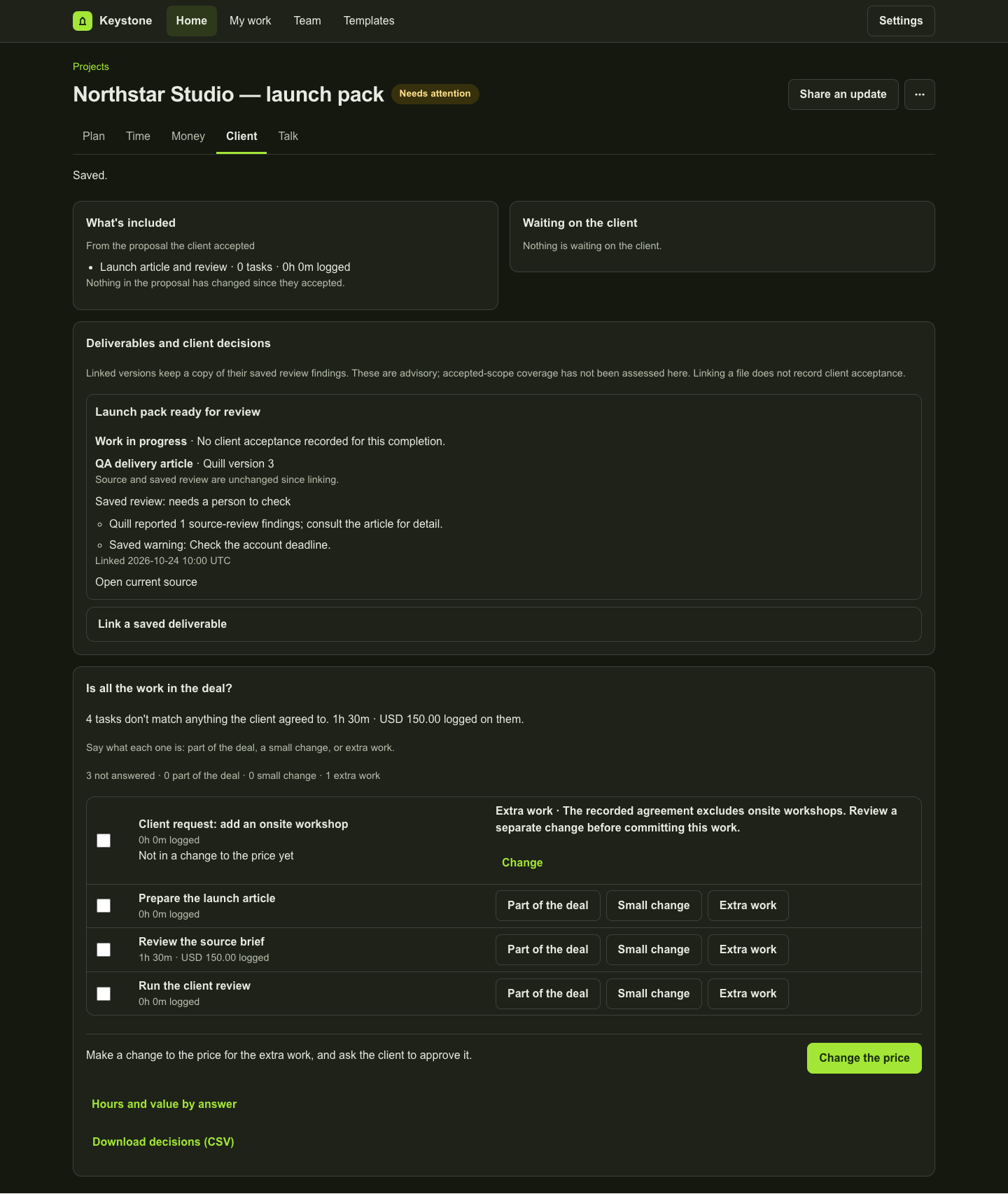
In Client, compare the request with the agreed scope and record whether it belongs in the work or needs a separate agreement. Keep the reason. Review any proposed change before confirming it; an AI suggestion, when available, is an input to that decision.
6. Finish the work and record the decision
Complete the milestone only when its work is ready. Review any saved deliverable references and findings, then use the separate client-decision flow. Talk keeps project discussion alongside the work. A saved finding or a completed task does not establish acceptance.
Inspect the work
A fictional project in the actual workspace
These examples use fictional data in an isolated local preview. Each caption explains what its screen establishes. They do not represent a customer result.
Product copy reviewed 2 November 2026.