
Gixo Keystone · Product connections
Keep the context when work moves between products
Keystone manages project delivery. Other Gixo products help create the proposal, legal draft, article, deck or chart. Supported connections carry selected context between them while each product keeps its own permissions and subscription.
Project access, your subscription and the current release determine which controls are available.
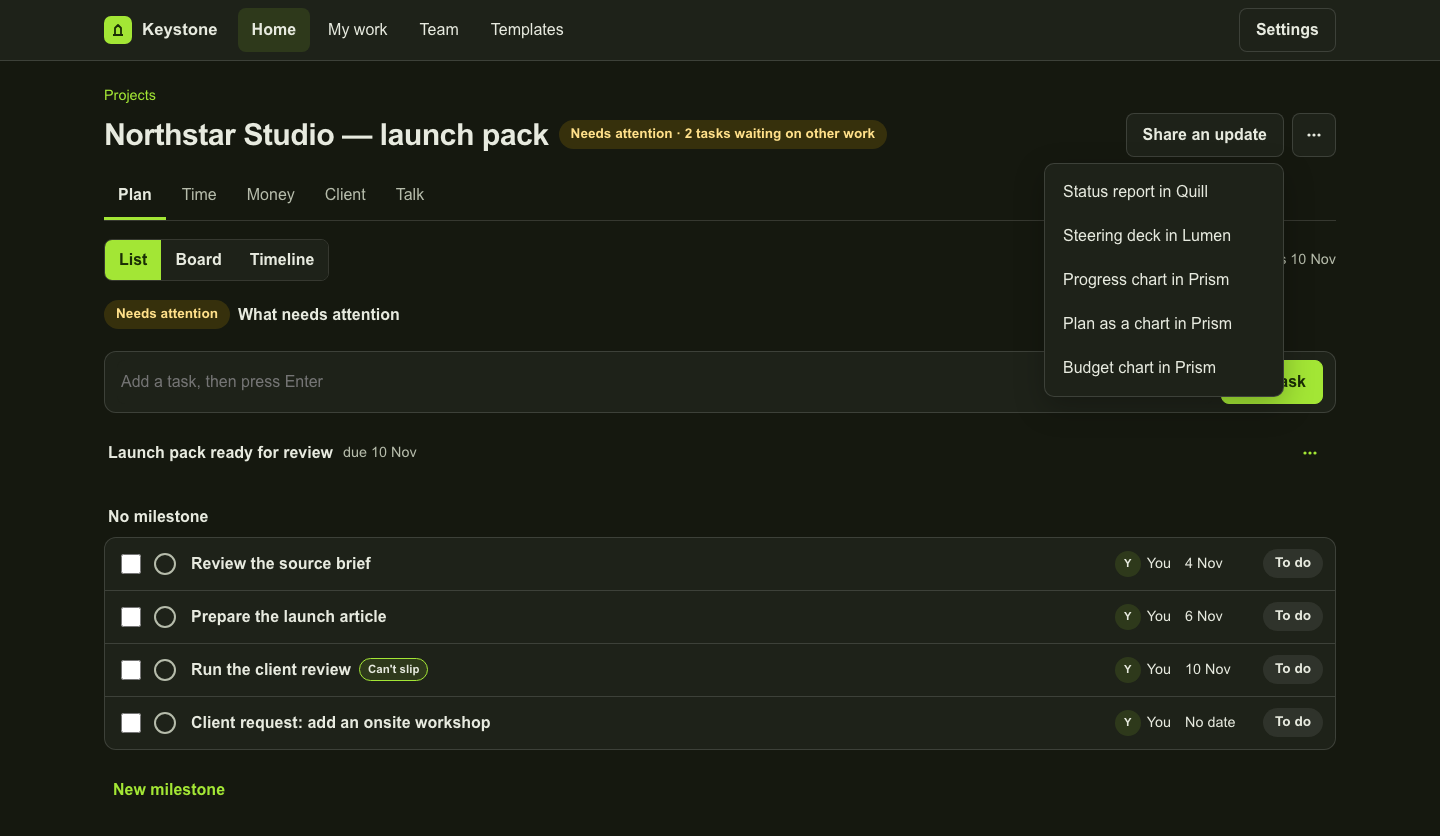
Accord and Arc: from an opportunity to recorded scope
Use the supported deal-to-project and accepted-proposal paths when available to your account. Review the captured project context and scope before creating the project. An imported record does not grant access to the source or keep every later edit synchronised.
Quill and Lumen: prepare a status update or deliverable
From Share an update, open a Quill status report or a Lumen steering deck with selected project facts attached. Where milestone actions are available, start from the milestone and recorded requirements. Opening the destination prepares the work; generation is a separate action in that product.
Bring a saved article or deck back to the project
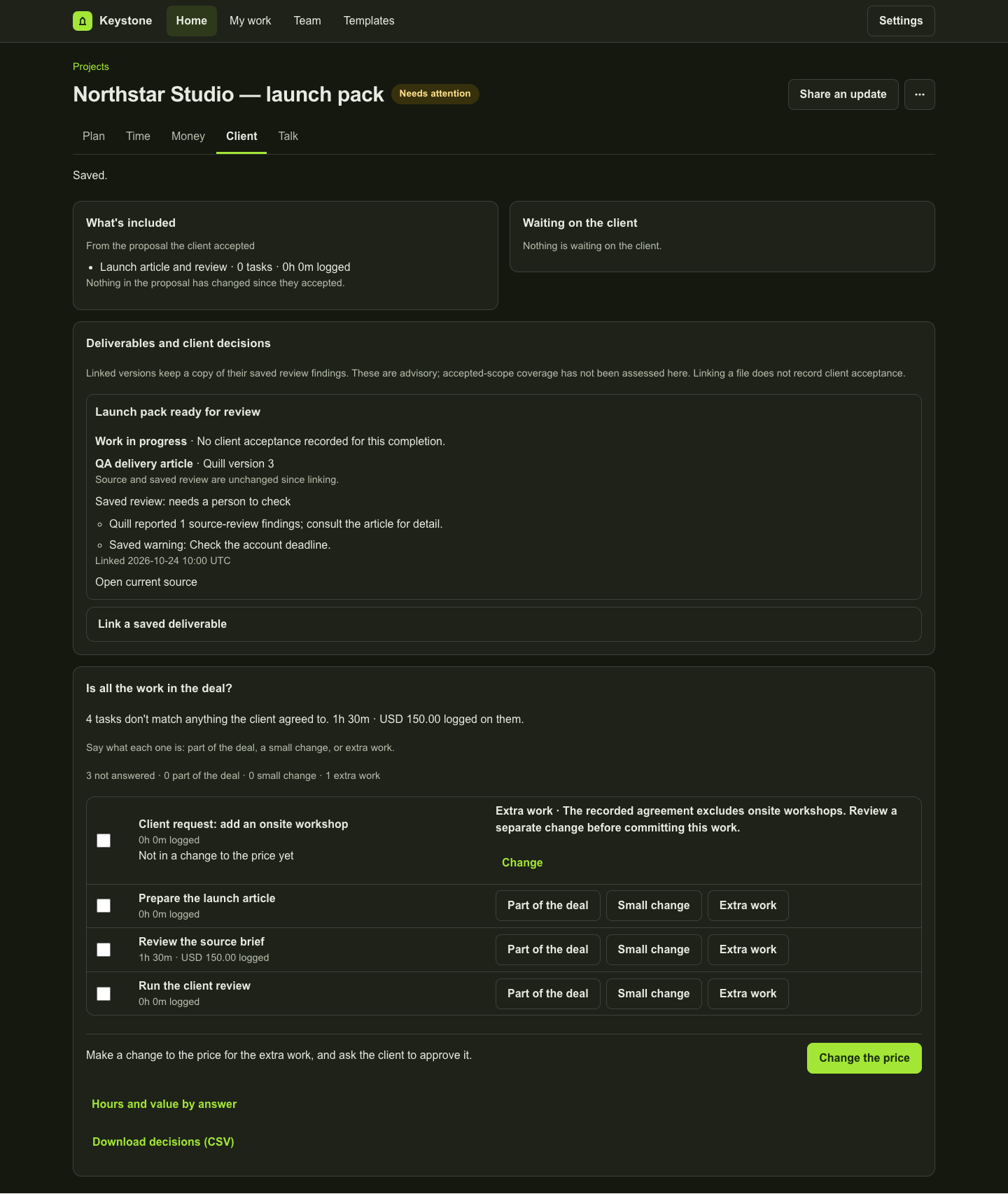
Where saved-deliverable links are enabled, preview an authorised saved Quill article or Lumen deck and confirm the reference. Keystone retains the captured version reference and bounded review findings. The open link points to the current authorised source, which can later change or become unavailable.
Prism: show the captured project facts
Use Chart in Prism from the relevant project surface to prepare a visual from the attached facts. Review, style and export it in Prism. A captured chart does not continually refresh itself from the project.
Lex, exports and optional reminders
Supported Lex change and acceptance records can be connected to project work. Review legal content through the appropriate legal workflow. Invoicing CSV and calendar-file downloads are exports, not two-way accounting or calendar sync. Slack, Teams and webhook reminders depend on separate release and channel setup.
What a Keystone seat includes
A Keystone seat does not include AI generation subscriptions for the destination products. Each connection rechecks current access. Review captured sources for freshness and deliberately regenerate or create a new version when the facts change.
Inspect the work
A fictional project in the actual workspace
These examples use fictional data in an isolated local preview. Each caption explains what its screen establishes. They do not represent a customer result.
Product copy reviewed 2 November 2026.