Workflow-specific products Content, decks, visuals, briefs, proposals, legal, books, and project delivery each have a clearer buying path.
Review before delivery Draft, edit, collaborate, approve, and export in the same workspace.
Security + procurement path Security policy, support, and Azure Marketplace buying are public.

Keystone Examples · Inspected Workspace Captures & CSV Output

Keystone project examples and inspected outputs

Inspect real Gixo Keystone workspace screens, downloadable approved-time CSV billing exports, and calendar artifacts from our fictional Northstar Studio agency engagement.

  • 8 Product Screen Captures
  • Downloadable Approved-Time CSV
  • Northstar Studio Agency Dataset
  • Scope, Budget & Client Sign-Off Proof

The trial uses Starter: projects, tasks, List, Kanban Board and Timeline views, and manual time logging. Dependencies, critical path, budgets and change orders are on Professional, and weekly capacity is on Business.

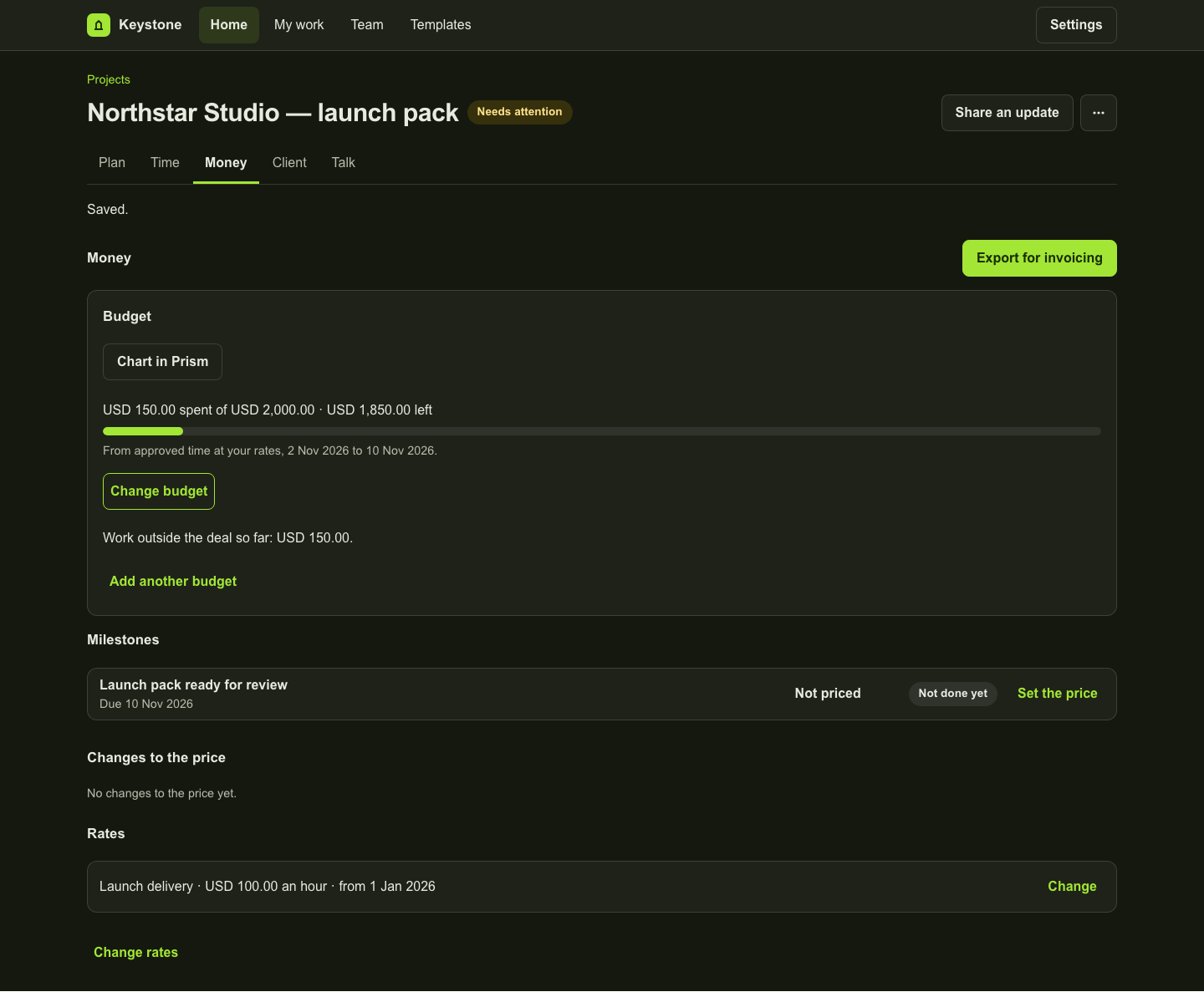
Money showing USD 150 approved recorded value against a USD 2,000 budget.
This fictional example records USD 150 against a USD 2,000 budget. The balance is not cash spend, recognised revenue or accounting profit.
01 · Schedule & Capacity Specimens

Walk through a complete agency delivery scenario: Northstar Studio

To show exactly how Keystone handles client work without exposing private customer data, every specimen on this page is captured from a fictional agency engagement — Northstar Studio — running inside the real Keystone application.

You can inspect how the engagement moves from the portfolio overview into task execution across List, Board, and Timeline views, critical-path dependency calculation, and weekly team capacity planning.

  • Portfolio & Plan captures: inspect project health, milestone progress, and multi-view task boards.
  • Critical path & Timeline capture: see dependency chains, earliest/latest dates, and schedule signals.
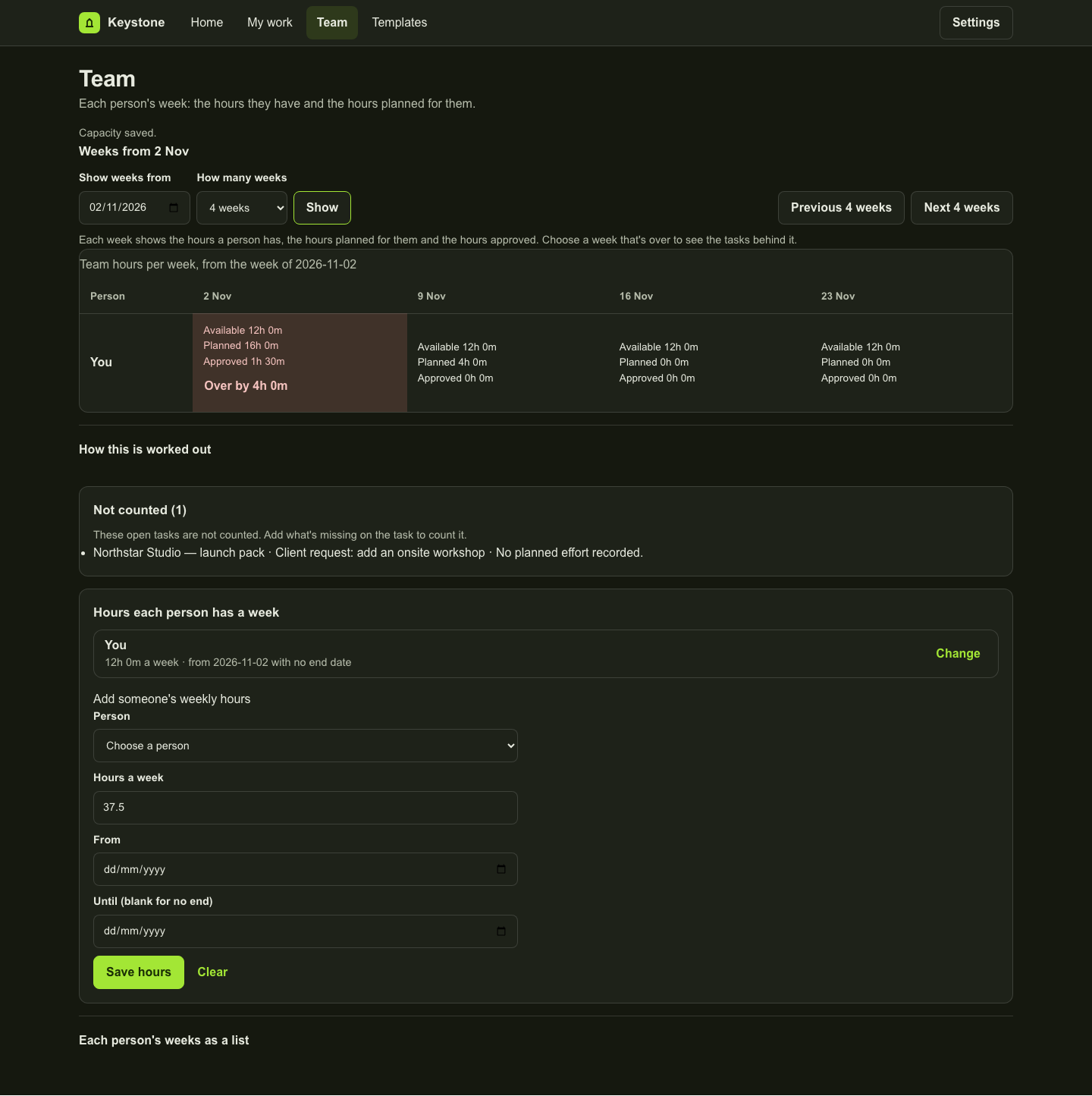
  • Weekly Capacity capture: see how planned task hours are compared against each team member's weekly availability.
02 · Time, Budget & CSV Export Specimen

Download the approved-time CSV specimen and inspect budget & rate controls

Commercial delivery requires numbers you can verify. In the Time & Budget specimen, you can see how submitted and approved hours are tracked against named project budgets, with explicit notices when billing rates are incomplete.

Download the real approved-time CSV specimen below to inspect the exact columns Keystone exports for finance and invoicing handoffs — including project, work item, team member, date, approved minutes and hours, captured rate snapshot, currency, and amount.

  • Downloadable file: the sample approved-time CSV, generated from the Keystone time export contract.
  • Verifiable rate snapshots: see how captured hourly rates travel with approved time entries.
  • Explicit boundary: CSV exports feed your invoicing or accounting system; Keystone does not post to a general ledger or run payroll.
03 · Scope Rulings & Client Specimens

Inspect scope rulings, change orders, and client sign-off records

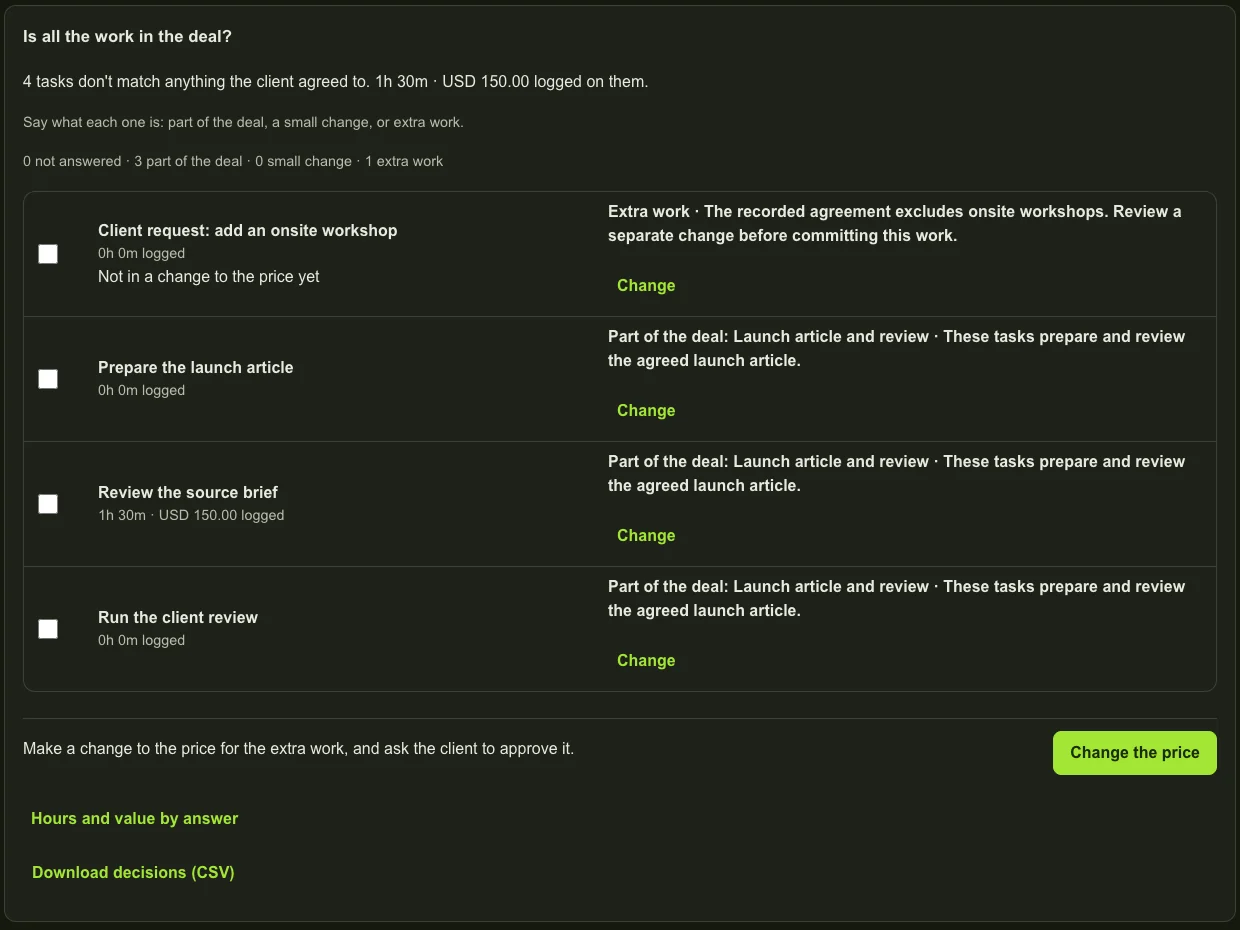
The Scope & Changes specimen and the Client tab show how Northstar Studio handles mid-project client requests and deliverable approvals. Added asks are logged against the captured agreement and ruled in-deal, small change, or extra work.

Deliverables show their internal readiness alongside a separate client acceptance record, so your team always knows what is merely finished internally versus what the client has formally signed off.

  • Scope triage capture: see in-deal, small-change, and extra-work rulings alongside priced change orders.
  • Client sign-off: a client accepts or rejects a priced completion through a single-use decision link.
  • Clear provenance: all captures represent the fictional Northstar Studio dataset in the local workspace.
Inspected Product Screens

Inside the Keystone workspace

Screens from Keystone itself, using the fictional Northstar Studio agency project, showing the exact controls your team uses in delivery.

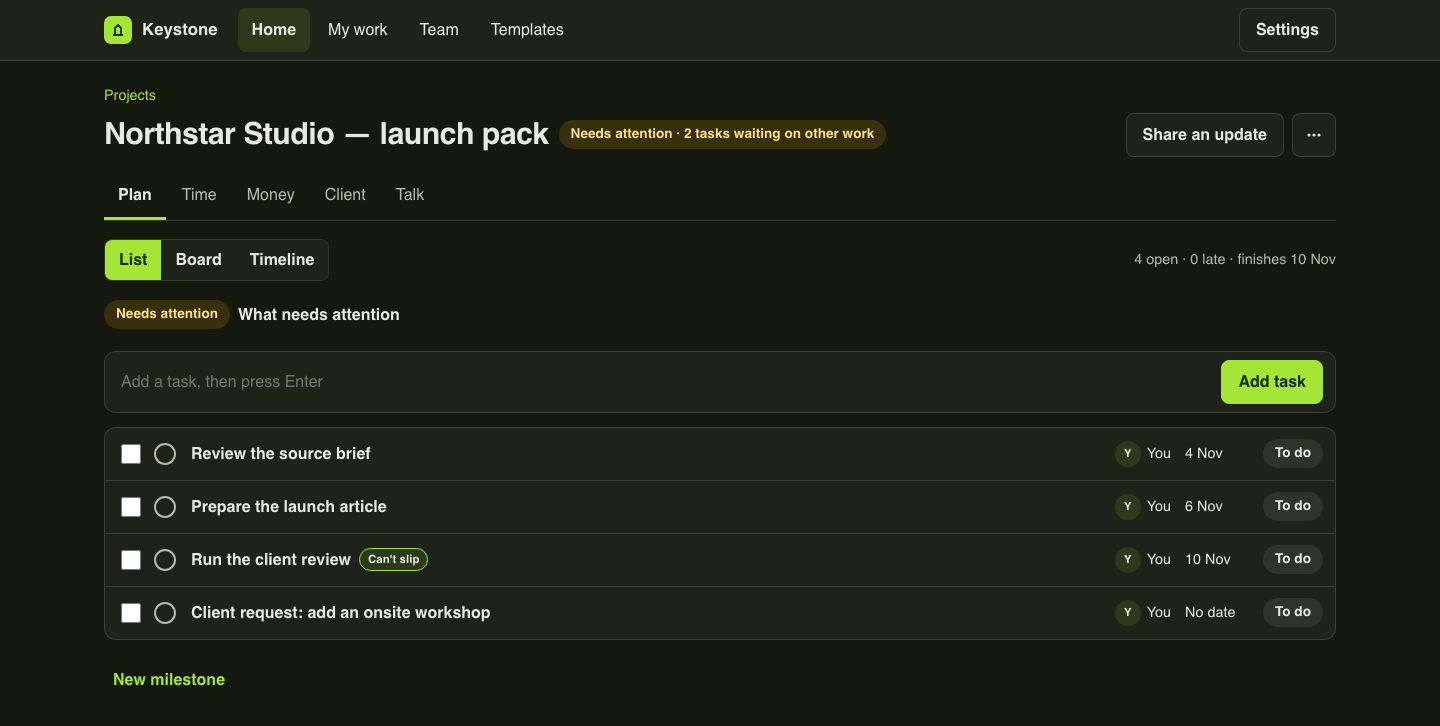
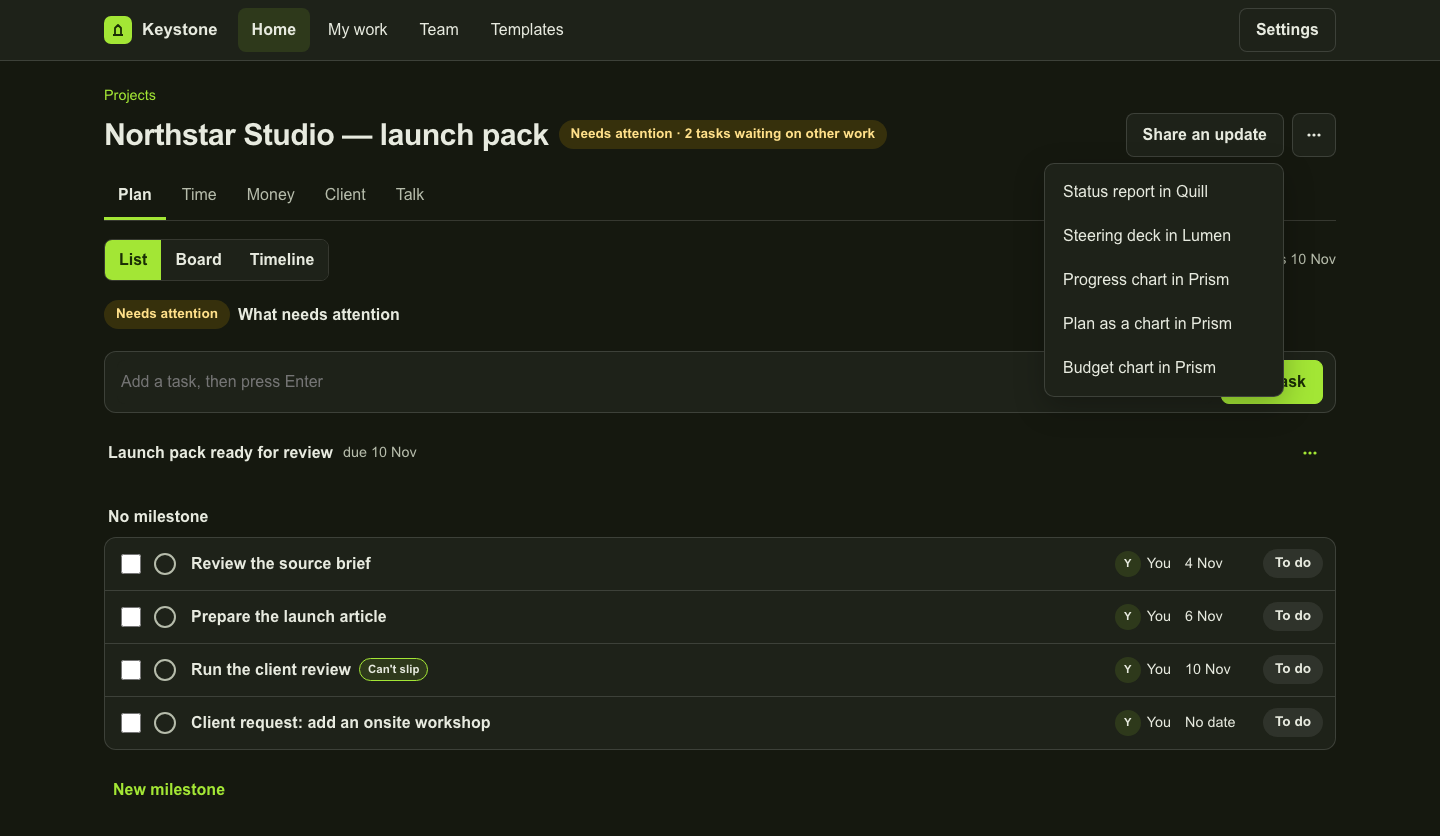
Keystone Plan with three scheduled launch tasks and one added workshop request.
A fictional Northstar Studio project in Keystone's Plan tab, captured 2 November 2026 on a local copy of the product. The added request has no dates yet, and a finished task is not the same as the client accepting it.
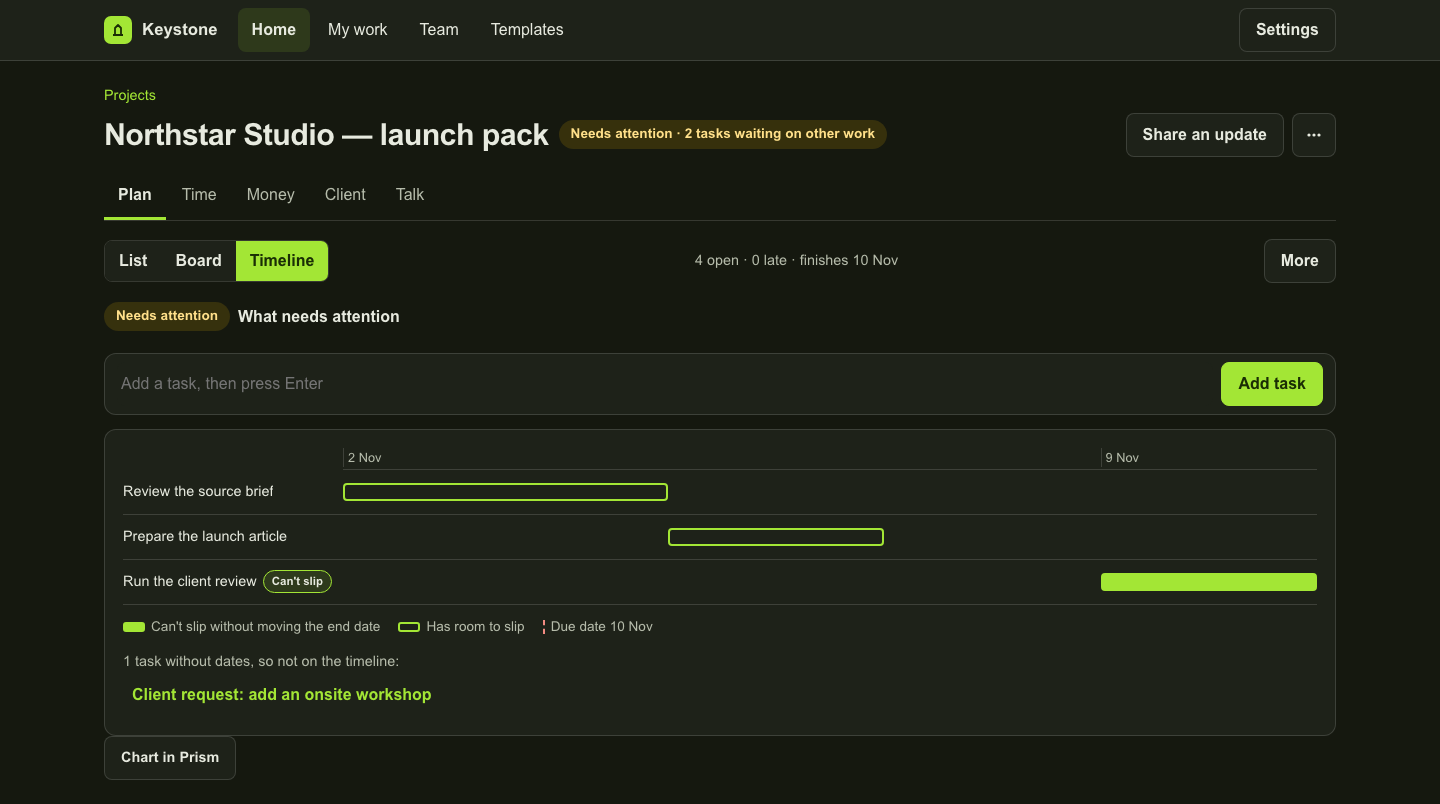
Timeline with the launch-task dependency sequence and an unscheduled request.
The Timeline tab with dated tasks and dependencies. The warning points out the request without dates. Calculations do not silently change saved task dates.
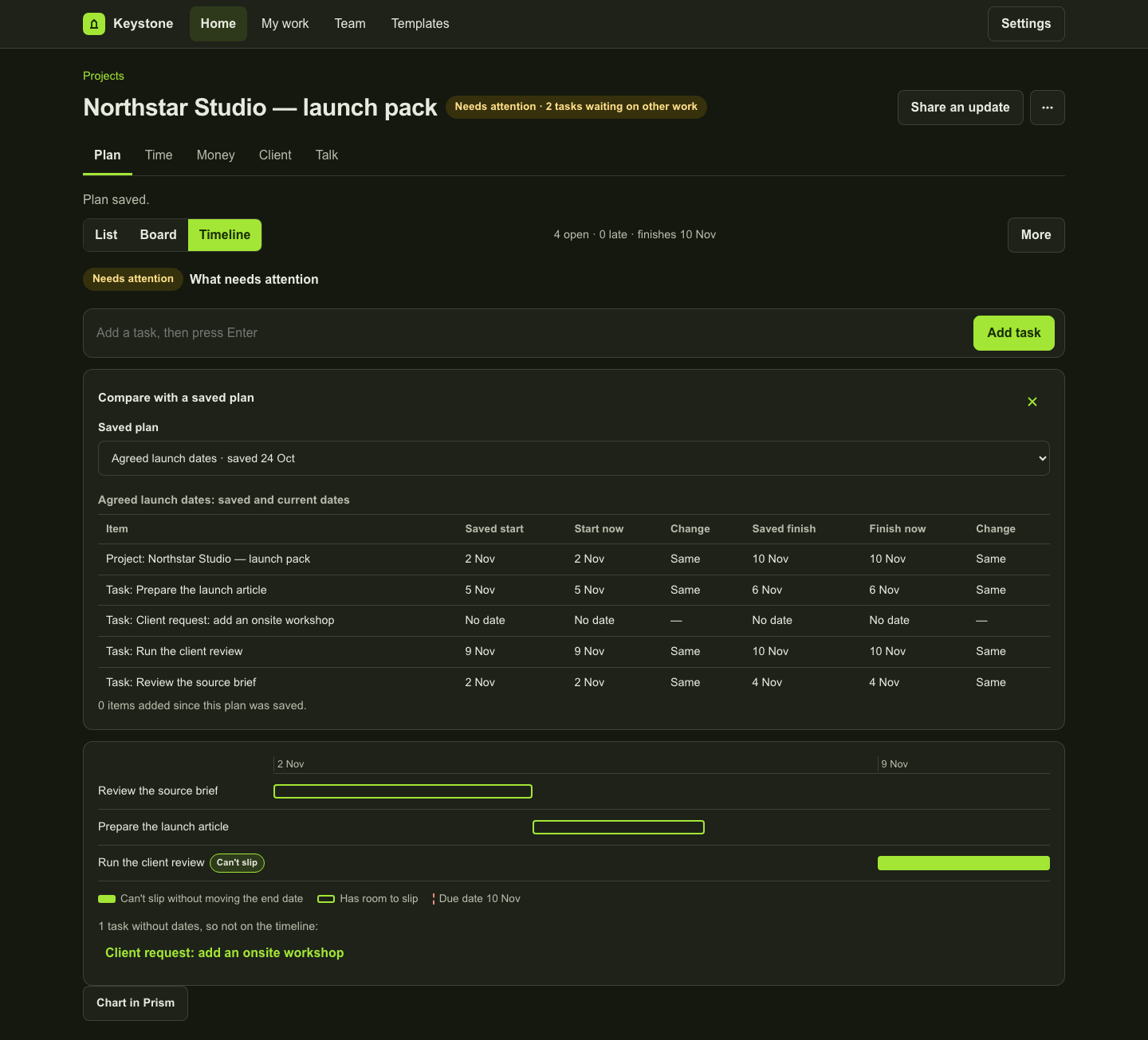
Saved launch dates compared with the current task dates.
Agreed launch dates is a saved plan in the fictional project. This capture compares retained and current dates; it is not a delivery forecast or an automatic reschedule.
Team view comparing twelve available weekly hours with planned task effort and omitted-work notices.
Weekly capacity entered by hand in the fictional project, with planned and approved time kept separate. The request without dates is not counted. Only projects the viewer can open count toward this view.
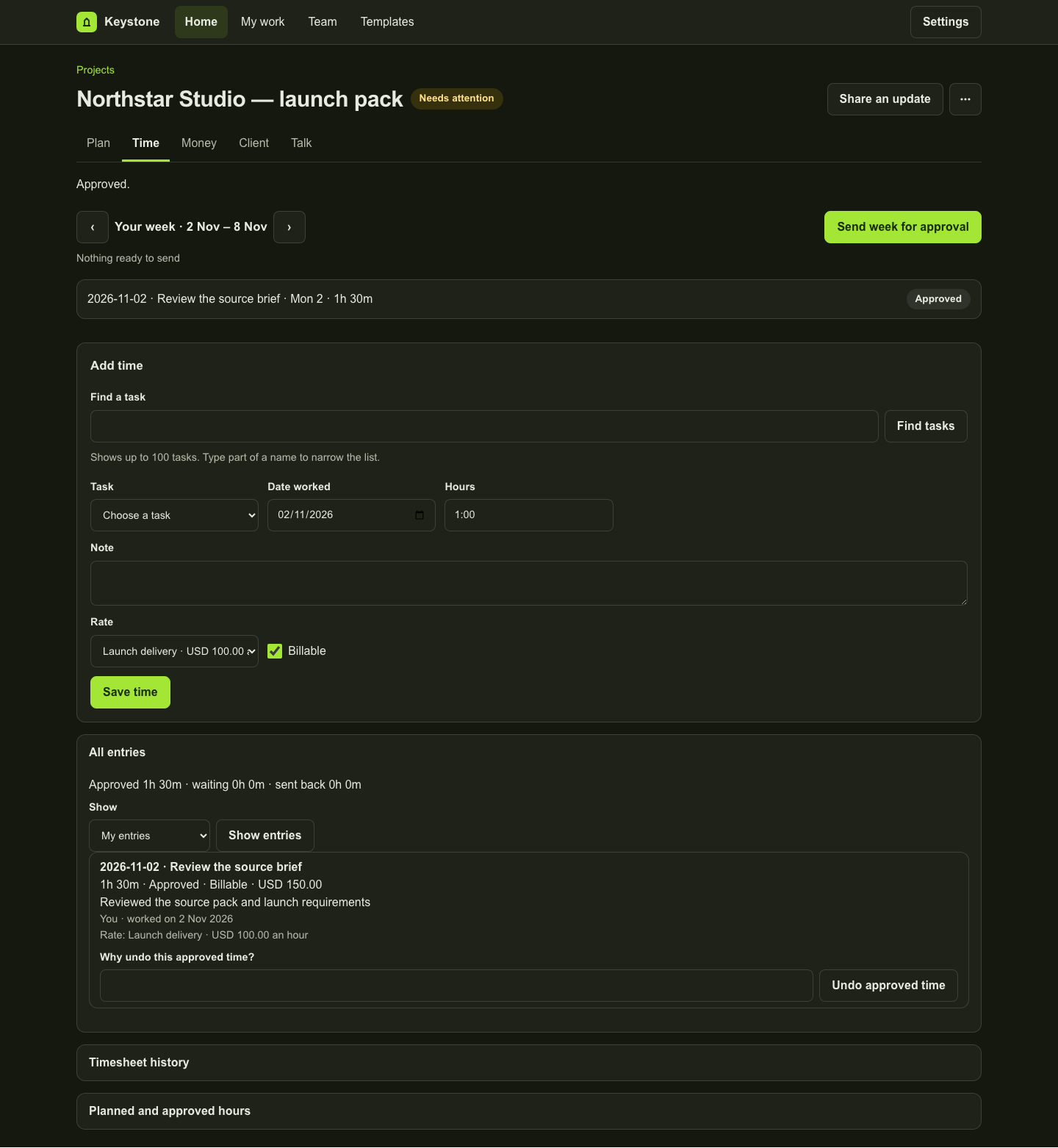
A retained one-hour-thirty-minute entry with USD 150 recorded value and identified self-approval.
A fictional 1h 30m entry at USD 100/hour that the same person logged and approved, shown as a self-approval. This shows the value Keystone keeps on record, not an independent review or payroll.
Money showing USD 150 approved recorded value against a USD 2,000 budget.
This fictional example records USD 150 against a USD 2,000 budget. The balance is not cash spend, recognised revenue or accounting profit.
Client tab with included launch work and an added workshop recorded as extra work.
In this fictional project a manager marked three launch tasks as included work and recorded the onsite workshop separately as extra work. This is a person's decision, not an AI accuracy or legal-correctness result. Recorded scope comes with a project started from a won deal.
Share an update menu offering Quill, Lumen and Prism actions.
The Share an update menu. Nothing was generated for this capture. Opening a destination prepares the project's facts there; you still need access to that product and must choose to create.
Transparent Per-Person Pricing

Keystone plans and trial boundaries

Choose per-person Starter/Professional/Business according to the controls required. Every paid seat covers one person across your active projects.

Compare Keystone plans & fit →
Core Delivery

Starter

$9/month per person

or $90/year per person billed annually

  • Projects, phases, tasks, subtasks, and comments
  • List, Kanban Board, and Timeline views
  • Manual billable & non-billable time logging
  • Retained task and project activity history
Multi-Project Operations

Business

$29/month per person

or $290/year per person billed annually

  • Everything in Professional, plus:
  • Cross-project portfolio dashboard and health rollups
  • Weekly person-by-person resource & capacity planning
  • Team management and multi-engagement governance

Trial & suite scope: The 14-day free trial uses Starter without a credit card and keeps Professional and Business controls outside the Starter trial. A Keystone seat covers Keystone itself; AI generation in another Gixo product requires that product's own subscription. Accord, Gixo's CRM, is not on sale yet, so starting a project from a won deal, and ruling requests against the scope recorded with it, is not available today.

Questions about Keystone

Are these examples from real customer accounts?

No. All screenshots and the downloadable CSV use a fictional agency dataset (Northstar Studio) captured from the real Keystone product routes so you can inspect every control and export column safely.

What files can I download and test from Keystone?

You can download the sample approved-time CSV export from this page and the full Keystone user guide PDF from the Keystone user guide. Inside the workspace, you can also download .ics calendar files for project milestones and personal tasks.