
Gixo Keystone · Scope and changes
Project scope management for the next client request
A request needs more than a new task. Compare it with the recorded agreement, keep the manager’s decision and prepare a separate change when the work needs one.
Project access, your subscription and the current release determine which controls are available.
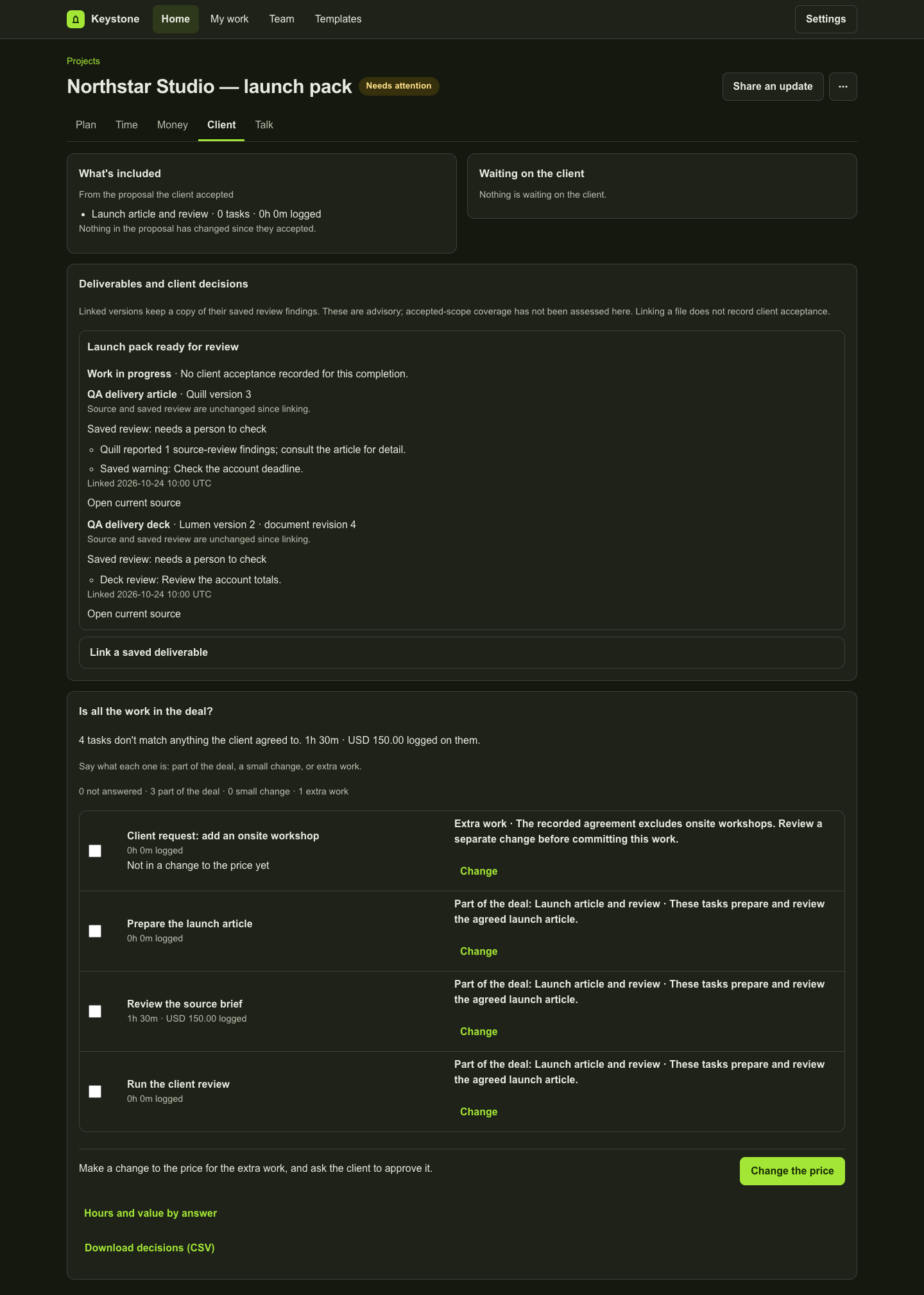
Keep the accepted scope beside delivery
Where the Arc connection is available, bring accepted scope sections into the project and review them during setup. Link delivery work to the recorded scope so the team can see the basis of a decision.
Record the request and the reason
Choose the client request, inspect the relevant agreement and record whether it belongs in the accepted work or represents new scope. A manager confirms the decision and keeps a note. Unsupported or missing evidence stays a review task.
Review suggested classifications
The optional Arc-assisted scope review shows the request and accepted-scope quotations beside a suggestion. A manager still reviews and confirms it. This preview is not a legal interpretation, an automatic approval or a measured accuracy guarantee.
Prepare a change without rewriting the past
Use reviewed extra-work decisions to prepare a change order. Check the scope and commercial details before saving or sending it for the next agreement step. Retain the original agreement and the later decision as separate records.
Follow the decision through completion
Review what was completed and the client’s separate response. A saved review finding does not establish that the delivered work met every requirement, and a later file link does not establish which earlier file the client accepted.
Inspect the work
A fictional project in the actual workspace
These examples use fictional data in an isolated local preview. Each caption explains what its screen establishes. They do not represent a customer result.
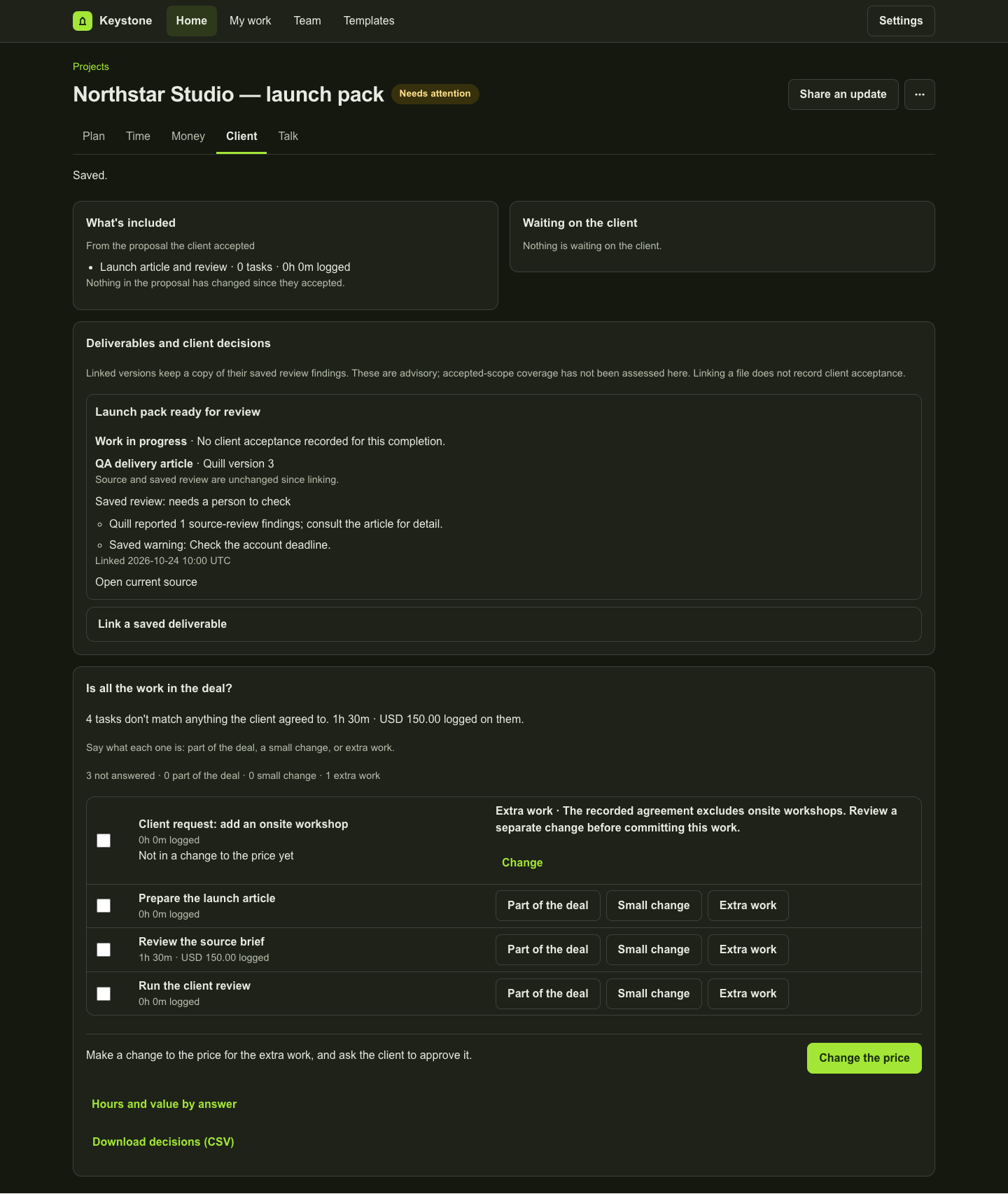
Product copy reviewed 2 November 2026.