
Best for
An agency, consultant, or professional-services team needs a source-grounded proposal workspace: RFP intake, questionnaire round-trip, review gates, tracked delivery links, and simple electronic signature.
Gixo Arc drafts reviewable proposal first drafts from the briefs, RFPs, scopes, case studies, pricing notes, and other source files you provide.
Choose the proposal type, add the RFP, brief, notes, or prior work, then review a structured first draft before it reaches a client.
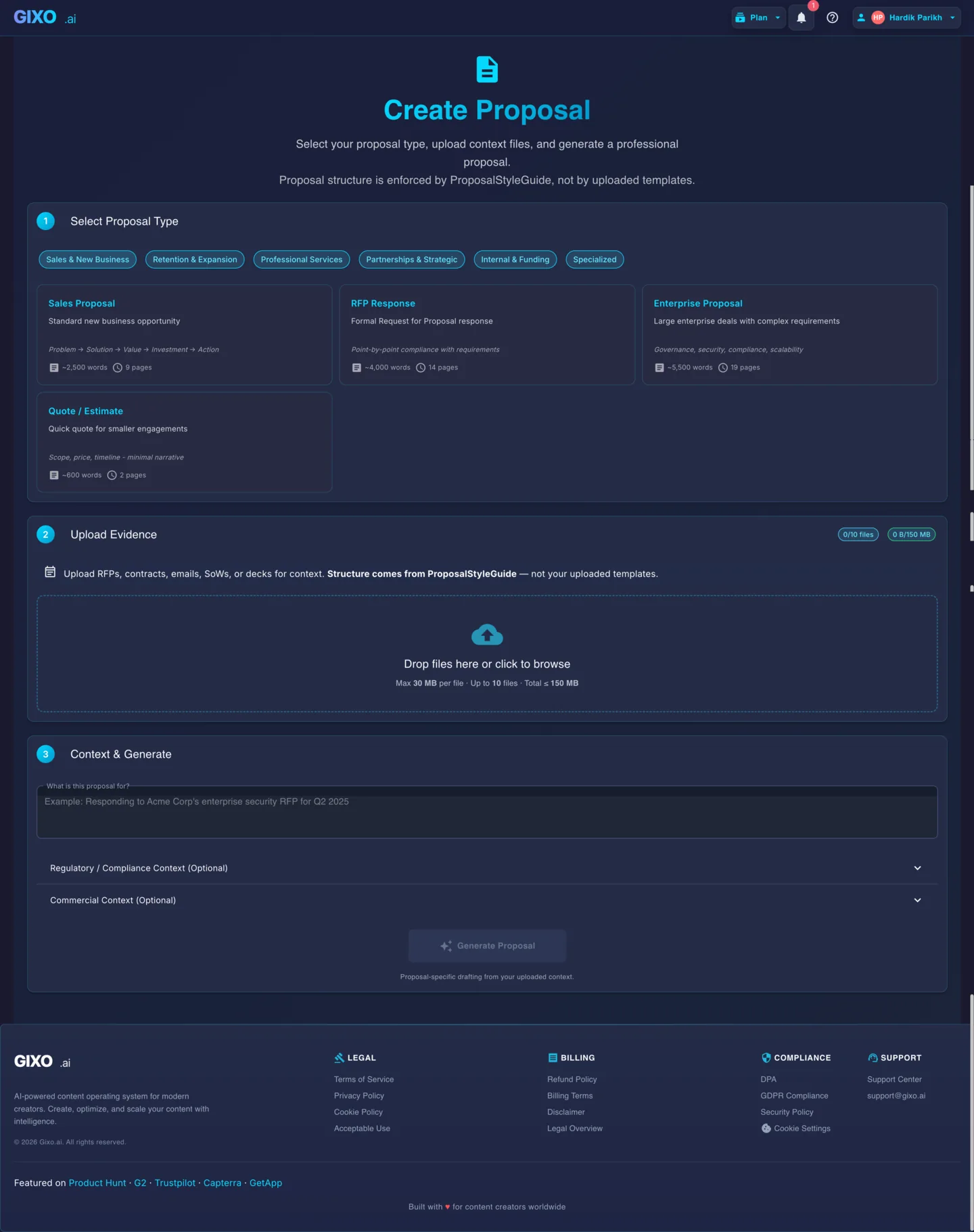
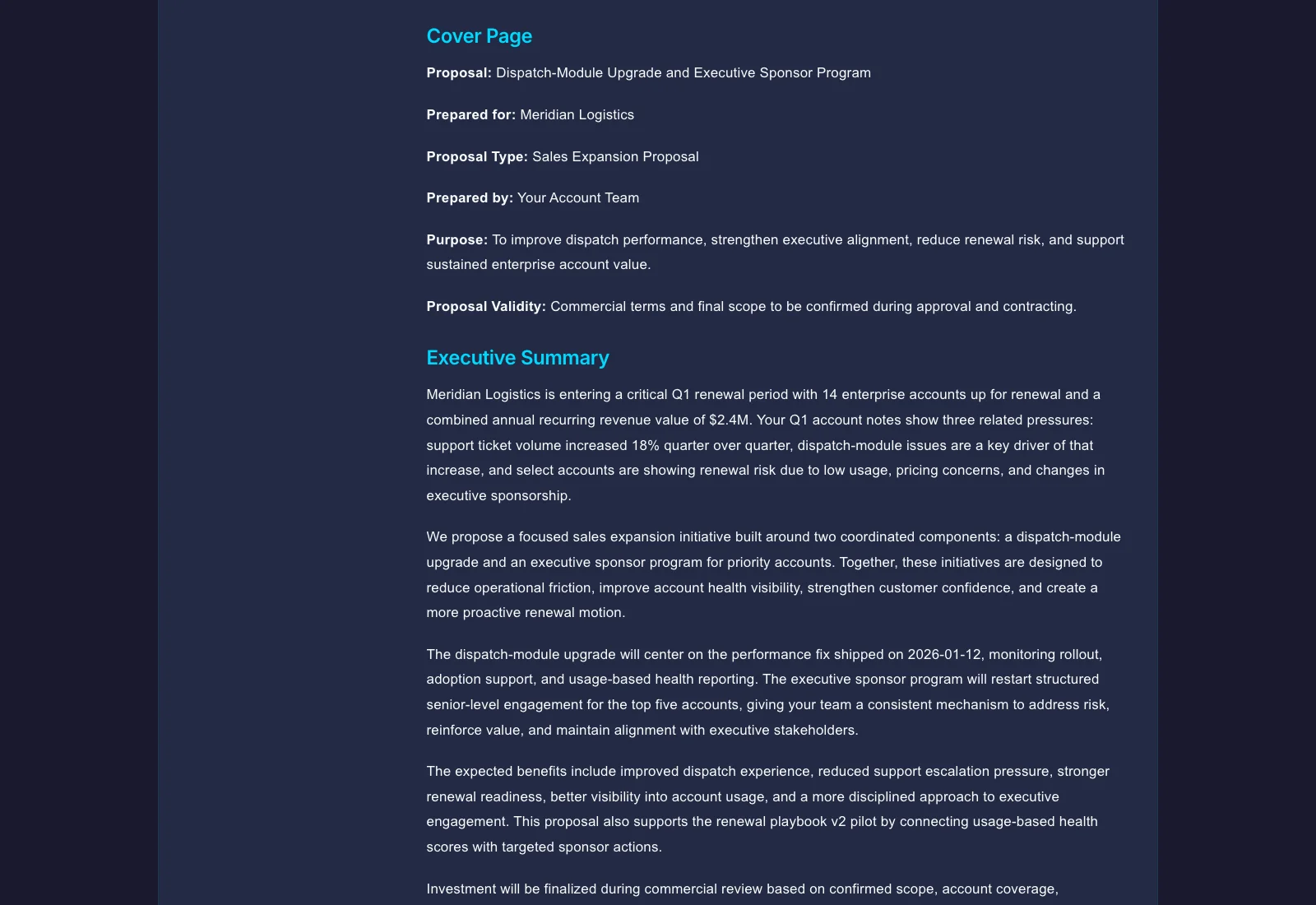
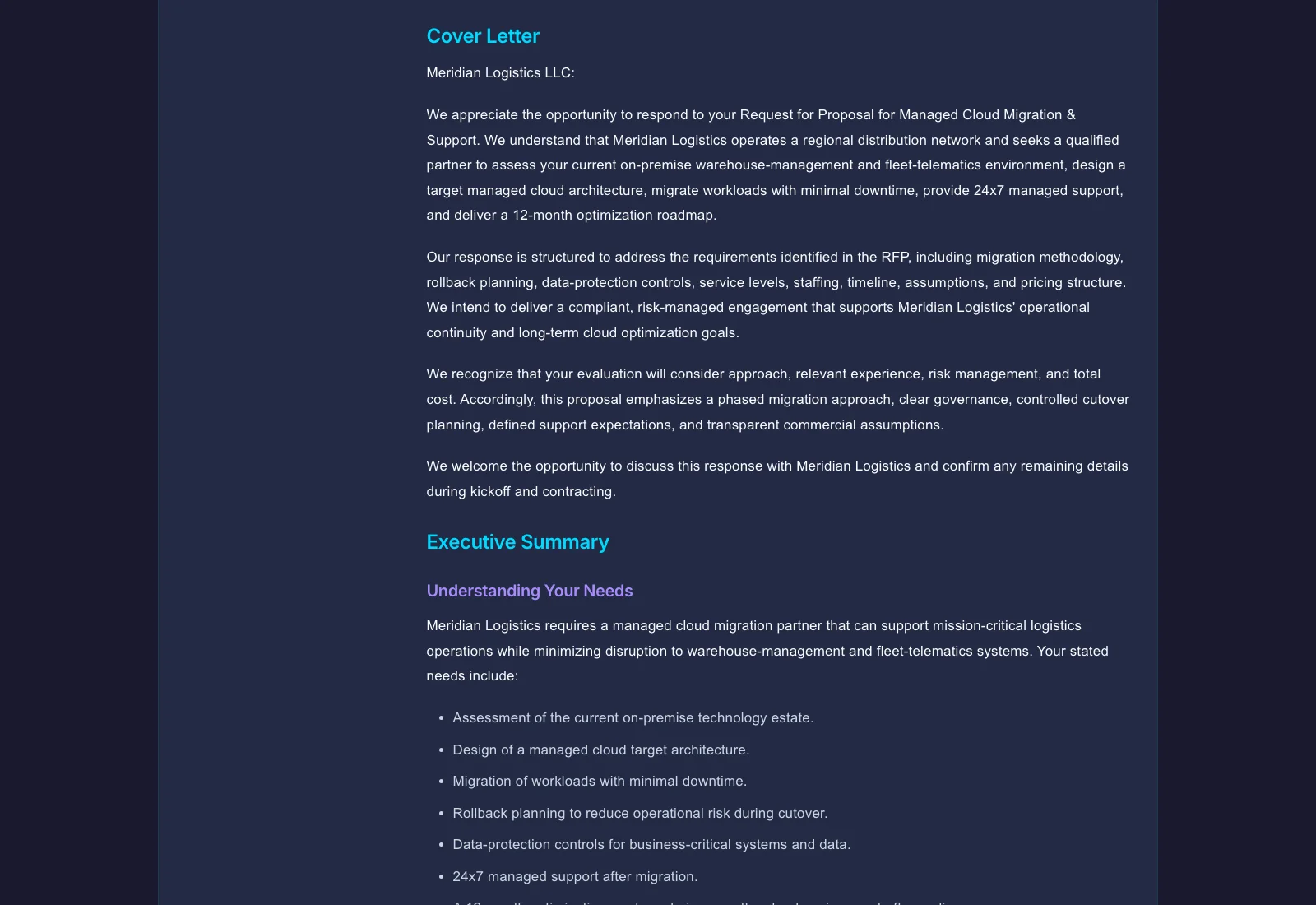
Illustrative example Output screens show document structure — not a promised or real customer result.
Good for one person drafting proposals and RFP responses
Source-first proposal drafting
File upload plus PDF, DOCX, and HTML export
Personal proposal workspace
Monthly paid checkout
Good for small proposal teams reviewing drafts together
Everything in Starter
Internal sharing and comments
Proposal review collaboration
Minimum 2 seats
Good for proposal operations with shared review workflows
Everything in Professional
Shared team workspaces
Proposal ops and review workflows
Minimum 5 seats
For Azure and private-offer deployments
Everything in Business
API access and AI provider governance
Azure Marketplace or private offer
Onboarding and enterprise rollout support
Facts, claims, scope, pricing, and proof points should stay traceable to uploaded source material so reviewers can inspect the draft before it reaches a client. In the response workspace, a deterministic response-quality pass flags unsupported claims, unsupported high-risk claims, placeholder text, duplicate answers, and word- or character-limit breaches so the team can resolve them first. When the buyer issues a structured questionnaire, Arc writes your reviewed responses back into the original XLSX, CSV, or DOCX file, deterministically and in place, preserving the workbook's formulas, styles, and layout as well as Word content controls and response-table cells. A preflight previews every target first and blocks on protected sheets, formula cells, merged cells, dropdown values the buyer does not allow, missing required or scored answers, and conflicting requirements, so a person still runs the final check and submits. Arc runs proposal review as governed team execution: each requirement can carry a response owner, a reviewer, a due date, and a workflow status, and subject-matter-expert, security, legal, commercial, and executive review gates track who must approve, their decision, and when. A deterministic workload view surfaces open, due-soon, overdue, and escalation tasks under a team capacity policy, with reviewer reminders. Your organization still owns every approval. Arc creates recipient-specific tracked view-only or view-and-download links. You can send the link directly by email from Gixo or copy it to send yourself, and receive alerts when buyers view, download, ask questions, or accept; Arc does not submit the proposal to a procurement portal. Arc includes native simple electronic signature: a frozen PDF snapshot, named signers on tokenized links, typed-name adoption, and a sealed PDF with an audit certificate. It is not a qualified or certificate-based digital signature. The paid plans below include proposal types, source upload, editing tools, and PDF, DOCX, and HTML export, plus Markdown, JSON, and plain text.
An agency, consultant, or professional-services team needs a source-grounded proposal workspace: RFP intake, questionnaire round-trip, review gates, tracked delivery links, and simple electronic signature.
You need a high-volume bid-operations platform with self-serve system synchronization, payment collection, a qualified or certificate-based signature, automatic submission to a procurement portal, or a prediction that a bid will succeed.
The free analyzer is a deterministic review aid for structure, section coverage, and requirement-coverage signals. It does not certify RFP compliance or replace final human review.
The proposal owner still confirms every requirement, scope item, price, obligation, assumption, proof point, and client commitment before handoff.
Arc's deterministic analyzer reports structure and requirement-coverage signals; it does not certify RFP compliance or predict bid or sales outcomes.
Facts, claims, scope, pricing, and proof points should stay traceable to uploaded source material so reviewers can inspect the draft before it reaches a client. In the response workspace, a deterministic response-quality pass flags unsupported claims, unsupported high-risk claims, placeholder text, duplicate answers, and word- or character-limit breaches so the team can resolve them first.
Upload RFPs, statements of work, decks, emails, and reference files so the draft starts from real context.
Each proposal type follows its own structure and tone instead of using a generic writing prompt.
When the buyer issues a structured questionnaire, Arc writes your reviewed responses back into the original XLSX, CSV, or DOCX file, deterministically and in place, preserving the workbook's formulas, styles, and layout as well as Word content controls and response-table cells. A preflight previews every target first and blocks on protected sheets, formula cells, merged cells, dropdown values the buyer does not allow, missing required or scored answers, and conflicting requirements, so a person still runs the final check and submits.
Arc runs proposal review as governed team execution: each requirement can carry a response owner, a reviewer, a due date, and a workflow status, and subject-matter-expert, security, legal, commercial, and executive review gates track who must approve, their decision, and when. A deterministic workload view surfaces open, due-soon, overdue, and escalation tasks under a team capacity policy, with reviewer reminders. Your organization still owns every approval.
Arc creates recipient-specific tracked view-only or view-and-download links. You can send the link directly by email from Gixo or copy it to send yourself, and receive alerts when buyers view, download, ask questions, or accept; Arc does not submit the proposal to a procurement portal.
Arc includes native simple electronic signature: a frozen PDF snapshot, named signers on tokenized links, typed-name adoption, and a sealed PDF with an audit certificate. It is not a qualified or certificate-based digital signature.
These run on the same proposal as the draft, so the source files, reviewed answers, and approvals stay in one record.
Arc writes a proposal in the language you pick on the create page rather than drafting in English and translating, and the buyer edition, Word, PDF, and PowerPoint files of an approved release are laid out in that language, right to left for Arabic and other right-to-left scripts. Reviewers still check terminology and figures in that language.
On a tracked link, the buyer can press Accept proposal and type a name, and the acceptance appears in your delivery history. When the link shares a reviewed proposal edition, the buyer can also record a question or next-action suggestion for your team without changing that edition. Acceptance is a recorded response, not a signature.
A package preflight checks submission readiness, response quality, every buyer-questionnaire mapping, and required attachments before you submit. An approved release is created only when every answered active requirement is approved and each approved review gate still matches the current revision; it freezes a submission snapshot with a SHA-256 manifest of the buyer edition, DOCX, PDF, PowerPoint, and returned buyer files, plus handoff instruction packs for Business, Lumen, Lex, and Prism that still need review in each product.
From the response workspace you can export a compliance matrix as CSV, with requirement, source location, compliance, evidence, owner, reviewer, due date, response, and word or character limits, and a response pack as a PowerPoint deck of the answered requirements.
When the buyer issues a revised RFP or an addendum, Arc compares the requirements extracted from the earlier and the later source and lists each one as added, removed, or modified, so the team can see what changed before re-answering.
Arc keeps an approved-answer library with review decisions and an audit export, and its projects view reports win rate, loss reasons, and reusable-answer effectiveness from outcomes your team records. The associations are descriptive, not causal, and never approve or publish content.
Before drafting, a team can score bid qualification against weighted criteria and a decision threshold, map buyer stakeholders by role, influence, and stance, and keep competitor profiles and differentiators linked to evidence alongside the team's win themes. The bid decision stays with your team.
The flow is source to review: pick the proposal type, add your files, then keep questionnaire, gates, delivery, and simple e-sign on the same proposal.
Guides, comparisons, and tool pages for proposal writing with AI.