
A Faster Way to Draft Proposals Than Proposify
Proposify excels at design-first templates, proposal analytics, and e-signatures. Gixo takes a different approach: AI-first drafting from your source files. Choose Gixo when first-draft quality matters more than template polish.
Gixo Arc is an AI proposal-drafting tool that generates first drafts directly from your uploaded RFPs, briefs, and source files, with evidence bound to those sources. Proposify is a design-first proposal platform built around visual templates, a reusable content library, e-signatures, and post-send analytics like close rates and pipeline tracking. The two solve different bottlenecks: choose Gixo Arc when writing the first draft is the hard part, and Proposify when visual polish, delivery, and engagement analytics matter most. Some teams use both — drafting in Gixo, then finishing and sending in Proposify.
See what Arc helps your team review
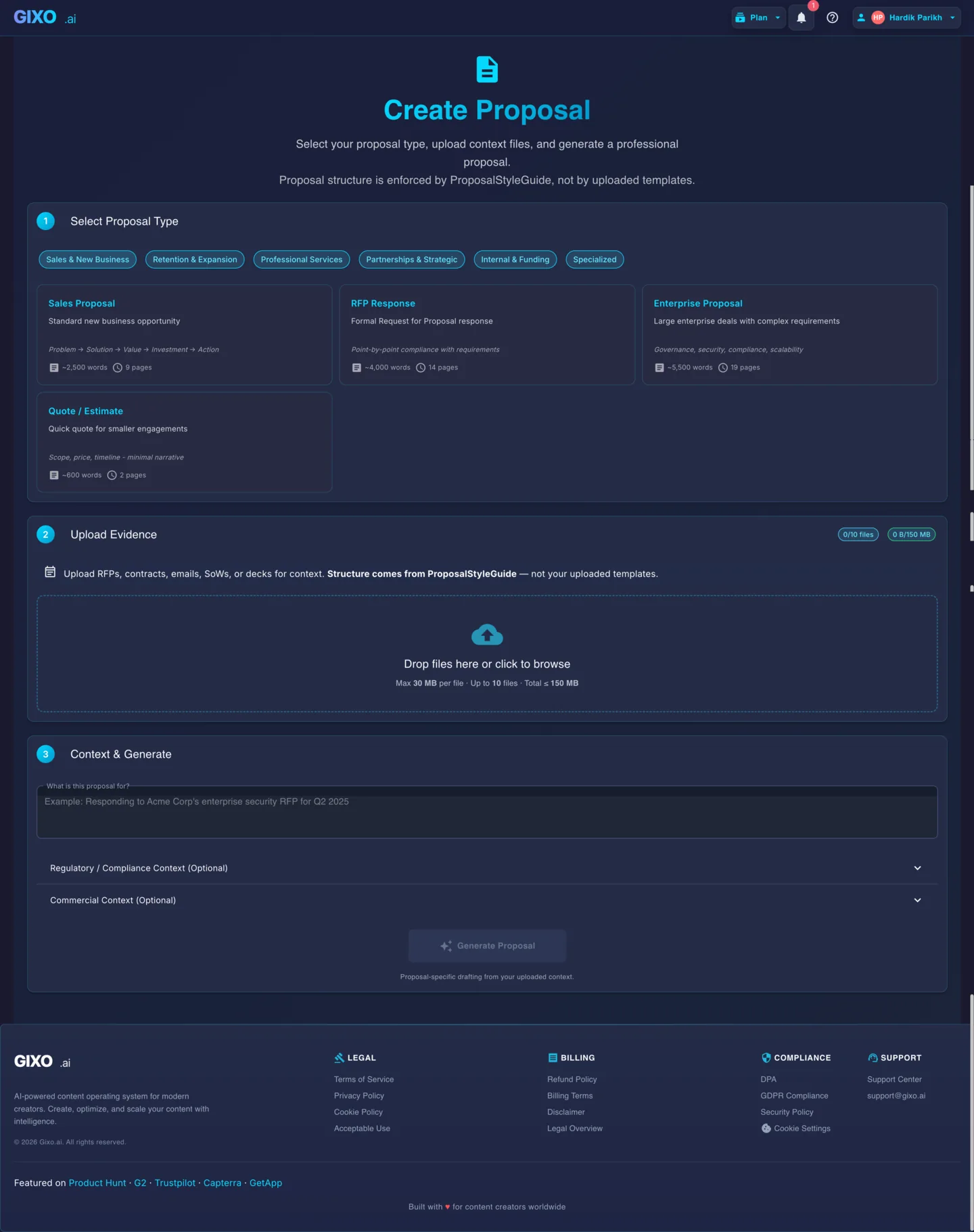
Choose the proposal type, add the RFP, brief, notes, or prior work, then review a structured first draft before it reaches a client.
- 1Add source materialRFPs, briefs, notes, decks, and prior work
- 2Draft to the proposal typeSections and structure follow the real opportunity
- 3Review before deliveryYour team checks facts, scope, pricing, and commitments
What's the Difference Between Gixo and Proposify?
Both platforms produce proposals. They differ in where the AI adds value and what happens after the draft is written.
Gixo uses AI to generate proposal content from uploaded RFPs, briefs, and context documents. Proposify provides a visual editor with professionally designed templates where you write or paste content into pre-styled layouts. When the writing is the hard part, Gixo's approach saves more time.
Proposify includes proposal metrics — close rates, time to close, section-level engagement data, and pipeline analytics. Gixo's tracked links record views, downloads, viewing time, and acceptance for each recipient, but it does not report section-level engagement, close rates, or pipeline analytics. If you need that depth of data on how recipients interact with your proposals, Proposify covers that. If you need better first drafts, Gixo covers that.
Gixo works from uploaded source files — you provide the RFP, supporting documents, and context, and the AI drafts from that material. Proposify maintains a content library of reusable snippets and sections. Source upload works better when each proposal requires fresh synthesis; content libraries work better when proposals are repetitive.
How Does Gixo Arc Compare to Proposify, Feature by Feature?
| Capability | Gixo Arc | Proposify |
|---|---|---|
| Drafting approach | AI generation from source files | Design-first templates |
| Source file upload (RFP, briefs) | Core feature — drafts are synthesized from your files | Upload extracts branding and format, not content |
| Evidence bound to uploaded sources | Built in | Confirm current product |
| Visual template editor | Rich text editor | Drag-and-drop designer |
| Content library and snippets | Proposal recipes | Reusable content library |
| Inline AI editing | Section-level refinement | Limited AI features |
| E-signatures | Simple electronic signature, sealed PDF | Built-in |
| Proposal analytics | Per-recipient views, downloads, viewing time, and acceptance; no close rates | Close rates, engagement data |
| Pipeline metrics | Not included | Win/loss tracking |
| Interactive pricing tables | Not included | Built-in |
| PDF export | Multiple themes | Available |
| Pricing model | Credit-based | Per-seat |
| Evaluation path | 14-day free trial | Free trial |
When Should You Choose Gixo vs Proposify?
Your bottleneck is writing the first draft, not formatting it. You have source files — RFPs, technical specs, client briefs — that need to be synthesized into proposal content. You want AI that drafts from context rather than leaving you to fill in templates. First-draft quality matters more than template polish.
Visual presentation matters as much as content quality. You need proposal analytics to track close rates and optimize your pipeline. Your team works from established templates and reusable content. You want e-signatures and interactive pricing tables in one platform.
Your team needs AI-quality first drafts and polished visual delivery. Use Gixo to generate content from source files, refine it in the editor, then move the final content into Proposify's designed templates for sending with analytics and e-signatures.
Comparison FAQ
Updated