
Plan the proposal
Define the audience, decision, source pack, and reviewers before drafting.
Decision to make: Which outcome, evidence, and approval path should shape this response?
Arc learning path
Arc documentation is organized around the proposal decisions a team must make: what to include, which source material supports it, who reviews it, how the draft is evaluated, and how approved work is handed off.
Public guidance explains the workflow and product boundaries. The live workspace remains the source of truth for controls available on your plan and account.
A six-part path
Read in order for a first implementation, or open the stage where your current proposal process breaks down.
Define the audience, decision, source pack, and reviewers before drafting.
Decision to make: Which outcome, evidence, and approval path should shape this response?
Use opportunity material as context and make unsupported gaps visible to reviewers.
Decision to make: Which statements are supported by supplied sources, and which still need evidence?
Assign review ownership for claims, requirements, commercial terms, and final release.
Decision to make: Who can approve each class of commitment?
Use the free deterministic analyzer to surface structural signals before a human review.
Decision to make: Which visible weaknesses deserve attention before submission?
Define inputs, permissions, review checkpoints, and an accountable release process.
Decision to make: Which controls make the workflow repeatable without removing judgment?
Treat prior material as governed source content rather than automatic truth for a new buyer.
Decision to make: What may be reused, who approved it, and when must it be revalidated?
Reference by question
These references separate proposal structures, product behavior, buying criteria, connection paths, and frequently asked questions.
Compare the current proposal kinds and the drafting focus associated with each starting point.
Inspect fictional inputs, review checks, and document structures without implying customer results.
Review the public product workflow and current plan information.
See current intake, export, tracked-link, and MCP analysis paths alongside explicit non-claims.
Use a decision framework when comparing software for AI-assisted RFP responses.
Find concise answers about Arc proposal workflows and their limits.
Response workspace reference
Each capability below runs on the same proposal record as the draft. Each one still leaves the final judgment with your reviewers.
Arc organizes the same saved proposal into Draft, Review and Deliver: answer the requirements, resolve evidence and specialist decisions, then inspect the exact buyer files before an approved release. Changing task does not approve the proposal.
Arc lets a reviewer select a literal source passage and retains its source version and location. Source examination receipts show read, failed and limit-reached ranges. A verified passage proves literal occurrence, not correct interpretation or supplier compliance, and examined ranges do not prove that every requirement was discovered.
A proposal review administrator can append retained policy versions for required or prohibited phrases, maximum line discounts and minimum offer validity. These bounded literal and commercial checks run against current content and can block release when configured as required. They do not interpret legal clauses or replace specialist approval.
Ask Arc drafts or refines one selected requirement against the saved opportunity strategy and approved supplier facts. Review the suggestion before applying it; changes to the saved context require another review. Active Arc generation access is required, with no per-run deduction on this action. Applying a suggestion reopens evidence review.
The optional buyer value case calculates total benefit, total cost, net benefit, ROI, simple payback and NPV from human-entered assumptions, with base and benefit 20% lower or higher sensitivity cases over one to ten years. Benefits and operating costs stay constant; tax, inflation, financing and growth are excluded. It does not change the quoted pricing schedule or predict results.
Import a reviewed Prism calculation metric pack, choose raw or display metrics for pricing quantities and unit prices, then preview before applying. Units and currencies must match exactly, with no conversion. The retained values are pinned to that pack; they do not update automatically when the original calculation changes.
Create pitch deck lets you choose the current saved scope or a retained approved edition as the source for a separate Lumen presentation. The handoff keeps its source revision and digest. Lumen access and generation checks apply separately, and later proposal edits do not automatically update the deck. Review the resulting presentation before sharing.
Arc writes a proposal in the language you pick on the create page rather than drafting in English and translating, and the buyer edition, Word, PDF, and PowerPoint files of an approved release are laid out in that language, right to left for Arabic and other right-to-left scripts. Reviewers still check terminology and figures in that language.
On a tracked link, the buyer can accept the proposal by entering a full name and a business email. The acceptance appears in your delivery history, and the proposal workspace keeps an acceptance record of that name and email, the time, and the proposal revision it covers. Where electronic signature is enabled, the buyer can choose Accept and sign instead, and Arc then emails them a request to sign the accepted proposal. When the link shares a reviewed proposal edition, the buyer can also record a question or next-action suggestion for your team without changing that edition. Acceptance on its own is a recorded response, not a signature.
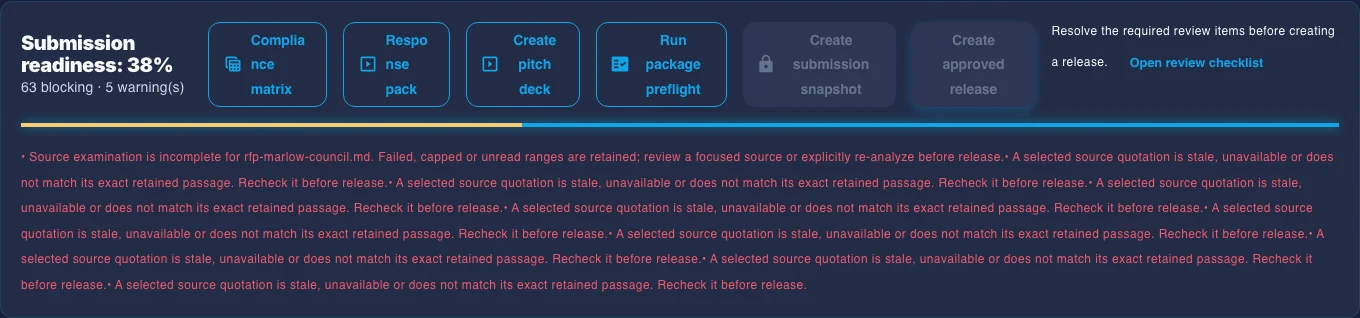
A package preflight checks submission readiness, response quality, every buyer-questionnaire mapping, and required attachments before you submit. An approved release is created only when every answered active requirement is approved and each approved review gate still matches the current revision; it freezes a submission snapshot with a SHA-256 manifest of the buyer edition, DOCX, PDF, PowerPoint, and returned buyer files, plus handoff instruction packs for Business, Lumen, Lex, and Prism that still need review in each product.
Where a generated draft leaves a price as a bracketed placeholder, Arc keeps it visibly unresolved, as [commercial amount: to be confirmed] in an English proposal and in the proposal's own language otherwise, so the draft analyzer and the response-quality review flag it as placeholder text instead of it reading like a finished sentence. A price the draft writes out is not checked against your files, so confirm every figure.
From the response workspace you can export a compliance matrix as CSV, with requirement, source location, compliance, evidence, owner, reviewer, due date, response, and word or character limits, and a response pack as a PowerPoint deck of the answered requirements.
When the buyer issues a revised RFP or an addendum, Arc compares the requirements extracted from the earlier and the later source and lists each one as added, removed, or modified, so the team can see what changed before re-answering.
Arc keeps an approved-answer library with review decisions and an audit export, and its projects view reports win rate, loss reasons, and reusable-answer effectiveness from outcomes your team records. The associations are descriptive, not causal, and never approve or publish content.
Before drafting, a team can score bid qualification against weighted criteria and a decision threshold, map buyer stakeholders by role, influence, and stance, and keep competitor profiles and differentiators linked to evidence alongside the team's win themes. The bid decision stays with your team.
Arc can structure a proposal draft from the material supplied to it. The team remains responsible for source quality, factual accuracy, requirements coverage, pricing, scope, legal terms, buyer-specific commitments, and final approval.
Captured 10 October 2026 with a fictional sample and local editing access. Inspect the controls and manual changes; Ask instructions remain unsubmitted. Open any image to inspect it at full size.
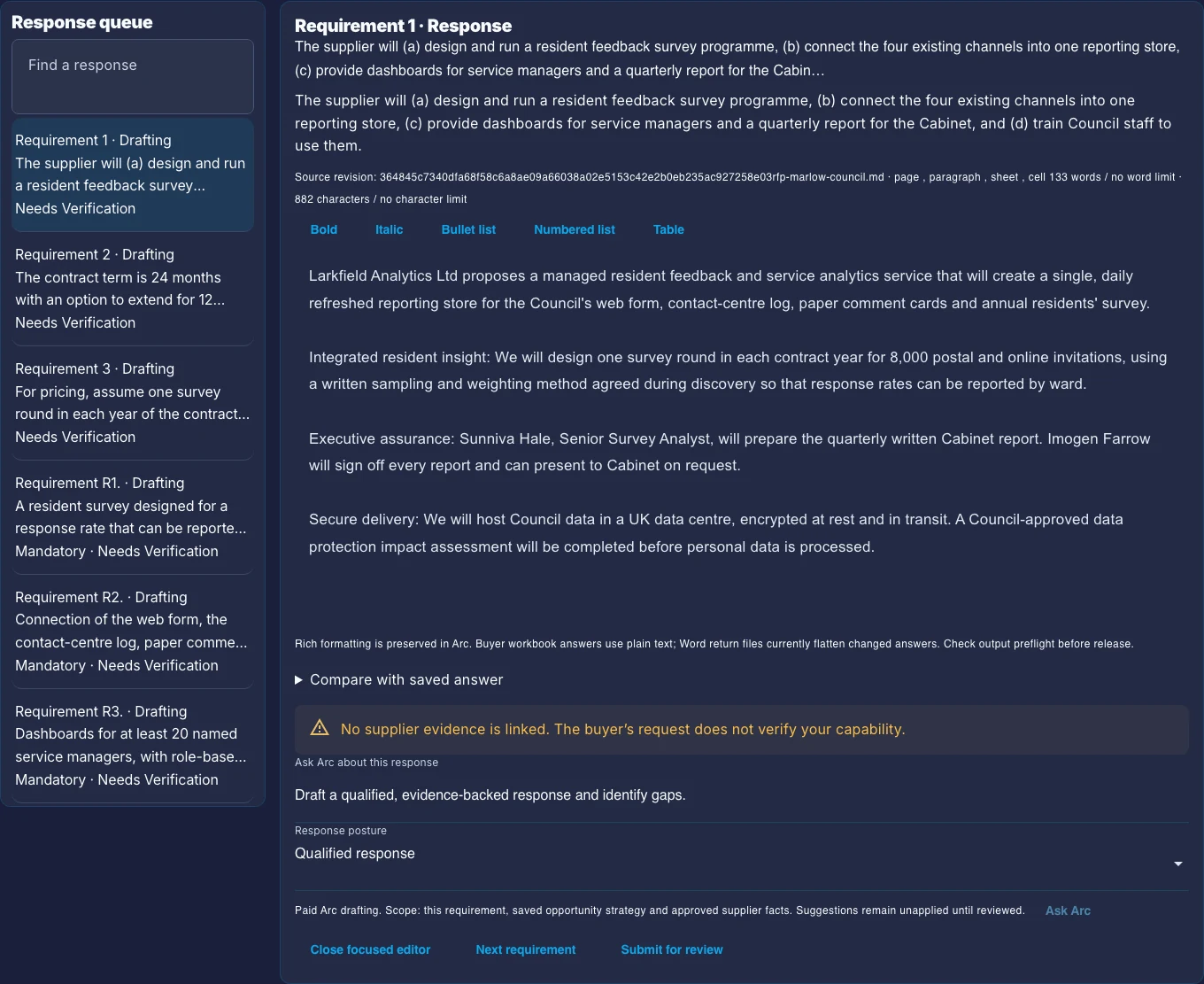
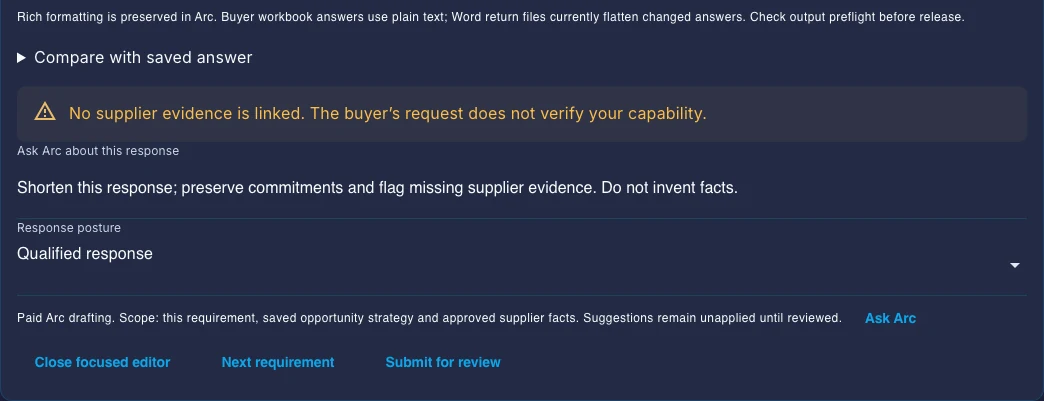
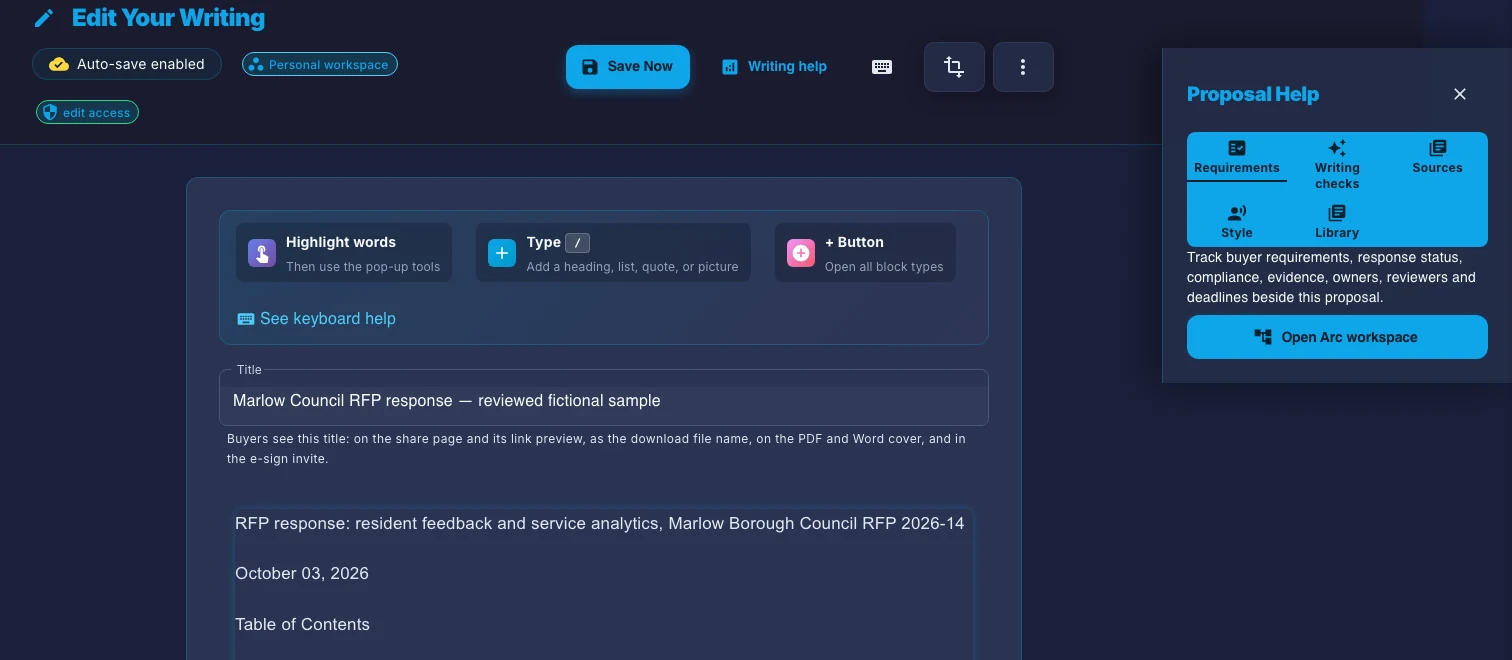
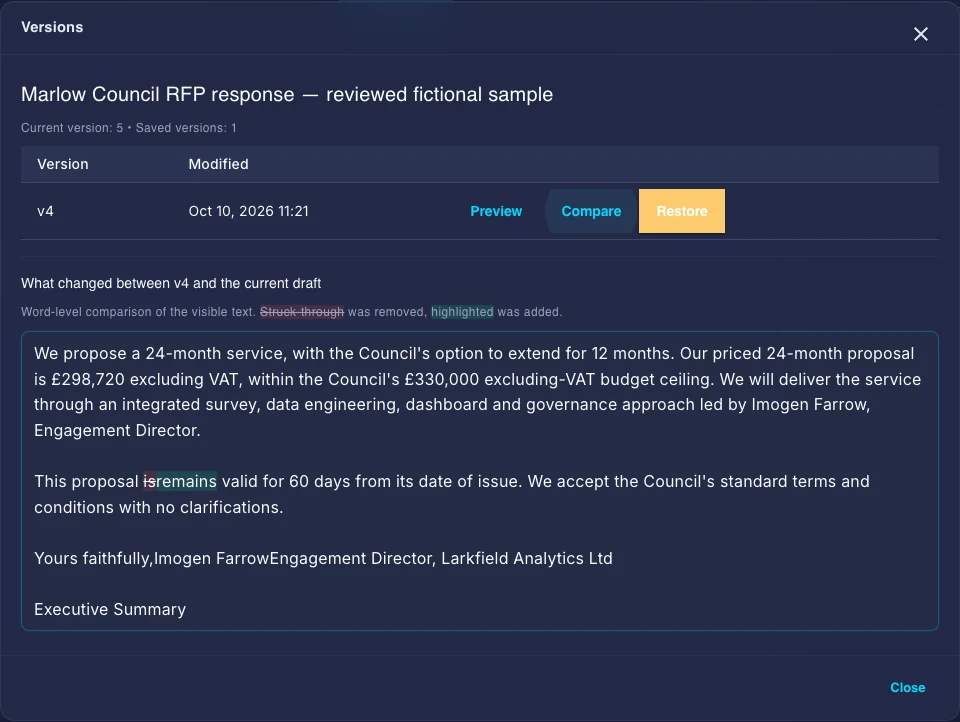
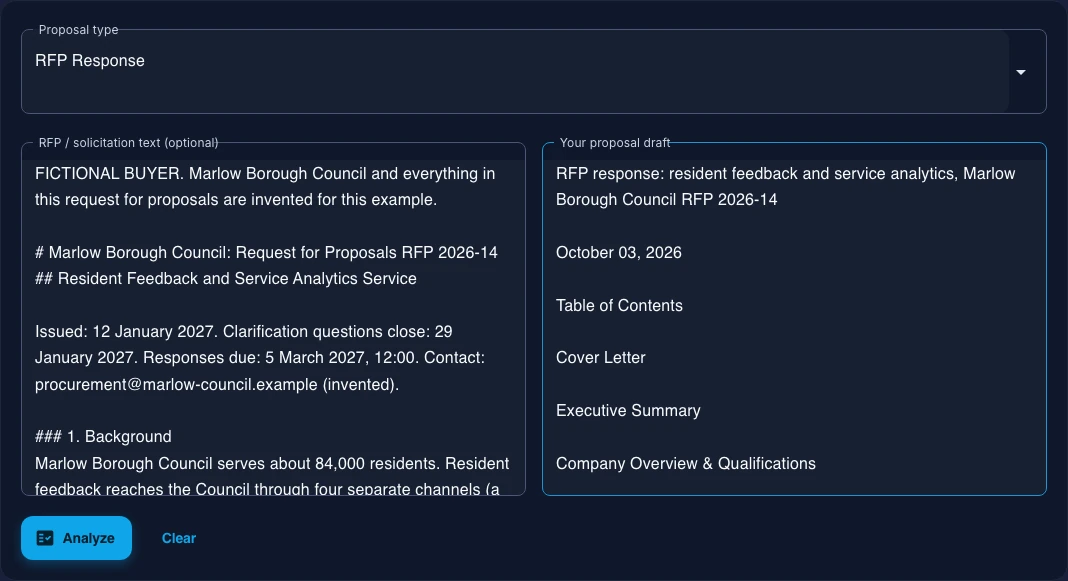
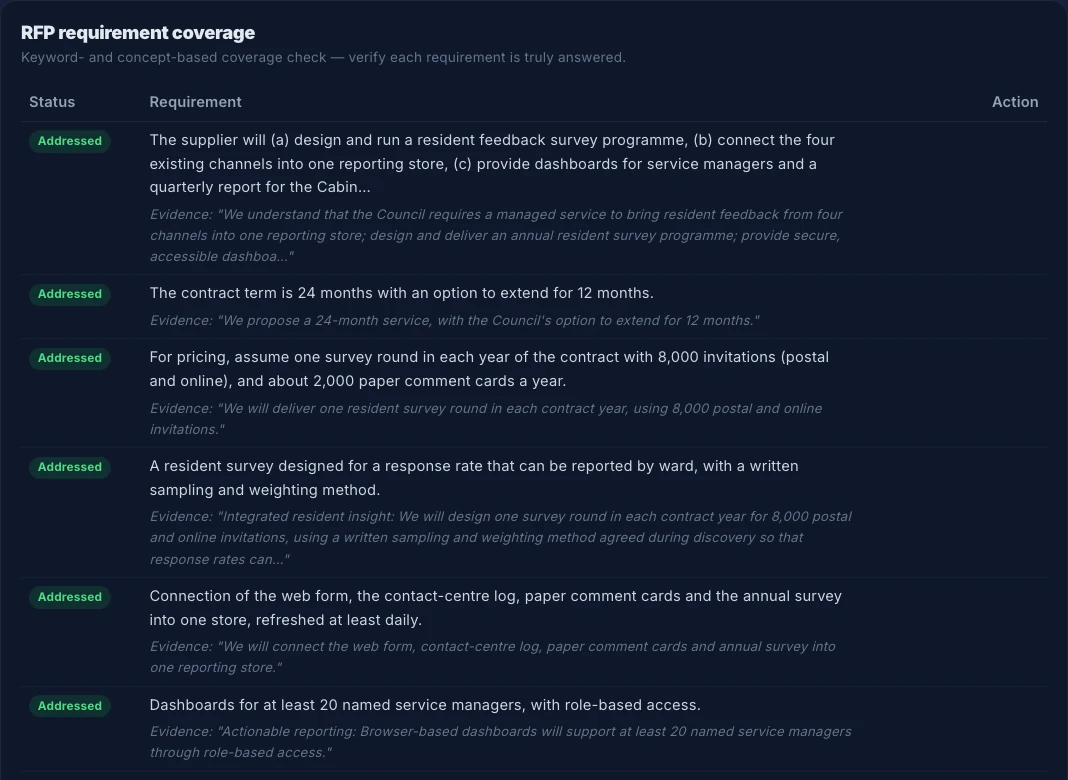
Captured 10 October 2026 using a labelled fictional buyer RFP and its published draft response. These are the free deterministic input and review controls; they do not show the paid response editor or an AI rewrite.
Your material, your review, your decision
Arc prepares a structured first draft from the material you provide. Your reviewers still own the facts, scope, pricing, commitments, and final approval.
Updated