
Gixo Arc FAQ — Your Questions About Proposals, Answered
Answers to common questions about AI-generated proposals — covering proposal types, source-file intake, collaborative editing, and export to PDF, DOCX, and HTML.
See what Arc helps your team review
Choose the proposal type, add the RFP, brief, notes, or prior work, then review a structured first draft before it reaches a client.
- 1Add source materialRFPs, briefs, notes, decks, and prior work
- 2Draft to the proposal typeSections and structure follow the real opportunity
- 3Review before deliveryYour team checks facts, scope, pricing, and commitments
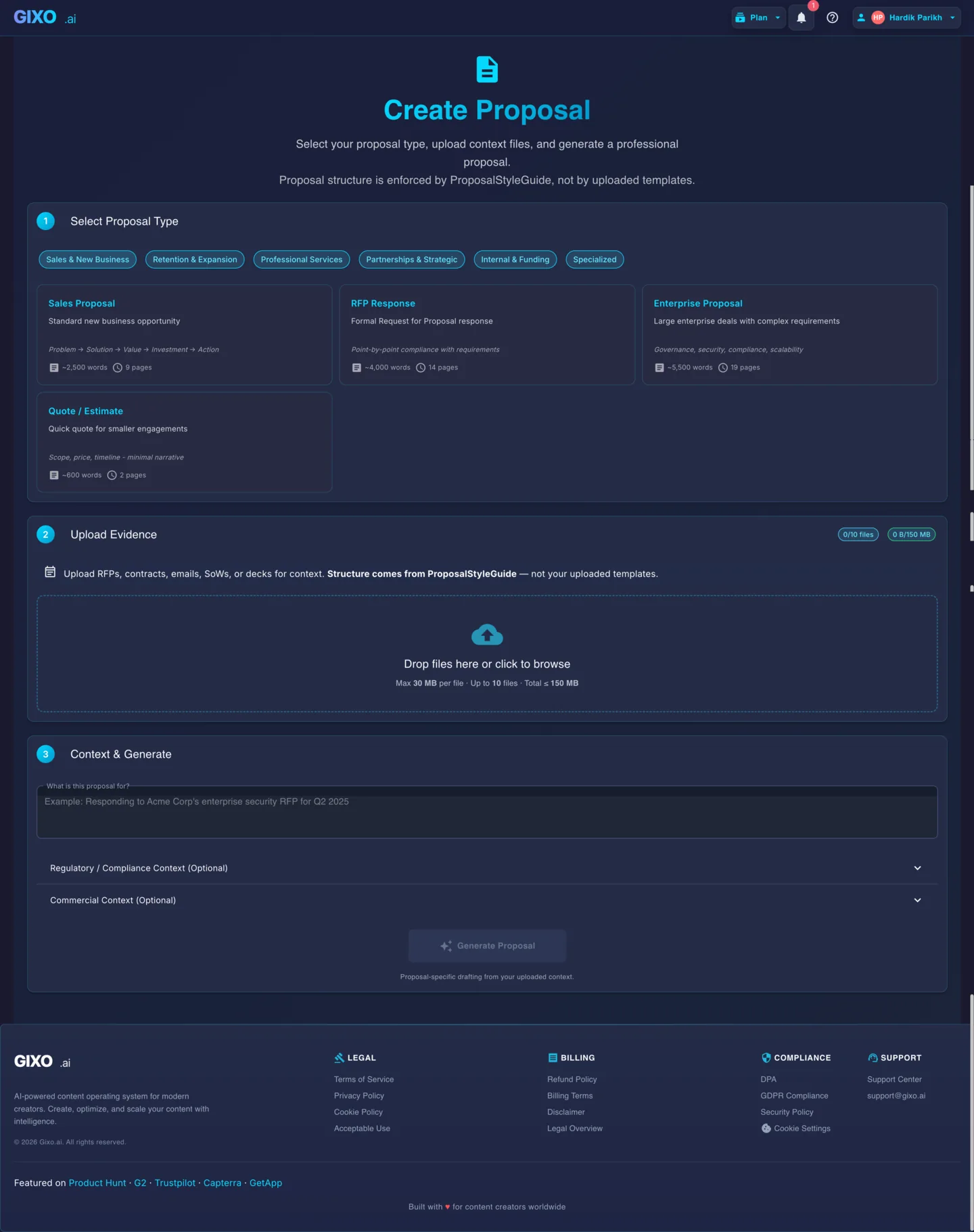
What You Can Do with the Proposal Workspace
AI-first proposal drafting from messy source material into structured, sendable output.
Upload RFPs, statements of work, decks, emails, and reference files. OCR and extraction feed the proposal prompt directly instead of starting from a blank template.
Each proposal type uses dedicated structure rules, tone guidance, and post-processing instead of generic article or SEO prompts. The output matches what reviewers expect to see.
Review and refine the draft in the workspace editor. Add pricing, adjust scope, and finalize sections before export — no need to copy-paste into another tool.
Export to PDF, DOCX, HTML, or plain text depending on the downstream review flow. The output is formatted for the buyer, partner, or approver — not for internal notes.
Sales proposals, consulting engagements, RFP responses, grant applications, partnership proposals, renewal proposals, internal business cases, government proposals, tech implementation proposals, and more — each with its own structure.
Generate a structured first draft in minutes instead of spending hours assembling sections from old proposals, templates, and notes. Focus on refining instead of starting from scratch.
How to Create a Proposal
Select from sales, consulting, RFP response, grant, renewal, partnership, or internal business case. Each type uses a dedicated structure and tone.
Add RFPs, SOWs, reference files, and any context about the opportunity, audience, scope, and desired angle. Supports PDF, DOCX, TXT, CSV, XLSX, image, and email uploads with OCR extraction.
Gixo produces a structured proposal with the right sections, scope, and tone based on your source material and proposal type — not a generic template fill.
Review the draft in the editor, add pricing and timelines, refine language, then export to PDF, DOCX, or HTML for the downstream review flow.
Every Proposal Type You Can Build
| Proposal Type | Source Intake | Structured Sections |
|---|---|---|
| Sales Proposal | Yes | Yes |
| Consulting Engagement | Yes | Yes |
| RFP Response | Yes | Yes |
| Grant Application | Yes | Yes |
| Partnership Proposal | Yes | Yes |
| Renewal Proposal | Yes | Yes |
| Internal Business Case | Yes | Yes |
Frequently Asked Questions
Updated