
Proposal Design Where Every Number Stays Exact
In a proposal or RFP response, a wrong number can lose the deal. Gixo Prism builds the pricing tables, ROI charts, timelines, and process diagrams that go inside your proposal — rendered deterministically, so the figure you quote is the figure that prints, never a garbled AI image. Pair it with Gixo Arc to write the proposal itself.
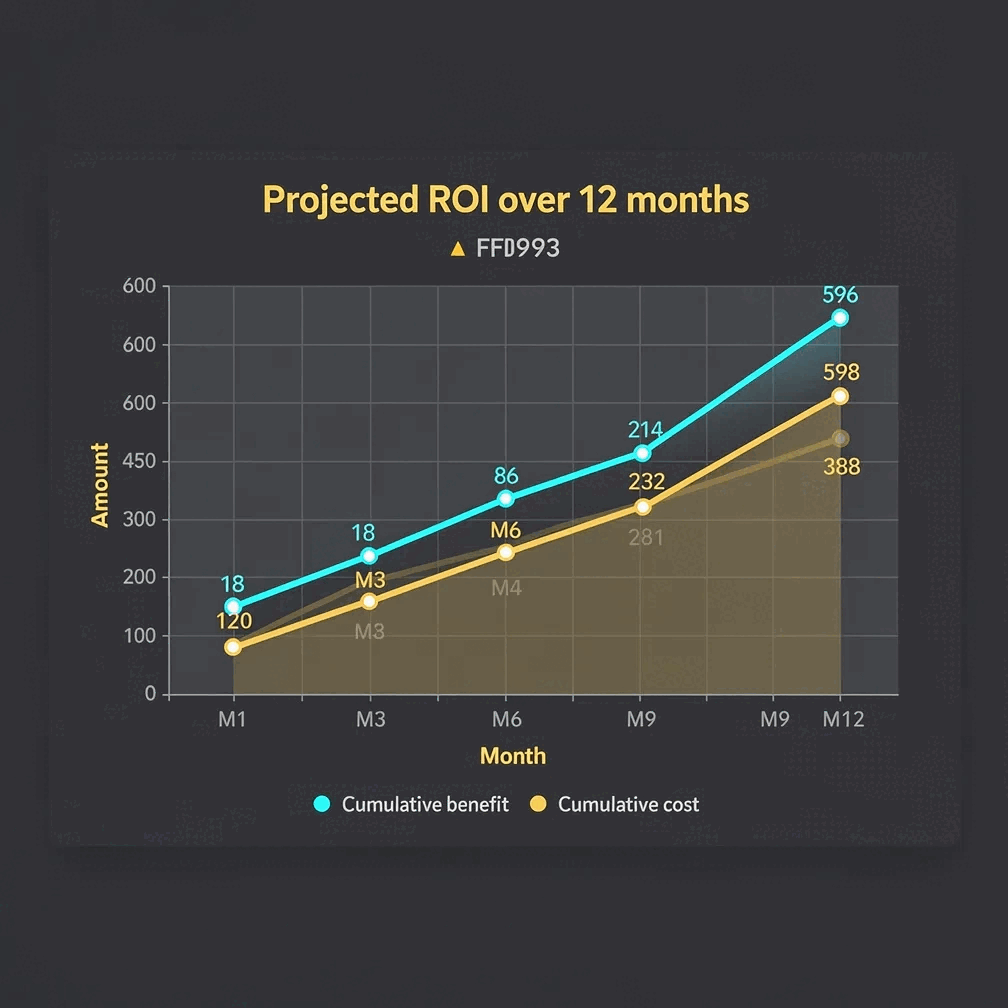
Charts and infographics for proposals are the pricing tables, ROI charts, timelines, and process diagrams that make a proposal or RFP response concrete and credible. Gixo Prism renders these deterministically — chart, diagram, and card makers across 16 chart types and 11 diagram layouts — so the exact figure you enter is the exact figure that prints, with your brand palette applied automatically. That matters because a proposal can lose the deal on a single wrong or garbled number, which is the risk with image-only AI generators that redraw text as pixels. The makers run inside Gixo Prism and need no account to render, preview or take a badged copy; a 14-day free trial with no credit card, or a paid plan, removes the badge. From there, Gixo Prism starts at $10/month for Starter (one seat) and rises through Professional, Business and Enterprise; the Brand Kit, which applies your own colours and typeface, is a Business-plan feature.
The charts and process diagrams a winning proposal needs
Prism makes the data-heavy pieces of a proposal deterministically — pricing, ROI, timelines, scope — so the numbers stay correct and on-brand. Write the proposal in Gixo Arc; drop in the visuals from Prism.
Lay out tiered pricing, line items, and totals as a clean stat or definition card. The figures render exactly as you enter them — no transcription errors into the proposal.
Show projected return, cost savings, or payback over time with a bar, line, or area chart. Paste the numbers and Prism plots your exact values into SVG.
Turn phases and milestones into a process or stack diagram so the client sees exactly when each deliverable lands and how the engagement sequences.
Describe your methodology and get a diagram — process, cycle, pyramid, funnel, tree, pillars, matrix, Venn, concentric, stack, or graph — with exact, readable labels.
Map an implementation as a decision flow or a swimlane so the buyer can see who does what at each stage of the project.
Highlight a headline result, a client quote, or a key definition as a stat, quote, callout, or definition card you can place beside your pitch.
Prism applies your brand palette across every chart, diagram, and card, so a multi-section proposal looks like one coherent document, not a patchwork.
When pricing or scope shifts before submission, change the data and the makers re-render exactly. Export visuals as clean HTML/SVG to drop into the proposal.
The makers are deterministic, so the same input always produces the same exact output. No invented figures or garbled digits to walk back in front of a client.
What proposal design actually covers
Proposal design is the visual layer of a document that has to persuade a buyer and survive their scrutiny. Five parts do the work, and the one most people start with — how the page looks — is the last of them.
- Structure and sequence. A proposal is read in a roughly fixed order: executive summary, problem, approach, scope, timeline, pricing, proof, terms. Design starts here, because if the buyer cannot find the price in ten seconds nothing else in the document gets a fair hearing. Gixo Arc drafts in that order, so the sequence is right before anything is styled.
- Visual hierarchy. The first pass through a proposal is a skim, and the second is an interrogation. One clear visual per section gives the skimmer something to land on and the reader something to check — which is why a wall of prose with a single chart at the end tends to lose to a shorter document that shows its work as it goes.
- Agreement between the words and the numbers. A buyer's first pass takes a chart at face value; the second checks it against the sentence three pages earlier. Proposal design fails at that seam more often than anywhere else — a total in the pricing table that does not match the total in the executive summary, a payback month on the chart that contradicts the narrative. A mistake there is expensive, because a figure that disagrees with itself does not read as a design flaw, it reads as a credibility flaw. Keep one source of truth for each figure and let the visual be generated from it rather than typed into it.
- The buyer's own format rules. An RFP usually dictates terms people ignore until the night before submission: a page or word limit, a mandated section order and numbering, a minimum font size, a required file format, occasionally a ban on anything but black and white. Those rules outrank every design instinct you have, because a compliant plain response gets scored and a beautiful non-compliant one gets returned. Read the submission instructions before you design anything, and size the visuals to live inside the limits they set.
- Page layout and typography. Margins, cover art, type scale, print setup. This is the part most people picture when they hear proposal design, and it is the part that gets the most attention for the least return — partly because it is judged on a screen nobody planned for. A nine-point cost table that looked considered on a laptop is unreadable as a PDF on a phone, which is how a surprising share of proposals are first opened. Size for the smallest screen it will be read on and most layout decisions settle themselves.
How to add charts and infographics to a proposal
From your pricing and project data to a finished, on-brand visual inside the document.
Paste pricing, ROI figures, milestones, or your methodology — or drop in a CSV of the data you want to show the client.
Choose a chart for ROI, a process diagram for timeline and scope, a flowchart for workflow, or a card for a headline metric.
Prism keeps every figure exact and applies your brand palette, so the visuals match the rest of the proposal automatically.
Export the maker visual as clean HTML/SVG, or an infographic as PNG or HTML, and place it in the document you wrote in Gixo Arc.
Gixo Arc writes the proposal, Prism makes the visuals
Two parts of the same suite. Arc handles the proposal and RFP-response content; Prism supplies the exact, on-brand charts and diagrams that go inside it.
- Gixo Arc is the proposal tool. It drafts proposals and RFP responses — executive summary, scope, approach, and pricing narrative — so you start from a structured document instead of a blank page.
- Gixo Prism is the visuals tool. It renders the pricing tables, ROI charts, timelines, and process diagrams that make the proposal concrete and credible, with every value kept exact.
- Why pair them: a proposal lives or dies on whether the buyer trusts the numbers. Arc gets the words right; Prism guarantees the figures are right and on-brand. The deterministic makers mean a price or a savings figure can't be silently redrawn into something wrong.
- One trade-off, stated plainly: Prism is focused on data-exact, on-brand visuals — not a large template library or freeform design canvas. For a heavily designed brochure you might still reach for a dedicated design suite; for visuals where the data must be correct, this is the point of Prism.
Proposal design examples, by what you are proposing
The right visual depends on the decision the buyer is making. Five common proposal types and the visuals that carry each one.
- Agency retainer. A tiered pricing card for the packages, plus a process diagram of the monthly cadence — what lands in week one, what recurs every month. The cadence diagram is usually what stops the "what am I actually paying for" question.
- Software implementation. A phased timeline as a process or stack diagram, and a swimlane flowchart splitting your tasks from the client's, so nobody discovers a dependency on their side after signature.
- Consulting engagement. Your methodology as a pyramid, cycle, or pillars diagram, with a line or area chart for projected payback across the engagement. Buyers discount a payback claim that arrives as a sentence and read one that arrives as a curve.
- Construction or fit-out bid. A line-item cost breakdown as a definition or stat card, and a milestone timeline the client can hold you to. Both have to be exact, because both end up quoted back at you.
- Grant or funding request. The budget split as a donut or bar chart and the intended outcomes as stat cards — a funder generally reads for the numbers before the narrative.
On proposal design templates: the part of a template that actually saves work is the structure and the repeatability, not the ornament. The business proposal template page walks through the section order most buyers expect, and the Prism makers reproduce the same layout every time you re-enter the data. If you would rather see finished documents first, the proposal examples page covers business, project, and sales samples.
Why exact charts matter in a proposal
Three ways teams add visuals to proposals today — and what each gets right.
- Image-only AI tools (ChatGPT, DALL·E, Midjourney) draw text and numbers as pixels, so a pricing table or ROI chart comes out with garbled labels and invented figures. Never safe in a document where a wrong number can cost the deal.
- Design tools (Canva, Venngage, Piktochart, Visme) win on template breadth and polish, but you place and re-check every price and percentage yourself, and keeping a multi-section proposal on-brand is manual.
- Gixo Prism renders your exact pricing, ROI, and timeline data into editable charts, diagrams, and cards, all governed by your brand palette — so the figures stay correct by construction. The trade-off is fewer decorative templates than a dedicated design suite.
| What matters in a proposal | Gixo Prism | Image-only AI | Design tools |
|---|---|---|---|
| Pricing & ROI stay exact | Yes — deterministic | No — redrawn | Manual entry |
| Charts from a CSV | Yes | No | Some |
| Timeline & scope diagrams | 11 layouts | No | Manual |
| On-brand across the document | Palette-governed | No | Manual |
| Template breadth / polish | Focused | N/A | Extensive |
| Editable before submission | Yes | No | Yes |
| Price | $10/month, 14-day free trial, no card | — | — |
| Pairs with a proposal writer | Gixo Arc | No | No |
Frequently Asked Questions
Build proposal visuals with the Prism toolkit
Updated