
PandaDoc Alternative for Proposal Drafting — a Smarter Way to Draft Proposals
PandaDoc handles the full proposal lifecycle — templates, sending, tracking, and e-signatures. Gixo focuses on one thing: turning your source files into a strong first draft. Choose Gixo when your bottleneck is the first draft, not the send-and-track pipeline.
What is the best PandaDoc alternative for proposal drafting?
The best PandaDoc alternative for proposal drafting depends on your bottleneck. If the hard part is writing the first draft, Gixo Arc drafts a full proposal from your uploaded source files — RFPs, briefs, scope docs, and past proposals — instead of making you fill in templates. Arc accepts up to 10 source files per proposal (500 MB per file, 2 GB total) across 11 file types including PPTX, covers 21 proposal types grouped into 6 categories, and exports to PDF or DOCX using 9 proposal layouts. It is priced per seat per month at $49 Starter, $129 Professional, $149 Business, and $179 Enterprise, with a 14-day no-card trial. If you need e-signatures, tracking, and payments in one suite, a full workflow platform fits better — Arc includes simple electronic signature with a sealed PDF and recipient-specific tracked links, but no payment collection. Compare the top options below.
What are the top PandaDoc alternatives? A proposal tool comparison
Each tool solves a different part of the proposal job. Match the tool to your bottleneck — drafting, design, or send-sign-track. Gixo figures are current product limits; the other four rows describe each vendor's publicly documented positioning as of mid-2026, so check the vendor's own pricing page before you commit a number.
| Tool | Best for | Drafting approach | Free / trial | E-sign & tracking |
|---|---|---|---|---|
| Gixo Arc | Turning messy source files (RFPs, briefs) into a strong first draft | AI drafts from up to 10 uploaded source files across 21 proposal types, not templates | 14-day trial, no card; $49–179 per seat per month after | Simple electronic signature with a sealed PDF; tracked links Arc can email or you share yourself |
| PandaDoc | Full send–sign–track workflow in one suite | Template-based with AI assist | Free and paid tiers advertised as of mid-2026 | Built-in |
| Proposify | Design-forward, branded client-facing proposals | Template library + editor | Free trial | Built-in |
| Better Proposals | Freelancers & small agencies on a budget | Template-based, fast | Free trial | Built-in |
| Qwilr | Interactive web-based proposals with embedded pricing/payments | Template + interactive blocks | Free trial | Built-in |
See what Arc helps your team review
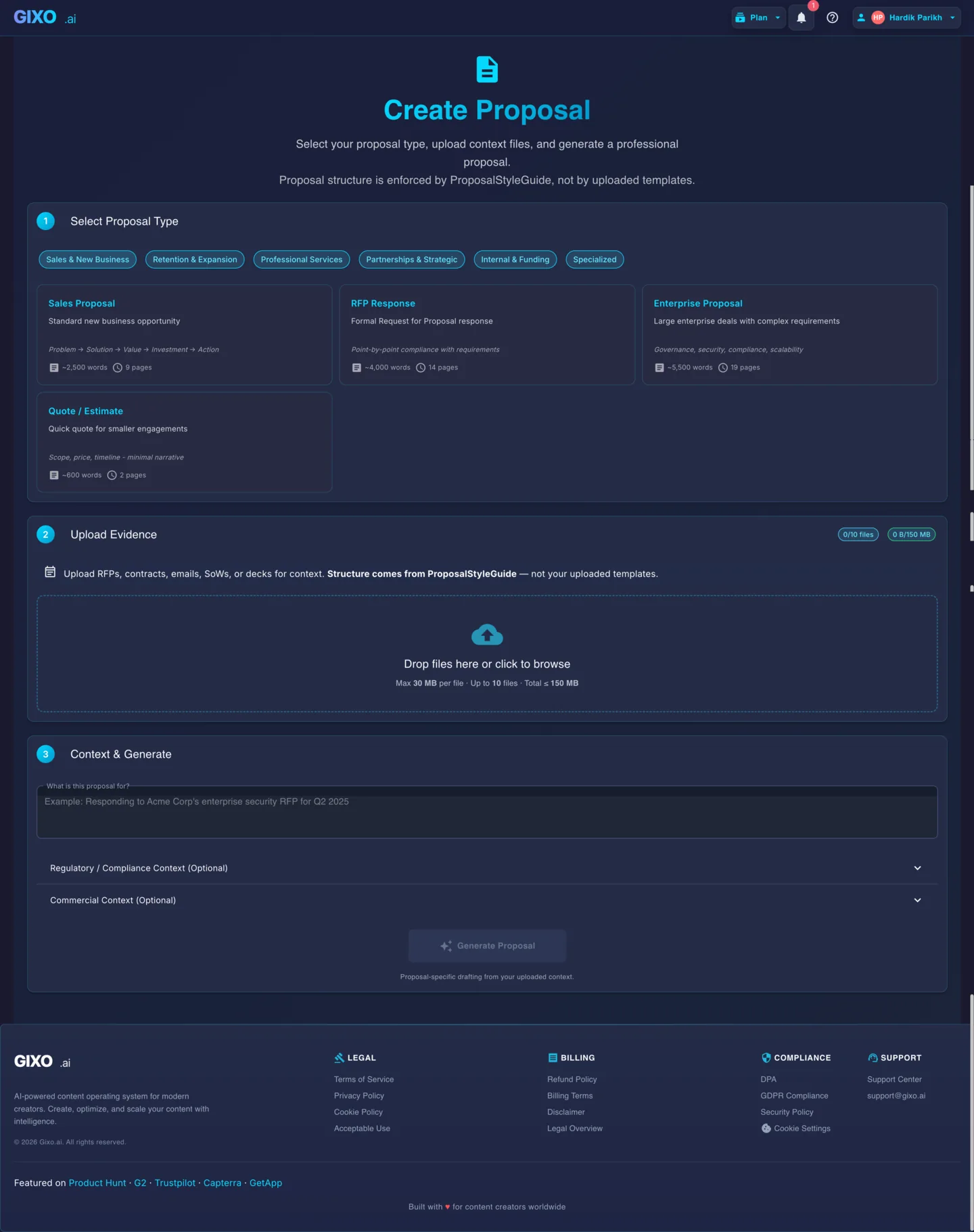
Choose the proposal type, add the RFP, brief, notes, or prior work, then review a structured first draft before it reaches a client.
- 1Add source materialRFPs, briefs, notes, decks, and prior work
- 2Draft to the proposal typeSections and structure follow the real opportunity
- 3Review before deliveryYour team checks facts, scope, pricing, and commitments
Why look for a PandaDoc alternative?
Both tools help teams produce proposals. The difference is where each one adds the most value in your workflow.
Gixo starts from your uploaded source files — RFPs, client briefs, scope documents, past proposals — and uses AI to draft a proposal from that context. PandaDoc starts from pre-built templates that you fill in manually or with snippets. When your input is messy and unstructured, source-first drafting produces a better starting point.
PandaDoc is a full proposal ops platform with sending, recipient tracking, e-signatures, payment collection, and CRM integrations. Gixo is a drafting tool — it generates the first draft and gives you an editor to refine it. If you already have a send-and-track workflow, Gixo plugs into the gap before it.
Gixo Arc is priced as a drafting-first product: $49 Starter, $129 Professional, $149 Business, and $179 Enterprise per seat per month, with 1, 2, 5, and 10-seat minimums, after a 14-day no-card trial. Arc has no standing $0 tier — after the trial, continued generation requires a paid plan. PandaDoc prices a broader workflow suite per seat per month — check its pricing page for current tiers. Teams that mainly need stronger first drafts may prefer paying for focused drafting instead of a larger send-sign-track stack.
Feature-by-Feature Comparison
Gixo Arc figures are current product limits verified in the product. The PandaDoc column describes its publicly documented positioning as of mid-2026 — check PandaDoc's own pricing and feature pages before you commit a number.
| Capability | Gixo Arc | PandaDoc |
|---|---|---|
| Drafting approach | AI drafting from source files | Template-based with AI assist |
| Source file upload (RFP, briefs) | Core feature — up to 10 files, 500 MB each, 2 GB total | Limited |
| Accepted source file types | 11 — PDF, DOCX, PPTX, TXT, CSV, XLSX, PNG, JPG, JPEG, EML, MSG | Primarily document uploads and templates |
| Context extraction from uploads | Automatic | Not included |
| Pre-built templates | 21 proposal types across 6 categories | Extensive library |
| Rich text editor | Built-in | Built-in |
| Inline AI editing | Section-level refinement | AI assist features |
| E-signatures | Simple electronic signature, sealed PDF | Built-in |
| Proposal tracking and analytics | Recipient-specific tracked links with view and download counts | Built-in |
| Payment collection | Not included | Built-in |
| CRM integrations | No self-serve CRM sync | Salesforce, HubSpot, etc. |
| Document export | PDF and DOCX, with 9 proposal layouts | Available |
| Pricing model | $49 / $129 / $149 / $179 per seat per month | Per-seat |
| Seat minimums | 1 seat Starter, 2 Professional, 5 Business, 10 Enterprise | Varies by plan |
| Evaluation path | 14-day trial, no card; a paid plan is required after it | Free and paid tiers advertised as of mid-2026 |
Is Gixo a full PandaDoc replacement?
Your bottleneck is the first draft. You have RFPs, client briefs, and source documents that need to be synthesized into a coherent proposal. You want AI that drafts from your actual context rather than filling in templates. You already have a way to send and track proposals.
You need the full proposal lifecycle in one platform — templates, sending, e-signatures, tracking, and CRM sync. Your proposals follow consistent formats and your team works from established templates. Your bottleneck is the send-sign-track pipeline, not the initial writing.
Your team struggles with both drafting and delivery. Use Gixo to generate the first draft from source files, refine it in the editor, then move the final version into PandaDoc for sending, tracking, and e-signatures. The tools serve different stages of the proposal workflow.
Comparison FAQ
Updated