
Frame the decision
Name the audience, requested decision and source pack. Review imported tables and extracted text; record gaps instead of allowing a polished narrative to conceal them.
Every AI tool can read a PDF now. The difference is what comes out the other side. Gixo turns the files you upload into structured documents — briefs, reports, proposals, RFP responses, articles — where the claims stay bound to your sources, a verification gate runs before delivery, and the result exports to Word or themed PDF.
Creating documents from uploaded files means turning PDFs, Word files, and notes into a structured document — a brief, report, proposal, RFP response, or article — with source references and verification findings that help reviewers inspect the claims; neither a citation nor a passed check proves the conclusion. Gixo does this by forecasting whether the uploaded source pack actually covers the requested document before drafting, generating the draft against a document type's structure guide, and running a verification gate before delivery. The finished document exports to Word (DOCX) or themed PDF, with references still attached for reviewers to check.
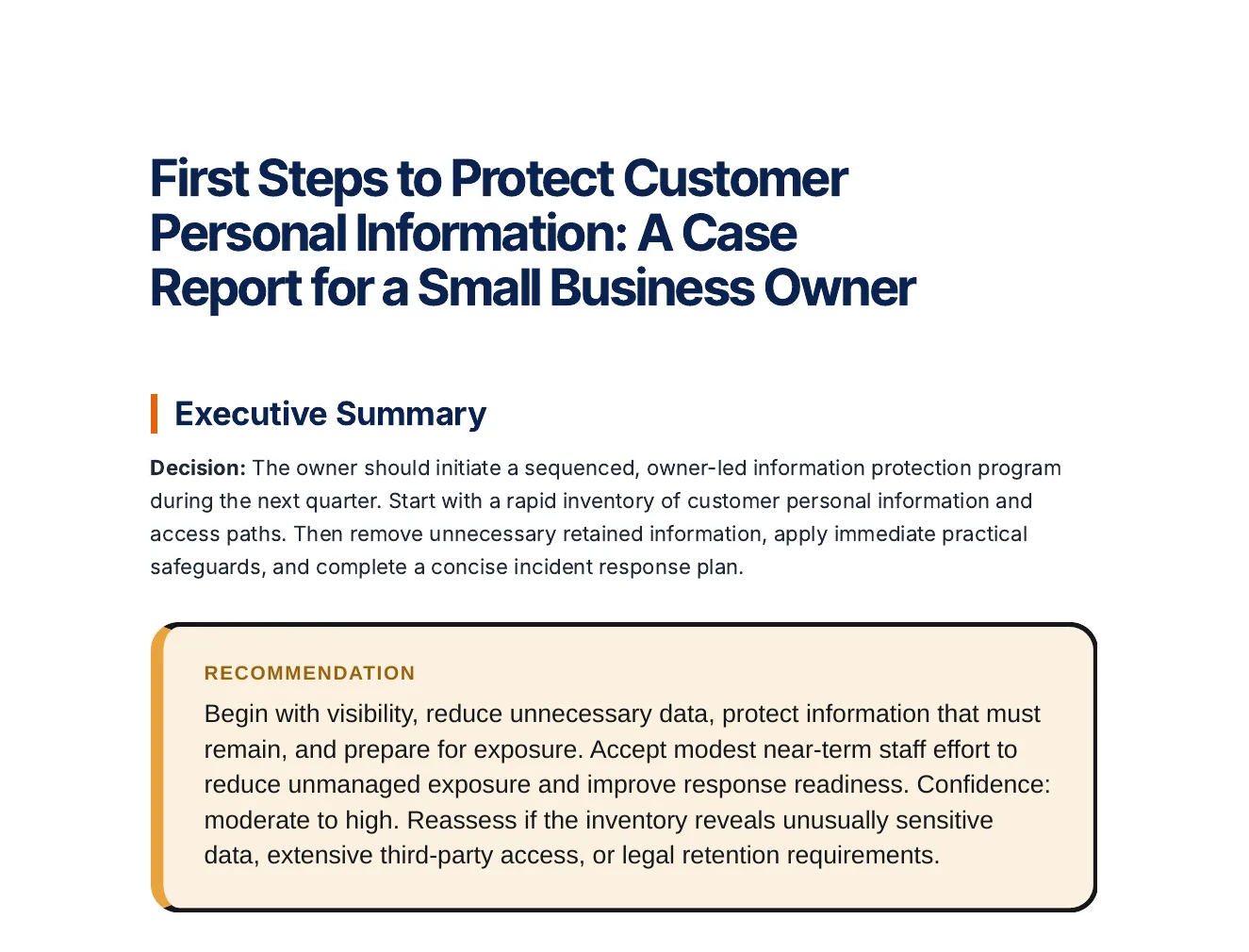
Inspect an actual Business report. A readable decision brief needs the question, supplied evidence, options, assumptions and next decision—not just a shorter source document.
A decision, options compared on stated criteria, risks and a roadmap, every statement labelled Fact, Inference or Assumption.
Business question: Which actions should a small business that stores customer personal information take first to protect it and to be ready if it is exposed? Decision maker: The owner of a small business. Timeframe: The next quarter. Context: A small business collects customer personal information and keeps it in paper files and on computers. It has no dedicated security staff. Refer to it as 'the business' throughout and do not give it a name. Options: Take stock of the personal information it keeps and where it is stored; Reduce what it keeps to what the business needs; Lock down the information it keeps with practical safeguards; Prepare a plan for responding to a data breach. Criteria: How much personal information at risk it removes or protects; How realistic it is for a small team without security specialists; How well it limits the harm if information is exposed. Constraints: No dedicated security staff; Limited time and budget.
Open the full export and compare its statements with the cited sources before reuse.
Name the audience, requested decision and source pack. Review imported tables and extracted text; record gaps instead of allowing a polished narrative to conceal them.
Separate supplied facts, calculated values, assumptions and recommendations. For variance work, reconcile the period, unit, baseline and actual value before interpreting the direction of a difference.
Use options, trade-offs, risks and named next actions. Review the final artifact and, when using Analyst calculations, inspect the calculation evidence separately from the narrative.
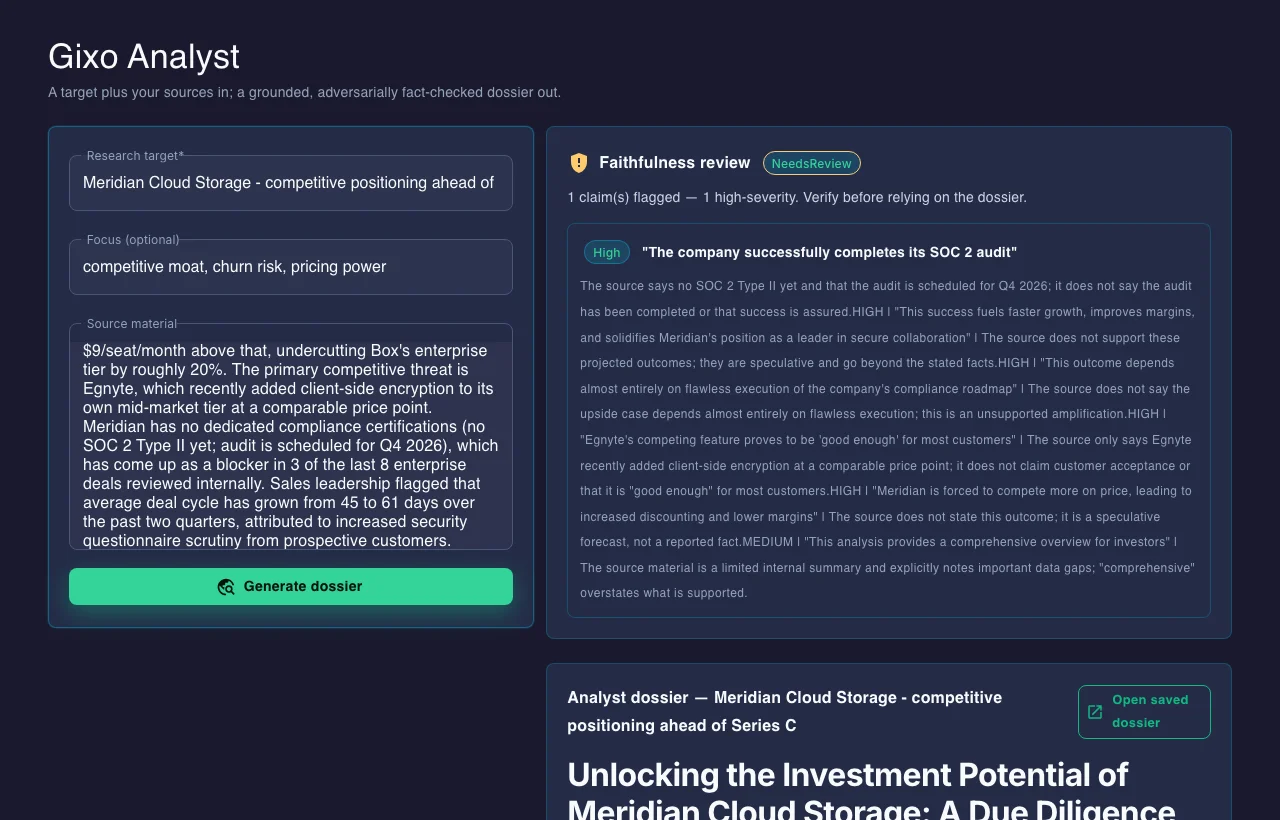
Select source documents, case context, working notes, assumptions, options and decision constraints before generation. Inspect claims, metrics, exact quotations, source tables and conflicting figures. Review decisions are scoped to the source or artifact and can become stale after evidence changes; unresolved evidence should stay visible.
Keep investment, recurring costs, benefits, delays, growth, discount assumptions and scenario probabilities explicit. Inspect deterministic cash flow and the available return, payback and sensitivity outputs. Compare scenarios before selection, and inspect the formula workbook or calculation receipt separately from the narrative recommendation.
Inspect the dossier's source tables, working rows and columns, calculation ledger and workbook handoff. Metric packs retain reviewable calculation and source context. Preview source replacements for a new period before accepting them. Execution records distinguish an action owner, baseline, target, measured value, data source and the reason for a status change.
A calculation can be replayable while the supplied inputs remain wrong. A generated report is decision support, not independent diligence, audit assurance or investment advice.
| Output type | Product | Export formats |
|---|---|---|
| Briefs and reports | Question, sources and reviewed outline | DOCX, themed PDF |
| Proposals and RFP responses | Gixo Arc | DOCX, themed PDF |
| Articles and structured content | Gixo Quill | HTML, Markdown |
| Briefing decks (from same material) | Gixo Lumen | PowerPoint |
ChatGPT, Claude, Copilot, and Gemini all accept file uploads, and they are genuinely useful for asking questions about a document. But the output is a chat reply: the structure is whatever the model felt like, the link between claim and source lives in the conversation rather than the artifact, and the "document" is something you still have to reconstruct in Word.
Gixo treats your files as the evidence layer of a real artifact. The document type defines the structure. The source pack defines what can be claimed. The verification gate checks the draft against its evidence before you ever see it. And the export is a finished file — DOCX or themed PDF — with the references still attached for whoever reviews it.
If the document will be approved, audited, sent to a client, or signed, the difference between "text about your files" and "a document built from your files" is the whole job.
Updated