
Best for
You need to turn a supplied source pack and business question into a reviewable brief, recommendation, deck, decision, or diagnostic.
Upload reports, notes, spreadsheets, and transcripts. Gixo Business identifies the decision, exposes missing evidence, and produces a source-linked brief, recommendation, or executive report.
One source pack can become a decision brief, recommendation, briefing deck, or structured decision artifact—while evidence gaps, confidence, and review checks stay visible.
Good for one person turning documents into finished business work
Brief, Briefing Deck, and Consultant
Upload documents and create finished deliverables
Personal Gixo Business workspace
Monthly paid checkout
Good for small teams reviewing briefs, decks, and recommendations together
Everything in Starter
Reuse the same documents across modes
Sharing, comments, and review
Minimum 3 seats
Good for shared business workflows built from the same documents
Everything in Professional
Shared business workspaces
Brand and review workflows
Minimum 5 seats
For Azure and private-offer deployments
Everything in Business
API access and AI provider governance
Azure Marketplace or private offer
Onboarding and enterprise rollout support
Built for founders, consultants, chiefs of staff, and operators who need a defensible answer—not another confident chat response.
Talk through your source systems, review process, output formats, and team rollout with the Business team.
You need to turn a supplied source pack and business question into a reviewable brief, recommendation, deck, decision, or diagnostic.
You need an independent fact-checker, a guaranteed decision, or a system that replaces accountable executive or consulting judgment.
Before generation, a deterministic source forecast reports source coverage, missing inputs, evidence strength, conflicts, likely risks, and verification checks.
Reviewers confirm important claims, figures, assumptions, trade-offs, excluded alternatives, and the recommendation against authoritative sources.
The source forecast and verification gate are review aids, not independent fact-checking. Reviewers must confirm important claims, figures, assumptions, and recommendations against authoritative sources.
The front door is the decision, not the document type. Ask with messy notes, a source pack, or a board question; Gixo routes the work into the output path that fits the job.
Use 59 recipes to turn files, notes, reports, and transcripts into source-linked business briefs.
Carry the source pack into structured slides when the output has to be presented, not just read.
Frame options, criteria, trade-offs, missing inputs, and a reviewable recommendation draft.
Keep options, weighted scores, confidence, and reversal conditions connected to the case.
Gixo Business also includes Analyst, which turns a target and your sources into a research or diligence dossier and then has an AI faithfulness review re-read it against those sources, and a Business Case workspace that a Consultant recommendation can become.
Start with the same uploaded files, then move into the business product path that fits the job: brief, deck, recommendation, or decision work.
Reports, contracts, spreadsheets, transcripts, and notes all stay in one document-grounded workspace.
Begin with the business job and let Gixo route you toward a brief, briefing deck, recommendation, diagnostic, or decision artifact.
Gixo forecasts source quality first, keeps facts tied to source files, and makes the review risks visible before the output is queued.
For bigger requests, Gixo can plan a business pack and queue connected outputs while preserving the same business question and evidence pack.
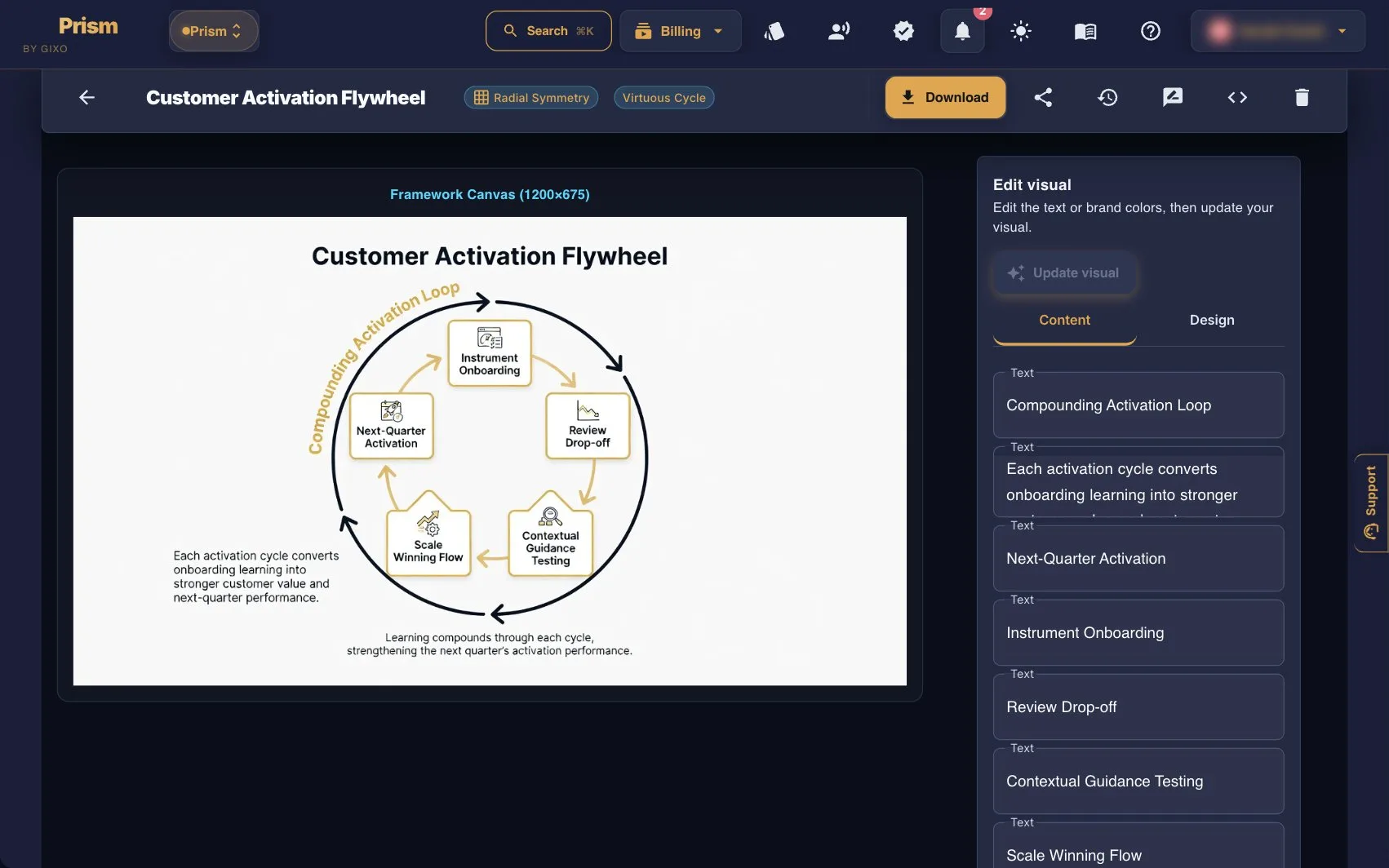
Inspect Business source-pack intake, Consultant planning, and decision artifacts. The framework example below belongs to the separate Prism product.
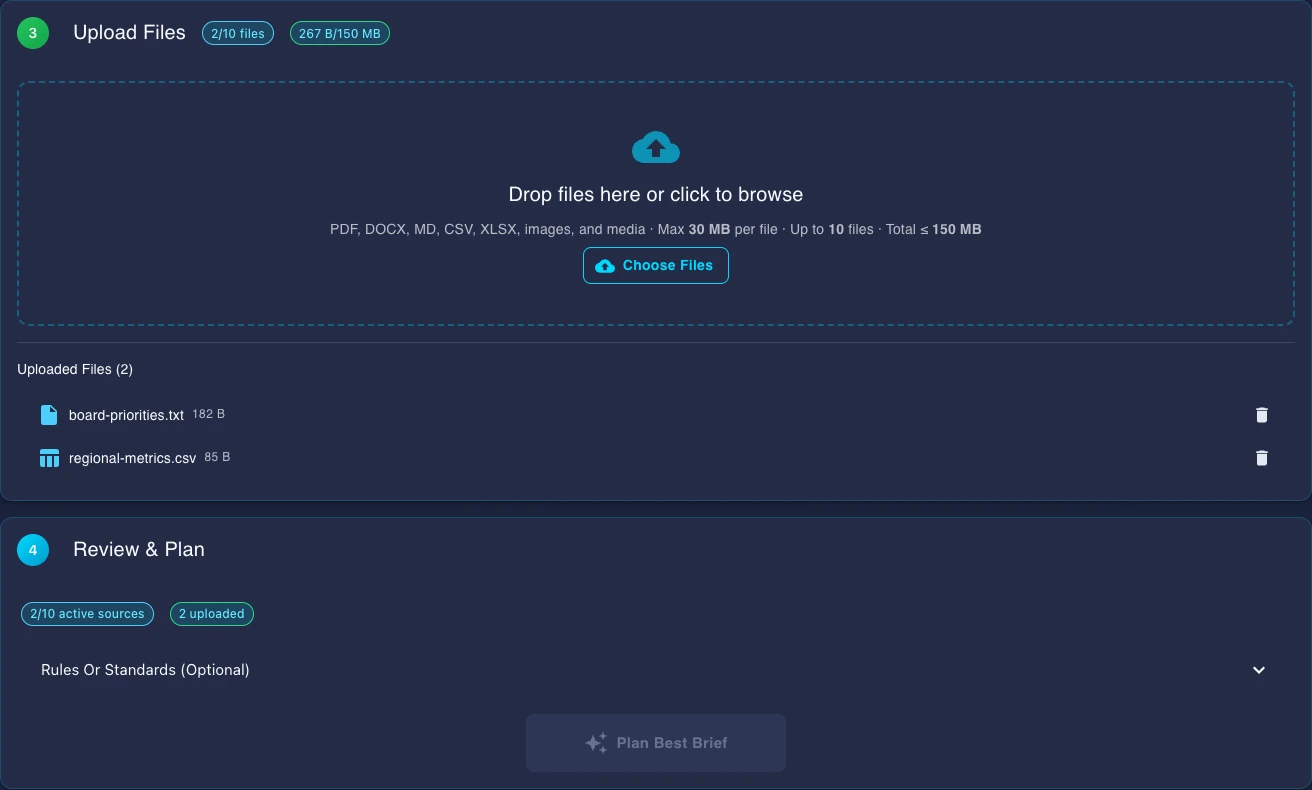
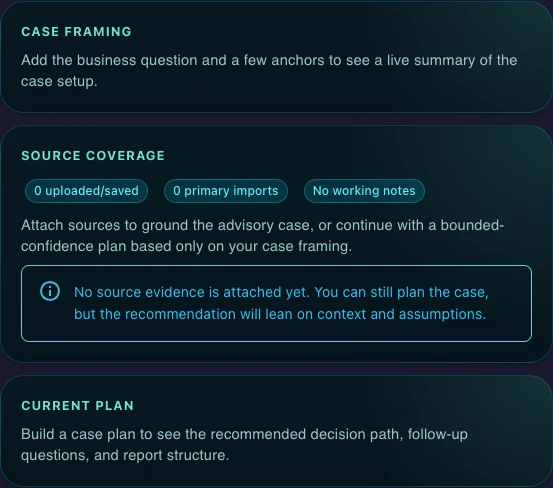
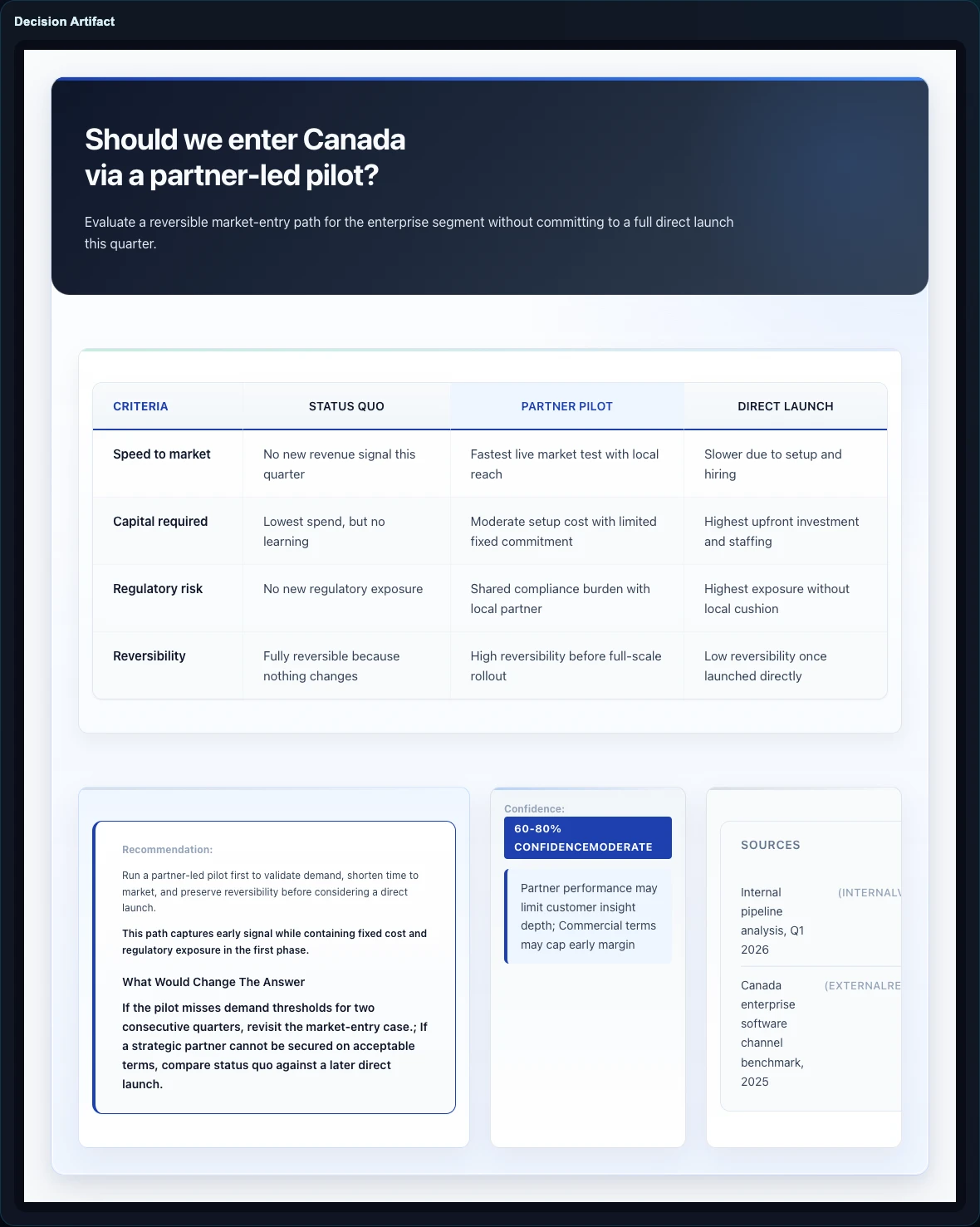
Grounded Decision Support starts from the decision and makes the route, source forecast, business pack plan, and verification stack visible before delivery.
Sources are optional, web research is your choice, and every check here is a review aid rather than a verdict.
Guides, walkthroughs, FAQ, pricing help, and product entry points across Brief Mode, Briefing Decks, Consultant, and decision artifacts, with a separate guide to Prism frameworks.