
Use Consultant when the work needs a decision path, not just a summary
Start from the same source pack you already use in Gixo Business. Ask first, review the source forecast, then choose Consultant when the work needs options, criteria, trade-offs, or follow-up questions — or build a separate decision artifact from the same case.
See the Consultant workflow
Consultant keeps the source forecast and discipline scorecard visible instead of collapsing the case into one narrative output, and the same case can be carried into a separate decision artifact.
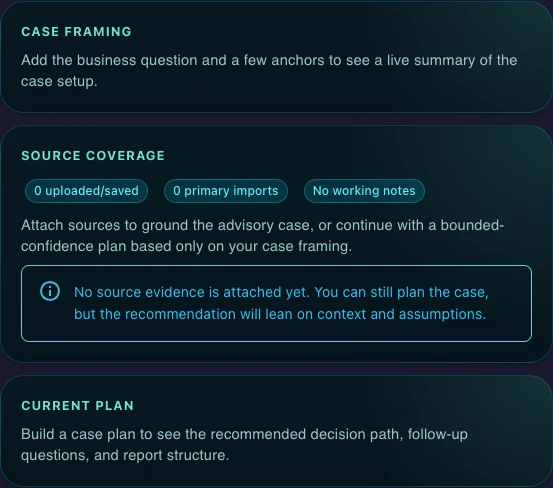
Case planning
Keep required inputs, follow-up questions, and report sections visible before generation.
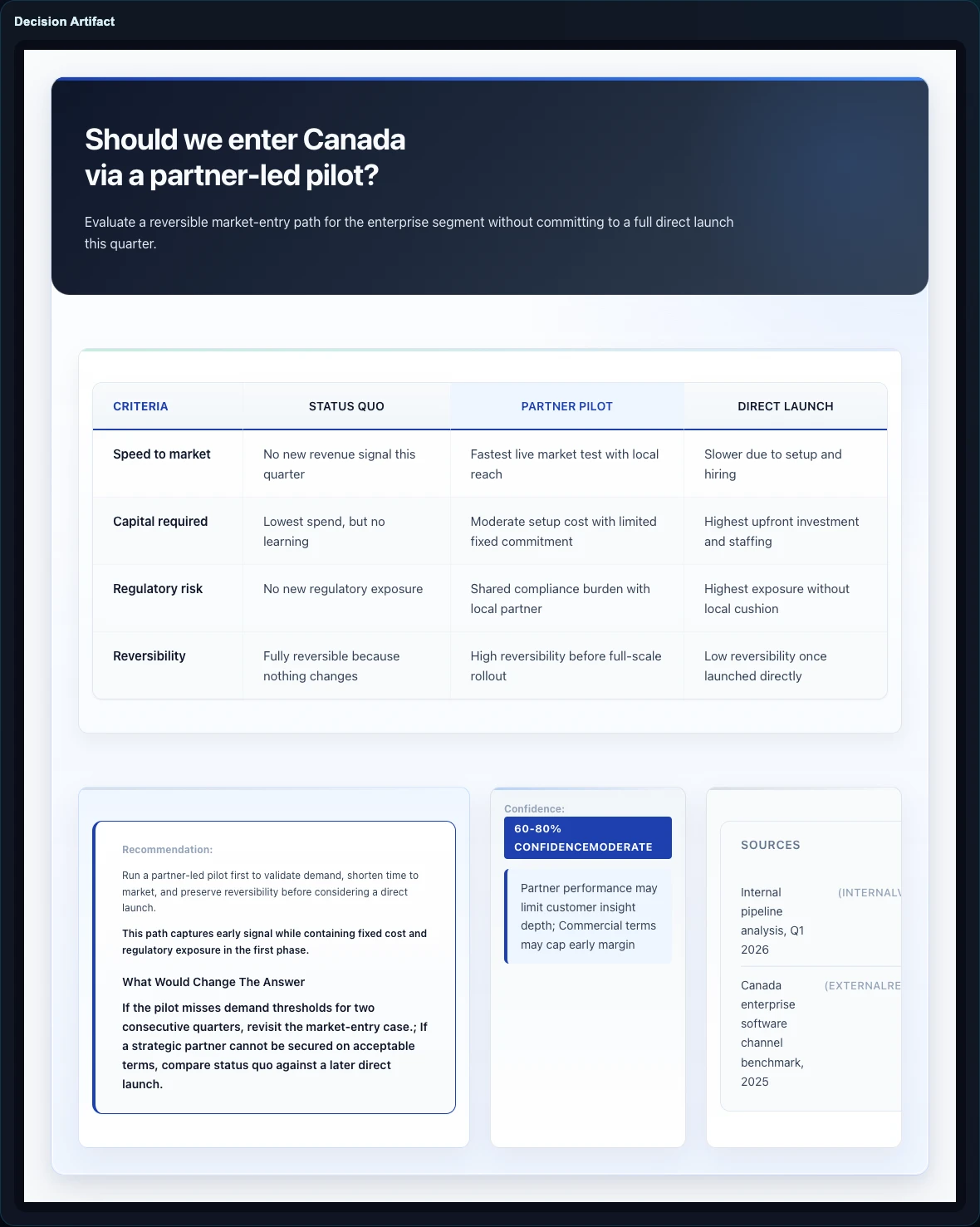
Decision surface
Show recommendation, confidence, and sources in one artifact.
How it starts
A real decision, the available options, the evaluation criteria, the constraints, and the source material already on hand.
How it thinks
The workflow chooses the case shape, forecasts source quality, asks for missing inputs, and keeps reasoning visible before the recommendation draft is written.
What stays visible
Facts, assumptions, trade-offs, confidence, and disclaimers stay explicit instead of getting buried in polished prose or disconnected supporting files.
Best-fit cases
- Go/no-go decisions with explicit constraints
- Market-entry and vendor-choice cases
- Portfolio prioritization and sequencing
- Operating-model and capability trade-offs
Product boundary
- Use Brief mode when you need a checked summary from documents.
- Use Briefing Decks when you need slides from the same source pack.
- Use Consultant when the work needs options, criteria, trade-offs, and a recommendation draft.
- Use Ask Gixo Business first when you want the route, source forecast, and verification gate before choosing the artifact.
- Decision artifacts can use the same Gixo Business source pack.
- Does not replace executive judgment or professional responsibility.