
Create a Reviewable Board Brief from Your Source Material
Prepare a structured board-brief draft with Business. Start from source material, choose the blocks that fit the decision, and review the figures, evidence, assumptions, and open risks before distribution.
A board brief in Gixo is drafted through a multi-stage pipeline that can produce an executive summary, KPI blocks, and financial overviews using 20+ semantic blocks. Figures can be checked against uploaded source documents and numbered citations can be added where the recipe supports them; missing references, interpretation, and final approval remain review work. Exported PDFs still need an owner to validate them before distribution.
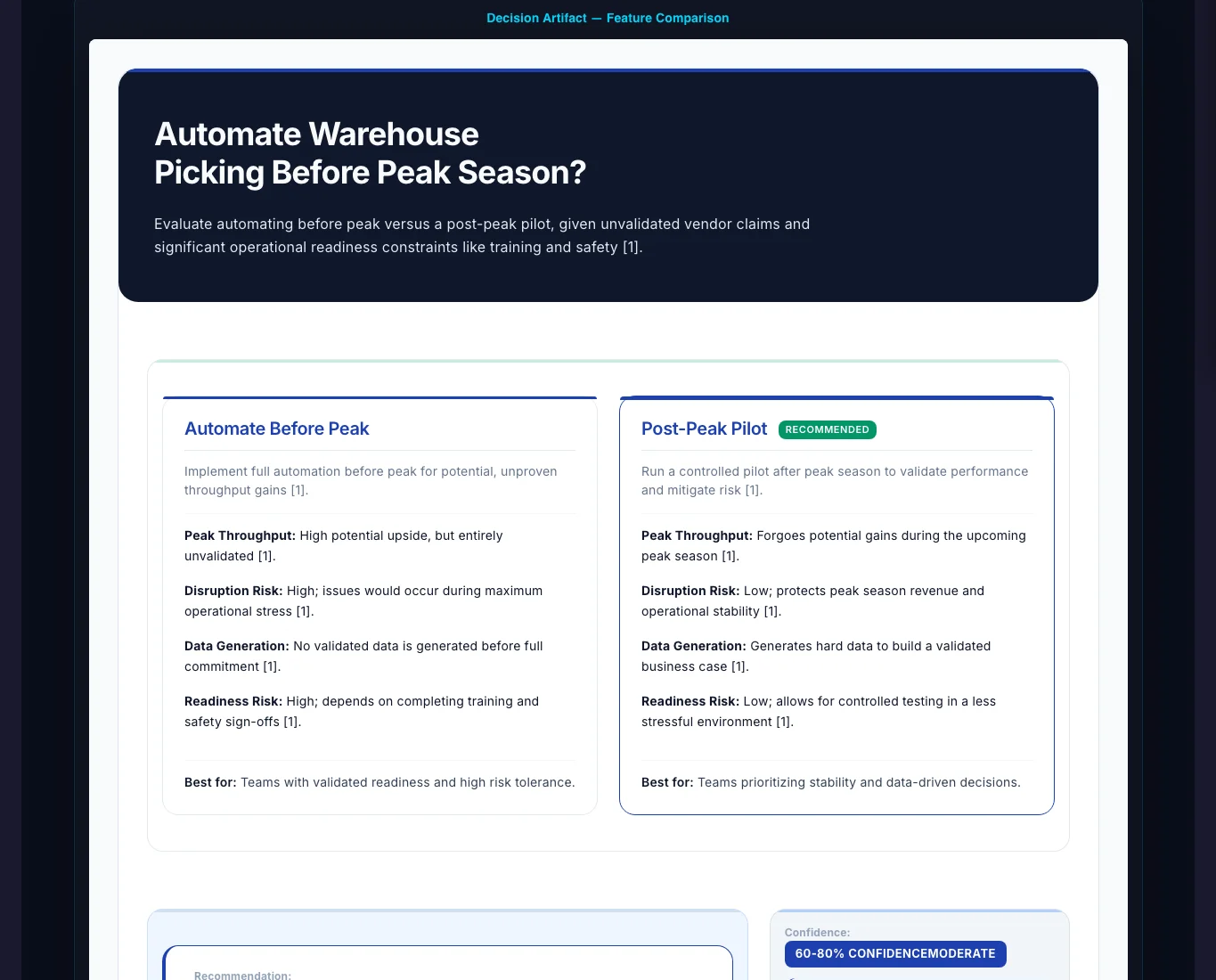
How Does Business Ground a Board Brief in Your Sources?
The pipeline can check supplied figures and attach citations when the selected recipe and source material support those checks. Reviewers still decide whether the evidence supports the conclusion.
Use dedicated KPI semantic blocks to surface revenue, margins, and cash flow at a glance. The pipeline auto-generates a concise executive summary with sourced numbers and inline [1],[2] citations on the data points taken from your uploaded files.
The number-check stage can compare supplied figures against the source documents you uploaded. Review variance analysis, budget comparisons, and trend data yourself before the brief reaches directors.
Structure board packs with Checklists for action items, Steps for initiative milestones, Pros/Cons for strategic options, Comparison Tables for vendor evaluations, and CTAs for decision requests. Each block is purpose-built for board communication.
Claims drawn from uploaded files can carry inline [1],[2] citations and a Sources section when the recipe supports them. A reviewer should confirm that each citation supports the adjacent claim.
The brand-compliance stage applies the preferred and banned terms in your Brand Dictionary; it does not apply tone rules, so executive tone comes from the recipe and your edits. Review the result for audience fit, exceptions, and any language that carries a governance or legal implication.
Refine any section with Quick AI's 6 instant actions (shorten, expand, formalize) or open Power Edit for an AI chat dialog. Collaborate with your team in real-time using saved workspaces before distributing to directors.
Why Board Packs Demand Sourced Numbers and Citations
Board briefs occupy a unique position in business communication. Directors make governance decisions based on the figures in front of them. An unverified revenue number or a misquoted market size can derail an entire board discussion. Gixo's multi-stage pipeline addresses this directly: the number checks stage checks your figures against the source documents you uploaded, and the citations stage inserts inline [1],[2] references with a full Sources section. Directors can trace a cited data point to its origin -- a level of rigour that manual board packs rarely achieve under deadline pressure.
Traditional board pack preparation involves multiple contributors, inconsistent formatting, and a last-minute scramble to assemble everything into a coherent document. With 20+ semantic blocks -- KPI dashboards, Checklists for action items, Comparison Tables for strategic options -- Gixo gives you a governance-aligned framework that structures information for board-level review from the start.
The Difference Between a Board Brief and an Internal Update
Internal updates can be informal and exploratory. Board briefs cannot. Directors need sourced numbers, cited evidence, and executive-level tone. Gixo's brand compliance stage applies your Brand Dictionary's preferred and banned terms, including governance terminology, on every generation. Quick AI provides 6 instant actions to tighten phrasing, while Power Edit opens an AI chat dialog for deeper restructuring. Real-time collaboration in saved workspaces lets multiple contributors work simultaneously before the final PDF is distributed.
How Do You Create a Board Brief in Minutes?
Choose from curated recipes for quarterly business review, strategic update, financial overview, or risk report. Each recipe pre-loads the right semantic blocks (KPIs, Checklists, Comparison Tables) for board-level communication.
The pipeline generates, checks word count and structure, applies your Brand Dictionary terms, checks your figures against the source documents you uploaded when you supply them, optimizes readability, checks chart data, inserts [1],[2] citations with a Sources section when you upload files, adds normative references when you name them, and runs an evidence check.
Use Quick AI's 6 instant actions to formalize language or shorten sections. Open Power Edit for an AI chat dialog to restructure blocks. Add confidential financial figures directly in the block editor.
Invite your CFO, chief of staff, or department heads into the saved workspace for real-time collaboration. When ready, export a polished PDF with sourced numbers, inline citations, and executive-level formatting.
Teams That Trust AI for Board Preparation
Board brief preparation spans multiple roles and organizational contexts. Here are the most common use cases.
How Does Gixo Compare to Manual Board Pack Preparation?
| Aspect | Gixo AI Board Briefs | Manual Preparation |
|---|---|---|
| Initial draft time | Depends on source and recipe | Depends on contributors |
| Number checks | Against source docs | Manual spot-check |
| Citations | Auto [1],[2] + Sources | Manual footnotes |
| KPI presentation | Semantic KPI blocks | Spreadsheet copy-paste |
| Executive tone | Recipe and Quick AI formalize guide the draft | Varies by author |
| Semantic blocks | 20+ types | Manual formatting |
| Real-time collaboration | Saved workspaces | Email drafts |
| Editing tools | Quick AI + Power Edit | Manual rewriting |
| Last-minute updates | Quick regeneration | Scramble to revise |
Make Every Board Brief Count
Best practices from experienced board administrators and governance professionals.
Frequently Asked Questions
Updated