
How to turn RFP documents into a proposal
An RFP is not just a prompt. Treat it as the control document for the proposal: map the requirements, add your approved source material, draft against the buyer's structure, and review every important claim before export.
To turn RFP documents into a proposal: upload the RFP (PDF or DOCX) with all attachments and addenda, add supporting context like past proposals and case studies, build a requirement map from the buyer's sections and evaluation criteria, draft the response against that map, then review coverage — marking each requirement answered, partial, or missing — before exporting as a formatted PDF or DOCX. This treats the RFP as the control document rather than a one-line prompt, so the buyer's structure and terminology shape the output instead of a generic sales proposal.
See what Arc helps your team review
Choose the proposal type, add the RFP, brief, notes, or prior work, then review a structured first draft before it reaches a client.
- 1Add source materialRFPs, briefs, notes, decks, and prior work
- 2Draft to the proposal typeSections and structure follow the real opportunity
- 3Review before deliveryYour team checks facts, scope, pricing, and commitments
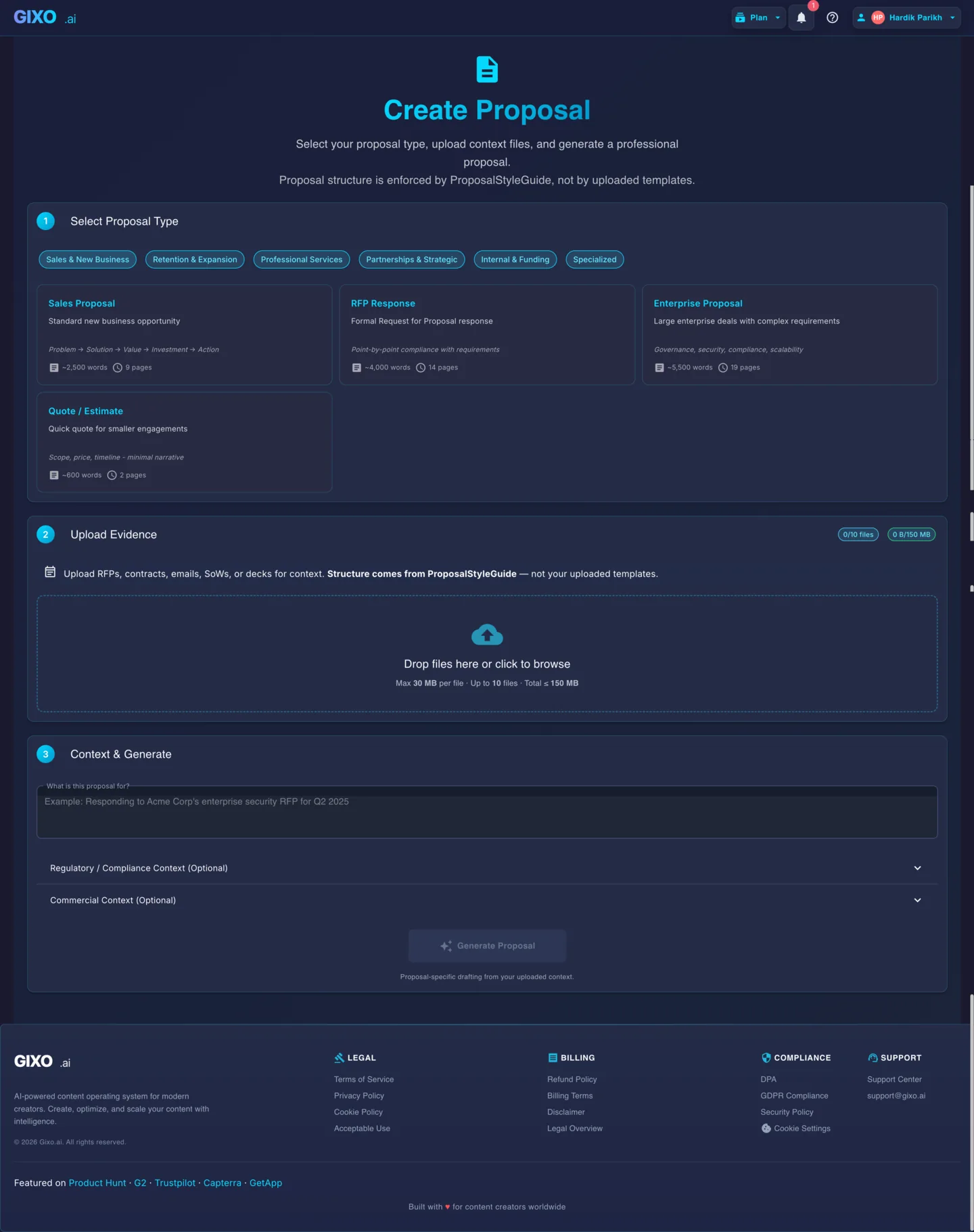
How do you turn RFP documents into a proposal?
The document conversion workflow. Gixo helps turn the RFP and supporting files into a first draft, while your team checks coverage, pricing, claims, and submission fit.
Upload the RFP Document
Upload your RFP as PDF or DOCX. Include any attachments, addenda, or supplementary materials that contain scope details or evaluation criteria.
Add Supporting Context
Upload past proposals, capability statements, case studies, or team bios. These files give the AI concrete details to weave into your response rather than generating generic content.
Build the requirement map
Select the RFP Response proposal type, then use the buyer's sections, obligation language, evaluation criteria, and submission instructions as the response map.
Review coverage and edit
Walk through the draft section by section. Confirm that mandatory requirements, proof points, pricing assumptions, exclusions, and commitments are supported by the RFP and your source files.
Export and Submit
Export as a formatted PDF or DOCX. The output preserves your structure, headings, and professional formatting for direct submission.
What are the 5 steps to turn an RFP into a proposal?
| Step | What you do | Why it matters |
|---|---|---|
| 1. Upload the RFP document | Upload as PDF or DOCX, including attachments and addenda | Scope details and evaluation criteria often live in supplementary files |
| 2. Add supporting context | Upload past proposals, capability statements, case studies, team bios | Gives concrete details to draw from instead of generic content |
| 3. Build the requirement map | Select the RFP Response proposal type; use the buyer's sections, obligation language, evaluation criteria, and submission instructions | The map becomes the coverage checklist for the whole response |
| 4. Review coverage and edit | Walk through the draft section by section against the map | Confirms mandatory requirements, proof points, pricing, exclusions, and commitments are supported |
| 5. Export and submit | Export as formatted PDF or DOCX | Preserves structure, headings, and formatting for direct submission |
What the RFP controls
A strong RFP-to-proposal workflow preserves the buyer's structure instead of forcing the document into a generic sales proposal.
| RFP signal | How it should shape the proposal |
|---|---|
| Mandatory requirements | Become coverage rows your team can mark as answered, partial, or missing. |
| Evaluation criteria | Determine where the proposal needs the strongest proof, detail, and reviewer attention. |
| Submission instructions | Control format, deadline, attachments, signatures, page limits, and delivery method. |
| Scope and assumptions | Shape the solution narrative, pricing model, exclusions, and implementation plan. |
| Buyer terminology | Keeps the response aligned with how the evaluator describes the problem. |
Frequently Asked Questions
Does Gixo help parse the RFP content?
Yes. Arc uses the uploaded RFP document to identify sections, requirements, evaluation criteria, and submission instructions. Your team should still review the map before relying on it for a final response.
What if my RFP has multiple attachments?
Upload all relevant attachments alongside the main RFP document. The AI processes all uploaded files as context, so addenda, appendices, and supplementary materials are all factored into the generated response.
Can I reuse parts of past proposals?
Upload previous proposals as source files. The AI draws from that content -- methodology descriptions, team qualifications, case studies -- and adapts it to fit the new RFP's requirements and structure.
How should I verify requirement coverage?
Compare the draft against the RFP requirement map, then mark each item as answered, partially answered, or missing. Use the proposal analyzer for an extra mechanical coverage pass before submission.
What proposal sections does the AI generate?
Typical sections include executive summary, understanding of requirements, technical approach, methodology, qualifications, timeline, pricing, and terms. The exact structure adapts based on the RFP's requirements.
How do I turn RFP documents into a proposal?
Upload the RFP as PDF or DOCX with all attachments and addenda, add supporting context such as past proposals and case studies, build a requirement map from the buyer's sections and evaluation criteria, draft the response against that map, review coverage by marking each requirement answered, partial, or missing, then export as a formatted PDF or DOCX for submission.
What sections does a proposal built from an RFP typically include?
Typical sections include executive summary, understanding of requirements, technical approach, methodology, qualifications, timeline, pricing, and terms. The exact structure adapts based on the RFP's requirements.
Turn your next RFP into a reviewable proposal
Upload the RFP, add your source material, draft against the requirement map, and check coverage before export.
Convert RFP to ProposalUpdated