Create a Consulting Proposal in Five Steps

Select the Consulting proposal type, upload your engagement context, configure scope and deliverables, generate the draft, then edit and export. Five steps from source files to a client-ready consulting proposal.

See it in action

See the proposal builder

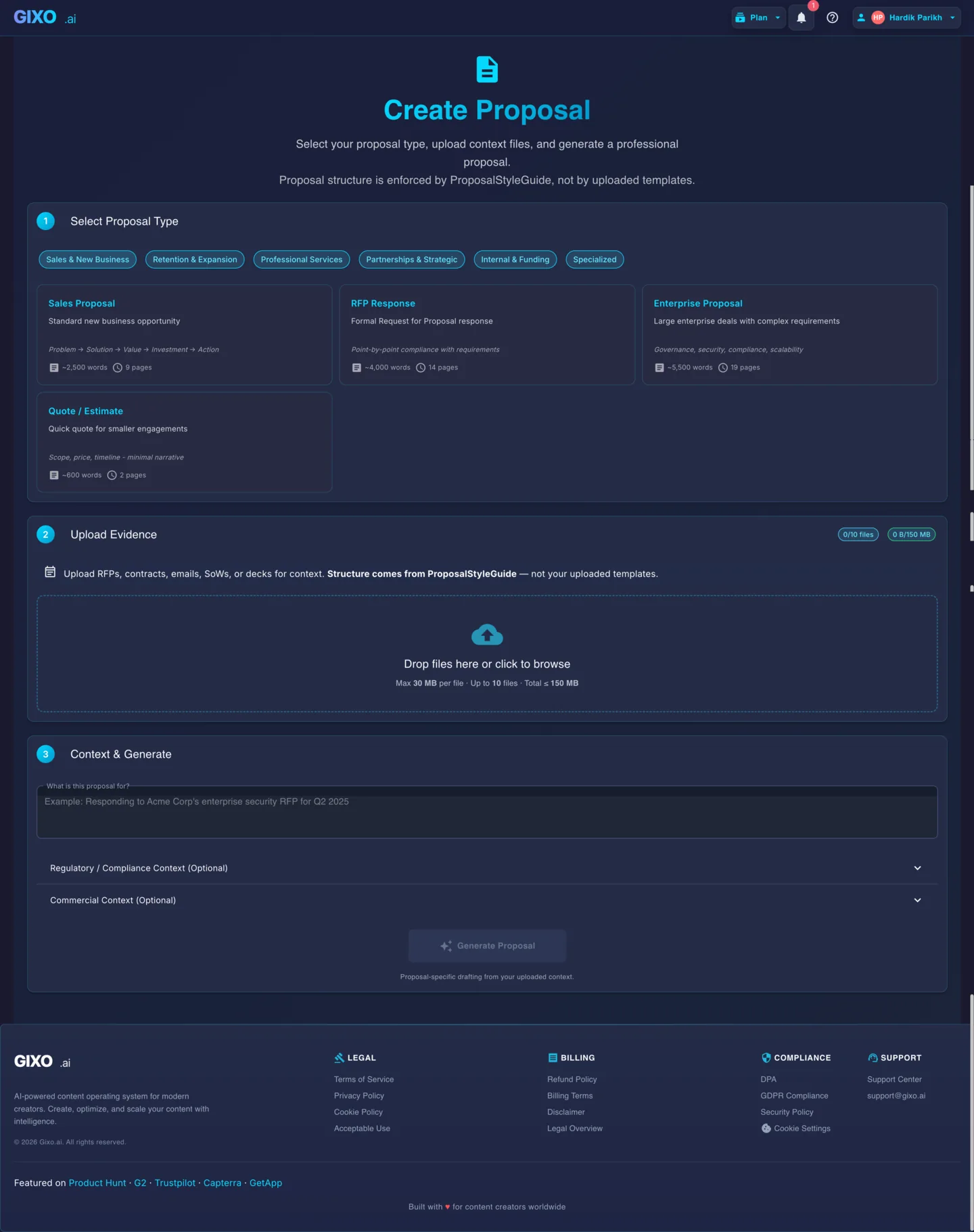
Pick the proposal type, upload your files, add the missing context, and make a first draft in one place.

Gixo proposal builder showing proposal type selection, file upload, and draft controls.
Proposal type selection, file upload, context notes, and draft controls in one view.
5 Steps to Draft
6+ Proposal Sections
PDF DOCX Export
Free Tier Available

Five Steps to a Consulting Proposal

1
Select the Consulting proposal type

Open the proposal creator and choose Consulting from the proposal type selector. This tells Gixo to generate a structure tailored for consulting engagements — approach, scope, deliverables, timeline, team composition, and commercial terms — rather than a generic sales proposal.

2
Upload engagement context

Upload the files that define the engagement — client briefs, scoping notes, RFPs, past proposals, team bios, rate cards, and capability statements. Gixo reads these to generate content specific to this engagement. The more relevant context you provide, the stronger the first draft.

3
Configure scope and deliverables

Specify the engagement scope, key deliverables, and any constraints. You can describe workstreams, phases, and expected outputs. Gixo uses these inputs alongside your uploaded context to generate a proposal that accurately reflects the engagement you are pitching.

4
Generate the consulting proposal draft

Click generate and Gixo produces a structured consulting proposal with executive summary, situation assessment, approach, scope of work, deliverables matrix, phased timeline, team composition, commercial terms, and assumptions. All sections draw from your uploaded context and configuration.

5
Edit and export

Review and refine the generated proposal using the rich text editor. Use inline AI to rewrite, expand, or adjust tone on any section. When satisfied, export to PDF for client presentation or DOCX for editable versions. All structure, tables, and formatting are preserved in the export.

Frequently Asked Questions

What file types can I upload as engagement context?
Gixo accepts PDF, DOCX, PPTX, and TXT files. Upload client briefs, scoping documents, RFPs, past proposals, team bios, rate cards, and any other document that provides context for the engagement. The AI extracts relevant content from each file to inform the proposal draft.
Does Gixo generate the commercial terms automatically?
Yes. If you upload a rate card or pricing framework as a reference file, Gixo generates a commercial section with fee structure, payment schedule, and engagement terms based on that reference. If no pricing reference is provided, the AI generates a placeholder commercial section that you can fill in manually.
Can I edit individual sections after generation?
Yes. Every section of the generated proposal is fully editable in the rich text editor. You can rewrite, expand, shorten, or restructure any section. Inline AI assists with rewording, tone adjustment, and content expansion on a per-section basis.
How long does it take to generate a consulting proposal?
Generation typically takes under two minutes depending on the volume of uploaded context files and the complexity of the scope. The AI processes all uploaded documents, extracts relevant context, and produces the full proposal structure in a single generation step.
Is this suitable for independent consultants or only large firms?
Both. Independent consultants use Gixo to produce polished proposals without a support team. Larger firms use it to accelerate first-draft creation so partners and engagement managers spend time on strategic refinement rather than structural writing. The credit-based pricing model accommodates both low and high proposal volumes.

Create Your Consulting Proposal Now

Upload engagement context. Configure scope. Generate a structured consulting proposal in minutes. Export to PDF or DOCX.

High Contrast Mode Disabled
An error has occurred. This application may no longer respond until reloaded. Reload 🗙