
Create Sales Proposals That Are Ready to Review
Upload deal context, account notes, and reference materials — Gixo generates a structured sales proposal with scope, pricing, timeline, implementation plan, and next steps. It is designed for a grounded first draft when your deal context is scattered across files and conversations; your team still checks the commercial claims before sending.
Reviewed 2026 — 21 proposal kinds supported
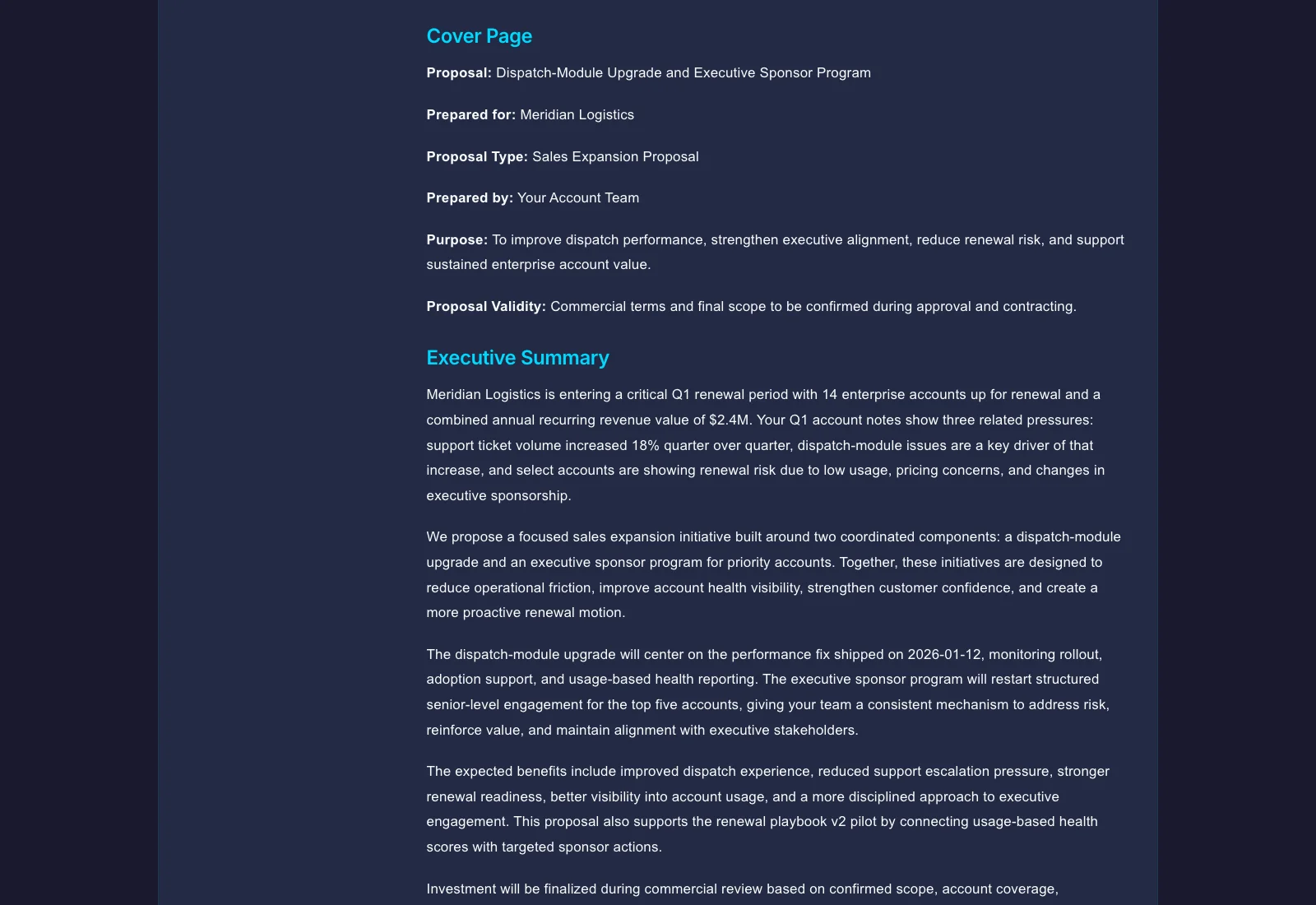
A sales proposal generator is software that turns your uploaded deal context — discovery notes, pricing sheets, competitor analyses, and account briefs — into a structured sales proposal with scope, pricing, timeline, implementation plan, and next steps drafted for review. Gixo reads those files directly rather than making you fill in a template. It is built for reps whose deal context is scattered across files and conversations, while pricing, commitments, and final approval remain human decisions.
See what Arc helps your team review
Choose the proposal type, add the RFP, brief, notes, or prior work, then review a structured first draft before it reaches a client.
- 1Add source materialRFPs, briefs, notes, decks, and prior work
- 2Draft to the proposal typeSections and structure follow the real opportunity
- 3Review before deliveryYour team checks facts, scope, pricing, and commitments
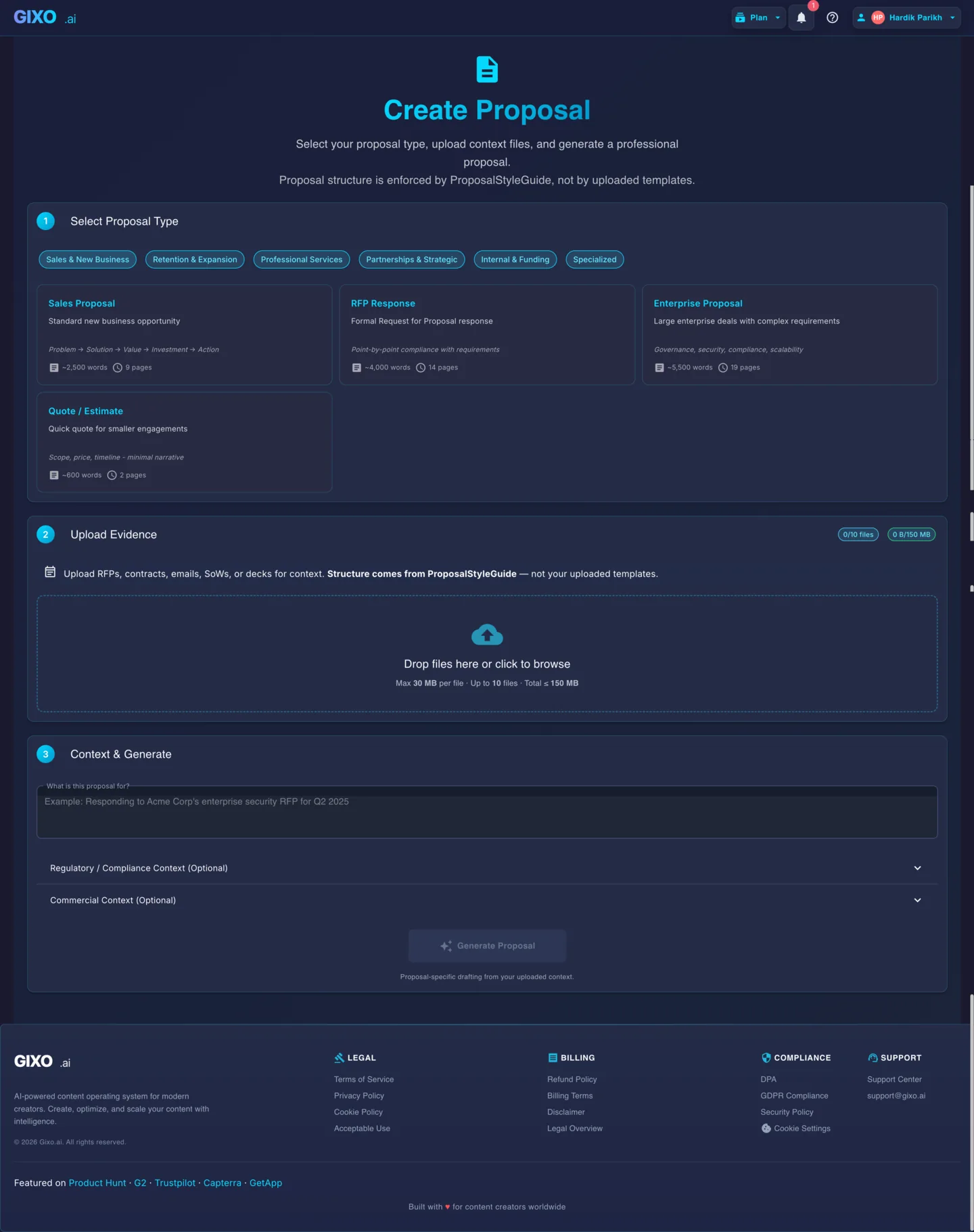
What Makes a Sales Proposal Reflect Your Actual Deal?
Template tools give you a form to fill. Gixo reads your deal context files and generates a proposal that reflects your specific situation — pricing, scope, timeline, and competitive positioning all derived from what you uploaded.
Upload discovery call notes, account briefs, competitor analyses, pricing sheets, or CRM exports. Gixo reads these files to understand your deal situation and generates a proposal that reflects the specifics — not generic sales language.
The generated proposal includes a pricing section with tiers, line items, discounts, and payment terms — structured from your uploaded pricing sheets or deal notes. No manual table building required.
Gixo generates a clear scope section that defines what is included, what is excluded, and what assumptions apply. Scope boundaries are derived from your uploaded context so they match the deal you are actually proposing.
The proposal includes a phased timeline with milestones, go-live dates, and key checkpoints. Buyers can see the progression from contract signing through implementation to value delivery.
For products and services that require onboarding, Gixo generates an implementation section with phases, responsibilities (yours and the client's), and success criteria so the buyer understands what happens after they sign.
Every sales proposal ends with a clear next steps section — who does what, by when, and what the buyer needs to do to move forward. No ambiguous endings that stall deals.
Upload competitive intelligence or battle cards as reference files. Gixo weaves differentiation points into the proposal narrative — positioning your solution against alternatives the buyer is evaluating without making it a comparison table.
Upload case studies, product one-pagers, ROI calculators, and testimonials. The AI incorporates relevant evidence from these materials into the proposal to strengthen your claims with proof points the buyer can verify.
How to Generate a Sales Proposal with AI
Upload discovery notes, account briefs, pricing sheets, competitor analyses, case studies, and any other deal-relevant files. The more context you provide, the more specific the generated proposal will be.
Gixo reads your uploaded files and generates a structured first draft with scope, pricing, timeline, implementation plan, competitive positioning, and next steps — all informed by the context you supplied and ready for review.
Edit any section with inline AI to sharpen messaging, adjust pricing presentation, or refine competitive positioning. Invite sales engineers, managers, or legal to co-edit and comment before sending.
Export the reviewed proposal to PDF for formal delivery or DOCX for an editable version. Check that pricing tables, timelines, and formatting survive the chosen export before sending.
What Does Gixo's Sales Proposal Generator Include Compared to PandaDoc/Proposify and Manual Drafting?
See how Gixo's context-driven sales proposal generation compares to PandaDoc/Proposify and manual drafting.
| Capability | Gixo AI | PandaDoc / Proposify | Manual Drafting |
|---|---|---|---|
| Time to first draft | Minutes | Hours (template fill) | Hours to days |
| Deal context intake | Reads uploaded files | Manual entry | Manual research |
| Pricing section | Auto from pricing files | Interactive pricing | Manual table |
| Scope and exclusions | Context-derived | Template fields | Manual writing |
| Implementation plan | Auto-generated phases | Not standard | Manual |
| Competitive positioning | From battle cards | No | Manual |
| E-signatures | Simple electronic signature, sealed PDF | Core feature | N/A |
| Tracking | Recipient-specific tracked links | Core feature | N/A |
| CRM integration | No self-serve CRM sync | Salesforce, HubSpot | N/A |
| Inline AI editing | Rewrite / expand / simplify | No | N/A |
| Best for | Strong first drafts from scattered context | Standardized sales workflows | Highly custom deals |
Sales Proposal Generator FAQ: What Do Buyers Ask Most?
Updated