Skip to content
Arc
Sign In Get started
Workflow-specific products Content, decks, visuals, briefs, proposals, legal, books, and project delivery each have a clearer buying path.
Review before delivery Draft, edit, collaborate, approve, and export in the same workspace.
Security + procurement path Security policy, support, and Azure Marketplace buying are public.

A Responsive alternative for governed RFP responses

Arc combines source-file drafting with approved-answer reuse, requirement reviews, and original-questionnaire return. Compare it with Responsive for how your team reviews and hands off responses. Arc does not offer self-serve CRM sync; if connected sales and collaboration systems are essential, evaluate Responsive's specific connectors.

Try Gixo Arc View pricing

Current approved answers exported into a buyer questionnaire

Gixo is the bidder in this sample. Its 16 November 2026 export refresh copies the current approved answer bank into explicitly mapped workbook cells through Arc's native exporters. No new AI extraction or matching proof was run.

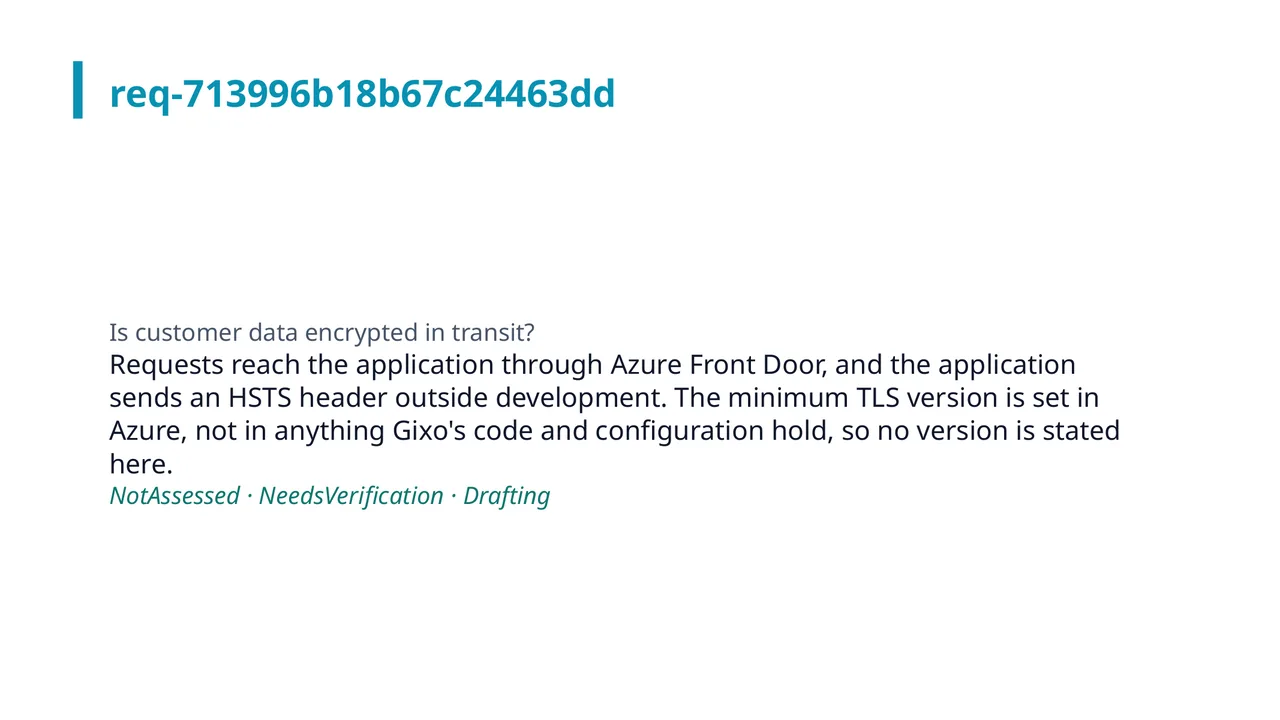
A slide of the response pack: a question from the buyer's workbook and the approved answer Arc copied from Gixo's library, with its review status.
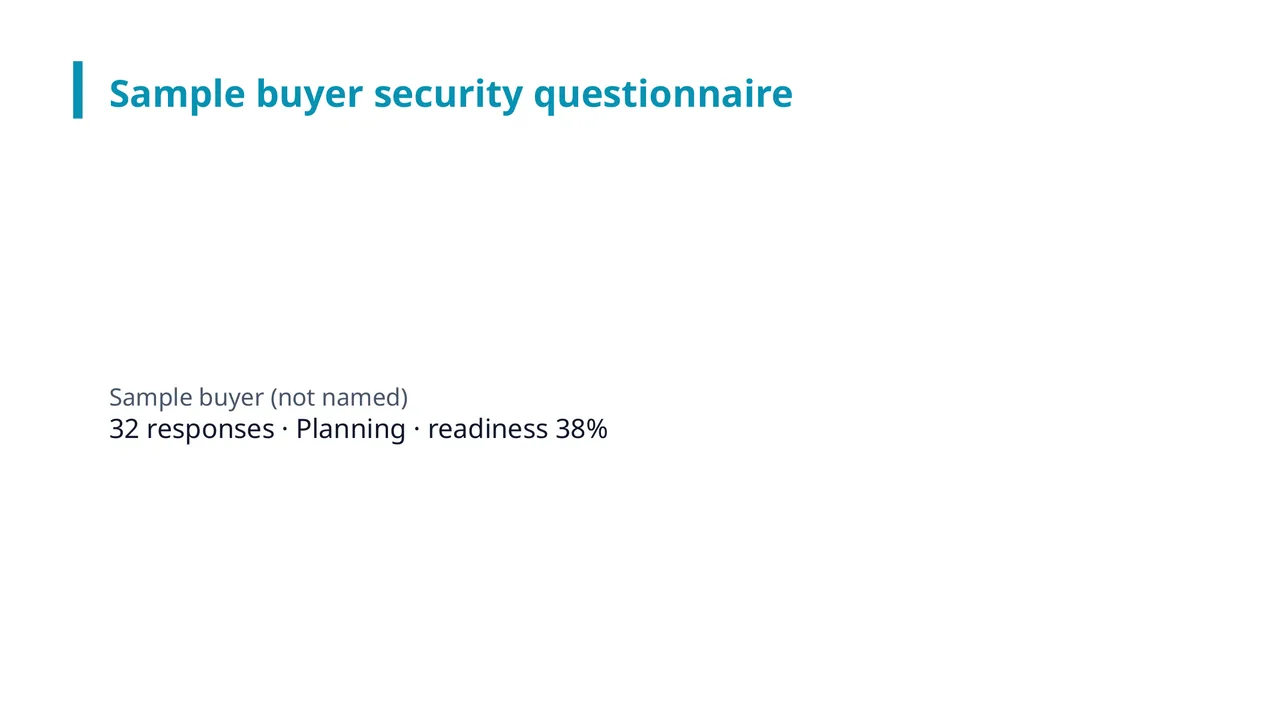
The first slide of the response pack: the questionnaire's title, the number of responses and the readiness figure Arc computed.

Security questionnaire · 34 answers copied from the library · of 36 questions in the workbook · 43-slide response pack

Response to a buyer security questionnaire, answered by Gixo

A sample buyer's 36-question security workbook, answered for Gixo from its current approved answer bank. The 16 November 2026 refresh maps questions explicitly and uses Arc's native workbook, compliance-matrix and response-pack exporters. It does not measure AI extraction or matching.

The brief and the inputs Arc was given

Export-only refresh from the current approved Gixo answer bank. Questions were mapped explicitly; no AI extraction, matching or generation proof was rerun.

Buyer's workbook, filled in (13 KB)Compliance matrix (CSV) (21 KB)Response pack (PowerPoint) (68 KB)

Export-only refresh on 16 November 2026: all 34 filled answers match the current approved bank word for word. The incident-response-plan and cyber-insurance questions have no supported bank answer and remain blank for review. No new AI proof run was performed. The answers remain drafts needing verification and are not an approved release.

Illustrative RFP response output from the Gixo Arc workflow
Illustrative Arc output showing the structure a source-grounded RFP response can use. Review every claim, scope item, and commercial term before sending.

What is the best Responsive (RFPIO) alternative?

The best Responsive alternative depends on your review and delivery requirements. Arc lets you draft from a new RFP, reuse approved answers where they fit, assign owners and reviewers, and write your answers into a copy of a supported XLSX or DOCX questionnaire. Evaluate both products with the same source pack and buyer file. A library checkbox alone does not tell you how well either tool handles your approval process or existing systems.

What are the top Responsive (RFPIO) alternatives for RFP workflows?

Compare sources, answer reuse, reviewer ownership, delivery formats, and external connections. Obtain current vendor terms for the seats and services you need; this table is a workflow shortlist, not a savings estimate.

Tool Best for Drafting approach Price / trial Content library
Gixo Arc Source-based drafting, answer reuse, and governed review Source-file drafting plus approved-answer reuse From $24/mo per seat; 14-day free trial, no card Approved answers with review and reuse
Responsive Enterprise-scale RFP volume across global teams Answer library + GenAI Demo-gated enterprise pricing Core feature, requires upkeep
Loopio Ask which team size and RFP volume it is built for Ask Loopio to draft from your source pack and show its AI assistance Request a current quote Ask who maintains the library and how much upkeep it takes
PandaDoc Ask to see sending, signing and tracking on the plan you would buy Ask PandaDoc to draft from your source pack, starting without a template Check current vendor plans Ask how reusable answers work on your plan

The Loopio and PandaDoc rows are questions to put to those vendors, because this page holds no dated source for their current plans. The dated Responsive sources are in the section below.

From source material to reviewable draft

See what Arc helps your team review

Choose the proposal type, add the RFP, brief, notes, or prior work, then review a structured first draft before it reaches a client.

  1. 1Add source materialRFPs, briefs, notes, decks, and prior work
  2. 2Draft to the proposal typeSections and structure follow the real opportunity
  3. 3Review before deliveryYour team checks facts, scope, pricing, and commitments
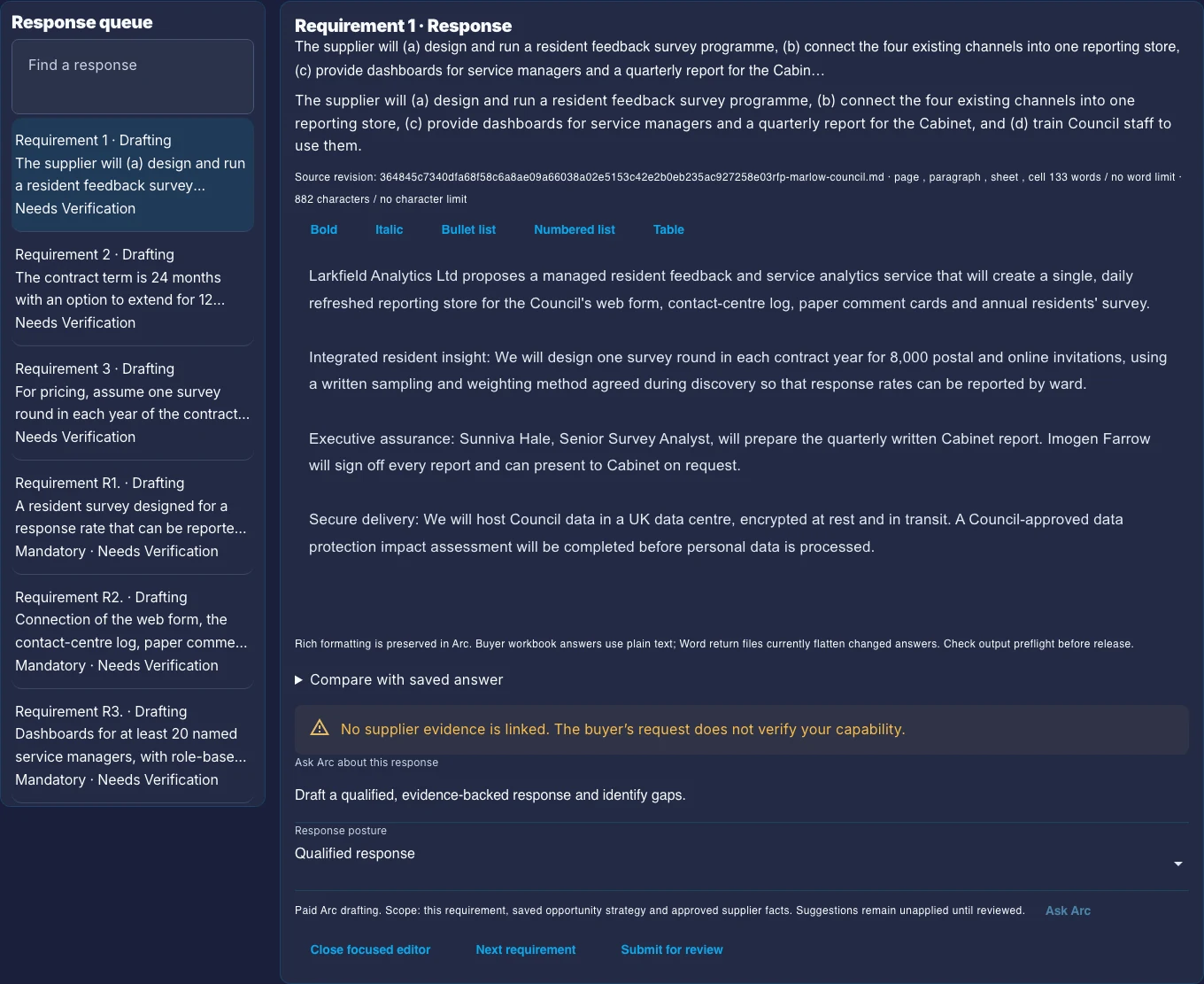
The Arc response workspace: a queue of buyer requirements marked Needs Verification, beside one requirement's response, its source file and a warning that no supplier evidence is linked.
What your team reviews. A buyer requirement beside its response, its source file and status, and a warning that no supplier evidence is linked yet. This is a real Arc screen captured on 10 October 2026 with a fictional sample. The response in it was prepared by hand, so read it for the review controls.
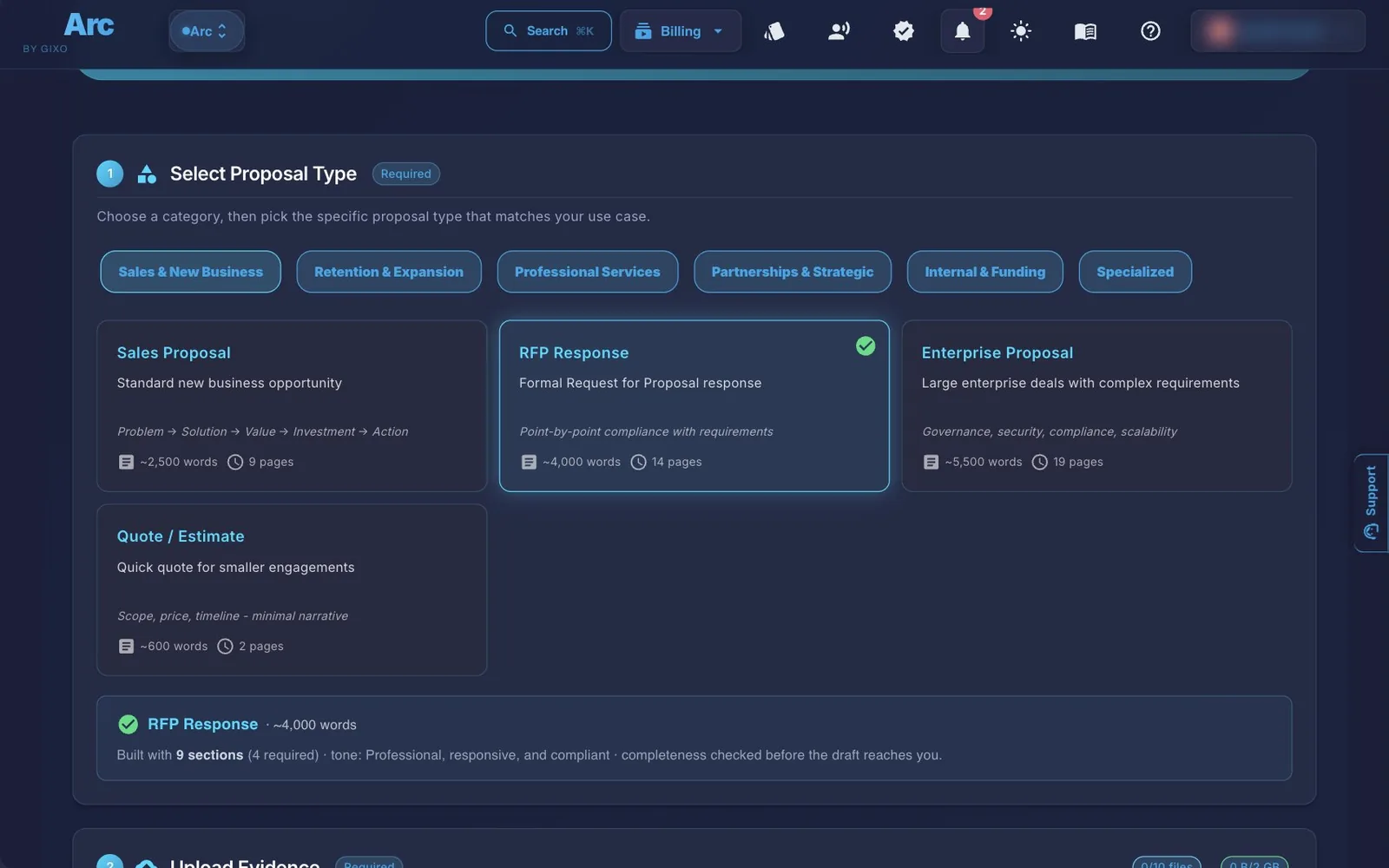
The Arc create page with RFP Response selected among the proposal types, and the upload step starting below it with no files added.
Where it starts. Choose a proposal type, add source material, and keep the drafting controls visible. Arc takes up to 10 source files per proposal, at up to 500 MB each (64 MB for Word, Excel and PowerPoint files; 32 MB for CSV files; up to 500 pages for cloud OCR) and 2 GB in total.
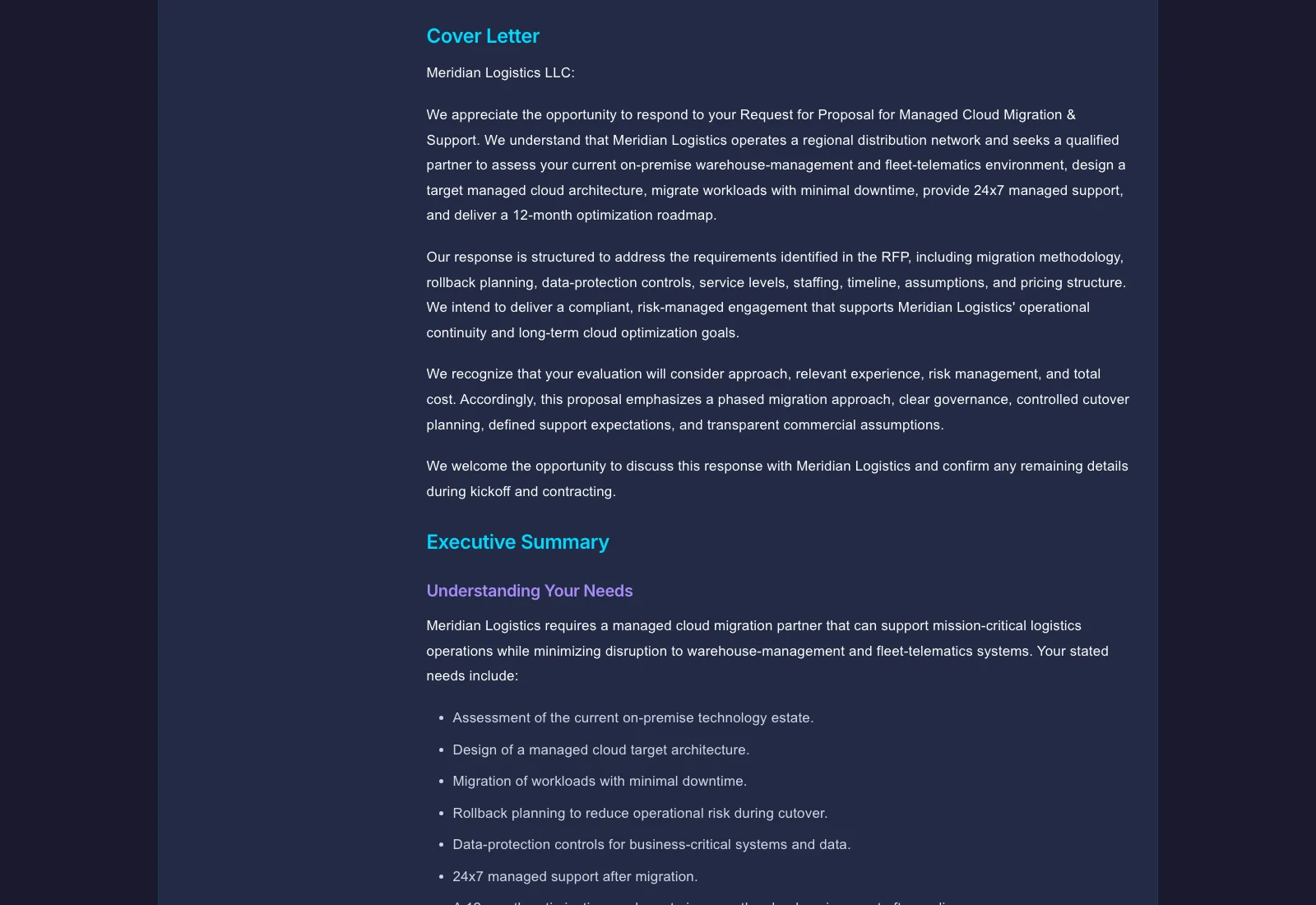
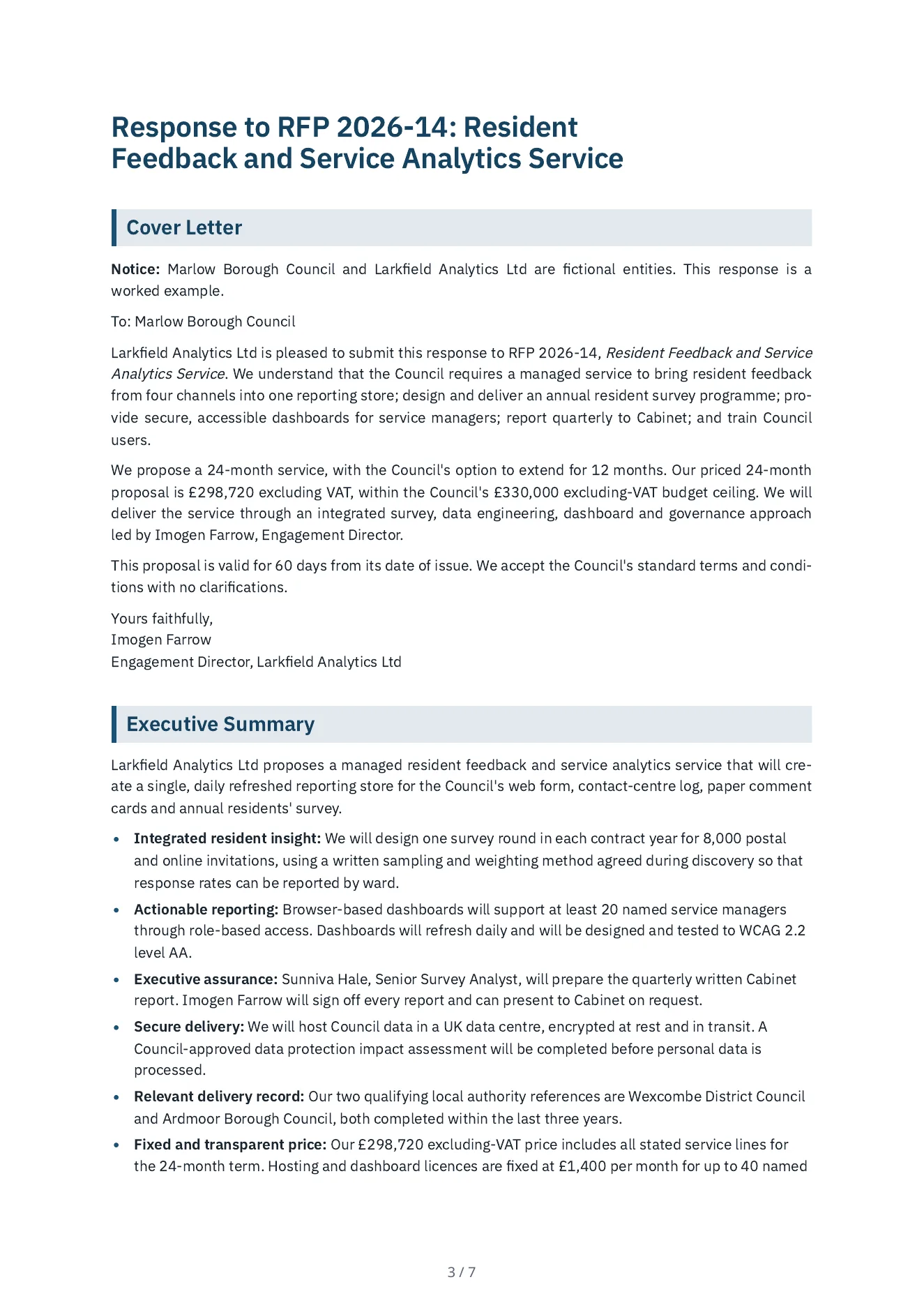
The first page of the RFP response Arc wrote: the cover details, the notice that the buyer and bidder are fictional, and the start of the executive summary.
What Arc wrote. A response to a council's request for proposals, written for an invented bidder: a cover letter, an executive summary, an answer to each of the ten mandatory and three desirable requirements, the team, two local-authority references, and a price built from the bidder's day rates and unit rates, with every line showing its days or units. A separate reviewer agent read its 150 claims against the bidder's evidence file, the council's RFP and the deal terms: 132 are supported, 16 go a little beyond an input, 2 are in no input (it calls the price fixed, and it cites a 1,950-word limit nobody set) and none contradicts one. Every price line recomputes. It is not a person's review. PDFWord Follow three buyer questions through reviewer decisions to the returned workbook. That walkthrough is fictional and its answers and decisions are hand-authored; the returned file comes from Arc's exporter.

Check the current Responsive workflow with your source pack

Vendor information reviewed on : Responsive platform overview and AI response workflows. Compare required source intake, approval authority, exact buyer output and integrations on the plan you would buy. These are vendor-published capabilities, not hands-on comparative test results.

Arc links the Draft, Review and Deliver tasks to the saved proposal revision, with literal source passage receipts and named reviewer decisions. Optional policy checks, buyer value assumptions and separate Lumen handoffs have explicit limits; inspect the current Arc guide before selecting a workflow.

Why look for a Responsive alternative?

Responsive is a genuinely enterprise-grade RFP platform. The reasons teams look elsewhere are usually about fit, not quality.

Source Files and Approved Answers

Start from the buyer's current RFP and supporting evidence. Search the Arc library for an approved response instead of redrafting a recurring answer, then adapt it to the current scope. Reviewers approve library entries or request changes; edits to governed content reset approval. Reuse saves drafting work only when someone keeps the evidence and wording current.

Requirement Owners and Review Gates

Give each requirement a response owner, reviewer, due date, and status. Record SME, security, legal, commercial, or executive review decisions in gates, then run response-quality checks before export. These controls expose work and recorded decisions; they do not certify the proposal or replace the people accountable for it.

Self-Serve Pricing vs Demo-Gated Enterprise Contract

Arc starts at $24 per seat per month, with a 14-day no-card trial. Higher plans have minimum seat counts; compare the total for your reviewers and authors on the linked Arc pricing page. Obtain a current competitor quote for the same team, required connections, support, and onboarding before deciding which costs less. Compare Arc plan and seat requirements.

Feature-by-Feature Comparison

Capability Gixo Arc Responsive
Drafting approachSource-file drafting plus approved-answer reuseAnswer library + GenAI
RFP requirement compliance matrixCompliance matrix CSV export from the Arc response workspace. The free analyzer is separate: it gives structure and requirement-coverage signals. Neither certifies compliance, so a person still reviews.AI-assisted answer matching
Where reviewers workArc requirement workspace with assigned owners and review gatesVendor lists productivity and communication integrations; verify which reviewer tasks each connector supports
Content library maintenanceHosted approved-answer library; your team maintains itLibrary with team curation
CRM and business-system connectionsNo self-serve CRM sync; file handoffs and MCP analysisBroad integrations (vendor-published; confirm current scope)
Pricing model$24–$89/mo per seat, 14-day trialEnterprise, demo-gated
Best forSource-based proposals with governed reuseEnterprise-scale, high-volume global RFP teams

Is Gixo Arc a full Responsive (RFPIO) replacement?

Choose Gixo Arc When

You want to work from buyer files and your own evidence, reuse approved answers, assign requirement owners, and record reviews in one workspace. Test an actual questionnaire return and exported proposal. Arc is a candidate when these file-based handoffs fit; it does not offer self-serve CRM sync.

Choose Responsive When

Your procurement requirements depend on integrations, organizational controls, or rollout support offered by Responsive. Ask the vendor to demonstrate the exact connections and review paths you need with your documents. RFP volume alone does not decide fit, and sharing a feature name does not make the products interchangeable.

Test the Whole Handoff

Use a representative test: take a buyer spreadsheet, reuse one approved security answer, assign a reviewer to a pricing exception, and export the original questionnaire after preflight. Inspect which cells changed, whether approval is recorded, and what your team must still do outside the product. This is a suggested evaluation, not a claim of a measured customer result.

Comparison FAQ

Is Gixo Arc a full replacement for Responsive (formerly RFPIO)?
It depends on your required workflow. Arc supports source-based drafting, approved-answer reuse, requirement ownership, review gates, questionnaire return, tracked links, and simple electronic signature. It does not offer self-serve CRM synchronization or claim parity with every Responsive integration or enterprise control. Test your required handoffs before replacing an established platform.
What's the real difference between Gixo Arc and Responsive?
Both products can support reusable response content. Arc brings uploaded opportunity sources, an approved-answer library, requirement review, and original-file questionnaire return into a proposal workspace. The material comparison is how each handles your sources, approvals, delivery files, and external systems. Arc has no self-serve CRM synchronization; verify Responsive's current connectors and included services for the plan you are considering.
Does Gixo Arc have a content or answer library like Responsive?
Yes. Arc has an approved-answer library. Save a response for reuse, search for relevant approved answers, and adapt them to the current requirement. Reviewers can approve entries or request changes; changing governed content on an approved entry returns it to review. Your team still owns evidence accuracy and keeping reused answers current. This does not establish feature parity with a competitor library.
Does Gixo Arc guarantee win rates on RFPs?
No. Arc shows a project win-rate metric based on recorded project outcomes, alongside pipeline and readiness information. That is a record of outcomes, not a prediction or a promise to improve win rate. Requirement-coverage and response-quality checks are separate review signals, not measures of commercial success.
How does Gixo Arc's RFP compliance checking actually work?
The free proposal analyzer checks structure and requirement-coverage signals deterministically without sign-up. A matching term does not prove a complete or compliant answer. The Arc workspace adds requirement owners, reviewers, due dates, approval gates, and response-quality checks against your evidence. Reviewers must resolve missing answers and unsupported claims before release.
How does pricing compare between Gixo Arc and Responsive?
Arc starts at $24 per seat per month, with a 14-day no-card trial. Higher plans have minimum seat counts; compare the total for your reviewers and authors on the linked Arc pricing page. Obtain a current competitor quote for the same team, required connections, support, and onboarding before deciding which costs less.
When should you choose Responsive instead of Gixo Arc?
Choose Responsive when its demonstrated integrations, organization controls, support, and response workflows better match your requirements. Choose Arc when its source-file workflow, approved-answer reuse, requirement reviews, and file handoff meet your needs. Test both with the same RFP; neither a low volume nor a high volume alone settles the decision.

Comparison sources checked 21 September 2026: Responsive integrations; Arc workflow guide; Arc plans and minimum seats. Vendor scope and terms can change.

Try Gixo Arc

Upload a representative RFP, reuse an approved answer, complete the review, and inspect the original-questionnaire return. Start with Arc's 14-day trial and compare the required plan and seats before purchase.

Try Gixo Arc View pricing

Updated