
Draft a source-backed business case proposal
Upload the project brief, financial assumptions, research, stakeholder notes, and implementation context. Gixo Arc turns them into a structured business case proposal draft you can review, pressure-test, and refine before asking for approval.
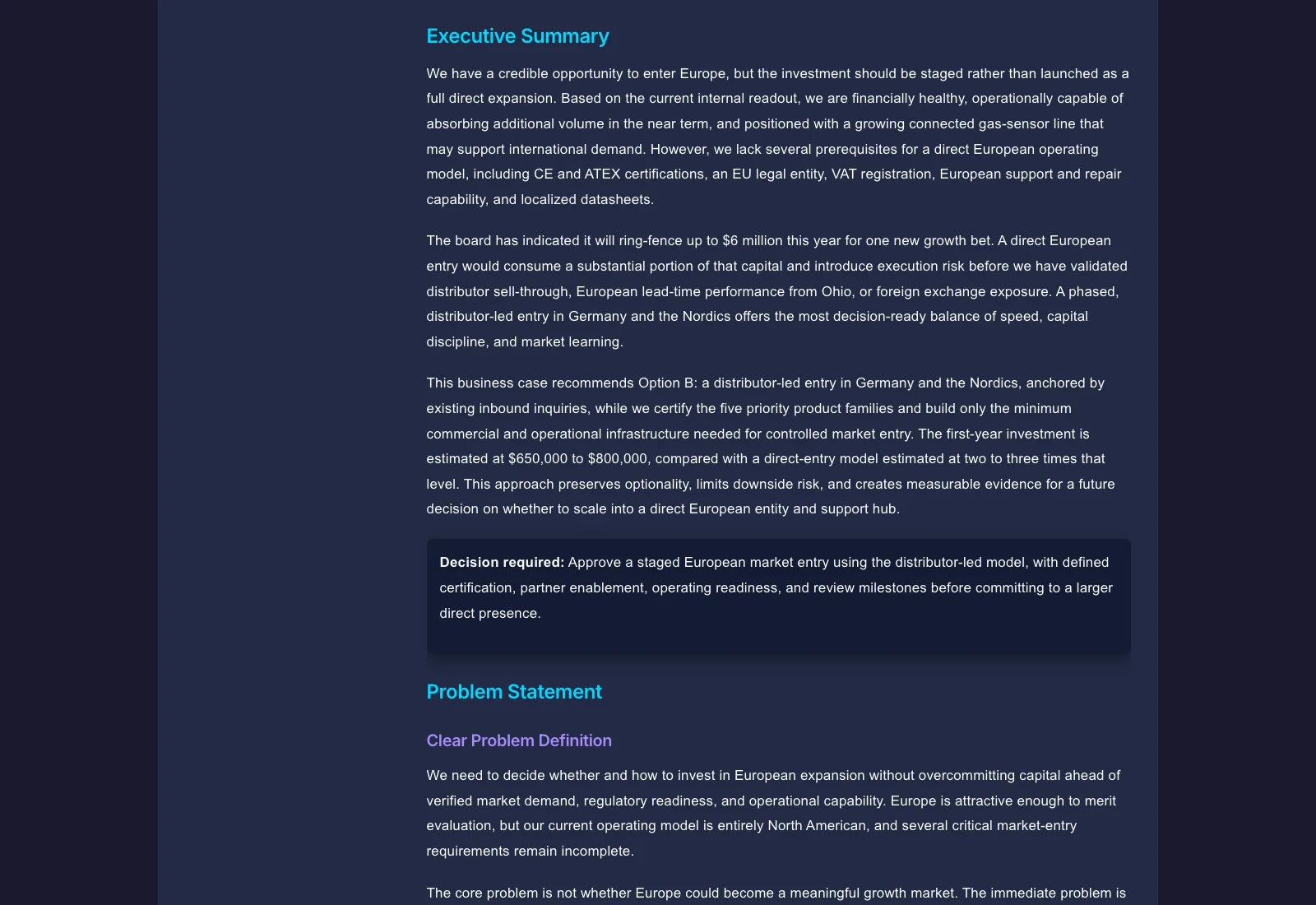
A business case proposal generator is AI software that turns uploaded context documents — financial assumptions, project briefs, research, and stakeholder notes — into a structured draft covering nine standard business case sections: problem statement, options analysis, recommendation, resource request, ROI projection, risk assessment, implementation plan, stakeholder alignment, and executive summary. Gixo Arc's version drafts these sections from your source materials and exports a reviewed draft to PDF, but it is explicitly a decision package for human review, not a substitute for financial and operational approval.
See what Arc helps your team review
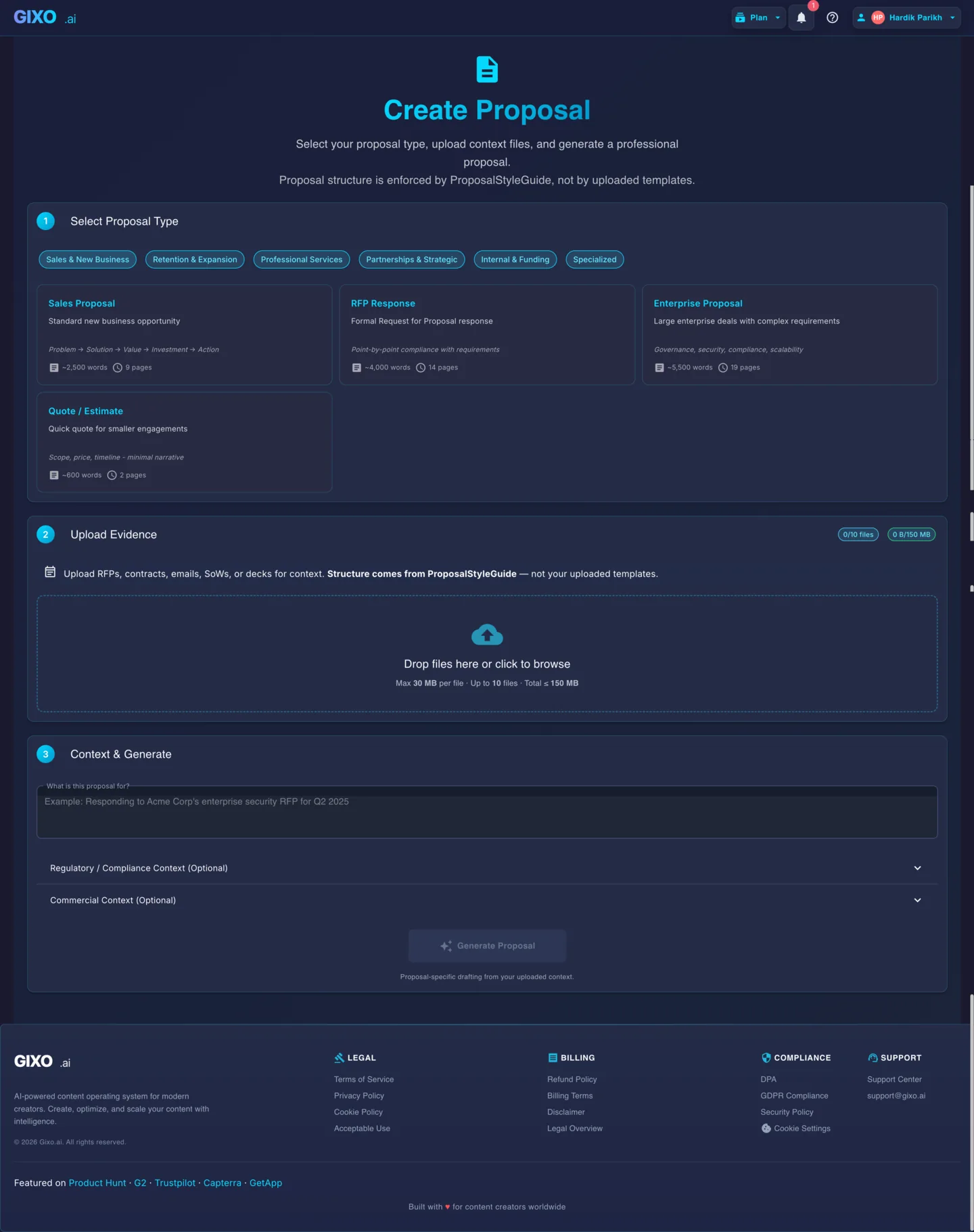
Choose the proposal type, add the RFP, brief, notes, or prior work, then review a structured first draft before it reaches a client.
- 1Add source materialRFPs, briefs, notes, decks, and prior work
- 2Draft to the proposal typeSections and structure follow the real opportunity
- 3Review before deliveryYour team checks facts, scope, pricing, and commitments
What does a business case proposal generator help you structure?
Nine common sections in a business case proposal, drafted from your uploaded context and still subject to human review.
AI drafts a clear articulation of the business problem or opportunity based on your uploaded context. Frames the issue in terms stakeholders can evaluate — including scope, urgency, and impact on current operations.
Generates a structured comparison of viable approaches — including do-nothing, partial, and full investment scenarios. Each option includes trade-offs, resource requirements, and alignment with strategic objectives extracted from your source documents.
Drafts a clear recommendation section that ties the preferred option to the problem statement and evaluation criteria. Includes rationale that references the options analysis for a cohesive argument.
Generates a resource requirements section covering budget, headcount, technology, and timeline needs. Structured for executive review with clear line items and justification for each resource category.
Organizes the ROI section around the cost, benefit, payback, and value assumptions you provide. It can draft the narrative, but finance owners should validate the model before it is presented.
Generates a risk register section with identified risks, likelihood ratings, impact assessments, and proposed mitigations. Structured for stakeholder review with clear ownership and contingency plans.
Drafts a phased implementation timeline with milestones, dependencies, and deliverables. Maps the execution path from approval through delivery based on the scope and resources described in your source documents.
Generates a stakeholder analysis section identifying key decision-makers, their interests, potential concerns, and engagement approach. Helps frame the business case for its intended audience.
AI drafts a concise executive summary that synthesizes the problem, recommendation, ROI, and resource request into a single page. Designed for senior leadership review and approval decisions.
What sections and financial metrics does a business case proposal generator cover?
| Section / Metric | What it covers |
|---|---|
| Problem Statement | Frames the business problem or opportunity — scope, urgency, and impact on current operations |
| Options Analysis | Compares do-nothing, partial, and full investment scenarios with trade-offs and resource requirements |
| Recommendation | Ties the preferred option to the problem statement and evaluation criteria |
| Resource Request | Budget, headcount, technology, and timeline needs, structured for executive review |
| ROI Projection | Cost, benefit, payback, and value assumptions drafted into narrative form (finance owners validate the model) |
| Risk Assessment | Risk register with likelihood, impact, mitigations, and ownership |
| Implementation Plan | Phased timeline with milestones, dependencies, and deliverables |
| Stakeholder Alignment | Identifies decision-makers, interests, concerns, and engagement approach |
| Executive Summary | Synthesizes problem, recommendation, ROI, and resource request into one page |
| Core financial metrics | TCO, ROI, Payback Period, and NPV (for multi-year investments) |
How It Works
Four steps from source documents to a structured business case proposal draft.
Upload market research, financial data, project briefs, strategic plans, and any supporting documents. Gixo extracts content from PDF, DOCX, and text files to build context for the business case.
Choose the Internal Business Case proposal kind. Gixo maps your uploaded context to the nine business case sections and prepares the AI for structured generation.
AI drafts the business case from your source materials. Use the built-in editor to refine sections, adjust tone, expand analysis, tighten the executive summary, and flag assumptions that need owner review.
Export the reviewed business case to PDF with a professional theme. Treat the exported document as a decision package, not as a substitute for financial and operational approval.
What financial metrics does a strong business case or budget proposal need to answer?
Decision-makers approve numbers, not narratives. A complete case frames the money four ways — and Gixo drafts the ROI section around them from the financials you upload.
The full cost over the life of the investment — not just the purchase, but implementation, training, maintenance, and ongoing operation. The number that keeps an approved project from blowing its budget later.
The gain relative to the cost — the headline number reviewers look for first. Strongest when it cites the specific benefits and costs it is built from, not a single optimistic percentage.
How long until the investment pays for itself. Often the first question a CFO asks, because it bounds the risk of being wrong about the longer-term upside.
Future cash flows discounted to today's value, so a multi-year return is comparable to money spent now. The metric that keeps a long payoff from being overstated against an upfront cost.
Pressure-test it before the CFO does
The strongest business cases survive a skeptical read. Before you present, stress-test the draft against the questions a tough reviewer will ask.
Every model rests on a few load-bearing assumptions. Find the one that breaks the case if it is wrong, and state what evidence would shore it up. Reviewers will find it anyway — better that you found it first.
A case for change is only as strong as the baseline it beats. The options analysis includes a do-nothing scenario, so the recommendation is measured against the real alternative rather than a strawman.
Present a worst-case scenario alongside the expected one, and tie every number back to a source. Regenerate sections with a more conservative emphasis and refine the weak spots with inline AI before export.
How does an AI business case generator compare to manual drafting?
| Aspect | Gixo Business Case Generator | Manual Drafting |
|---|---|---|
| First draft time | All 9 sections drafted in one generation pass from uploaded context | Manual drafting cycle, section by section |
| Section structure | 9 common sections organized from context | Varies by author |
| Source integration | Drafts from uploaded docs and assumptions | Manual copy and synthesis |
| Consistency | Uniform structure every time | Depends on author |
| Options analysis | Structured comparison format | Free-form prose |
| Risk assessment | Standardized risk register | Ad hoc format |
| Executive summary | Drafted from the reviewed sections | Written last, often rushed |
| Export quality | Professional PDF themes | Depends on tools |
Frequently Asked Questions
Reviewed 2026.
Updated