
Prepare the source pack
Choose the proposal kind and supply the buyer brief, approved evidence, delivery assumptions and commercial terms. For RFP work, retain the issued requirements and separate known answers from missing evidence.
Generate structured grant proposals from your funder guidelines and project documents. Upload RFAs, program descriptions, and organizational materials — Gixo drafts the narrative, budget justification, methodology, and impact sections using AI.
A grant proposal generator is AI software that drafts a structured grant proposal — narrative, budget justification, methodology, timeline, impact, and evaluation plan — from uploaded funder guidelines and project documents rather than a blank page. Gixo's common grant structure covers eight sections, then adapts to the RFA and source material you provide before exporting a reviewable PDF. Your team remains responsible for accuracy, eligibility, budget approval, and the final submission.
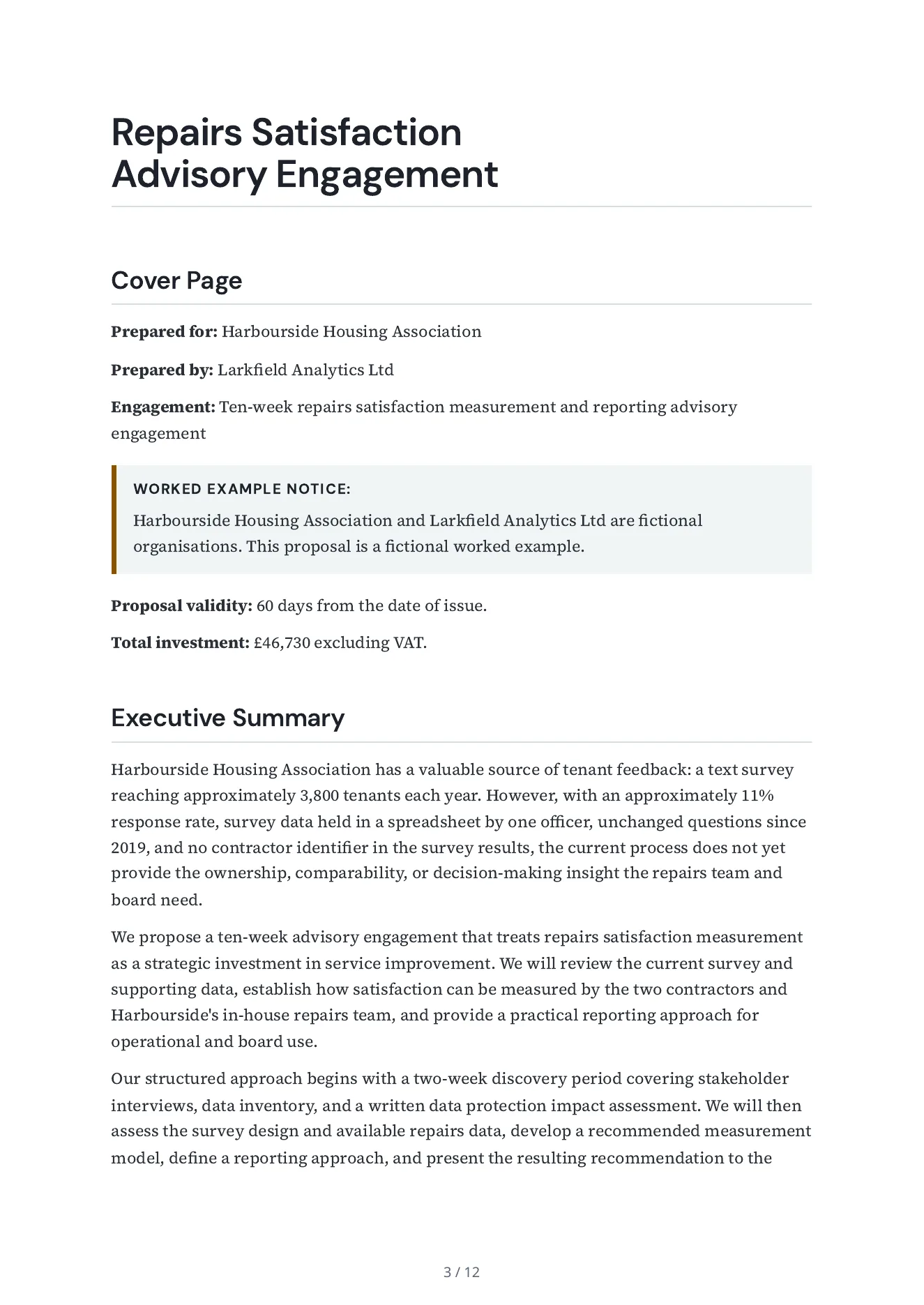
Read a real exported proposal alongside the brief Arc received. The example keeps supplied scope, commercial assumptions and reviewer responsibility visible.
A ten-week advisory engagement for an invented housing association: situation, approach and phases, a requirement-by-requirement compliance matrix, deliverables, timeline, team, terms, and a fee built phase by phase from the bidder's day rates, with the days of each role shown.
Propose a ten-week advisory engagement for Harbourside Housing Association, on behalf of Larkfield Analytics Ltd, that answers the association's brief: review the current repairs survey, recommend how to measure repairs satisfaction by contractor, and leave a reporting approach for the repairs team and the board. Build the fee for each phase from the standard rates in the evidence file (the days of each role times the day rate) and show those days. Add nothing the evidence file does not state. Put a notice on the cover page that the buyer and the bidder are fictional and the proposal is a worked example. Inputs: the buyer's document (brief-harbourside-housing.md); the bidder's evidence file (larkfield-evidence.md); commercial terms: value 46,000 to 52,000 GBP, valid for 60 days, payment terms 'Invoiced monthly in arrears, payable within 30 days.'; deal context: The buyer and the bidder in this proposal are fictional, and this proposal is a worked example. The engagement lead presents to the buyer's board in the ninth week.
A separate reviewer agent read its 177 claims against the bidder's evidence file, the buyer's brief and the deal terms: 115 are supported, 58 add design detail or an inference, 4 are in no input (it calls the fee fixed) and none contradicts one. Every price line recomputes. It is not a person's review.
Choose the proposal kind and supply the buyer brief, approved evidence, delivery assumptions and commercial terms. For RFP work, retain the issued requirements and separate known answers from missing evidence.
Inspect scope, exclusions, requirements and price assumptions. Use reviewable edits and saved comparisons; an unresolved buyer question needs an owner or an explicit qualification.
Inspect the actual PDF, Word or HTML output. Tracked delivery activity and a recorded deal outcome answer different questions; verify the recipient, permissions and current approval state before sharing.
Keep buyer RFP files separate from bidder evidence and approved reusable answers. Inspect extraction coverage, requirement source locations, questionnaire previews and submission limits. Response work can carry an SME owner, due date, escalation owner and required reviewer decisions. Compare an addendum with the source before changing a response.
Review each line's quantity, rate, unit, optional status and one-off, monthly or annual recurrence. Inspect recurrence totals and the estimated first-year total separately. Currency, supplied tax input and commercial assumptions need review. When importing Business metrics, select and review the source values before applying them to the schedule.
Choose the current saved response or an approved edition. Inspect retained attachments, filled questionnaires, the compliance matrix and the package preview. A release manifest identifies stored delivery bytes. For tracked links, review recipient access, expiry, password and permissions separately from delivery activity and the recorded opportunity outcome.
A draft or readiness check is not approval of pricing, legal terms or a delivery commitment. Arc proposal drafting does not imply CRM, CPQ or tax-calculation automation.
Choose the proposal type, add the RFP, brief, notes, or prior work, then review a structured first draft before it reaches a client.
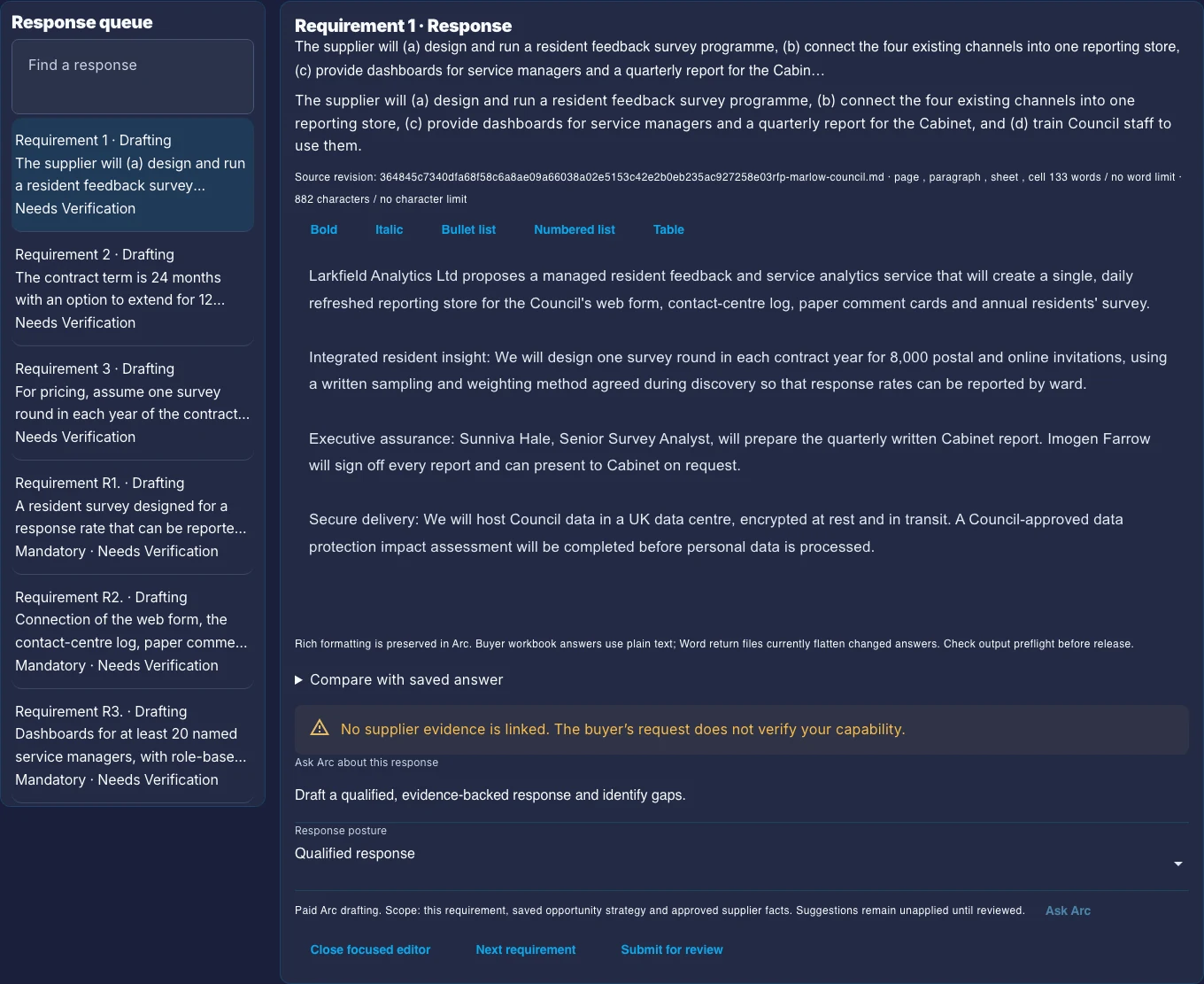
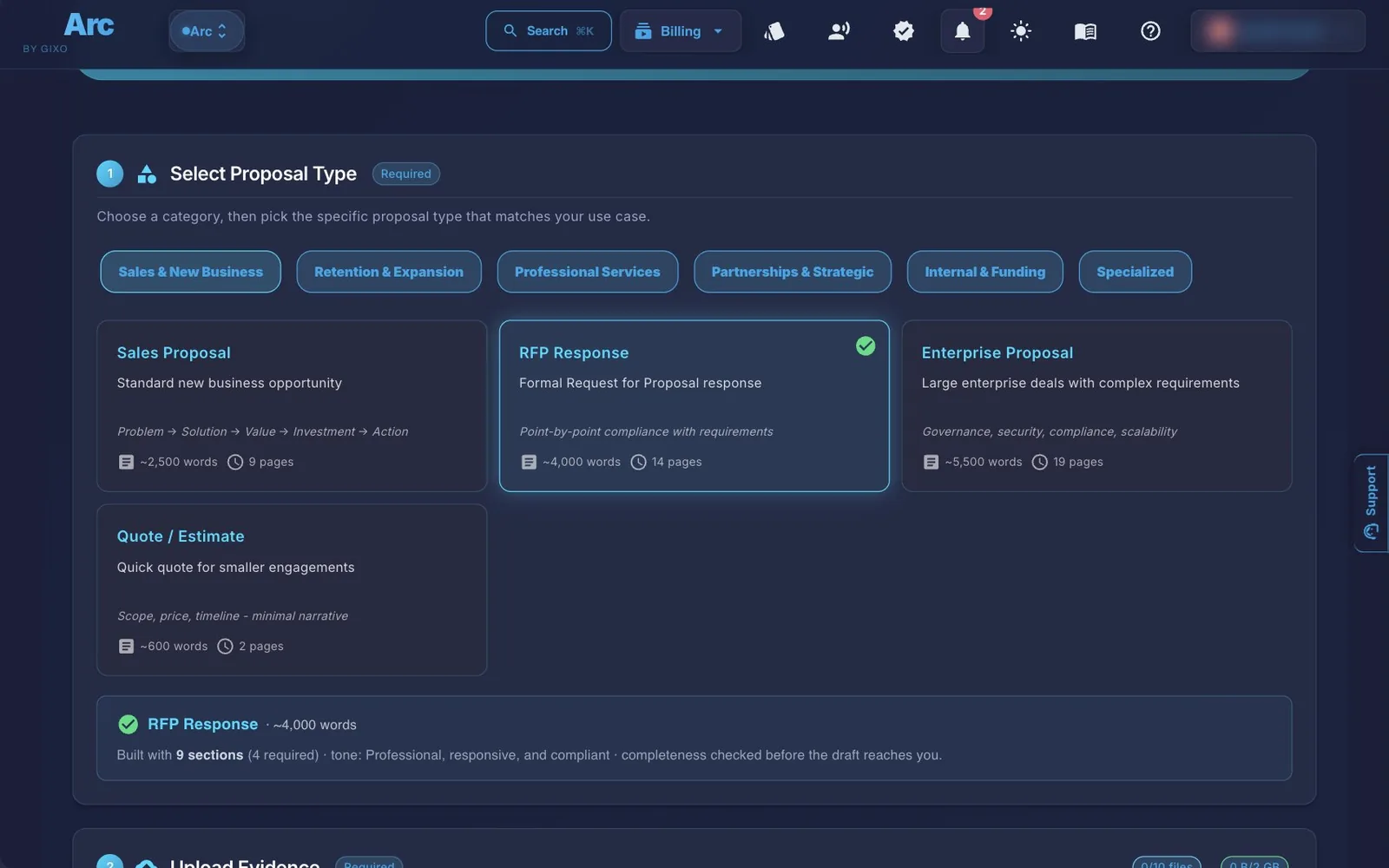
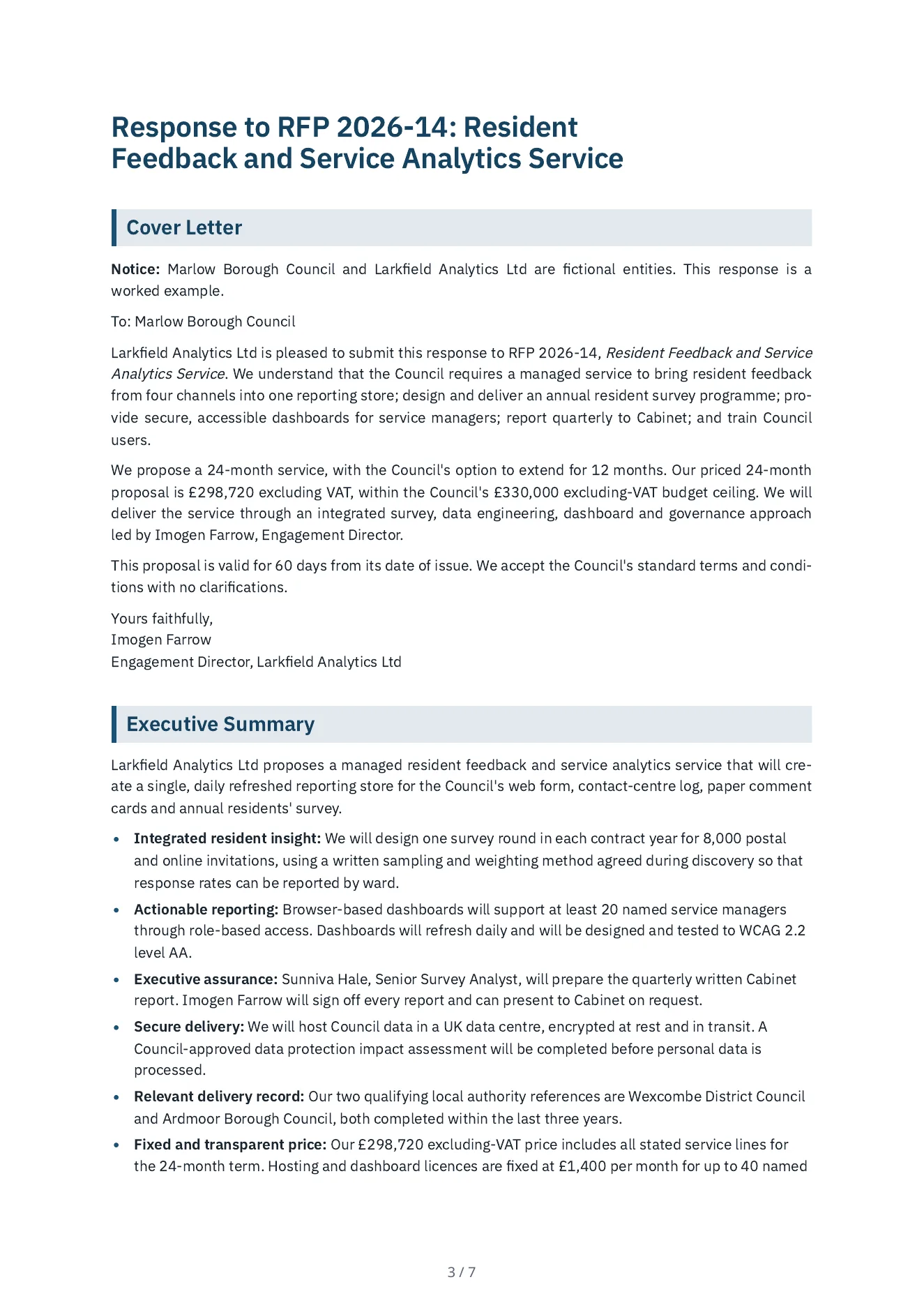
A common set of structured sections drafted from your uploaded funder guidelines and project documents. The actual RFA may require different headings, limits, or attachments.
AI drafts the project narrative with a clear problem statement, needs assessment, and proposed solution. Structures the story arc that grant reviewers expect — from the gap in current knowledge or services to your approach for addressing it.
Generates a budget justification narrative that explains each cost category — personnel, equipment, travel, supplies, and indirect costs. Maps line items to project activities so reviewers can connect spending to deliverables.
Drafts expected outcomes, measurable objectives, and broader impact statements. Frames the project's significance in terms funders care about — community benefit, knowledge contribution, policy implications, or scalability potential.
Generates a detailed methodology section describing your approach, research design, data collection methods, and analytical framework. Structured to demonstrate feasibility and rigor to grant review panels.
Drafts a project timeline with phases, milestones, and deliverable dates. Maps activities to the grant period and shows realistic sequencing of project components based on your uploaded project plans.
Generates an evaluation framework with process and outcome metrics, data collection instruments, analysis methods, and reporting timelines. Demonstrates accountability and how you will measure project success.
Drafts the organizational capacity section describing your team's qualifications, institutional resources, past performance on similar projects, and management infrastructure. Built from your uploaded organizational materials.
Generates draft frameworks for letters of support from partners, community stakeholders, and collaborators. Provides structured templates that partners can customize with their organizational details and endorsements.
| Grant Section | What It Drafts | Built From |
|---|---|---|
| Narrative | Problem statement, needs assessment, proposed solution | Funder guidelines + project plan |
| Budget Justification | Cost-category narrative (personnel, equipment, travel, supplies, indirect) mapped to activities | Budget worksheets |
| Methodology | Approach, research design, data collection, analytical framework | Project/research plan |
| Timeline | Phases, milestones, deliverable dates | Project plan |
| Impact | Expected outcomes, measurable objectives, broader impact | Project documents |
| Evaluation Plan | Process/outcome metrics, data collection instruments, reporting timeline | Project documents |
| Organizational Capacity | Team qualifications, institutional resources, past performance | Organizational materials |
| Letters of Support Structure | Draft frameworks for partner/stakeholder endorsement letters | Partner/collaborator info |
Four steps from funder guidelines to a structured grant proposal draft.
Upload the RFA or funding announcement, program guidelines, your project plan, organizational background, and any supporting research. Gixo extracts content from PDF, DOCX, and text files to build context.
Choose the Grant Proposal kind. Gixo maps your uploaded context to a common grant structure and adapts the draft to the headings and requirements described in the funder documents. The common structure is where it starts, and Arc does not guarantee a funder's exact format, so compare the draft's headings, order, limits and attachments with the RFA before you submit.
AI generates the full grant proposal draft from your source materials. Use the editor to refine the narrative voice, strengthen the methodology, adjust budget justifications, or expand impact sections with inline AI assistance.
Export the finished grant proposal to PDF with a professional theme. The output is formatted for funder review and can be submitted through grant portals or attached to online applications.
| Aspect | Gixo Grant Proposal Generator | Manual Grant Writing |
|---|---|---|
| First draft time | Minutes from source files, then your team's review | Depends on your writers and the funder's requirements |
| Section structure | Common structure adapted to the RFA | Varies by writer |
| Funder alignment | AI reads uploaded guidelines | Manual cross-referencing |
| Budget justification | Structured cost narratives | Free-form writing |
| Evaluation plan | Framework with metrics | As developed as your team has time to make it |
| Consistency across sections | AI maintains coherence | Varies with multiple authors |
| Reuse for similar grants | Upload new guidelines, regenerate | Manual adaptation |
| Export quality | Professional PDF themes | Depends on tools |
This table describes two ways of working. It is not a measured test, and Gixo has not yet published a grant proposal sample, so the worked example on this page is a related consulting proposal. Judge a grant draft against your own RFA: check its headings, required sections, budget and evaluation plan against the funder's wording.
Updated