
Sign In Try Free
Workflow-specific products Content, decks, briefs, proposals, legal, and sales each have a clearer buying path.
Review before delivery Draft, edit, collaborate, approve, and export in the same workspace.
Security + procurement path Security policy, support, and Azure Marketplace buying are public.
free trial

Free AI presentation maker — for people who don't want to design

You should not have to be a designer to make a presentation. Use Lumen's no-card 14-day trial to turn a topic or document into an AI-generated deck and evaluate clean hybrid PPTX/PDF export. Existing decks remain reviewable, presentable, and downloadable afterward; continued AI generation requires paid Lumen.

Generate a free deck See Gixo Lumen
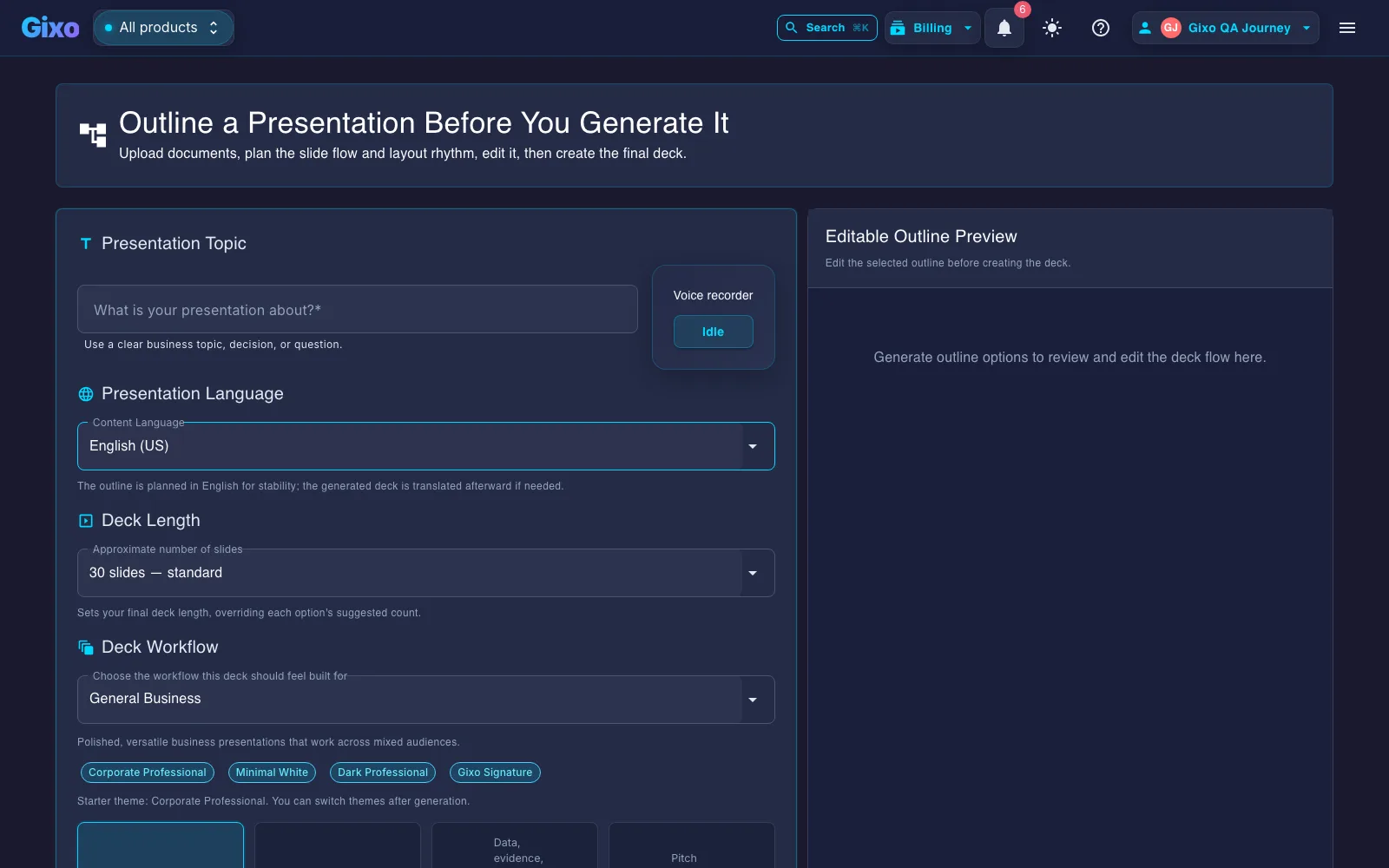
Gixo Lumen outline creation screen for starting a presentation from structured notes
The Lumen trial lets users shape a deck from an outline and evaluate the actual PowerPoint or PDF handoff.

Gixo's free AI presentation maker is Lumen's no-card 14-day trial: type a topic or drop a document, and it plans slide order and picks from 25 layout types so you edit text instead of positioning shapes. The trial includes clean hybrid PPTX/PDF export. After the trial, existing decks remain reviewable, presentable, and downloadable; paid Lumen continues AI generation and adds publishing, sharing, collaboration, brand workflows, team controls, and higher capacity.

Why does an AI presentation maker work for non-designers?

No empty grid, no template anxiety, no PowerPoint Stockholm syndrome.

Layout chosen for the slide
Stat? Comparison? Three steps? Quote? The maker picks the layout. You only think about the message.
Edit text, not boxes
Click and type. Layout, spacing, and visual hierarchy hold themselves together. Nothing snaps to the wrong place.
Themes, not theme files
Apply a theme; every slide updates. No manual masters, no hunting through slide layouts.

What do you get with Gixo's free AI presentation maker vs. paid Lumen?

Capability Free 14-day trial Paid Lumen
Credit card required No
Generate decks from a topic or doc Yes Yes
Automatic layout selection Yes (from 25 layout types) Yes
Preview full deck in workspace Yes Yes
Structured workflow profiles (sales, board, training, pitch) Yes Yes
Hybrid PPTX/PDF export Clean export Clean export
Publish / share deck No Yes
Trial length 14 days N/A

How do you make your first free AI presentation?

1
Click Generate a free deck
You go straight into Gixo Lumen — no demo sandbox, no countdown clock.
2
Describe the deck or attach a doc
A few lines about the audience and message, or an existing brief. The maker plans the slide order and layouts.
3
Edit and decide
Tweak text, review the full deck, and export clean hybrid PPTX/PDF during the trial. Continue AI generation and add publishing, sharing, collaboration, brand workflows, team controls, and higher capacity on paid Lumen.

Is there a genuinely free AI PPT maker or PowerPoint generator?

The honest version of the answer, because you will find out at the export button otherwise.

What is free without any time limit
Building decks by hand in the Lumen editor. Manual decks are unlimited and always free — you get the layouts, the themes, and the full editor, and nobody starts a clock. What that path does not include is the AI doing the drafting for you.
What the 14-day trial adds
AI generation from a topic or a document, and clean hybrid PPTX and PDF export. No credit card. This is the window in which to test the thing you are actually buying: whether the generated deck is close enough to right, and whether the exported file opens the way you need it to.
What happens on day 15
Existing decks remain available to review and present — nothing is taken away or locked behind a paywall retroactively. Hybrid PPTX/PDF export stays open — downloading a deck you already generated is not gated. Continued AI generation requires paid Lumen access, which also adds publishing, sharing, collaboration, brand workflows, team controls, and higher capacity.
How to judge any free AI PPT maker
Ask two questions of every free tier you try. Can you export the file, or only view it in the tool? And is the export the real artifact, or a watermarked preview? Most “free ppt maker AI” results answer badly on at least one, which is why the deck you spent an hour on becomes unusable at the last step. Test the export before you invest the hour.

Frequently asked questions

Do I need design skills to use this?
No. The point of the maker is that you do not. The system picks layouts, themes hold the visual language, and you edit text rather than positioning shapes.
Is this fully free?
It is a 14-day free trial (no credit card). During the trial you can generate Lumen decks and view the full deck in the workspace.
What if I want a specific structure?
Use a workflow profile (sales, board, training, pitch) or paste an outline. The maker follows your structure when you give it one.
Can the deck export to PowerPoint?
Yes. The no-card 14-day trial includes clean hybrid PPTX/PDF export. That export stays available after the trial too — downloading a deck you already generated is not gated.
Will every deck look the same?
No. The planner picks from 25 layout types based on slide content and applies the theme on top — decks vary in shape, not just colour.
Does the free trial expire?
Yes. The trial runs for 14 days. After it ends, AI generation requires a paid plan. Existing decks remain reviewable, presentable, and downloadable — hybrid PPTX/PDF export stays open.
Is Gixo's AI presentation maker really free, or is it a trial?
Lumen uses a trial-only entry model. The no-card 14-day trial includes AI generation and clean hybrid export. Existing decks remain reviewable, presentable, and downloadable afterward; paid Lumen continues AI generation and AI editing, and adds publishing, sharing, collaboration, brand workflows, team controls, and higher capacity.
How many slide layouts does the free presentation maker support?
The planner chooses from 25 layout types based on what's on each slide (a stat, a comparison, three steps, a quote, etc.) and applies your chosen theme on top, so decks vary in structure, not just color.
Is this a free AI PPT maker or a free PowerPoint generator?
Both descriptions land on the same thing. You describe the deck or attach a document, the AI writes and structures the slides, and you export a hybrid PPTX that opens in PowerPoint — stable layouts arrive as editable text and shapes, while complex slides preserve fidelity as images. The 14-day no-card trial includes that clean export, and so does every account afterward — downloading a deck you already generated is not gated. What Gixo does not do is convert an existing PDF or Word file into a PowerPoint by format conversion — it reads your document as source material and builds a new deck from it.
How long does it take to generate a free AI presentation?
Minutes rather than seconds, and the wait scales with the deck length you pick — a concise 20-slide deck finishes faster than an in-depth 40-slide one. The workspace shows an estimate while it runs. Any tool promising a finished deck instantly is describing the generation step, not the job: you will still read the outline, fix the slides that miss, and check the claims before it is ready for anyone else.
Can I make a presentation for free without signing up?
Starting the trial takes an account but no credit card, which is the trade for having your decks saved and available to come back to. If you only want to see what the output looks like before committing to anything, open the sample decks and the examples first — they are real Lumen output, published as-is, and they will tell you more in two minutes than a signup flow will.

Make a deck without designing one

Type a topic. Drop a doc. Walk away with an editable deck you can preview fully in the workspace.

Generate a free deck