Client-handoff presentations
Turn notes, interviews, analysis, and source files into a reviewable client deliverable.
Workflow-specific deck creation
Lumen workflows shape the starting narrative around the job the deck must do. Choose the closest path, then review the outline and source material before delivery.
Choose by delivery context
These paths lead to existing Lumen workflow pages with specific audience, source, review, and export guidance.
Turn notes, interviews, analysis, and source files into a reviewable client deliverable.
Use a consistent process across client narratives while preserving room for brand and account context.
Organize performance, context, risks, decisions, and next-quarter priorities for executive review.
Build a coherent problem, market, traction, business model, team, and ask narrative.
Structure the buyer problem, differentiated proof, objection handling, and a concrete next step.
Turn analysis into options, recommendations, a roadmap, and explicit ownership for internal review.
Move from an early narrative to a structured deck that can be reviewed before it reaches stakeholders.
Name the deck before you name the tool
“Presentation” covers a dozen different jobs. The workflow you pick above should match the deck type, because the sequence a room expects is not the same from one to the next.
An investor presentation is a short argument, not a product tour: problem, wedge, model, traction, team, ask. If you are building a pitch deck or an investor pitch deck, start from the fundraising workflow so the narrative order is already right, then replace the placeholders with your real numbers.
A board deck is a decision document. It opens with the state of the business, proves it with metrics against plan, names the risks, and reserves the back half for the asks. Keep the core presentation deck tight and push detail into an appendix.
A client readout leads with the recommendation and defends it; a sales deck leads with the buyer’s problem and closes on a next step. Both are handed over as a PowerPoint deck someone else will open and edit, which is why the export path matters as much as the generation step.
Choosing a workflow decides which sections the AI slide deck generator drafts and in what order. It does not decide whether your evidence is any good. Review the structure, sources and slides before handoff; use outline-first when you want to approve section order before generation — and downloads of your own deck remain available after trial or plan access ends. AI generation and editing require active Lumen access.
Stanza uses the same Lumen access for a responsive web story. A visual storytelling workflow starts with the audience's question, source material and scene order, then moves through writing, design preview and source review. Use a story blueprint for a starting structure and the digital storytelling examples to inspect the result.
Write and arrange scenes, preview the design and check scene capacity. Ask Stanza proposes text changes for a scene or story for review before you apply them. Autosave, undo and saved story history support continued editing; resolve a save conflict before applying AI changes.
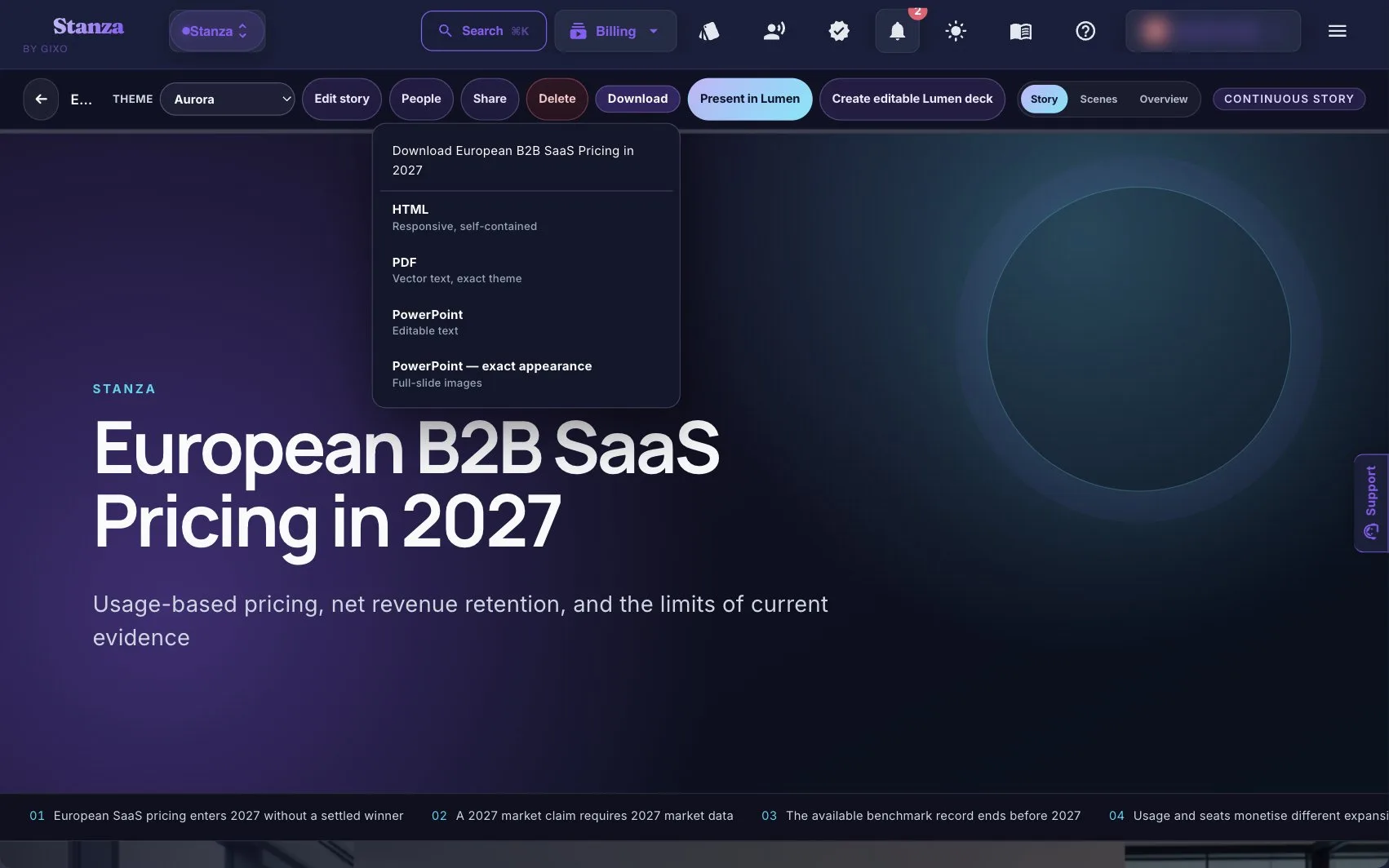
Choose HTML for the scrolling reading experience, PDF for a visual handoff, or one of the two PowerPoint modes according to the recipient's editing needs. A story-to-deck conversion creates a separate Lumen deck; it is not a continuously synchronized copy.
A workflow profile is a structured starting point, not a promise that the first generated pass is final. Keep reviewer judgment attached through editing and export.
From source material to presentation handoff
Start a 14-day, no-card Starter trial to generate and review decks and evaluate clean hybrid PPTX and PDF exports. Existing decks remain reviewable after the trial; paid Lumen continues generation and unlocks the delivery paths shown in pricing.
Lumen also includes Stanza, a responsive visual-story mode that turns the same sources into a scrolling web story instead of a slide deck. Start quickly, or plan first and approve the scene plan before generation. Stanza grounds sources through the same pre-authorized search path as Lumen decks, it ships under Lumen access, and a supported Lumen deck can be converted into a separate Stanza story. Review conversion warnings: the original theme and slide imagery are not copied automatically.