
How to create a 40-slide presentation fast with AI
Stop spending hours building slides one at a time. Learn the step-by-step process for generating a complete 40-slide professional presentation in minutes using AI-powered topic-based generation. The no-card 14-day Lumen trial includes AI generation and clean hybrid PPTX/PDF export. After the trial, existing decks remain reviewable, presentable, and downloadable; only continued AI generation requires paid Lumen.
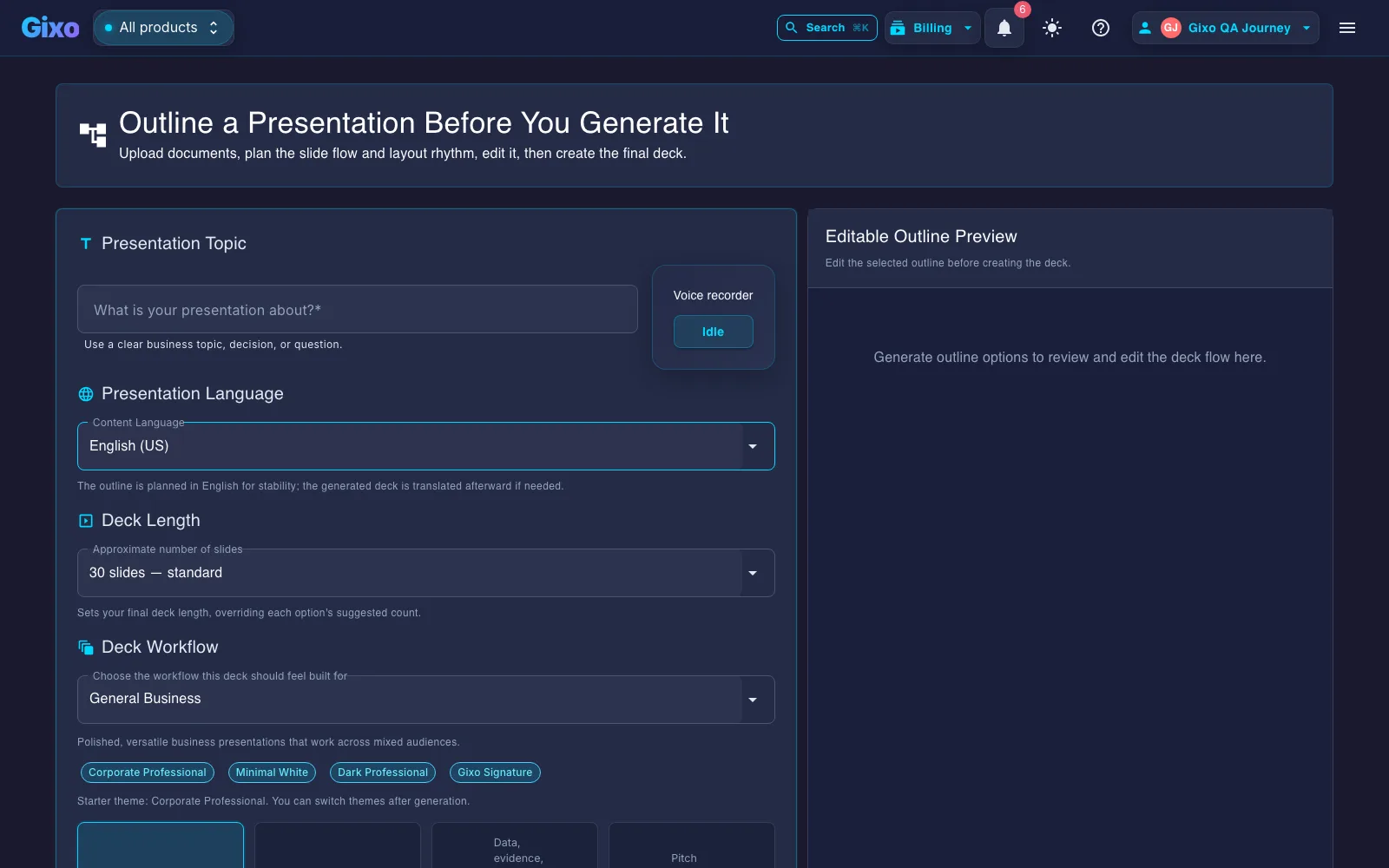
Gixo Lumen creates a 40-slide presentation in about 3 minutes by generating the entire deck in a single AI batch operation instead of slide by slide. You enter a detailed topic, pick from 34 themes, and the AI applies one of 26 layout types per slide before you review and export to PDF. No-card 14-day trial with full generation; after the trial, continued generation needs a paid plan (existing work stays viewable in your workspace).
What does Gixo's 40-slide AI generation include?
| Spec | Gixo AI |
|---|---|
| Time to generate 40 slides | ~3 minutes |
| Generation method | Single batch operation (all slides at once) |
| Themes available | 20+ |
| Slide layout types | 25 |
| AI image generation | Yes, matched to theme palette |
| Post-generation editing | Yes (text, layout, images, slide order) |
| Export format | PDF (theme styling and images preserved) |
| Pricing | Free during 14-day trial; paid plan required after trial for generation (existing decks remain reviewable after the trial) |
What Makes an AI Slide Maker Fast Enough for 40 Slides?
Every capability designed to eliminate the bottleneck of manual slide creation.
Enter your topic or paste an outline and the AI builds the entire deck structure. It determines which slides to create, what content goes where, and how to sequence the narrative across all 40 slides.
Choose from over 20 professionally designed themes before generation. The theme applies consistently across every slide, ensuring visual coherence from the title slide through the closing call to action.
After generation, click any slide to edit text, swap layouts, regenerate sections, or adjust content fields. The editor supports all 26 layout types so you can fine-tune every detail without starting over.
Generate custom visuals for any slide directly within the editor. Describe what you need and the AI produces images that match your theme palette and presentation context automatically.
The AI generates all slides in a single batch operation rather than one at a time. This is what makes creating 40 slides take minutes instead of hours. The entire deck arrives as a complete, sequenced package.
Export your finished 40-slide deck to PDF with full theme styling and images preserved. Use present mode for live delivery or share the PDF directly with stakeholders and collaborators.
How Do You Check a Large Deck's Claims Before Sharing?
Speed matters, but credibility matters too. Evidence validation helps you review claims in large decks before distribution.
Keep decks grounded to source material and approved web research when needed. Gixo extracts key claims, highlights what needs verification, and surfaces citations, attribution, and trust status inside the deck viewer.
How to Create 40 Slides in 4 Steps
The complete process from blank canvas to finished presentation.
Provide a detailed topic or paste an outline. For a 40-slide deck, include key sections, data points, and audience context. The more detail you give, the more targeted the output. Example: "Annual marketing strategy review covering digital channels, budget allocation, campaign performance, and 2026 roadmap."
Browse the theme gallery and select one that matches your context. Click Generate and the AI creates the full 40-slide deck in approximately three minutes, selecting appropriate layouts for each section automatically.
Use the overview grid to scan all 40 slides at once. Click into any slide to edit text, change layouts, add AI-generated images, or regenerate specific sections. Reorder slides by dragging thumbnails in the sidebar.
Export the entire deck as a PDF or use the built-in present mode for live delivery. The PDF preserves all theme styling, custom images, and formatting across all 40 slides.
How Long Does It Take to Build 40 Slides?
| Criteria | Gixo AI | PowerPoint Manual | Google Slides | Gamma |
|---|---|---|---|---|
| Time for 40 slides | ~3 minutes | 8-12 hours | 8-12 hours | ~10 minutes |
| Structured narrative | ✓ | Manual | Manual | Partial |
| 26 layout types | ✓ | Limited templates | Limited templates | ✗ |
| AI image generation | ✓ | ✗ | ✗ | Limited |
| Post-generation editing | ✓ | ✓ | ✓ | Limited |
| PDF export | ✓ | ✓ | ✓ | ✓ |
| Theme consistency | ✓ | Manual effort | Manual effort | ✓ |
Why an AI Slide Generator Beats Slide-by-Slide Assistance
The reason a 40-slide deck takes minutes rather than an evening is architectural, not a matter of typing speed.
An AI slide maker that works one slide at a time has no idea what slide 31 will say when it writes slide 4. Planning the whole arc before any slide is written is what keeps a long deck from repeating itself and from losing the thread halfway through.
Layout is chosen per slide from the registered layout set, so a stat lands on a stat layout and a comparison lands on a comparison layout. Forty slides on a single content layout is what makes a long AI-generated deck feel like a wall of bullets.
Typography, colour, and spacing come from the theme rather than from whoever built each slide. On a long deck this is where manual assembly usually breaks down — slide 27 quietly stops matching slide 3, and nobody notices until it is projected.
Generation compresses the assembly, not the thinking. Budget your time for scanning the overview grid, fixing the two or three slides that miss, and putting your actual numbers in. That is the part a slide generator cannot do for you.
A practical note on long decks: past roughly 25 slides, move the supporting detail into an appendix and keep the live sequence tight. A 40-slide file is often the right deliverable and the wrong meeting.
Frequently Asked Questions
Updated