
Can AI Create a Complete Presentation? (14-Day Free Trial)
The short answer is yes — but not all AI tools deliver the same result. Learn what a complete AI presentation actually includes, where current tools fall short, and how Gixo produces full themed decks ready for delivery. Generate AI decks free during your 14-day trial (no card), existing decks remain reviewable afterward. After the trial, AI generation requires a paid Lumen plan.
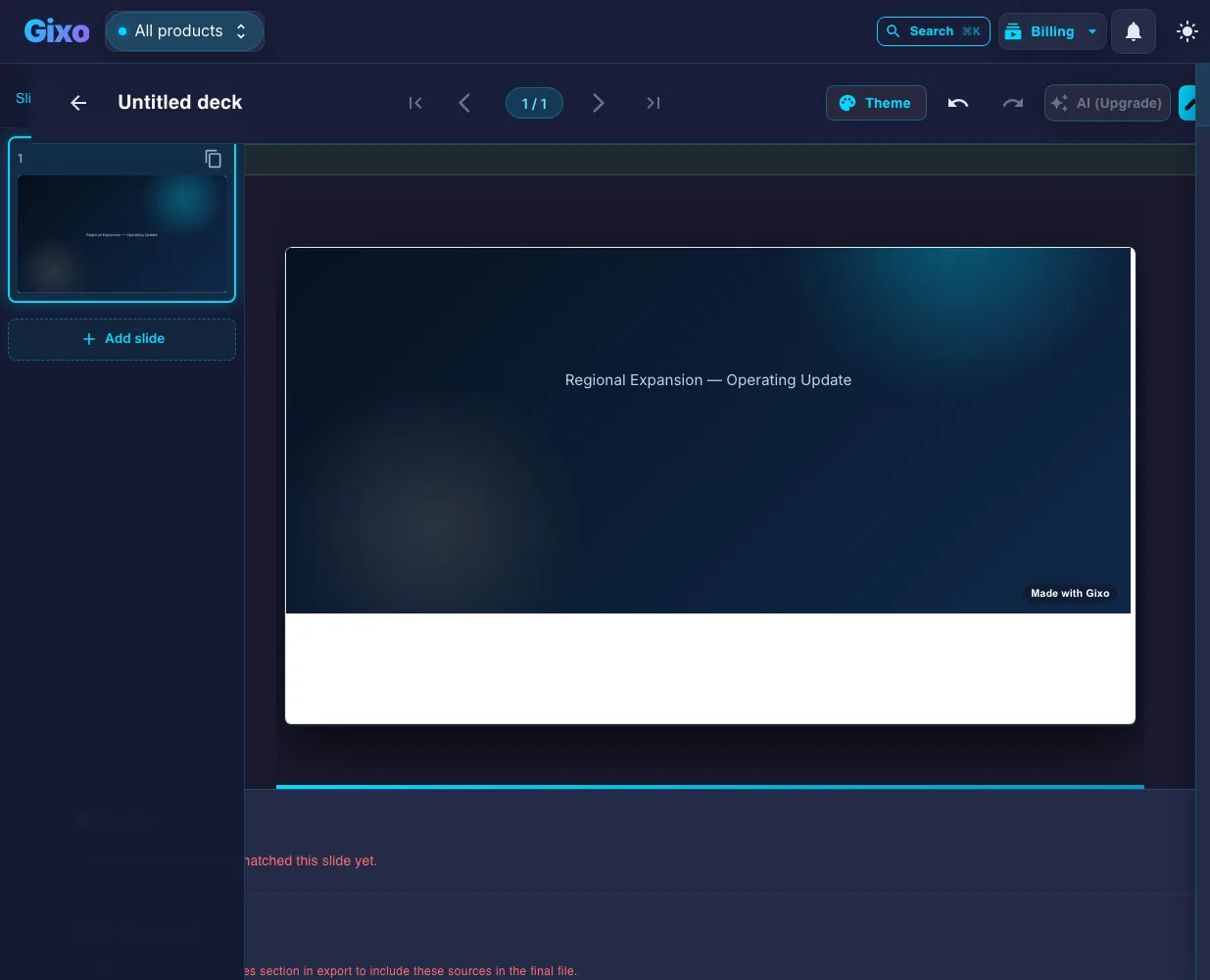
Yes — AI can create a complete presentation. A complete AI presentation means a full multi-slide deck built from a topic or outline, with structure planning, content creation, and layout selection handled automatically — not just bullet points on blank slides. Lumen's no-card 14-day trial includes AI generation and clean hybrid PPTX/PDF export. After the trial, existing decks remain reviewable, presentable, and downloadable; only continued AI generation requires paid Lumen.
What Does a Complete AI Presentation Include?
A truly complete presentation goes far beyond generating text on blank slides.
Keep decks grounded to source material and approved web research when needed. Gixo extracts key claims, highlights what needs verification, and surfaces citations, attribution, and trust status inside the deck viewer.
Enter a single topic or outline and receive a complete multi-slide presentation. The AI handles structure planning, content creation, and layout selection — not just a few bullet points on blank slides.
Every slide is professionally themed with consistent typography, colors, and layouts. The design quality matches what a human designer would produce, applied automatically across every slide in the deck.
Complete presentations include data visualization — stat cards, comparison layouts, metric displays, and timeline slides. The AI selects appropriate data layouts when your topic involves numbers or comparisons.
Add AI-generated images to any slide after creation. Describe the visual you need and the AI produces custom graphics that match your presentation theme and context.
A complete presentation must be editable. Every slide supports text editing, layout swapping, content regeneration, and reordering. The AI provides the foundation and you refine the details.
Complete means deliverable. Export to PDF with all styling preserved or use present mode for live delivery. The output is ready for meetings, conferences, and client presentations without additional tools.
What Can and Can't an AI Presentation Generator Do When Creating a Presentation?
Setting realistic expectations for AI presentation generation.
AI excels at turning a topic into a logical sequence of slides with varied layouts. It handles the tedious structural work — deciding what slides to include, what order they go in, and what layout each one needs.
Theme application, typography, color schemes, and visual consistency are where AI shines. Every slide looks professionally designed without requiring any design skills from you.
AI generates content from general knowledge. For presentations with proprietary data, financials, or internal metrics, you will need to edit the generated slides to include your specific numbers and details.
The best results come from combining AI generation with your domain expertise. The AI builds the deck quickly and you add the nuance, specific data, and personal insights that make the presentation uniquely yours.
How Does an AI-Generated Deck Compare to ChatGPT, Gamma, or PowerPoint Copilot?
| What You Get | Gixo Complete Deck | ChatGPT Outline | Gamma | PowerPoint Copilot |
|---|---|---|---|---|
| Full slide deck | ✓ | Text only | ✓ | Partial |
| 26 layout types | ✓ | ✗ | Card style | Limited |
| Themed design | ✓ | ✗ | ✓ | ✓ |
| AI image generation | ✓ | ✗ | Limited | Limited |
| Post-generation editing | ✓ | N/A | Limited | ✓ |
| PDF export | ✓ | ✗ | ✓ | ✓ |
| No Microsoft license needed | ✓ | ✓ | ✓ | ✗ |
What Does a Complete AI-Generated Slide Deck Include?
| Component | What It Means | Included in Gixo's Complete Deck |
|---|---|---|
| Full Deck from Topic | Structure planning, content creation, and layout selection from one topic/outline | ✓ |
| Professional Design | Consistent typography, colors, and layouts applied across every slide | ✓ |
| Data Slides | Stat cards, comparison layouts, metric displays, timeline slides | ✓ |
| Image Generation | AI-generated images matching the presentation theme, added after creation | ✓ |
| Editing After Generation | Text editing, layout swapping, content regeneration, reordering | ✓ |
| Export & Present | PDF export with styling preserved, plus present mode for live delivery | ✓ |
| Layout Variety | Distinct layout types across the deck | 26 layout types |
Which AI Is Best for Presentations?
There is no single answer, because "best" depends on which half of the job you are stuck on. These five tests separate an AI presentation generator that produces a complete deck from one that produces a good-looking screenshot.
Some AI presentation tools generate scrolling web cards rather than discrete 16:9 slides. Both are legitimate formats, but only one projects properly and exports to PowerPoint without a conversion step. Decide which you need before you compare anything else.
A prompt-only tool writes from general knowledge. If the deck has to carry your figures, test whether the tool will accept a document, a spreadsheet, or notes and build from those instead. This is the single biggest difference between a first draft you can use and one you have to fact-check line by line.
Count the distinct layouts in a generated deck, not the number of themes advertised. A tool with one content layout applied forty times produces a deck that reads as a wall of bullets no matter how good the palette is.
Generation is the easy half. Check whether you can change the text, swap the layout, reorder slides, and regenerate one section without rebuilding the deck — and whether that still holds after export.
Run the same brief through every candidate and compare the exported file rather than the on-screen preview. A deck that only exists behind a link becomes a problem the moment a colleague asks for the PowerPoint.
Frequently Asked Questions
Updated