
AI Infographics for Marketers
Turn campaign data and copy into on-brand infographics, charts, and stat cards you can actually publish. Gixo Prism keeps every number exact and your palette consistent across a whole batch — so a month of social posts, blog visuals, and landing-page graphics looks like one team made them, never a garbled AI image.
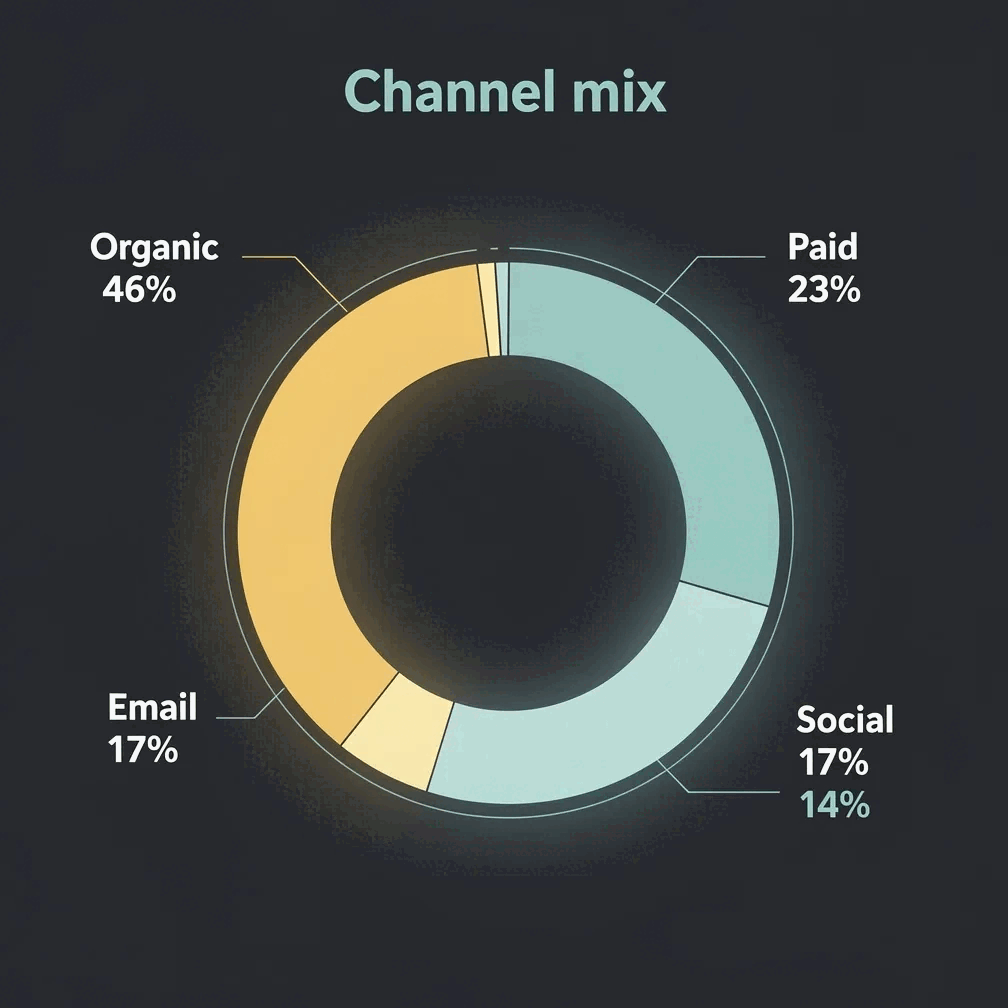
AI visuals for marketers means turning campaign data and copy into on-brand infographics, charts, and stat cards — with Gixo Prism, every number and label renders deterministically exact instead of being redrawn as pixels. It covers 16 chart types (bar in three variants, line, area, pie, donut, scatter, radar, waterfall, funnel, Gantt, combo, heatmap, treemap and symbol map), 11 diagram layouts including funnels and journeys, and 4 card types (stat, quote, callout, definition), all governed by one brand palette across a batch. It costs $10/month with a 14-day free trial, no card required.
What does Gixo Prism include for marketers?
| Capability | Detail |
|---|---|
| Chart types | 6 — bar, line, area, pie, donut, scatter |
| Diagram layouts | 10, including funnels and journeys |
| Card types | 4 — stat, quote, callout, definition |
| Stats accuracy | Deterministic rendering — exact, never redrawn/garbled like image-only AI |
| Brand governance | One palette applied across every chart, diagram, and card in a batch |
| Infographic export | PNG or HTML |
| Maker visual export | HTML, SVG, PNG, PDF, PPTX |
| Price | From $10/month — 14-day free trial, no credit card |
What can marketers make with AI visuals?
Campaign reporting, social stat cards, and content infographics — built from your data and copy, governed by your brand.
Paste your channel numbers and get a clean chart — bar, line, area, pie, donut, or scatter. Rendered to SVG, so the metrics in your recap are always correct.
Turn one number, quote, callout, or definition into a sharp, on-brand card for LinkedIn, X, or Instagram — exact text, no redrawn digits.
Start from a blog draft or topic and Prism shapes it into a structured, content-backed infographic you can edit and drop into a post or landing page.
Prism applies your brand palette across every chart, diagram, and infographic, so a campaign's worth of visuals stays on-brand by construction — not by manual cleanup.
Describe a funnel, lifecycle, or content map and get a diagram — process, cycle, pyramid, funnel, tree, pillars, matrix, Venn, concentric, stack, or graph — with exact labels.
Generate a coordinated set of on-brand images for a launch or ad set, styled to look like they came from one team. Use these for mood and hero art, not for data.
Map an approval flow or a cross-team campaign hand-off as a decision flow or swimlane, laid out cleanly with consistent spacing.
Update a number after a campaign wraps and the makers re-render exactly. Export infographics as PNG or HTML; export maker visuals as HTML, SVG, PNG, PDF, or PPTX.
Because the makers are deterministic, the same input always produces the same exact output — no garbled labels or invented figures going out to your audience.
How do you turn campaign data into a publishable visual?
A repeatable way to turn this month's numbers and copy into on-brand graphics.
Drop in a CSV of channel results, paste a blog draft, or type the single stat you want to feature.
Choose a chart for a recap, a stat card for social, a diagram for a funnel, or an infographic for a content piece.
Prism keeps the values exact and applies your palette across the whole batch, so everything ships consistent.
Export the infographic as PNG or HTML, or take a maker visual as clean HTML/SVG into your post, blog, or landing page.
Why do marketers use AI infographics over design tools or image AI?
Three ways marketing teams make visuals today — and where each one helps or hurts.
- Image-only AI tools (ChatGPT, DALL·E, Midjourney) are great for hero art and mood, but they draw text and numbers as pixels — so a stat card or campaign chart comes out with garbled labels and invented figures. Risky when the number is going public.
- Design tools (Canva, Piktochart, Venngage, Visme) win on template breadth, polish, asset libraries, and free virality. You get a beautiful canvas, but you place and check every stat yourself, and keeping a month of posts on-brand is manual work.
- Gixo Prism sits in between for marketers: deterministic makers render your exact campaign data into editable charts, cards, and diagrams, AI infographics structure your content, and your brand palette governs the whole set. The honest trade-off is fewer decorative templates than a dedicated design suite.
| What matters to marketers | Gixo Prism | Image-only AI | Design tools |
|---|---|---|---|
| Stats stay exact | Yes — deterministic | No — redrawn | Manual entry |
| Charts from campaign CSV | Yes | No | Some |
| On-brand across a batch | Palette-governed | No | Manual |
| Social stat cards | 4 card types | Garbled text | Yes |
| Template breadth & asset library | Focused | N/A | Extensive |
| Editable after generating | Yes | No | Yes |
| Price | $10/month, 14-day free trial, no card | — | — |
| Best for | Stat & data visuals that must be right | Hero art & mood | Marketing design |
Frequently Asked Questions
Explore the Prism visual toolkit
Updated