
Text to Infographic
Paste text — a report, your notes, a draft — and turn it into an editable, on-brand infographic. Gixo Prism renders any figure it uses exactly and rejects a draft containing a number that is not in your text: the figures in your text are the figures on the visual, never paraphrased away or redrawn into a garbled AI image.
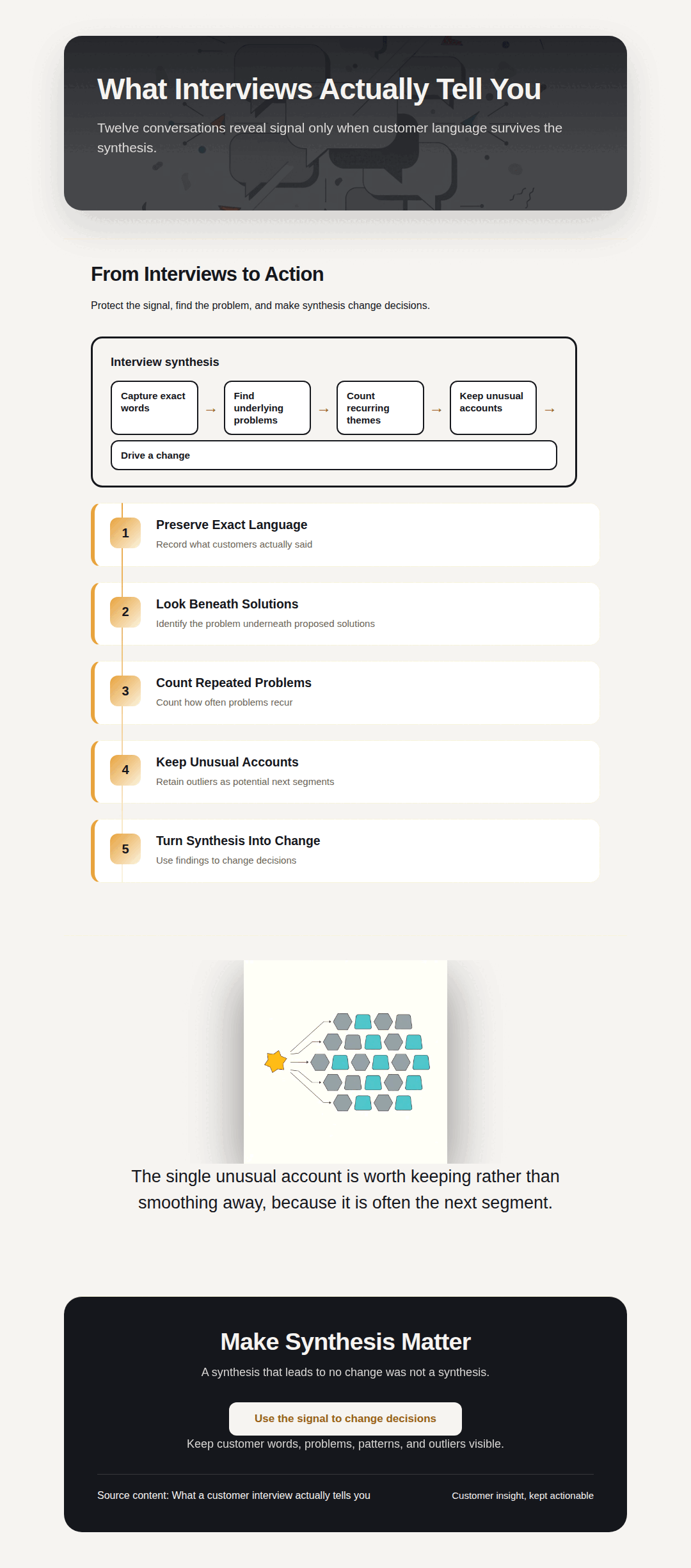
Text to infographic means pasting a report, notes, or a draft and having a tool turn it into a visual — the test of a good one is whether the numbers in your text survive unchanged. Gixo Prism structures pasted text into a content-backed infographic, then renders any numbers in it through deterministic chart, diagram, flowchart, and card makers, so a figure like 5,300 stays 5,300 instead of being redrawn as pixels (image-only AI) or paraphrased and rounded (summarizing AI).
What does a text-to-infographic or text-to-diagram tool actually do?
Prism structures your content into an infographic, and its deterministic makers render any numbers in your text exactly. Use whichever fits the point you're making.
Drop in a report, meeting notes, a blog draft, or research, and Prism shapes it into a structured, content-backed infographic you can edit.
Any number that reaches the visual is your number — no invented figures, no rounded-off stats — and a draft carrying a figure absent from your text is rejected. Which facts make the cut, and the wording around them, is the model's reading of your text, so check it.
Numbers in your text become clean charts — bar, line, area, pie, donut, or scatter. Rendered to SVG, so the values are always correct.
If your text describes a process or list, turn it into a diagram — process, cycle, pyramid, funnel, tree, pillars, matrix, Venn, concentric, stack, or graph.
Pull a single number, quote, callout, or definition out of your text into a sharp, on-brand card for a deck, doc, or post.
Prism applies your brand palette across the infographic and any charts or cards, so everything from one block of text stays consistent.
Adjust the text, data, and layout and the makers re-render exactly. Export infographics as PNG or HTML; export maker visuals as clean HTML/SVG.
The makers are deterministic — the same text always produces the same exact output, so the figures on screen match the figures you pasted.
Need supporting imagery? Generate a coordinated set of on-brand AI images for the piece — styled to look like one team made them.
How do you turn text into an infographic, a chart, or a diagram, step by step?
Four steps to turn a block of text into an on-brand visual that keeps your facts.
Drop in a report, notes, a draft, or research. The facts and numbers in it are what Prism works from.
Prism shapes the text into a content-backed infographic and pulls out the numbers worth charting.
Tweak the text, data, and layout. The deterministic makers keep every value exact and apply your brand palette.
Export the infographic as PNG or HTML, or take a chart, diagram, or card as clean HTML/SVG into your deck, doc, or page.
Why do most text-to-infographic tools lose your facts?
Most tools either reword your content or redraw it as pixels. Here's the difference, and where Prism fits.
- Image-only AI tools (ChatGPT, DALL·E, Midjourney) render text and numbers as pixels, so a "5,300" in your report can come back as a garbled label or an invented figure. Good for illustration and mood, not for facts that have to be right.
- Summarizing AI paraphrases your text to fit a layout — which quietly rounds, drops, or restates the very numbers you wanted to show. The visual looks fine but no longer matches the source.
- Design tools (Canva, Piktochart, Venngage, Visme) win on template breadth and design polish. You get a beautiful canvas, but you re-type and re-check every fact from your text yourself, and staying on-brand across a set is manual.
- Gixo Prism structures your pasted text into a content-backed infographic, and renders any numbers in it through deterministic makers — so the figures stay exact and the whole thing is governed by your brand palette. Honest trade-off: the infographic layer is AI-structured, while the chart, diagram, flowchart, and card makers are deterministic; Prism also carries fewer decorative templates than a dedicated design suite.
| What matters | Gixo Prism | Image-only AI | Design tools |
|---|---|---|---|
| Numbers stay exact | Yes — deterministic makers | No — redrawn | Manual entry |
| Facts kept from your text | Yes | Often garbled | You re-type |
| Charts from numbers in text | 16 chart types | No | Some |
| Diagrams from steps in text | 11 layouts | No | Manual |
| On-brand across the piece | Palette-governed | No | Manual |
| Template breadth / polish | Focused | N/A | Extensive |
| Entry price | From $10/month | Varies | Roughly $12–$19/month, as of August 2026 |
| Best for | Visuals where the facts must be right | Illustration & mood | Marketing design |
Design-tool prices are illustrative market ranges as of mid-2026, not Gixo prices or vendor quotes — confirm the current number with each vendor.
What can a text-to-infographic tool make from your text, and does it keep the numbers exact?
A text-to-infographic tool turns pasted prose into a laid-out visual. Gixo Prism builds 16 chart types (bar in three variants, line, area, pie, donut, scatter, radar, waterfall, funnel, Gantt, combo, heatmap, treemap and symbol map) from numbers in your text and 11 diagram layouts (process, cycle, pyramid, funnel, tree, pillars, matrix, Venn, concentric, stack, graph) from steps in it — and yes, the numbers stay exact, because the makers render your values deterministically to SVG rather than redrawing them as an image.
| What matters | Gixo Prism | Image-only AI | Design tools |
|---|---|---|---|
| Numbers stay exact | Yes — deterministic makers | No — redrawn | Manual entry |
| Facts kept from your text | Yes | Often garbled | You re-type |
| Charts from numbers in text | 16 chart types (bar in three variants, line, area, pie, donut, scatter, radar, waterfall, funnel, Gantt, combo, heatmap, treemap and symbol map) | No | Some |
| Diagrams from steps in text | 11 layouts (process, cycle, pyramid, funnel, tree, pillars, matrix, Venn, concentric, stack, graph) | No | Manual |
| On-brand across the piece | Palette-governed | No | Manual |
| Export formats | Infographic: PNG, HTML. Makers: clean HTML/SVG (no PNG/PDF yet) | N/A | Varies |
| Best for | Visuals where the facts must be right | Illustration & mood | Marketing design |
Frequently Asked Questions
Explore the Prism visual toolkit
Updated