
AI Data Visualization Generator for Analysts
Data teams get punished hardest for a wrong number on a slide. Gixo Prism is an AI data visualization generator built around that fact: paste a CSV or your metrics and get an exact, editable, brand-themed chart — rendered deterministically, so the value you put in is the value that comes out, never a redrawn or garbled AI figure.
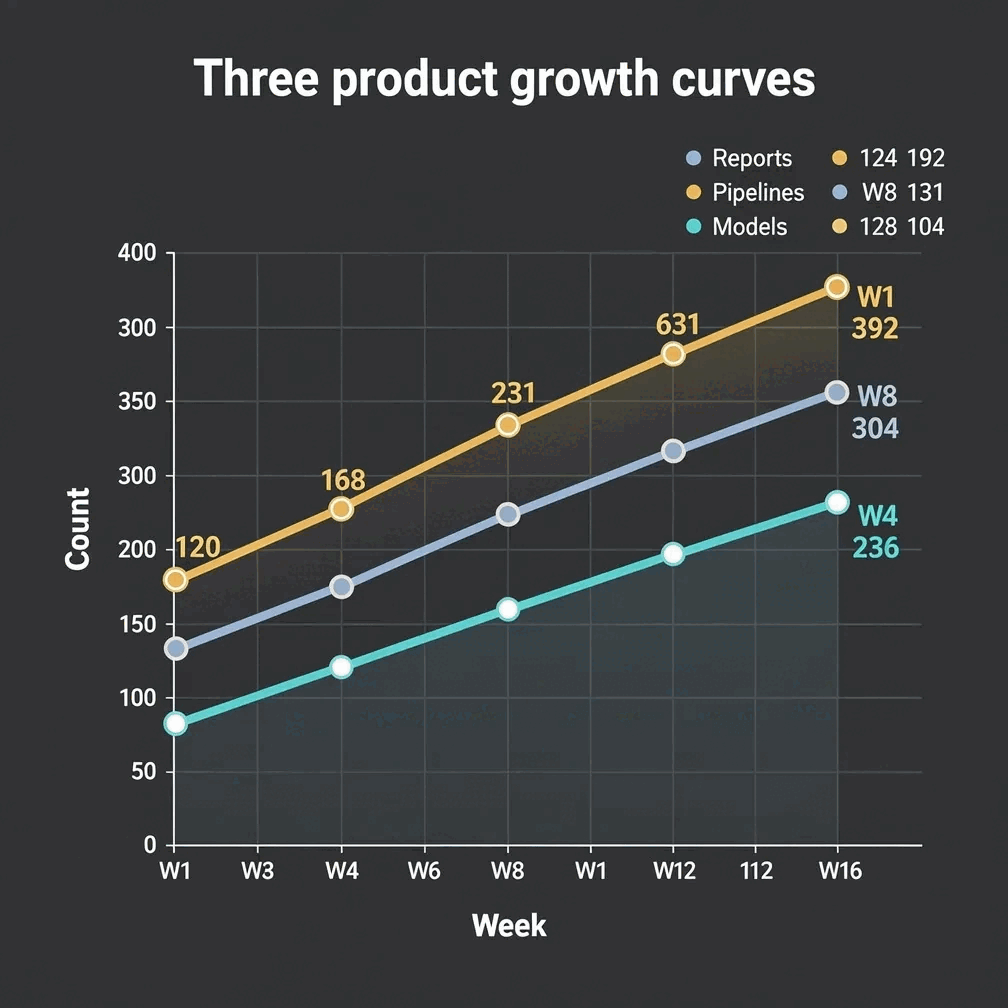
A data visualization generator for data teams turns pasted tables, CSV, or Excel worksheets into exact charts — rendered deterministically, so the value entered is the value that appears, with no AI redrawing or garbling figures. Gixo Prism is built this way: it covers 16 chart types, 11 diagram layouts including explicit node graphs, and two flowchart modes, all with brand-palette governance applied automatically. It exports as HTML, SVG, PNG, PDF, or PPTX; AI infographics export as PNG and HTML.
What makes an AI data visualization generator safe for data teams?
Prism's chart, diagram, flowchart, and card makers are deterministic — no AI redrawing your data. Pair them with AI infographics when you need a narrative around the figures.
Paste a table, upload CSV or Excel, and choose from 11 comparison, trend, radial, bridge, and schedule charts. Rendered to SVG, so every value and axis label is correct.
The makers use no AI on your data — the same input always produces the same exact output. No invented figures, no garbled digits, no surprises in review.
Update a metric, re-paste a fresh export, or change a label and the chart re-renders exactly. The same data always draws the same way — good for recurring reports.
Describe a pipeline or paste steps and get a diagram — process, cycle, pyramid, funnel, tree, pillars, matrix, Venn, concentric, stack, or graph. 11 layouts, exact labels.
Map a decision flow or a swimlane for a data process — Prism lays it out cleanly with exact labels and consistent spacing.
Turn a single KPI, quote, callout, or definition into a sharp, on-brand card — four card types — to headline a finding in a deck, doc, or post.
When a figure needs a story around it, Prism's AI infographics structure your content into an editable, content-backed piece you can export as PNG or HTML.
Prism applies your brand palette across every chart, diagram, and card, so a quarter's worth of visuals stays consistent without re-styling each one.
Maker visuals export as HTML, SVG, PNG, PDF, or PPTX — the HTML/SVG is self-contained and drops into a deck, doc, or page. Infographics export as PNG and HTML.
How do you turn a CSV into a chart or a diagram you can defend?
Four steps, and the numbers stay exact the whole way.
Drop in a CSV or paste the metrics straight from your query, spreadsheet, or dashboard export. An account is required to use the makers.
Choose one of 16 chart types, or use a diagram, explicit node graph, or flowchart for structure. Prism handles up to eight categories across four series.
Adjust labels, series, and layout. Prism keeps every value exact and applies your brand palette so the visual matches the rest of your reporting.
Take the chart as clean HTML/SVG into your deck, doc, or page. For a narrative piece, build a data infographic and export it as PNG or HTML.
Data visualization tools compared: why do data teams need a deterministic data visualization generator?
Data visualization tools split into three groups for analysts — image generators, spreadsheet charting, and deterministic renderers — and they differ on the one thing that matters here: whether the numbers you supply survive to the output unchanged.
- Image-only AI tools (ChatGPT, DALL·E, Midjourney) draw charts as pixels, so labels come out garbled and figures get invented. That is exactly the failure mode a data team cannot ship — a single redrawn digit undermines the whole report. Use them for illustration, not for data.
- Spreadsheet and BI charts (Excel, Sheets, your dashboard) are accurate, but they look like the tool that made them and rarely match your brand. Getting a board-ready, on-brand visual usually means re-building or re-styling each chart by hand.
- Gixo Prism renders your exact data deterministically into editable, brand-themed charts, diagrams, and cards — bar, line, area, pie, donut, and scatter — and adds AI infographics when a figure needs a narrative. The honest trade-off: Prism is focused on exactness and brand consistency, not on the huge template libraries of a dedicated design suite.
- Reproducibility: because the makers are deterministic, the same CSV always draws the same chart. Re-running a monthly report does not introduce drift, and a reviewer can trust that the visual matches the source data exactly.
- Where rivals genuinely win: Canva, Venngage, Piktochart, and Visme lead on template breadth, design polish, and asset libraries; the BI tools own live dashboards and ad-hoc exploration. Prism does not contest those — it wins on data-exact, on-brand output for the visuals that go in front of leadership.
What does an AI data visualization generator for data teams include?
It includes 16 chart types built from CSV, pasted tables, or Excel; 11 diagram layouts including explicit graphs; and two flowchart modes, with deterministic rendering, reproducible output, brand-palette governance, and export as HTML, SVG, PNG, PDF, or PPTX.
| What matters to a data team | Gixo Prism | Image-only AI | Spreadsheet / BI |
|---|---|---|---|
| Numbers stay exact | Yes — deterministic | No — redrawn | Yes |
| Charts from a CSV | Yes | No | Yes |
| Reproducible from the same data | Yes | No | Yes |
| On-brand by construction | Palette-governed | No | Manual |
| Diagrams & flowcharts from text | 11 + 2 layouts | No | No |
| Editable after generating | Yes | No | Yes |
| Price | $10/month, 14-day free trial, no card | — | — |
| Best for | On-brand visuals where data must be right | Illustration & mood | Live dashboards & analysis |
Frequently Asked Questions
Explore the Prism visual toolkit
Updated