
Prepare NDA first drafts your reviewers can actually work through
Gixo helps teams prepare mutual or unilateral NDAs from structured facts, party roles, governing-law context, and reference files. The output is a first draft for review, not a substitute for legal judgment.
An AI NDA generator is a tool that prepares mutual or unilateral NDA first drafts from structured facts — party roles, governing-law context, and reference files — for a reviewer to finish, rather than a substitute for legal judgment. Gixo supports up to 10 parties with distinct disclosing and receiving roles, lets you choose mutual or unilateral structure, and can use uploaded prior NDAs and clause banks as reference input. The draft then moves through a review and export workflow instead of arriving as a final, unreviewed document: reviewers verify how those inputs shaped the draft before export.
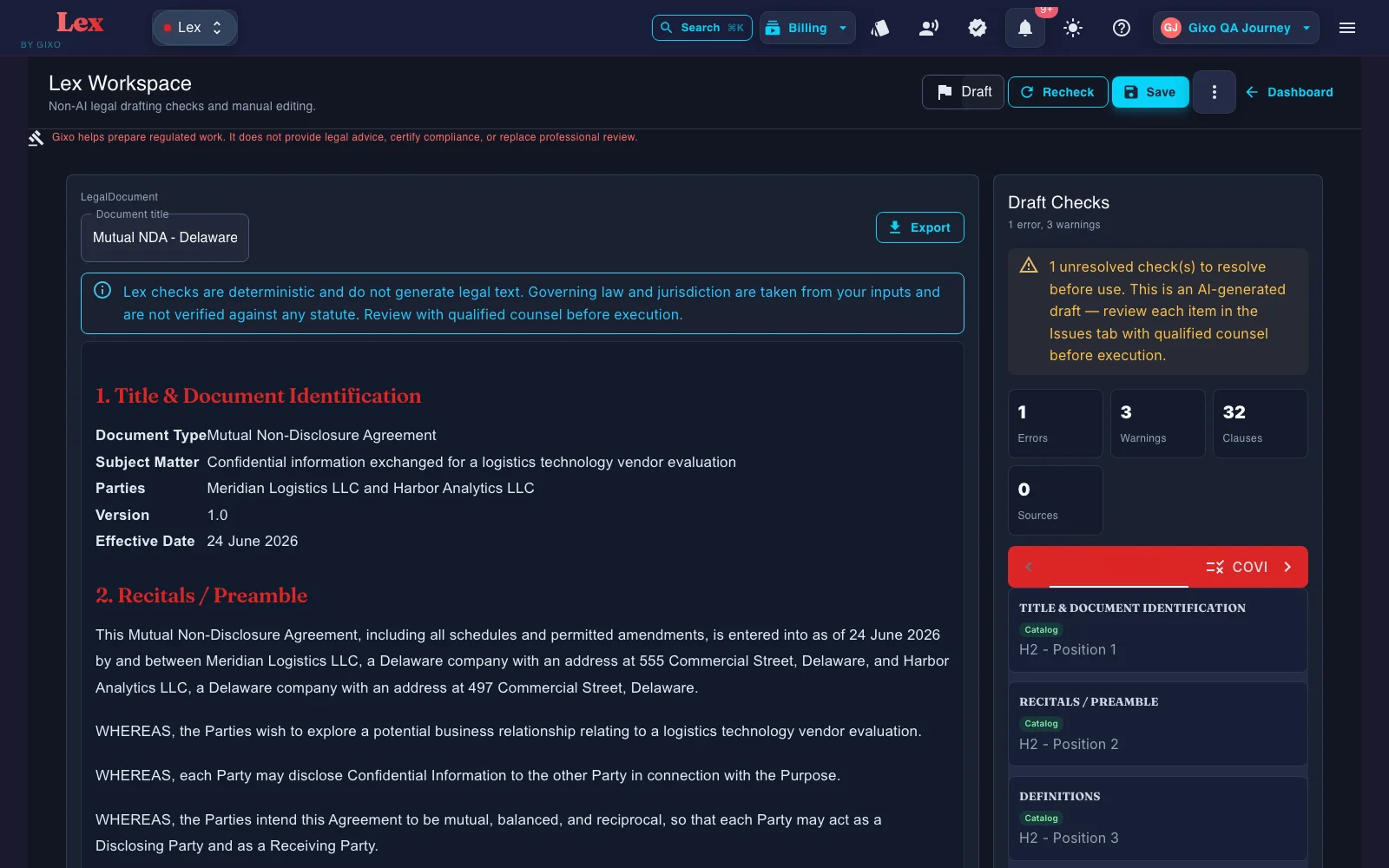
What do teams need from an AI NDA generator?
The job is not to ask AI for a legal answer. The job is to prepare a draft or artifact that a qualified reviewer can actually work with.
Capture up to 10 parties with distinct disclosing and receiving roles for consortium, diligence, investor, or vendor contexts.
Shape the draft around how confidentiality actually flows instead of starting from a generic one-size-fits-all template.
Reference files and governing context can shape the draft. Lex does not show clause-level source provenance, so reviewers should verify authority and supporting facts independently.
Define the time limits and survival periods the reviewers need to inspect rather than relying on fixed template defaults.
Use prior NDAs and clause banks to keep the next draft closer to your team’s working language.
After the first draft, Lex can run a deterministic contract review: clause coverage against a versioned playbook, clause-conflict detection, and defined-term and cross-reference checks. Findings, tracked-change DOCX redlines, comments, review state, assignees, due dates, and version history all stay attached to the same document. A contract imported from Word can go back as that same DOCX, with the Lex edits shown as Word tracked changes; where Lex cannot track an edit faithfully, such as inside a field, an existing revision, a header or a footer, it refuses the export instead of altering the document. Reviewers still verify every clause and conclusion.
How does AI NDA drafting work in Gixo?
Choose mutual or unilateral, then add the parties, roles, and representative details that matter to the agreement.
Capture the jurisdiction, duration, and special instructions that should shape the draft.
Use reference files and precedent language to inform the draft instead of rebuilding from scratch.
Use the editor and review workflow, then export in PDF, DOCX, HTML, and TXT once the draft is ready for the next step.
What does Gixo's AI NDA generator include?
| Capability | Gixo | Template sites | General AI | Manual drafting |
|---|---|---|---|---|
| Party intake | Structured | Fixed fields | Prompt only | Interview based |
| Multi-party NDA support (up to 10 parties) | Yes | Usually limited | Manual | Yes |
| Governing-law-aware draft | Yes | Template dependent | Unreliable | Yes |
| Reference-file input (prior NDAs, clause banks) | Yes | Rare | Paste only | Yes |
| NDA structures supported | Mutual or unilateral (2 core structures) | Varies | Varies | Varies |
| Export formats | PDF, DOCX, HTML, and TXT | Varies | N/A | N/A |
| Legal advice | Not included | No | No | Professional |
Frequently Asked Questions
Updated