See the legal drafting and review loop before you start.
Follow a Lex workflow, recorded in July 2026, from document choice and structured facts into a working draft with deterministic Draft Checks. The recording and product captures below show the product; they are not staged customer claims.
The tour uses seeded fictional matter details. Lex prepares work for qualified review; it does not provide legal advice, certify compliance, or replace professional judgment.
36-second workflow recording
From a mutual NDA request to reviewable Draft Checks.
Use the controls to play, pause, seek, mute, or enable English captions. The recording shows structured intake, the generated agreement, and the review surface in the Lex interface as it stood when it was recorded in July 2026. Lex has added more since; the list below the checkpoints names what changed.
Lex workflow recording using fictional demo data. The intake choices shown are NDA, Master Services Agreement, Shareholder Agreement, Employment Agreement, and Custom. That five-choice intake has since been retired: the current create flow offers 22 named document types grouped by category, plus Custom.
Four evaluation checkpoints
Judge the whole contract review path, not a generated paragraph.
Use these checkpoints to assess intake, drafting, review, and handoff before starting your own matter.
1
Structured intake
Choose a supported starting workflow and provide the matter facts.
The create flow exposes 22 named document types grouped by category - confidentiality and IP, services and commerce, corporate and equity, employment and HR, real estate, finance - plus a custom option.
Name the parties and roles
Choose governing context
Add terms, instructions, and optional reference material
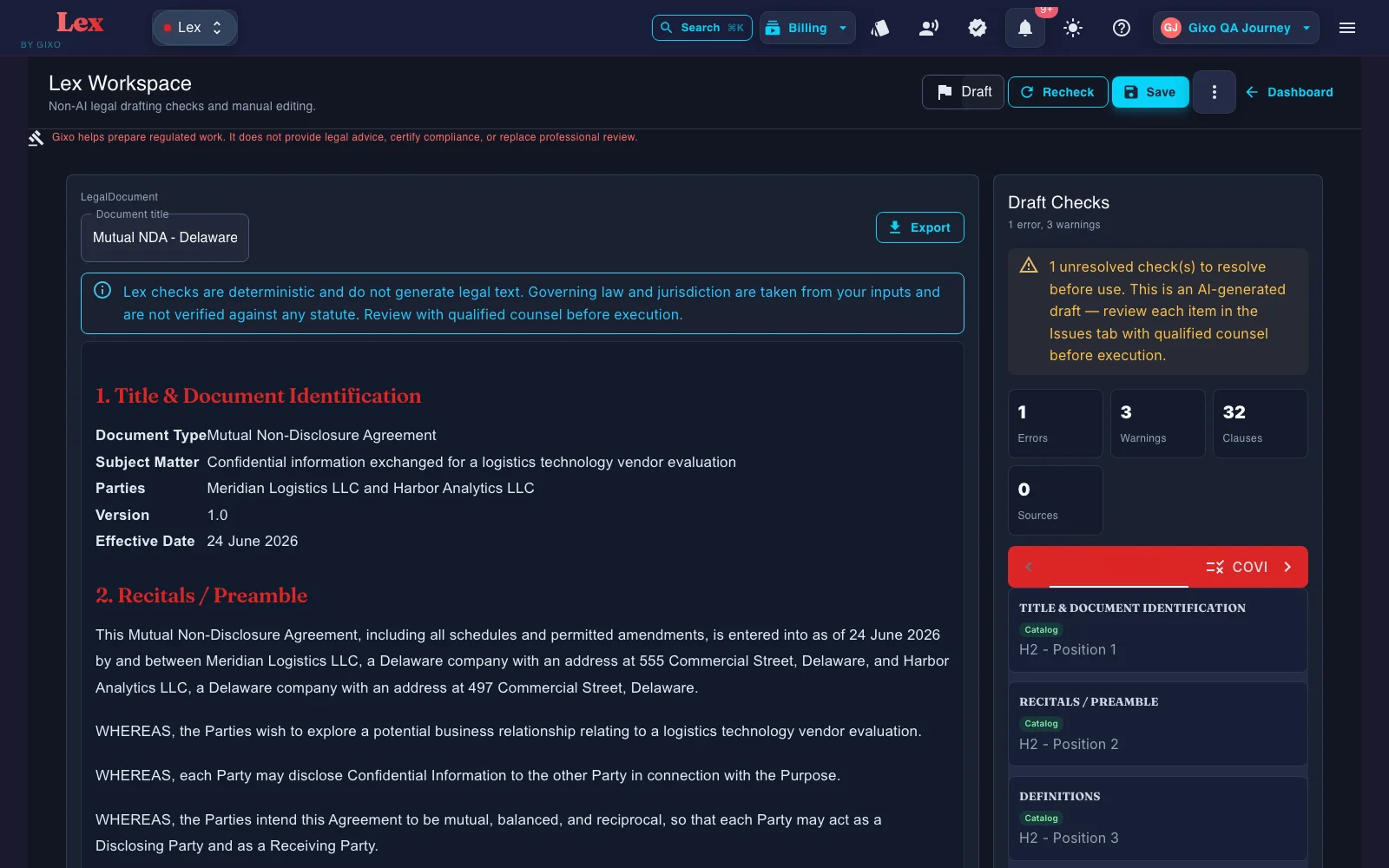
The recording shows intake; this product capture, taken in July 2026, shows the resulting Delaware mutual NDA in the workspace.
2
Working draft
Review the whole document in one workspace.
The first draft stays attached to its matter context so the responsible reviewer can inspect sections, definitions, references, and outstanding facts before export.
Read the complete draft
Keep matter context beside the document
Treat placeholders as review work, not silent guesses
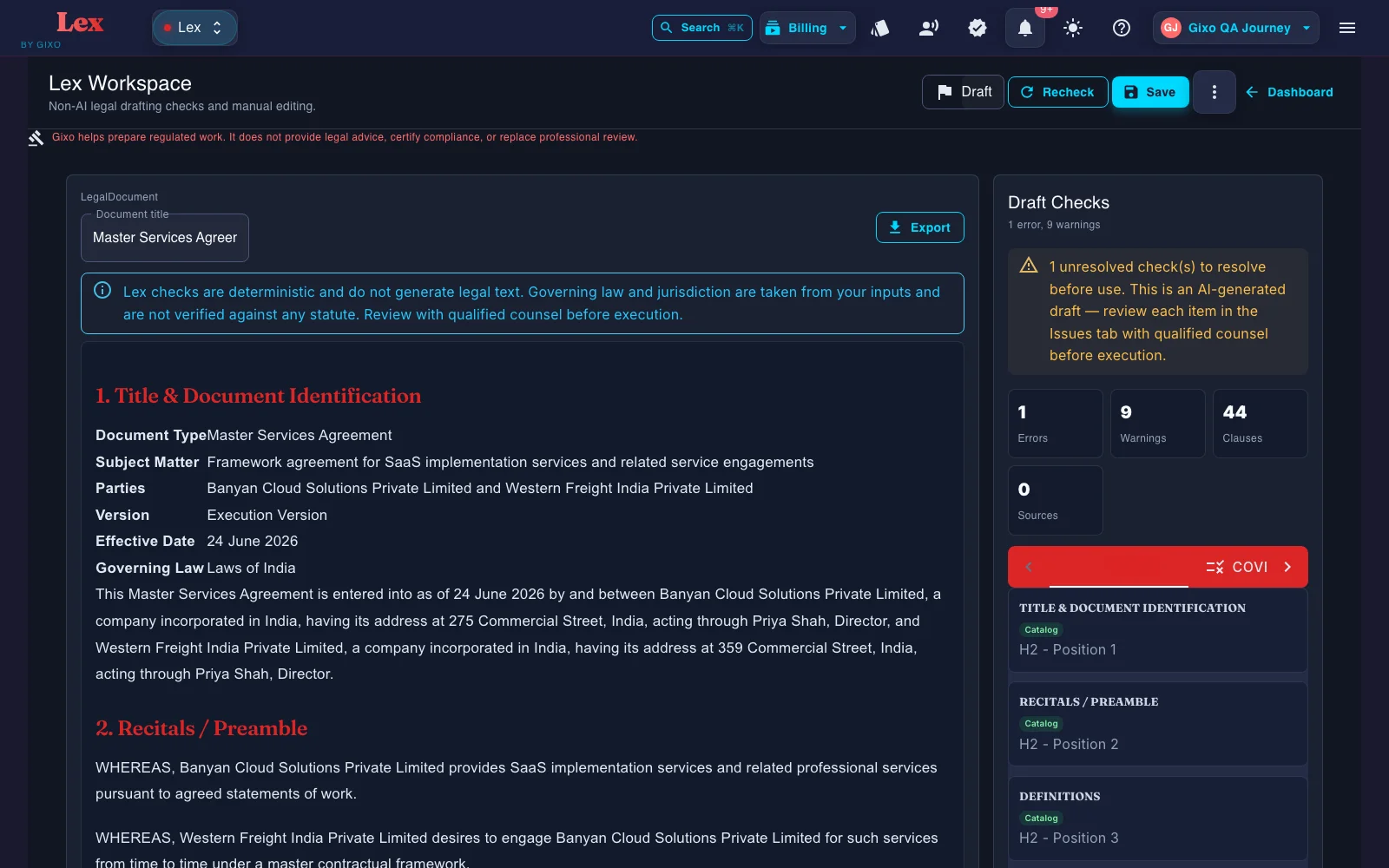
An India-governed MSA product specimen demonstrates the post-generation workspace; it is not a customer result or execution-ready contract.
3
Deterministic Draft Checks
Inspect clause coverage and document consistency beside the draft.
Lex's deterministic pass inventories clauses and flags missing coverage, defined-term issues, cross-reference issues, and execution-readiness checks without generating new legal text.
Separate mandatory and recommended review items
Find unresolved placeholders
Re-run checks after edits
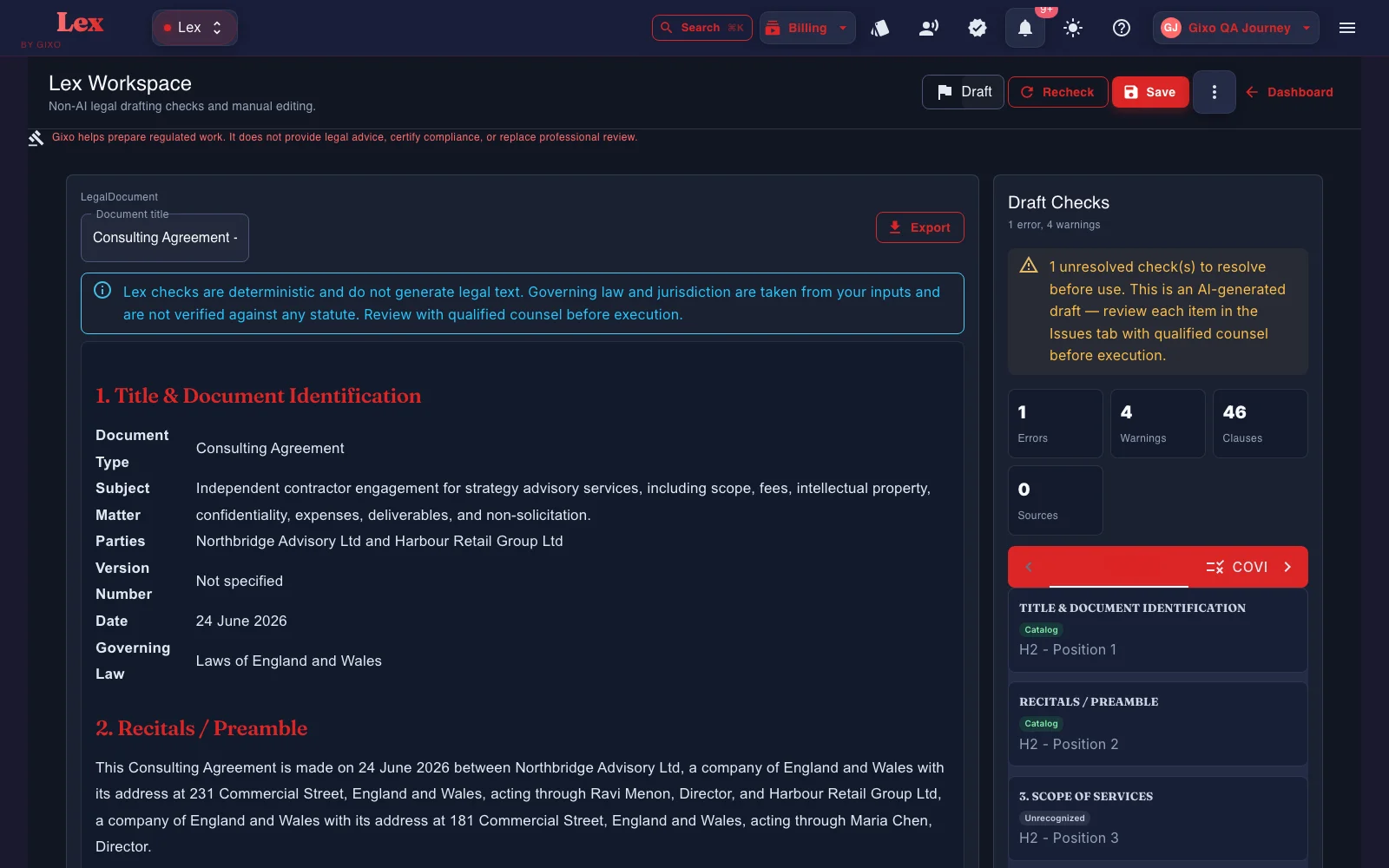
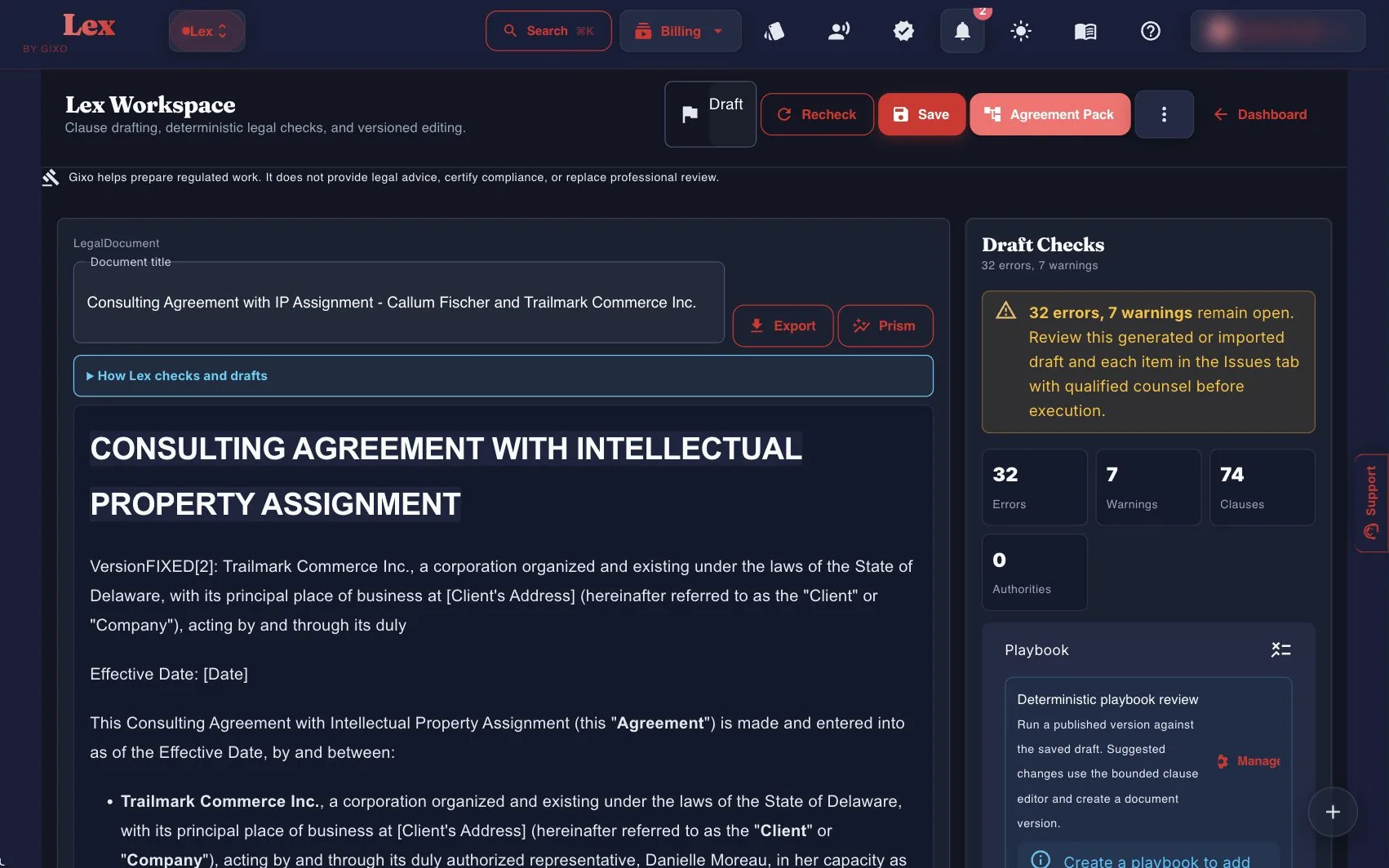
A consulting agreement product specimen with the Draft Checks panel visible for reviewer inspection.
4
Human handoff
Resolve obvious gaps, then send the draft through qualified review.
Comments, review state, assignees, due dates, and versions remain attached to the document, and each export is written to an audit log (who exported it, the format, and whether it succeeded) rather than stored with the document. The reviewer still verifies facts, authority, enforceability, and final language.
Assign and comment on review work
Check the revised draft again
Evaluate the available PDF, DOCX, HTML, and TXT handoffs
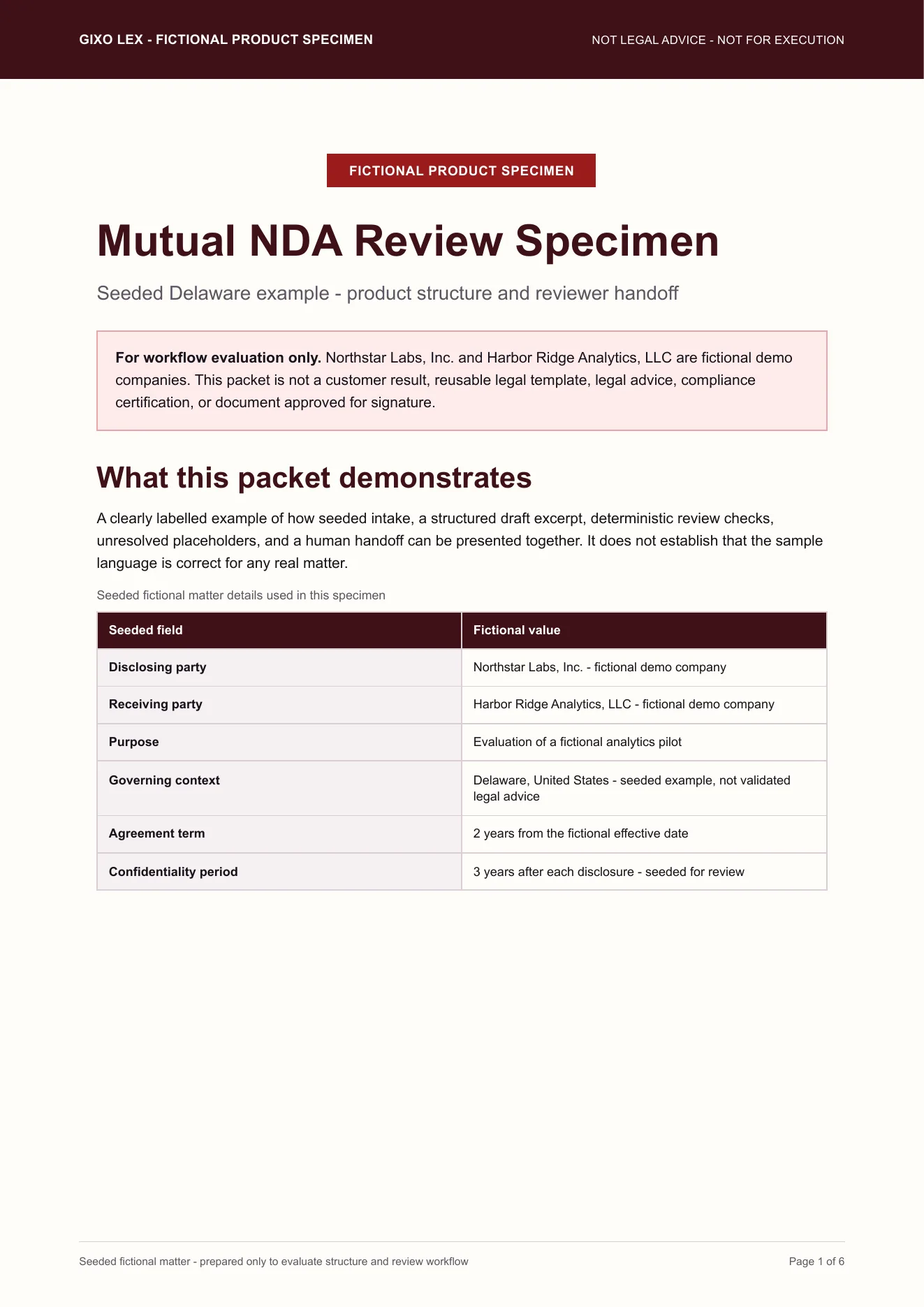
The PDF Lex writes for handoff. Export is not a certification that the document is ready to sign.
Added since the July 2026 recording
What Lex added after this tour was recorded.
The recording and captures above predate these parts of Lex. Each is described only as far as the product does it today, and each still ends in qualified review.
Contract review and redlines
Playbook review, tracked-change DOCX, and a Word round trip.
After the first draft, Lex can run a deterministic contract review: clause coverage against a versioned playbook, clause-conflict detection, and defined-term and cross-reference checks. Findings, tracked-change DOCX redlines, comments, review state, assignees, due dates, and version history all stay attached to the same document. A contract imported from Word can go back as that same DOCX, with the Lex edits shown as Word tracked changes; where Lex cannot track an edit faithfully, such as inside a field, an existing revision, a header or a footer, it refuses the export instead of altering the document. Reviewers still verify every clause and conclusion.
Review an existing contract
Import a contract instead of drafting one.
Lex can also start from a contract you already have. On the Review a Contract screen, paste the text or upload the file, choose the contract type, and Lex runs its deterministic review checks against it. A DOCX upload is kept privately so the edited contract can be exported back in its original Word format. A contract can also be imported directly from a connected Google Drive, OneDrive, SharePoint, or Dropbox account, which needs an active Lex subscription and records a source receipt.
Agreement Packs
Related documents, facts, and approvals on one matter.
Agreement Packs connect related documents, proposed party and obligation facts, version-bound approval receipts, and execution records on the same matter. Fields stay proposed until a reviewer confirms, disputes, or marks them inapplicable.
Signature and obligations
Simple electronic signature, then obligation follow-up.
Lex can collect simple electronic signatures on a frozen PDF of the approved agreement. When everyone has signed, Lex appends an audit certificate to make the signed copy and records the SHA-256 fingerprint of each file against that approved version; the PDF carries no embedded digital signature, so a copy is checked against the fingerprint Lex records. The signature is a simple electronic signature, not a qualified or certificate-based one, and it is not witnessing, notarization, or recording. Once execution is recorded, Lex tracks operative obligations with owners and due dates, sends in-app and email reminders on each reminder date and again if an item goes overdue, and exports confirmed due dates as an .ics calendar file.
Matters
A matter workspace with source-linked findings.
Matters is a personal workspace for one client matter. Upload up to 200 source document versions, search their stored text, and record findings as exact quotations tied to the source version and character position, arranged by issue and in a chronology, then download a bundle of reviewed work products. That source link applies to matter findings only; drafted documents still do not show clause-level source provenance.
Ask Lex and the edit record
Clause-bounded drafting help, with every applied edit versioned.
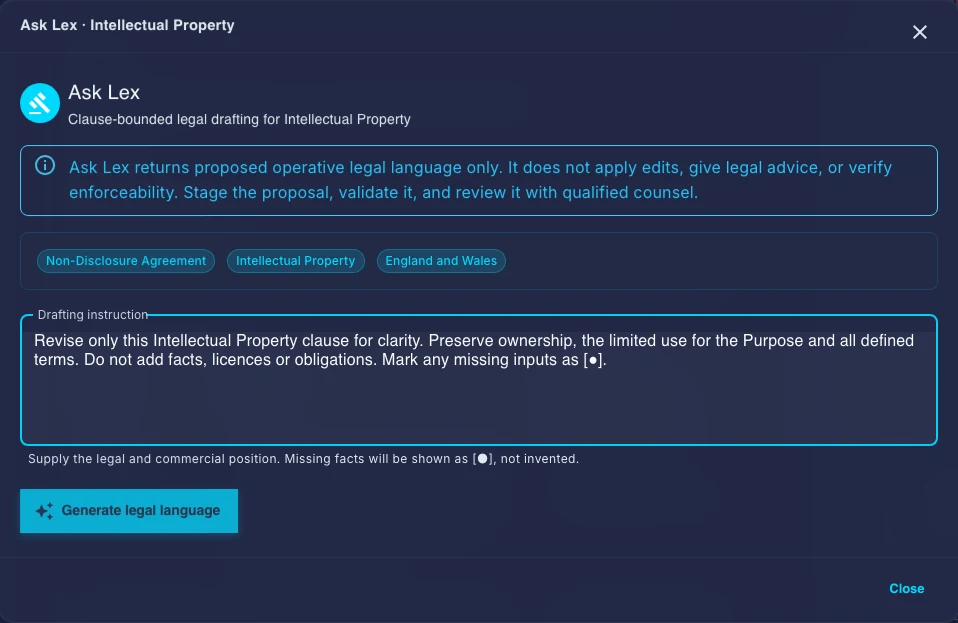
Ask Lex drafts proposed language for one clause at a time, bounded to that clause and the document context. It never applies a proposal automatically: you stage it, validate it, and review it with qualified counsel before applying it. Each applied clause edit saves a new document version and is recorded in the Gixo content audit log with who made it, which clause changed, and the kind of edit.
Draft Checks make omissions easier to inspect; they do not validate the law.
Reference files and governing context can shape the draft. Lex does not show clause-level source provenance, so reviewers should verify authority and supporting facts independently. Gixo helps prepare regulated work. It does not provide legal advice, certify compliance, or replace professional review.
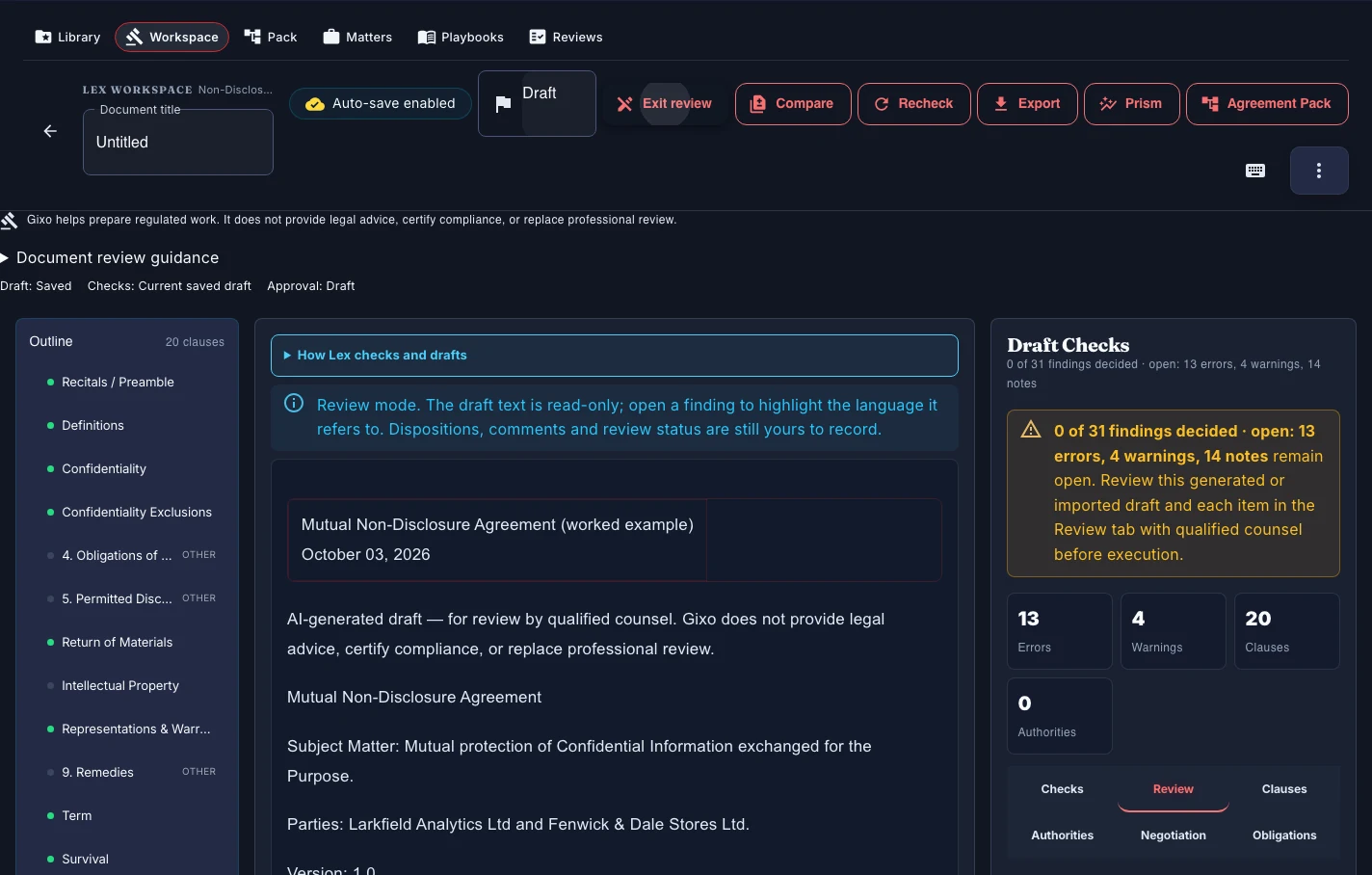
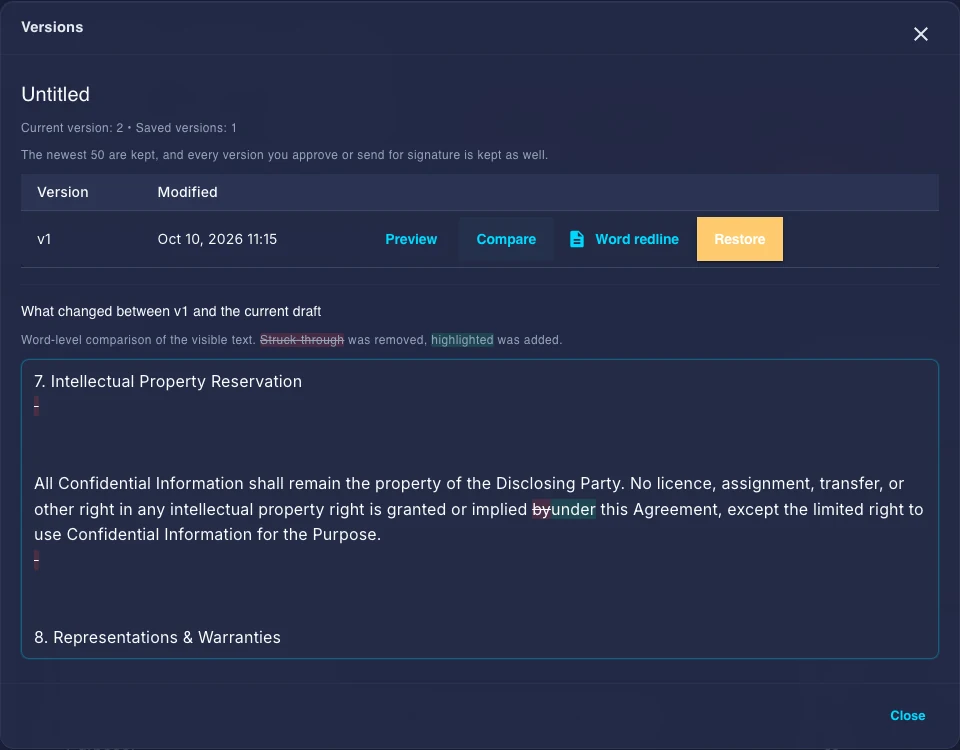
Compare contract versions. Use Compare to inspect saved revisions. With Lex review access, Review mode keeps the document read-only while you inspect findings and record decisions; it does not certify legal correctness.
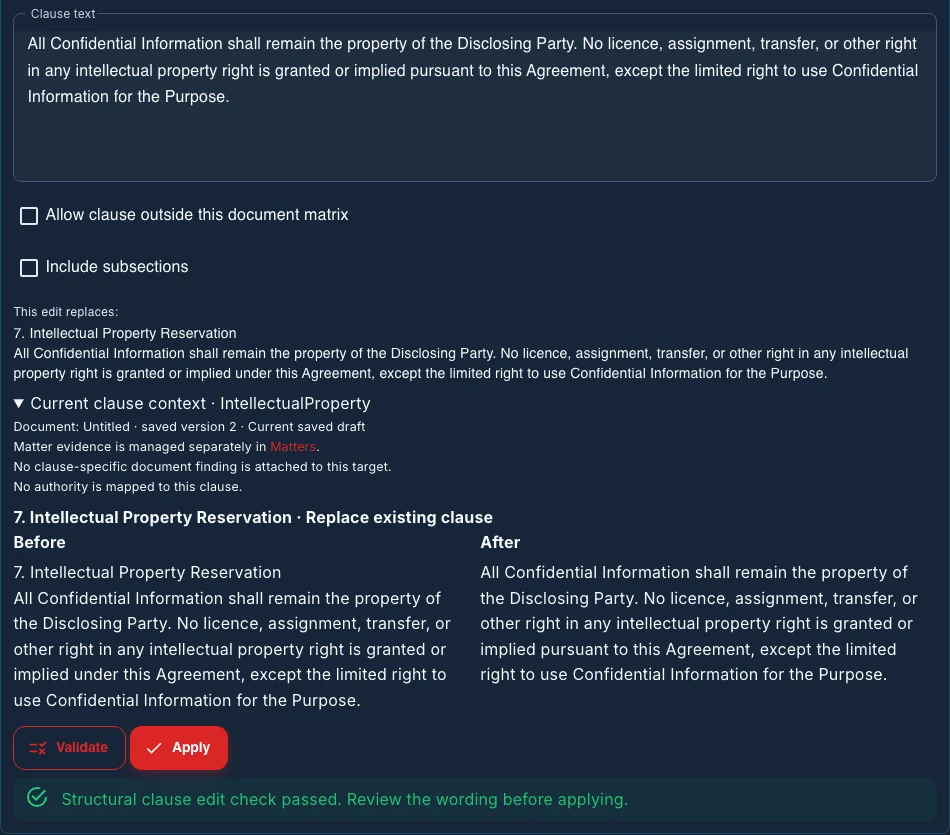
Review clause edits before applying them. A manual edit or staged Ask Lex proposal shows the before and after wording. Replacement normally keeps subsections unless you include them; removal and changed numerical terms need acknowledgement. Validate the proposed text again after changing it, then decide whether to Apply to the saved version it was previewed against.
Approve the version you reviewed. The contract approval workflow ties one approver's receipt to the exact saved version. Resolve findings and open items before approval; later text or source changes require fresh review. This is a reviewer decision, not a legal verdict or a chain of routed approvals.
Captured 10 October 2026 with a fictional sample and local editing access. Inspect the controls and manual changes; Ask instructions remain unsubmitted. Open any image to inspect it at full size.
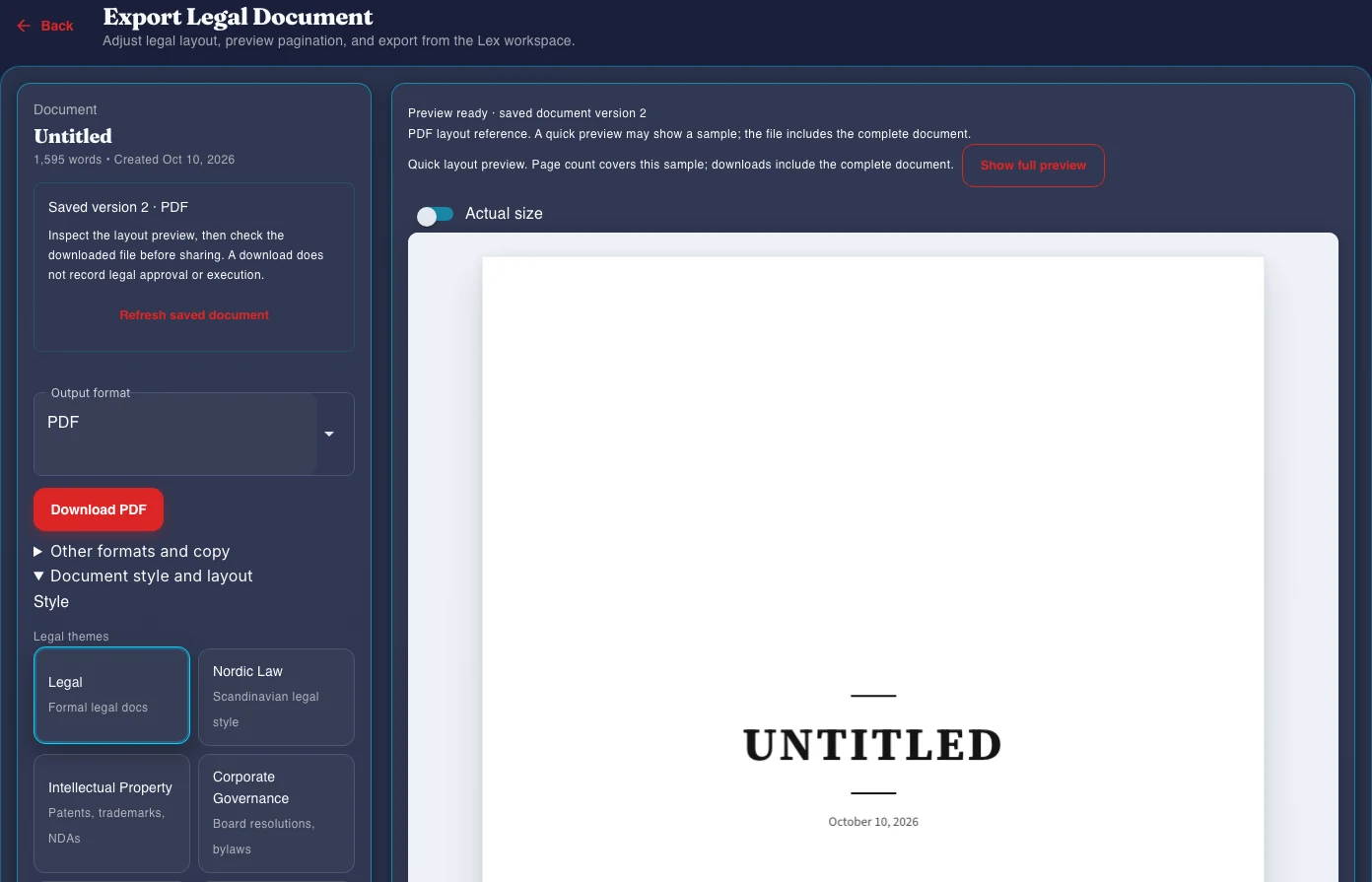
Enter Review mode to inspect the fictional NDA with its draft body read-only. Review decisions remain explicit actions; the open findings still need qualified review.Review a manual proposal to replace “under” with “pursuant to” in the Intellectual Property clause. Validate passed its structural check and left saved version 2 unchanged; Apply remains a separate decision.Choose a clause and prepare a bounded Ask Lex instruction. This request is unsubmitted, so the image shows no returned or staged AI wording.Compare genuine saved versions 1 and 2 after manually changing “by” to “under” in the Intellectual Property clause. The comparison is a record of wording changes, not legal approval.Choose output and document layout controls beside the quick PDF layout preview. These controls do not demonstrate a downloaded file or an original-format Word round trip.
Keep saved obligations current as source documents change, and review upcoming dates before preparing a new-period worklist. Explore obligation and calendar review.
Inspect the current read-only checks
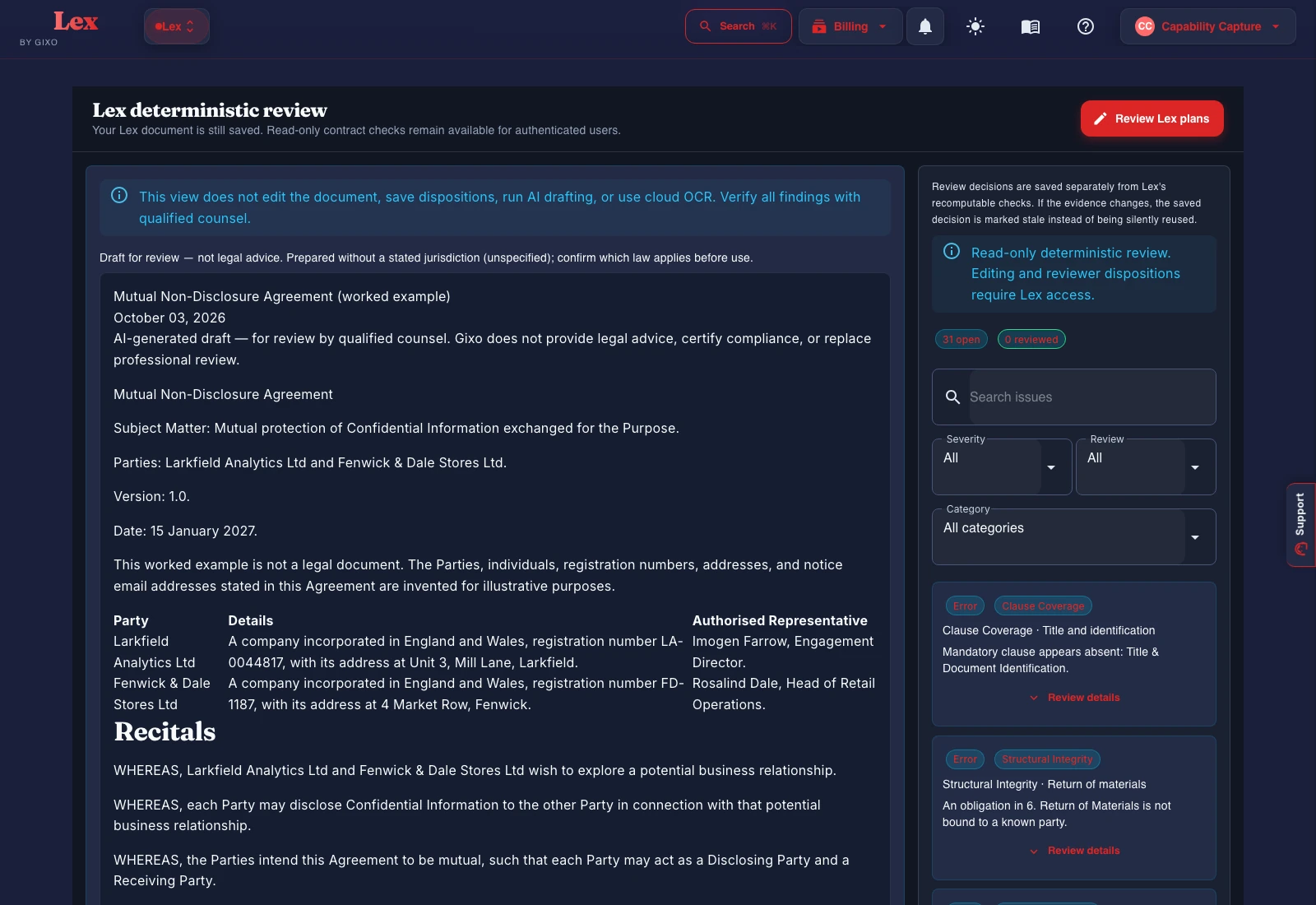
Captured 10 October 2026 with an imported fictional NDA. These images show the available read-only checks; editing and reviewer decisions require Lex access.
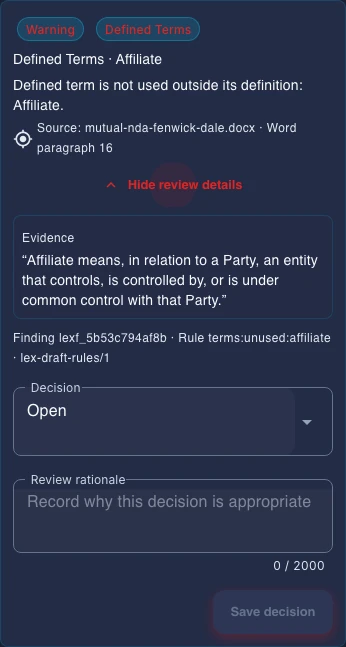
A fictional NDA in Lex's read-only contract review. Rule-based findings and filters stay beside the document; editing and reviewer decisions require Lex access.Inspect the reported passage, document location and rule behind a finding. Decision controls are read-only here; qualified counsel still assesses the issue.
Structured first draft, accountable review
Test the workflow with your own matter context before you choose a plan.
Start the 14-day, no-card Lex trial to evaluate structured intake, drafting, deterministic Draft Checks, review, and export. Gixo prepares work for review; it does not provide legal advice, certify compliance, or replace professional judgment.
Current Lex UI: Draft Checks, playbooks, and Agreement Pack sit beside the draft — not a static specimen image.