
Legal document automation software for solo and small firms
Start with the parties, terms, governing law, and reference files. Gixo builds a structured legal first draft that counsel can review clause by clause. Gixo Lex automates the first draft of routine agreements from a structured intake, so a solo or small-firm lawyer starts from a reviewable draft instead of a blank page. You still review and adapt before use.
Legal document automation software prepares a reviewable first draft of routine legal documents — NDAs, service and consulting agreements, employment agreements, MSAs, and more — from structured intake (parties, commercial terms, dates, governing law) plus optional reference files, rather than manual copy-paste from a template. Gixo Lex is built for solo and small-firm lawyers, not enterprise contract lifecycle management (CLM). Its create flow covers 22 named document types plus custom drafting, backed by 22 document-specific drafting guides plus one for custom drafting, supports up to 10 parties per document, and exports in PDF, DOCX, HTML, and TXT. Paid plans run $29 to $229 per seat per month across five tiers, after a 14-day no-card trial; there is no free tier. It accelerates drafting; the lawyer reviews, adapts, and finalizes. It does not provide legal advice, certify compliance, or replace professional review.
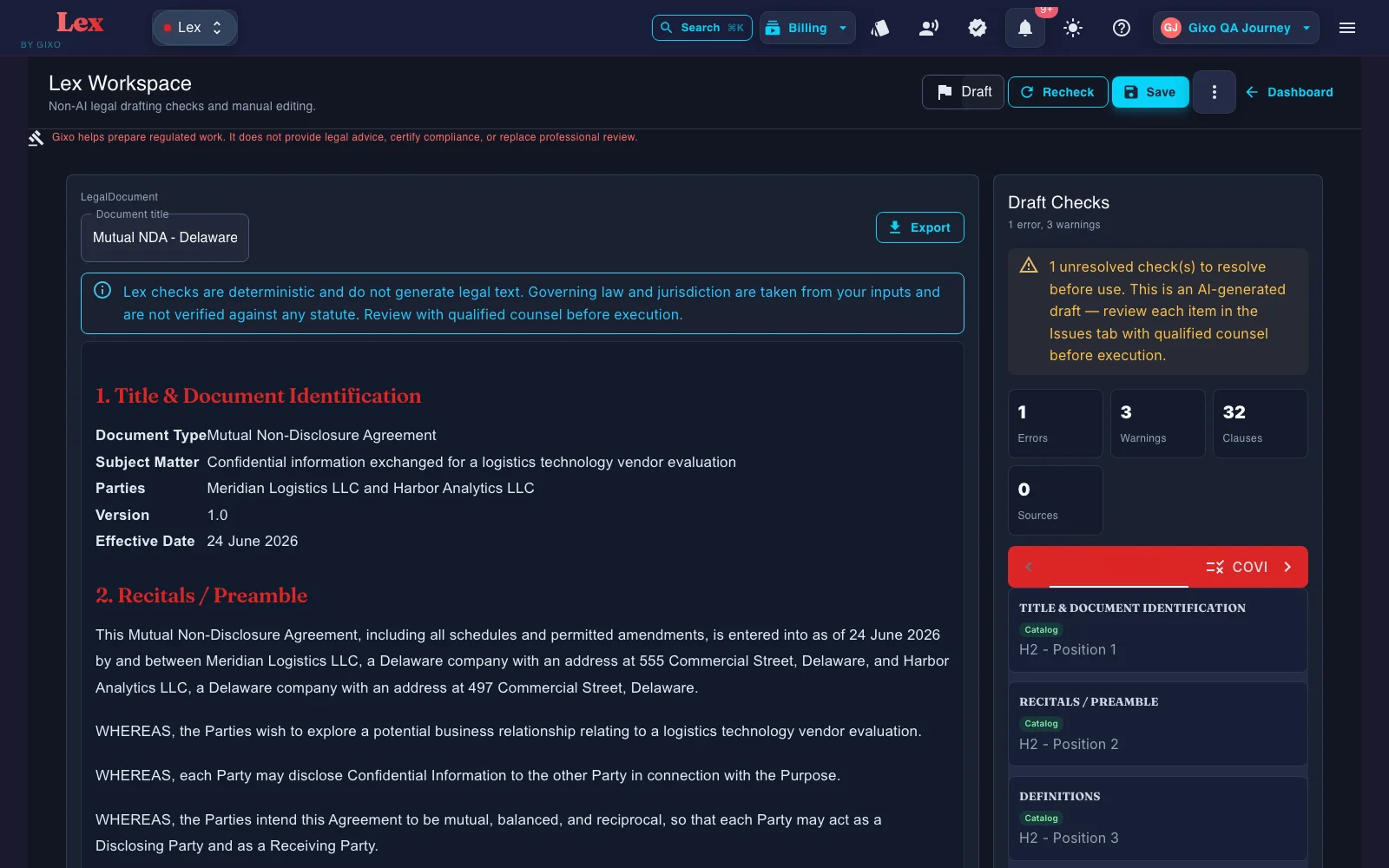
What does legal document automation actually automate, and where does legal workflow automation stop?
Automation handles the repetitive first-draft mechanics. Judgment stays with the lawyer. Here is the split.
Capture parties, commercial terms, dates, and governing law as distinct inputs so the draft has the facts it needs before generation starts.
Automate the first draft of 22 named legal document types on the main create flow, plus custom drafting — the repeat work that fills a small firm's day.
Reference files and governing context can shape the draft. Lex does not show clause-level source provenance, so reviewers should verify authority and supporting facts independently.
Upload prior agreements and internal precedent so the next draft leans on language and clause patterns your firm already trusts.
After the first draft, Lex can run a deterministic contract review: clause coverage against a versioned playbook, clause-conflict detection, and defined-term and cross-reference checks. Findings, tracked-change DOCX redlines, comments, review state, assignees, due dates, and version history all stay attached to the same document. A contract imported from Word can go back as that same DOCX, with the Lex edits shown as Word tracked changes; where Lex cannot track an edit faithfully, such as inside a field, an existing revision, a header or a footer, it refuses the export instead of altering the document. Reviewers still verify every clause and conclusion.
Gixo helps prepare regulated work. It does not provide legal advice, certify compliance, or replace professional review.
Why solo and small firms, not enterprise CLM?
Enterprise contract lifecycle management is built for procurement queues, approval hierarchies, and clause libraries a large legal department maintains. A solo or small-firm lawyer needs the opposite: fast, reviewable first drafts of routine documents without a heavy rollout. Gixo Lex is a document-automation tool, not a CLM platform — it gets you to a workable draft, then hands it back for your judgment.
| Capability | Gixo Lex | Template libraries | General AI | Enterprise CLM |
|---|---|---|---|---|
| Best fit | Solo & small firms | Anyone | Anyone | Large legal departments |
| Structured intake | Yes | Partial | Prompt, project or custom workflow; verify | Yes |
| Reference-file input | Yes | No | Paste or upload; verify current support | Clause library |
| Governing-law-aware draft | Yes | Template dependent | Test on the same inputs | Configurable |
| Setup effort | Minimal | Minimal | Minimal | Heavy rollout |
| Legal advice or execution | No legal advice; simple electronic signature and execution records included | No | No | Workflow only |
How does Gixo's legal document automation work?
Start with guided confidentiality/IP, services, corporate/equity, employment, real-estate, finance, and general legal documents, including custom drafting and add the core terms the draft needs.
Upload prior contracts, precedent clauses, or drafting notes as reference input, then check how the next draft reflects them.
Gixo builds the document structure, party references, and clause flow so you start from a real draft instead of a blank document.
Use the editor and review workflow to finalize, then export in PDF, DOCX, HTML, and TXT once the draft is ready.
What does legal document automation software cost?
Gixo Lex publishes five paid tiers, all priced per seat per month. Evaluation is a 14-day trial with no credit card; there is no free tier and no standing $0 plan.
| Lex plan | Price per seat / month | Seat minimum | Annual list price per seat | Who it is for |
|---|---|---|---|---|
| Solo Pilot | $29 | 1 seat | $261 | Solo lawyers and founders testing a lower-cost drafting entry point (support-routed, not instant self-serve checkout) |
| Solo | $99 | 1 seat | $999 | One solo operator drafting contracts, policies, and compliance documents |
| Small Firm | $149 | 3 seats | $1,499 | A small firm reviewing client documents together |
| Growing Firm | $179 | 5 seats | $1,799 | A growing firm with shared legal ops and compliance workflows |
| Marketplace | $229 | 10 seats | $2,299 | Azure Marketplace and private-offer deployments |
Prices are per seat per month at the tier's seat minimum, so a 3-seat Small Firm plan is $447 per month at list. Deterministic checks flag every mandatory clause a document type's catalogue requires but the draft is missing, from 90 clause definitions across 22 named document types. Compliance work runs on the same subscription: 20 compliance forms with 5 execution modes.
How to compare legal document generation software
The best legal document automation software for a small firm is not the product with the longest enterprise feature list. Start with the documents you draft repeatedly, then test whether the software captures the right facts before drafting, uses your precedent, keeps missing information visible, and gives counsel a practical review and export path. A document automation platform should reduce repetitive assembly without hiding the judgment a lawyer still has to apply.
Use a representative NDA or services agreement and check whether parties, dates, commercial terms, and governing law are captured as structured inputs instead of being buried in one prompt.
Add a safe precedent file and verify that the legal document generation software follows relevant language without inventing unsupported facts or presenting the result as final.
Measure how easily counsel can find assumptions, correct clauses, compare versions, and export. Draft speed matters only if the resulting document is efficient to review.
What should you check when choosing contract redlining software?
Contract redlining software should make the baseline and proposed wording clear before a contract is circulated. In Lex, inspect a manual clause edit or staged Ask Lex proposal, validate its structure and decide whether to apply it. AI clause wording remains a proposal for qualified review; it is not a whole-document legal verdict.
Choose the Word handoff for the document you actually have. A tracked-change DOCX compares the current saved draft with an earlier retained version. For a genuinely retained and mapped imported Word contract, Original-format DOCX with tracked changes preserves the original package for supported edits. Preflight can refuse that original-format export when a change cannot be represented faithfully.
Check the downloaded document in the recipient's Word workflow, including the baseline, changed words, numbering and tables. The visible comparison, structural check and download are separate from legal approval, authority and execution. Inspect the current manual preview and saved-version comparison.
Frequently Asked Questions
Updated