
Board deck charts where every number is right
Board and executive decks are no place for a garbled figure. Gixo Prism turns your revenue, margin, and KPI data into clean, on-brand charts where the value you put in is the value that comes out — rendered deterministically to SVG, never redrawn by an image model that invents digits.
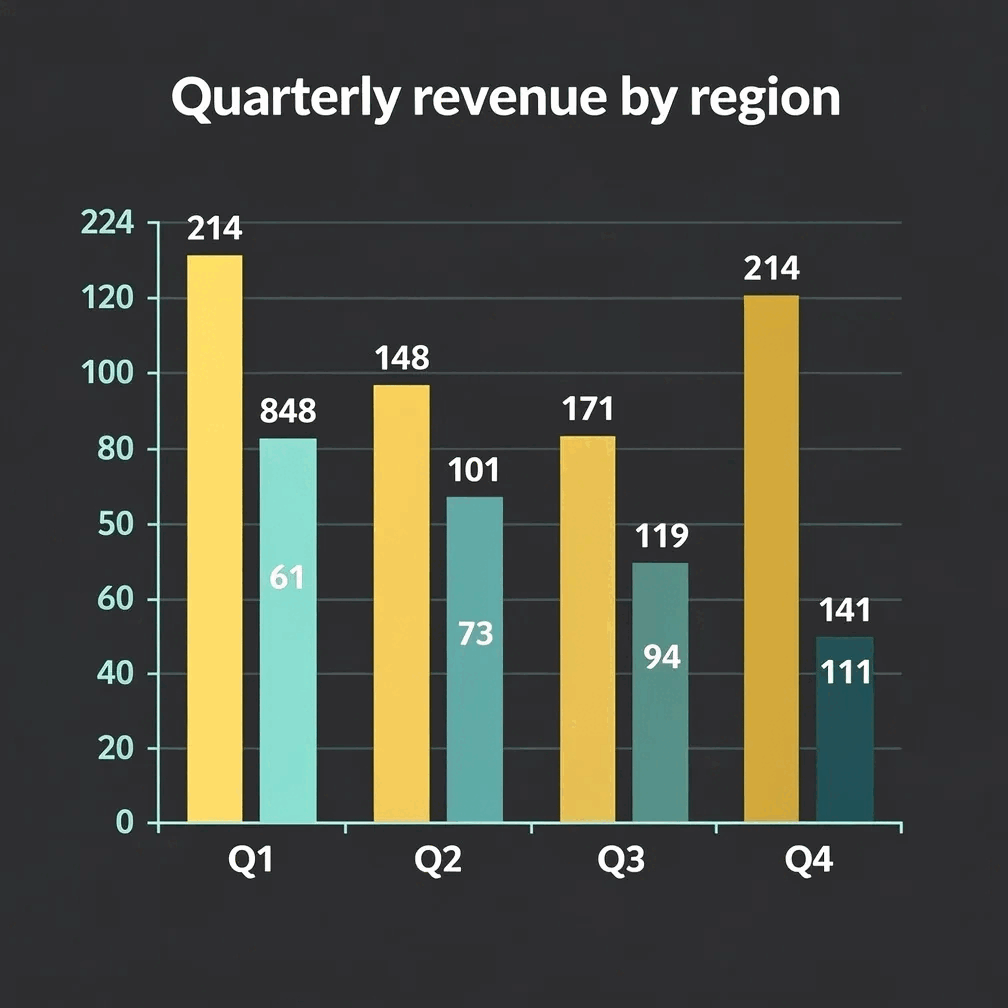
Charts for board decks are bar, line, area, pie, donut, and scatter visuals built from board metrics such as revenue, margin, and KPIs. Gixo Prism renders pasted CSV or typed figures deterministically to SVG, so the chart preserves the supplied values instead of redrawing them with an image model. Paste the data, pick the chart type, apply the brand palette, then export as HTML, SVG, PNG, PDF, or PPTX. Prism now lets you attach source text and shows whether the visible numeric claims match it; figures should still follow your normal finance review.
What makes a chart safe to use in a board deck?
When the audience is the board, accuracy isn't a nice-to-have. Prism's chart maker preserves the values entered and can compare visible numeric claims with attached source text, while finance retains the final review.
Paste a CSV or your numbers and get a clean chart — bar, line, area, pie, donut, or scatter. Rendered to SVG, so the values are always correct.
Line and area charts make quarterly revenue, ARR, and margin trends legible at a glance — up to about eight categories across four series.
Pie and donut charts show segment mix, cost breakdowns, and revenue-by-line cleanly, with each slice labelled exactly as you entered it.
Turn a single headline metric — a runway figure, a growth rate, a target — into a sharp stat, quote, callout, or definition card for the cover or summary slide.
Need org, process, or strategy structure on a slide? 11 diagram layouts — process, cycle, pyramid, funnel, tree, pillars, matrix, Venn, concentric, stack, graph — render from text.
Prism applies your brand palette across every chart and card, so a board pack looks like one team built it — not five tools stitched together.
Update a number an hour before the meeting and the chart re-renders exactly. Export the chart as clean HTML/SVG and drop it straight into your deck.
Because the chart maker is deterministic, the same input always produces the same exact output — no redrawn labels, no invented figures to catch in review.
When a slide needs a narrative panel around the numbers, AI content-backed infographics shape it — and export as PNG or HTML.
How do you turn board metrics into a slide-ready chart?
Four steps from your numbers to a chart you can stand behind in the meeting.
Drop in a CSV or type the figures — revenue by quarter, margin by segment, the KPIs your board tracks.
Choose bar, line, area, pie, donut, or scatter — whichever reads cleanest for the point you're making to the board.
Prism keeps every value exact and applies your brand palette, so the chart matches the rest of the deck.
Take the chart as clean, self-contained HTML/SVG into your board or executive deck — ready to present.
Why do board deck charts have to be exact?
In board and executive reporting, a single wrong figure undermines the whole pack. Here's how the common approaches compare on accuracy.
- Image-only AI tools (ChatGPT, DALL·E, Midjourney) draw charts as pixels, so labels and digits get redrawn and frequently garbled. A chart of your actuals can show numbers you never entered — unacceptable for a board pack.
- Spreadsheet charts (Excel, Sheets) are accurate, and many teams paste them straight in. The gap is consistency: matching brand colours, fonts, and styling across a long deck is manual, slide by slide.
- Design tools (Canva, Venngage, Piktochart, Visme) win on template breadth and polish, but you re-enter and re-check every number by hand, and staying on-brand across a batch is manual work.
- Gixo Prism renders your exact data deterministically — the value in is the value out — and applies your brand palette across the whole set, so the figures stay correct and the look stays consistent without per-slide babysitting.
Six criteria separate the approaches: whether the figures stay exact, whether you can chart straight from a CSV, whether the styling holds across the whole deck, whether updating one number re-renders exactly, how much template breadth you get, and what each is genuinely best at. Gixo Prism is $10/month after a 14-day free trial with no card.
| What matters for a board deck | Gixo Prism | Image-only AI | Design tools |
|---|---|---|---|
| Figures stay exact | Yes — deterministic | No — redrawn | Manual entry |
| Charts from a CSV | Yes | No | Some |
| On-brand across the deck | Palette-governed | No | Manual |
| Update a number, re-render exactly | Yes | No | Yes |
| Template breadth / polish | Focused | N/A | Extensive |
| Entry price | From $10/month | Varies | Roughly $12–$19/month, as of August 2026 |
| Best for | Charts where the data must be right | Illustration & mood | Marketing design |
Design-tool prices are illustrative market ranges as of mid-2026, not Gixo prices or vendor quotes — confirm the current number with each vendor.
What belongs on the executive summary slide?
The front of a board pack does a different job from the rest of it, and the visual you put there should reflect that.
An executive summary slide gets read once, fast, by people deciding whether to keep reading. It is the wrong home for the six-series chart — that belongs later, where someone has time to interrogate it. What works is one number with its context: the metric that moved, how far, against what. Prism's stat and callout cards exist for exactly that job — a single headline figure rendered cleanly and on-brand, with a label you wrote rather than one an image model approximated.
If the summary slide genuinely needs a chart, hold it to one series and one message: a line for the trend, or a bar comparing the period against plan. An executive summary slide template that reserves space for three charts is usually a template for a slide nobody reads properly.
The accuracy rule is stricter here than anywhere else in the pack, because the summary figure is the one people quote in the meeting and the one that lands in the minutes. Prism renders the value you entered rather than redrawing it, which is why the discipline that makes the detailed charts safe matters most on the slide carrying a single number.
Frequently Asked Questions
Explore the Prism visual toolkit
Updated