Sign In Try Free
Workflow-specific products Content, decks, briefs, proposals, legal, and sales each have a clearer buying path.
Review before delivery Draft, edit, collaborate, approve, and export in the same workspace.
Security + procurement path Security policy, support, and Azure Marketplace buying are public.

2x2 Quadrant Matrix Maker

Name your two axes, fill in your four quadrants, and Gixo Prism renders an exact 2x2 matrix — no manual gridline drawing, no dragging labels into place. Effort vs. impact, cost vs. capability, likelihood vs. severity, or any pair of axes you need for a prioritization, vendor, risk, or positioning call.

Start free — 14-day trial Open the diagram maker

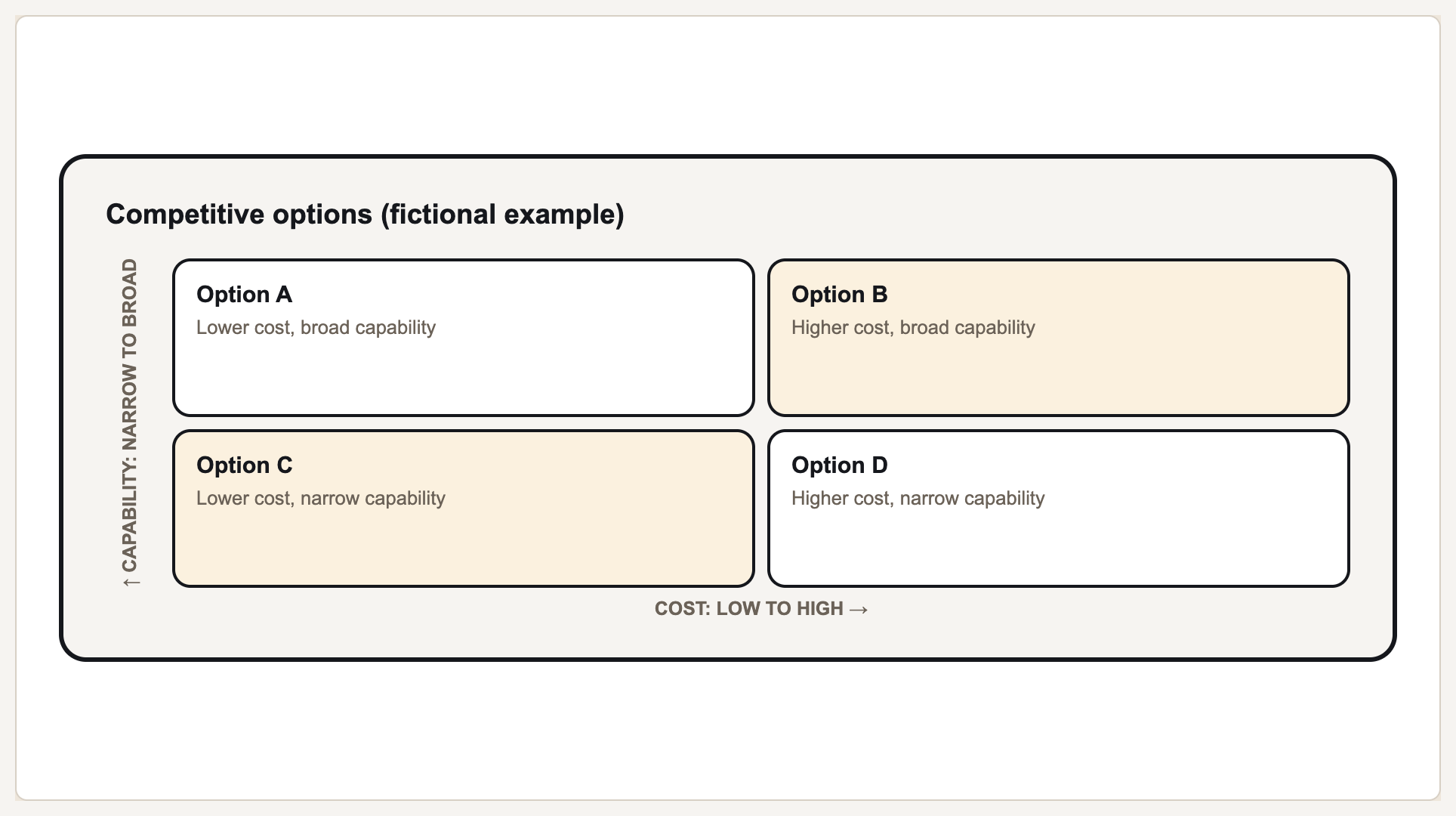
A 2x2 quadrant matrix plots items across two axes — effort vs. impact, cost vs. capability, likelihood vs. severity, or any pair you define — to sort them into four labeled quadrants. Gixo Prism's diagram maker has a dedicated matrix geometry (also called quadrant or matrix2x2) built for exactly this: you set your two custom axis labels and your four quadrant contents, and Prism lays out the grid deterministically, with no AI image model in the loop. The labels you type are the labels that render, in the exact quadrant you meant, every time.

2 Custom axis labels
4 Quadrants
Exact Every label placed correctly
On-brand Palette-governed

What makes a quadrant matrix maker actually usable?

The 2x2 is a simple shape on paper — but every gridline, axis label, and quadrant assignment has to land exactly right, or the argument it's making falls apart.

Custom X/Y axis labels

Name both axes yourself — Effort/Impact, Cost/Capability, Likelihood/Severity, or anything specific to your call. Prism's matrix geometry renders exactly the axis labels you type, not a generic template.

Works for any 2x2, not just decks

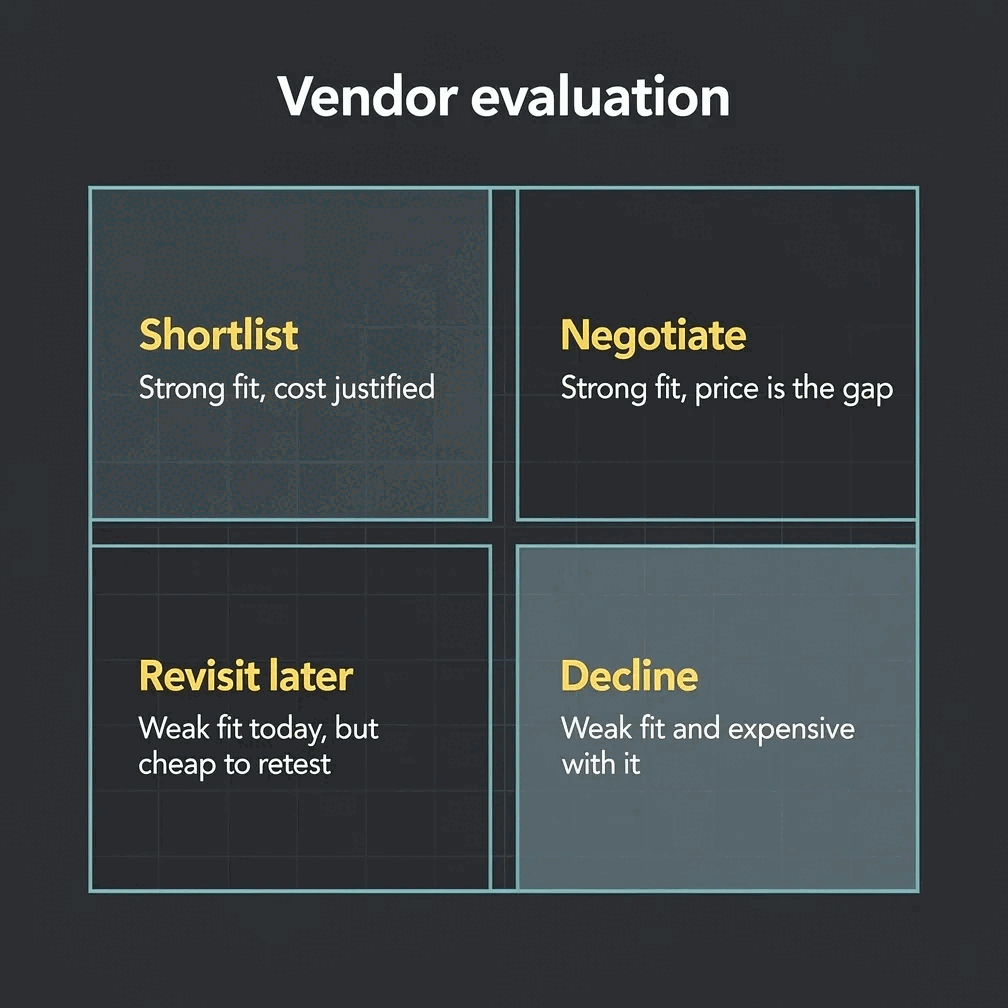
Product prioritization, vendor evaluation, risk assessment, competitive positioning, feature triage — the matrix geometry doesn't care what the axes measure, only that you've named them.

Deterministic, exact placement

No AI image model draws this grid. Prism renders the matrix geometry deterministically, so every axis label and quadrant label lands exactly where you put it — no garbled text, no drifted gridlines.

Brand-palette governance

Apply your brand palette to the matrix and it stays consistent with every other chart and diagram you build in Prism — plus 4 theme presets (conservative, bold, brand-conservative, brand-bold) to start from.

Editable, then clean export

Change an axis label, swap a quadrant's contents, or adjust the theme, and the matrix re-renders exactly. Export as clean, self-contained HTML/SVG to drop into a deck, doc, or page.

9 other diagram shapes too

When the matrix isn't the right shape, the same diagram maker covers process, cycle, pyramid, funnel, tree, pillars, Venn, concentric, and stack geometries — all deterministic, all on-brand.

How do you build a 2x2 matrix with Gixo Prism?

Four steps from a blank grid to an exact, on-brand quadrant matrix.

1
Name your two axes

Set the X and Y axis labels — Effort/Impact, Cost/Capability, or whatever pair fits your decision.

2
Fill in your four quadrants

Type the contents for each quadrant — items, categories, or short labels for whatever you're sorting.

3
Prism lays out the grid

The matrix geometry places your axis labels and quadrant contents automatically — no manual gridline drawing, no dragging labels into place.

4
Apply your theme and export

Pick a theme preset or your Brand Kit, then export the matrix as clean HTML/SVG for your deck, doc, or page.

Frequently Asked Questions

What's the best AI 2x2 matrix maker?
Gixo Prism, if the axis labels and quadrant placement have to be exact. Its diagram maker includes a dedicated matrix geometry (aliases: quadrant, matrix2x2) that renders your custom X/Y axis labels and four quadrants deterministically — no AI image model in the loop, so nothing gets garbled or misplaced.
Can I customize the axis labels?
Yes. Both the X-axis and Y-axis labels are yours to set — Effort vs. Impact, Cost vs. Capability, Likelihood vs. Severity, or any pair specific to your call. The matrix renders exactly the labels you type.
What use cases fit a quadrant matrix?
Anything you're sorting across two dimensions: product prioritization (effort vs. impact), vendor evaluation (cost vs. capability), risk assessment (likelihood vs. severity), competitive positioning, or feature triage. The matrix geometry doesn't assume a use case — it just needs two axis labels and four quadrants of content.
What other diagram shapes does Prism support besides the matrix?
Nine others: process, cycle, pyramid, funnel, tree, pillars, Venn, concentric, and stack — 10 geometries in total in the same diagram maker, all deterministic and on-brand.
What formats can I export?
The matrix and every other diagram geometry export as clean, self-contained HTML/SVG you can drop into a deck, doc, or page. There's no PDF or PPTX export from the diagram maker.
Do I need an account to use the matrix maker?
Yes — the diagram maker runs inside Gixo with an account, not as an anonymous no-signup tool. It's deterministic and uses no AI credits, so once you're in you can build matrices throughout your trial or on a plan.
How much does it cost?
There's a 14-day free trial with no credit card. After that, Gixo Prism is $19/month with everything included.
Can I edit the matrix after generating it?
Yes. Change either axis label, swap a quadrant's contents, or apply a different theme, and the matrix re-renders exactly with no loss of fidelity — no redrawing gridlines by hand.

Name your axes. Get an exact matrix.

Two axis labels, four quadrants — Prism lays out the grid, no manual drawing or dragging labels into place.

Start free — 14-day trial Open the diagram maker