
Consulting framework diagrams
Build the 2x2 matrices, pyramids, and process frameworks your client decks live on — with exact labels and on-brand styling. Gixo Prism's diagram maker lays out your structure cleanly so the framework reads the way you meant it, never a garbled AI image.
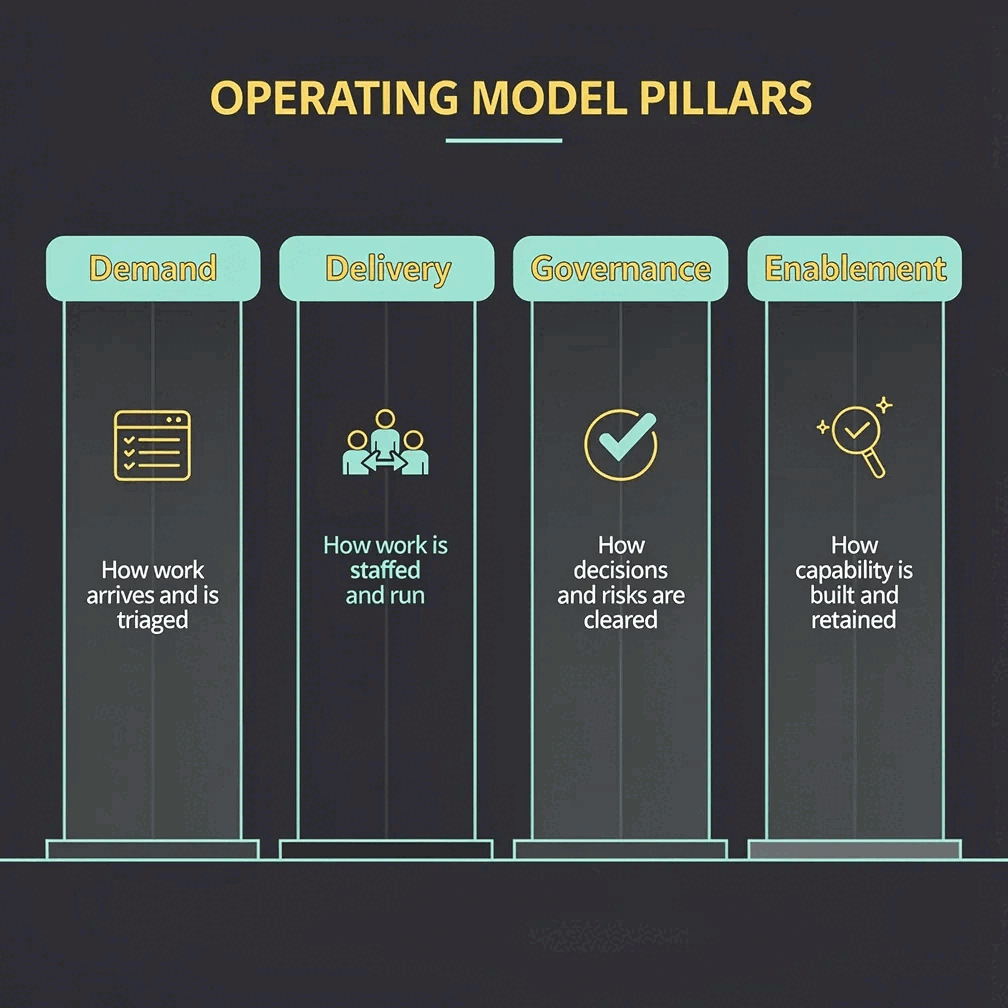
Diagrams for consulting decks are the 2x2 matrices, pyramids, process/value-chain maps, funnels, and tree diagrams that carry a client argument — and they only work if every label is exact and on-brand. Gixo Prism's diagram maker builds these deterministically across 11 geometries: you type the labels, Prism lays out the geometry, and the text renders exactly as entered, with no AI redraw and no misspelled quadrants. That's different from image-only AI tools (ChatGPT, DALL·E, Midjourney), which draw text as pixels and often garble labels, and from hand-building in PowerPoint, which is exact only if you manually align and re-align every box.
What types of diagrams do consulting decks actually use?
Prism's diagram maker covers 11 geometries. These are the ones that carry a client story — mapped to the layouts you'll reach for.
The classic prioritization grid — effort vs. impact, growth vs. share, build vs. buy. Type your four quadrant labels and the matrix renders with each one exactly where you put it.
Layer a strategy or a maturity model from foundation to apex. Clean tiers, exact labels, no fiddling with shapes in PowerPoint to get the levels to line up.
Show a workstream, an operating model, or a value chain as ordered steps. Consistent spacing and arrows, so the flow reads left to right without manual nudging.
Narrow a market, a pipeline, or a screening process down stage by stage — a funnel geometry that keeps each stage labelled and proportioned.
Break a question into branches — an issue tree, a driver tree, an org or decision hierarchy. Each node stays exactly where you place it.
The diagram maker is deterministic — no AI redraw. The label you type is the label that appears, so a client never sees a misspelled quadrant or a phantom box.
Apply your firm's palette across the whole deck's diagrams, so a matrix, a pyramid, and a process map all look like one coordinated set.
A label changes the night before the meeting? Edit the text and the diagram re-renders exactly — no realigning boxes, no broken arrows.
Export each diagram as self-contained HTML/SVG to drop into your deck or a written deliverable. Crisp at any size, with the text still selectable.
What matters when choosing a diagram maker for consulting decks?
Six things decide it: whether 2x2 and matrix labels stay exact, whether pyramid and tree layouts are built in, whether process and value-chain steps align automatically, whether the styling stays on-brand across the whole deck, how fast you can re-edit a label, and how much decorative template breadth you need. Prism costs $10/month after a 14-day free trial with no card; hand-building in PowerPoint costs nothing extra but takes the time.
| What matters | Gixo Prism | Image-only AI | Hand-built in PowerPoint |
|---|---|---|---|
| 2x2 / matrix labels stay exact | Yes — deterministic | No — redrawn | Yes — if you check |
| Pyramid & tree layouts | Built in | No | Manual |
| Process & value-chain steps align | Automatic | No | Manual |
| On-brand across the whole deck | Palette-governed | No | Manual |
| Re-edit a label fast | Re-renders exactly | Re-generate | Re-align by hand |
| Decorative template breadth | Focused | N/A | Full freeform |
| Cost | $10/month, 14-day free trial, no card | Varies | Included with Office, paid in hours |
| Best for | Exact, on-brand frameworks | Illustration & mood | Bespoke one-offs |
How do you go from a blank slide to a client-ready framework diagram?
Four steps to a diagram that's exact and on-brand.
Choose the shape that fits the argument — 2x2 matrix, pyramid, process, funnel, or tree.
Enter the quadrants, tiers, steps, or branches. Prism handles layout, spacing, and alignment for you.
Set your palette once and every diagram in the deck inherits it, so the set looks coordinated.
Take the diagram as clean HTML/SVG into your slides or written deliverable, with the text still exact.
Why do consulting framework diagrams break, and how do you keep them exact?
Three common ways consultants build framework slides, and what each costs you.
- Drawing by hand in PowerPoint gives total control but eats time — you align boxes, fight arrows, and re-do the whole layout every time a label changes. The framework is exact only because you babysat it.
- Image-only AI tools (ChatGPT, DALL·E, Midjourney) are fast for a mood board, but they draw text as pixels — a 2x2 comes back with misspelled quadrants and invented labels. Never safe in front of a client.
- Gixo Prism's diagram maker is deterministic: you type the labels, it renders the geometry, and the text is exactly what you entered. You get the speed of generation with the accuracy of hand-built — governed by your firm's palette so a deck of diagrams stays consistent. The trade-off is fewer decorative templates than a dedicated design suite.
Map your framework to a Prism geometry:
- 2x2 matrix — prioritization and positioning grids (effort/impact, growth/share, the classic strategy quadrant).
- Pyramid — strategy stacks, maturity models, and hierarchy-of-needs style arguments.
- Process — operating models, workstreams, and value chains shown as ordered steps.
- Funnel — market sizing, pipeline, and stage-by-stage screening.
- Tree — issue trees, driver trees, and decision or org hierarchies.
For everything else, Prism also covers cycle, pillars, Venn, concentric, stack, and graph — 11 geometries in all. When the framework is mostly a narrative with stats and quotes, an AI infographic or a stat card may fit better. And when you're assembling the whole client deliverable, pair Prism's exact visuals with Gixo Arc for the proposal around them.
| What matters | Gixo Prism | Image-only AI | Hand-built in PowerPoint |
|---|---|---|---|
| 2x2 / matrix labels stay exact | Yes — deterministic | No — redrawn | Yes — if you check |
| Pyramid & tree layouts | Built in | No | Manual |
| Process & value-chain steps align | Automatic | No | Manual |
| On-brand across the whole deck | Palette-governed | No | Manual |
| Re-edit a label fast | Re-renders exactly | Re-generate | Re-align by hand |
| Decorative template breadth | Focused | N/A | Full freeform |
| Best for | Exact, on-brand frameworks | Illustration & mood | Bespoke one-offs |
McKinsey-style slides: the frameworks, not the fonts
People searching for McKinsey slides are after an argument structure, not a typeface. Here is what that structure actually is, and where it falls over.
The convention the big strategy firms standardised is simple to state and hard to hold: one claim per slide, stated in the title rather than implied by the chart, a single framework carrying the evidence beneath it, and a deck that reads as a pyramid — the answer first, then the reasons, then the support. Everything about the visual style follows from that. Restraint is not an aesthetic preference; it is what happens when the slide has one job.
The visual vocabulary carrying it is small and repeats endlessly. The 2x2 to position or prioritise. The pyramid to layer an argument or a maturity model. The issue tree to decompose a question into MECE branches. The process or value chain to show how work moves. The funnel to narrow a market or a pipeline. Five shapes do most of the work in most client decks, and all five are Prism geometries — not a coincidence, since they are the ones consultants keep asking for.
What breaks these slides is almost never the concept. It is the execution: a quadrant label that truncated, a tree whose branches drift out of alignment after one edit, a pyramid whose tiers stop being proportional when someone inserts a level at 11pm. Deterministic rendering removes that whole category of failure — you type the labels, the geometry lays itself out, and the text is exactly what you entered. The thinking stays yours; the box-nudging goes away.
Frequently Asked Questions
Explore the Prism visual toolkit
Updated