
Lucidchart Alternative
Lucidchart is the enterprise standard for drawing diagrams by hand, with AI features bolted on to assist the manual work. Gixo Prism is the Lucidchart alternative that's AI-native from the first click — describe a structure or paste steps, pick one of 14 real geometries, and it renders exactly. No dragging boxes, no arranging arrows, no AI image model in the loop to garble a label.
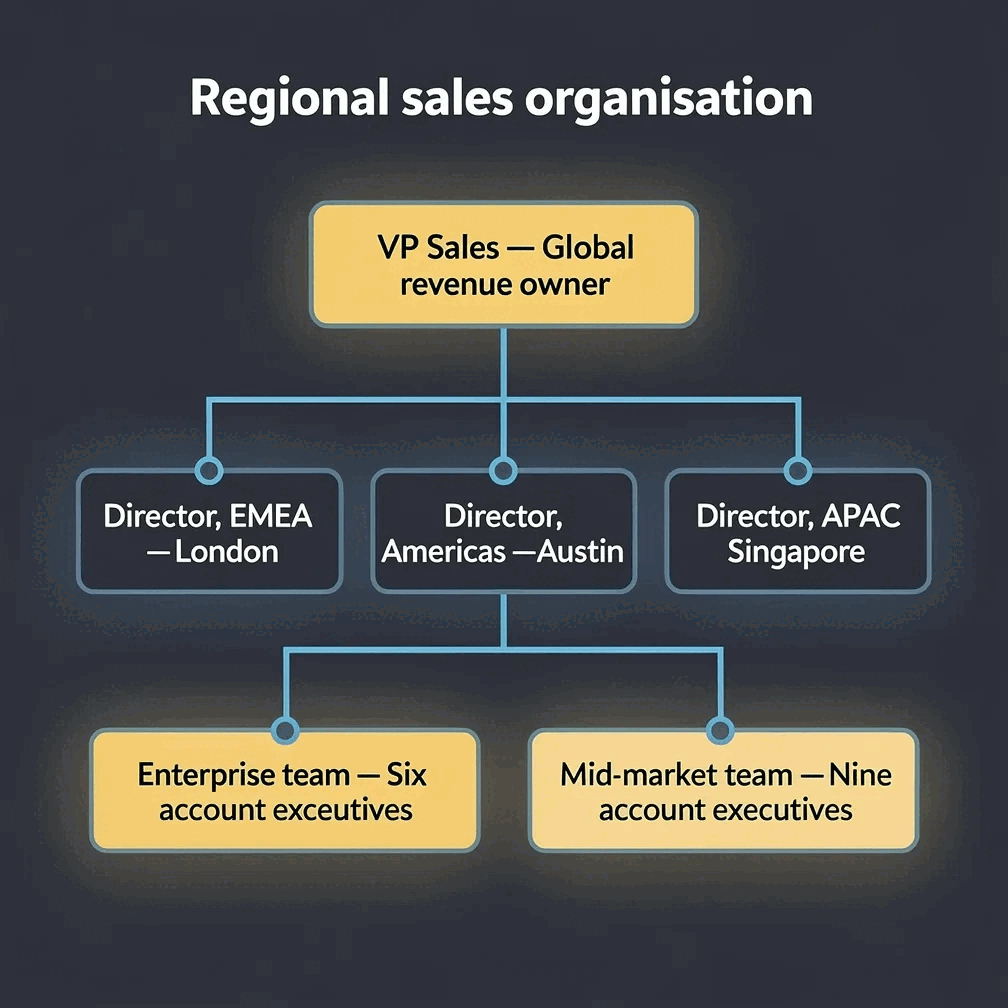
The visual stays useful after it leaves Prism.
Prism is designed for work that gets reviewed, edited, exported, and reused—not just admired in a feed.
Gixo Prism is the Lucidchart alternative for people who want an AI-native diagram, not an AI-assisted manual one. Describe a structure or paste steps, choose from 14 geometries — including process, cycle, pyramid, funnel, tree, pillars, matrix, Venn, concentric, stack, or graph — and Prism renders it deterministically to SVG, so labels are exact and the same input always produces the same correct output. Lucidchart still wins on shape-library breadth, real-time multi-user collaboration, and compliance certifications for large teams; Prism wins on speed and correctness for individuals and small teams who just need the diagram right, fast.
When should you use a Lucidchart alternative instead of Lucidchart?
Lucidchart is built for teams that need a massive shape library and deep real-time collaboration. Prism is built for the moment you just need one correct, on-brand diagram — fast, with no manual layout work.
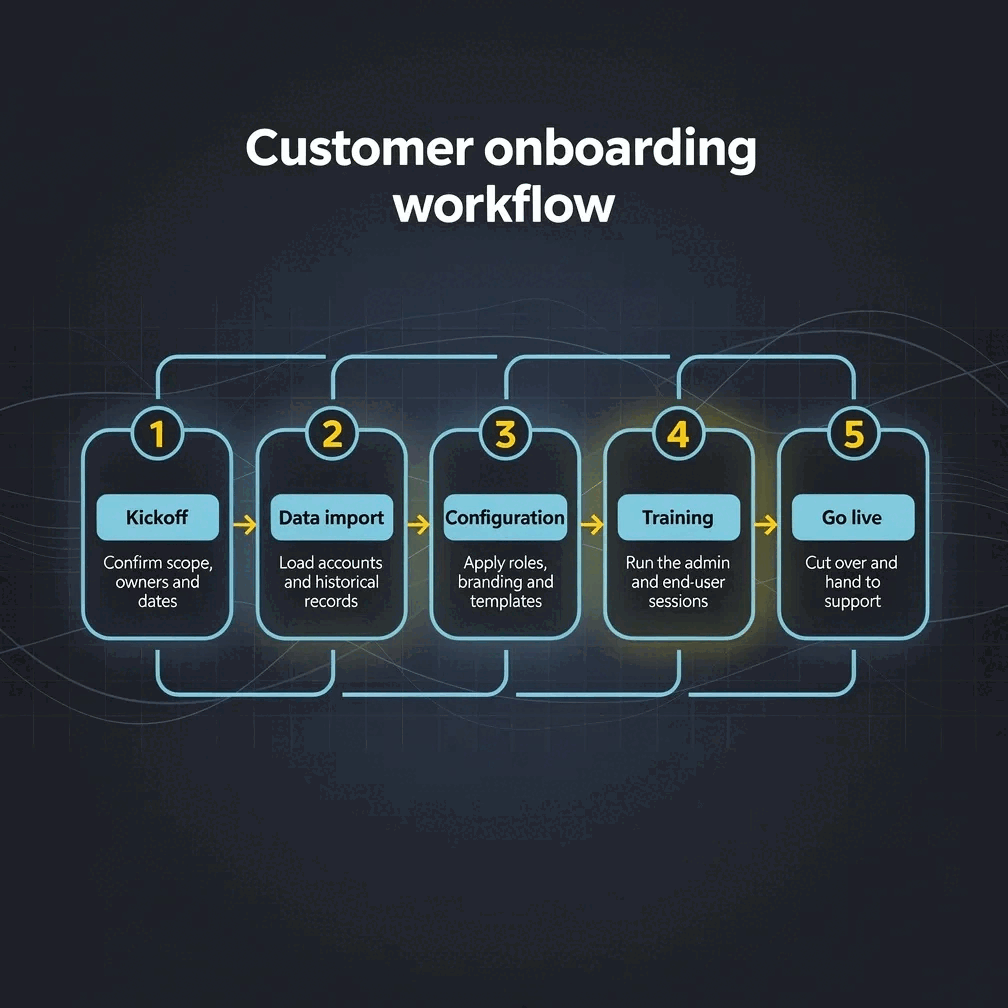
Describe a structure or paste steps and pick the shape: process, cycle, pyramid, funnel, tree, pillars, matrix, Venn, concentric, stack, or graph.
There's no canvas to draw on and no shapes to drag into place. You describe the structure and Prism generates the finished diagram directly.
Map a decision flow or a swimlane and Prism lays it out cleanly, with exact labels and consistent spacing — not a redrawn approximation.
The diagram maker uses no AI image model, so the same input always produces the same exact output — no garbled labels and no invented figures.
Paste a CSV or your numbers and get a clean chart in any of 22 types, from bar, line and pie to waterfall, Gantt and heatmap, rendered to SVG so the values are always correct.
Four theme presets — conservative, bold, brand-conservative (default), brand-bold — plus your Brand Kit palette applied consistently across every diagram in a batch.
Change the structure, labels, or layout and the diagram re-renders exactly. Export as clean, self-contained HTML/SVG.
Turn a single stat, quote, callout, definition, or comparison into a sharp, on-brand card you can drop into a deck, doc, or post.
No connector-snapping, no alignment guides, no resizing shapes by hand. Describe it once and the geometry is already correct.
How does Gixo Prism's diagram maker turn a structure into an exact diagram?
No canvas, no shapes to place by hand — just the structure and the finished diagram.
Write out a process, hierarchy, or set of steps in plain language — no need to plan the layout yourself.
Choose from 14 diagram shapes — including process, cycle, pyramid, funnel, tree, pillars, matrix, Venn, concentric, stack, or graph.
No AI image model is in the render loop — the diagram is rendered deterministically to SVG, preserving the labels and structure you supplied.
Apply your brand palette, adjust labels if needed, and export as clean, self-contained HTML/SVG into your deck, doc, or page.
Gixo Prism vs Lucidchart: which one should you use?
Different tools for different scale. Here's the honest split.
- Lucidchart is the enterprise diagramming standard. A huge shape library covering BPMN, UML, ERD, and AWS architecture, deep real-time multi-user collaboration, and SOC2/HIPAA/FedRAMP compliance make it the right call for large IT and ops teams that need to draw anything and work on it together. Its AI features help you draft and clean up, but you're still the one arranging shapes on a canvas.
- Gixo Prism is AI-native, not AI-assisted. There's no canvas and no manual layout step. You describe a structure or paste steps, pick one of 14 geometries, and Prism renders the finished diagram directly — deterministically, with no AI image model in the loop, so labels never garble and the same input always produces the same correct output.
- Prism is not trying to out-library Lucidchart. Lucidchart's shape breadth (hundreds of shapes across BPMN/UML/ERD/AWS) and real-time collaboration are real advantages for large teams — that's honestly not Prism's focus.
- Speed and correctness are where Prism pulls ahead. One diagram, described once, rendered exactly in seconds — no connector-snapping or alignment guides to fight with.
- Export is practical, with one honest limit. Prism's diagram maker exports clean, self-contained HTML/SVG. It doesn't export PDF or PPTX yet.
- Use the right one for the job. Large teams standardizing on BPMN/UML with compliance requirements should stay on Lucidchart. Individuals and small teams who need a correct, on-brand diagram without manual drawing get there faster in Prism.
How does Lucidchart compare to other diagram tools and diagramming software?
Lucidchart isn't the only manual diagramming option people weigh it against. Here's how three other well-known tools stack up, for context.
- draw.io (diagrams.net) is free and open-source, with no account or subscription required — the benchmark for a permanently free diagramming canvas. See our honest draw.io alternative comparison for the full picture.
- Gliffy is best known for living inside Confluence and Jira as an Atlassian marketplace app, so teams already working in that ecosystem can diagram without leaving their wiki or tickets.
- SmartDraw leans on a large built-in template library spanning org charts, floor plans, and network diagrams, so you start from a template instead of a blank canvas.
- All three are still manual canvases. Like Lucidchart, you place shapes and route connectors yourself, or start from a template. Gixo Prism is the only one of the four with no canvas at all — describe the structure and it renders.
Frequently Asked Questions
Explore the Prism visual toolkit
Updated