
Brand-Consistent AI Presentations
Brand consistency is not just logo placement. AI presentation systems need a machine-readable version of the brand: visual identity, verbal identity, layout rules, approved messaging, and governance that decides when a deck is ready to leave the team.
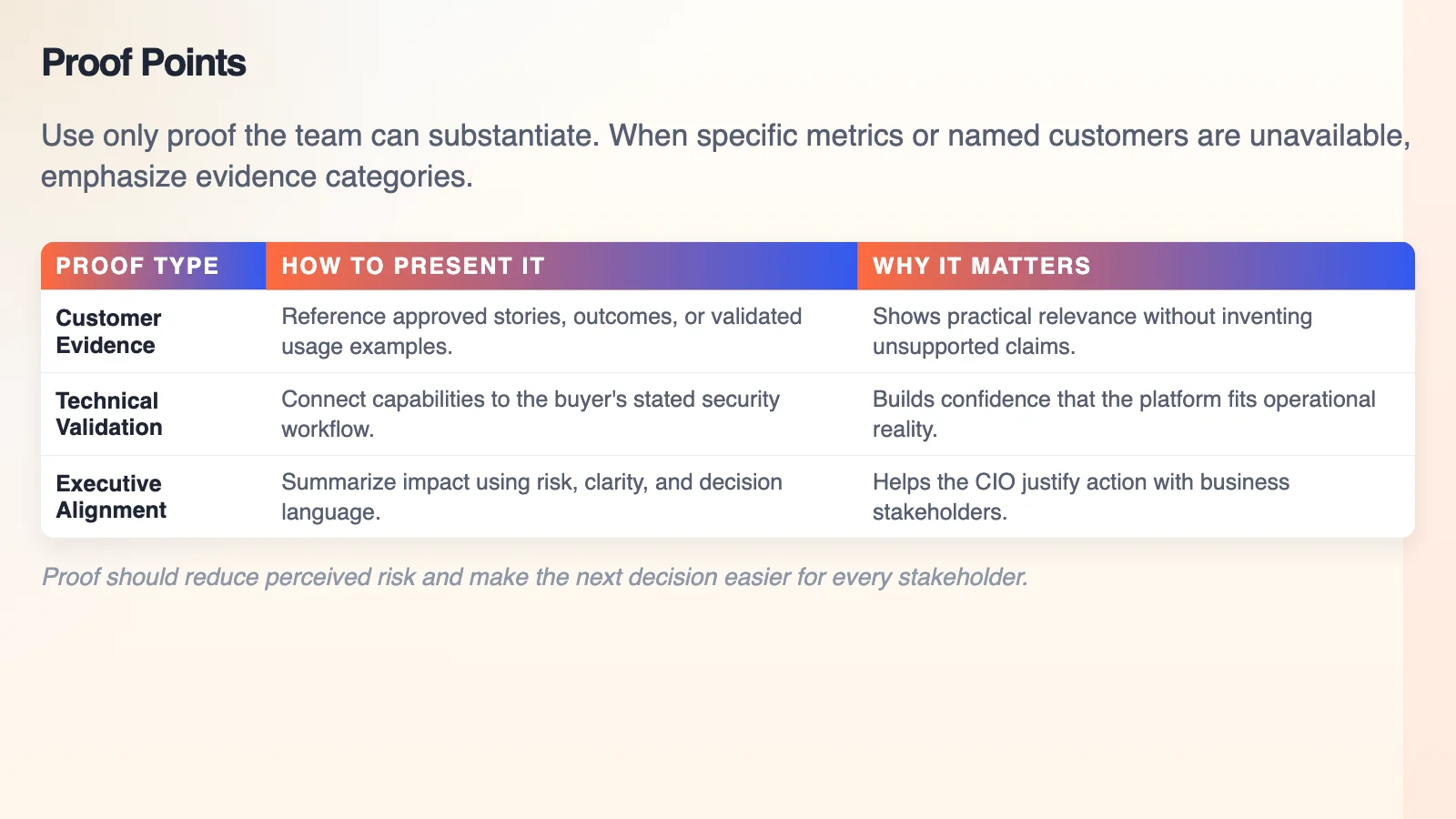
A real Gixo-generated slide — consistent table formatting and typography applied automatically across a deck.
From brand book to digital brand kit
A static brand book is written for humans. An AI presentation workflow needs rules the system and reviewers can actually apply: approved colors, typography, logo use, layout constraints, image style, tone of voice, messaging pillars, forbidden claims, and escalation rules.
The strongest setup is a central source of truth: a digital brand kit that gives AI enough structure to draft consistently while leaving final judgment with brand, marketing, and business owners.
Four pillars of brand-consistent AI decks
1. Digital brand kit
Translate logos, color palettes, typography, iconography, spacing, chart rules, and layout patterns into reusable presentation themes and reviewable constraints.
2. Brand voice and messaging
Include tone, approved descriptions, messaging pillars, audience language, proof points, claims rules, and words the brand should avoid.
3. Governance workflows
Decide who can create, edit, approve, export, and share branded decks. Brand rules need workflow enforcement, not just a PDF in a shared folder.
4. Tool and workflow fit
Choose tools that keep themes, slide masters, source material, citations, and export close to the deck instead of scattering them across disconnected steps.
5. Source and claim discipline
Brand-safe copy is not automatically factual. Market claims, customer claims, savings claims, and product claims still need evidence and review.
6. Human design oversight
AI can accelerate first drafts and theme application. Designers still own the system, exceptions, quality bar, and the moments where brand distinctiveness matters most.
Visual identity and verbal identity both matter
| Brand layer | What AI needs | What humans review |
|---|---|---|
| Visual identity | Theme, slide masters, colors, typography, logo rules, chart styles, image direction, and layout hierarchy. | Whether the deck looks on-brand, readable, differentiated, and appropriate for the audience. |
| Verbal identity | Tone rules, approved phrases, product descriptions, proof points, forbidden words, and claim boundaries. | Whether the deck sounds like the company and avoids overclaiming, jargon, or unsupported positioning. |
| Brand strategy | Audience, category frame, value proposition, narrative emphasis, and decision context. | Whether the deck advances the right strategic message instead of merely looking polished. |
RAG, fine-tuning, and design tokens
Retrieval-augmented generation
RAG is useful when AI should draw from current brand guidance, product messaging, campaign notes, or source material without permanently baking it into a model.
Fine-tuning
Fine-tuning can help with repeatable style in some systems, but it is not a substitute for current sources, governance, or explicit brand rules.
Design tokens
Tokens make brand choices easier to apply consistently: colors, spacing, type scales, component rules, chart treatments, and layout constraints become reusable inputs.
How Lumen applies the theme layer
Lumen gives teams a presentation workflow with 34 active themes, 26 slide layouts, and 8 workflow profiles across consulting, finance, startup, sales, executive, product, training, and general business decks. That combination helps a team start from a repeatable visual direction and workflow pattern instead of recreating presentation structure each time.
For a brand-led workflow, treat Lumen themes as a governed starting point: set the direction, review the slides, preserve citations and speaker notes, then export as PPTX, PDF, HTML, and slide images when the deck is ready.
PowerPoint themes, slide masters, and brand kits: three different layers of slide design
Most brand-drift arguments inside a company are really vocabulary arguments. A PowerPoint theme is a colour and font pairing. A slide master is the geometry underneath it — where the title sits, how the body text scales, what a content placeholder does when it overflows. A brand kit is the wider rulebook: logo clear space, image treatment, chart conventions, tone of voice, and the claims the company is allowed to make. Downloading PowerPoint templates gives you the first, sometimes the second, and never the third.
That is why decks drift even in companies with a strong brand book. The theme survives the copy-paste; the master usually does not; the rulebook was never machine-readable in the first place. When someone rebuilds a slide under deadline, the geometry is the first thing to go, and the result is a deck that is on-palette and off-brand.
The practical fix is to stop treating slide design as a per-deck decision. Decide the layout vocabulary once, apply it as a system, and let people spend their attention on the argument. Lumen works that way: the planner selects a layout per slide from 26 slide layouts, and switching between 34 active themes restyles the whole deck rather than one slide at a time. Nobody opens a slide master, and nobody hand-nudges a text box into alignment.
What that buys is consistency, not distinction. A system keeps the ordinary decks correct so a designer's time goes to the ones that carry the relationship — the pitch, the launch, the board moment where being on-brand is the floor rather than the goal.
Brand consistency should survive the workflow
Create a client-handoff presentation in one workspace, with outline planning, workflow-specific structure, slide editing, citations, presenter tools, and export attached to the same deck.
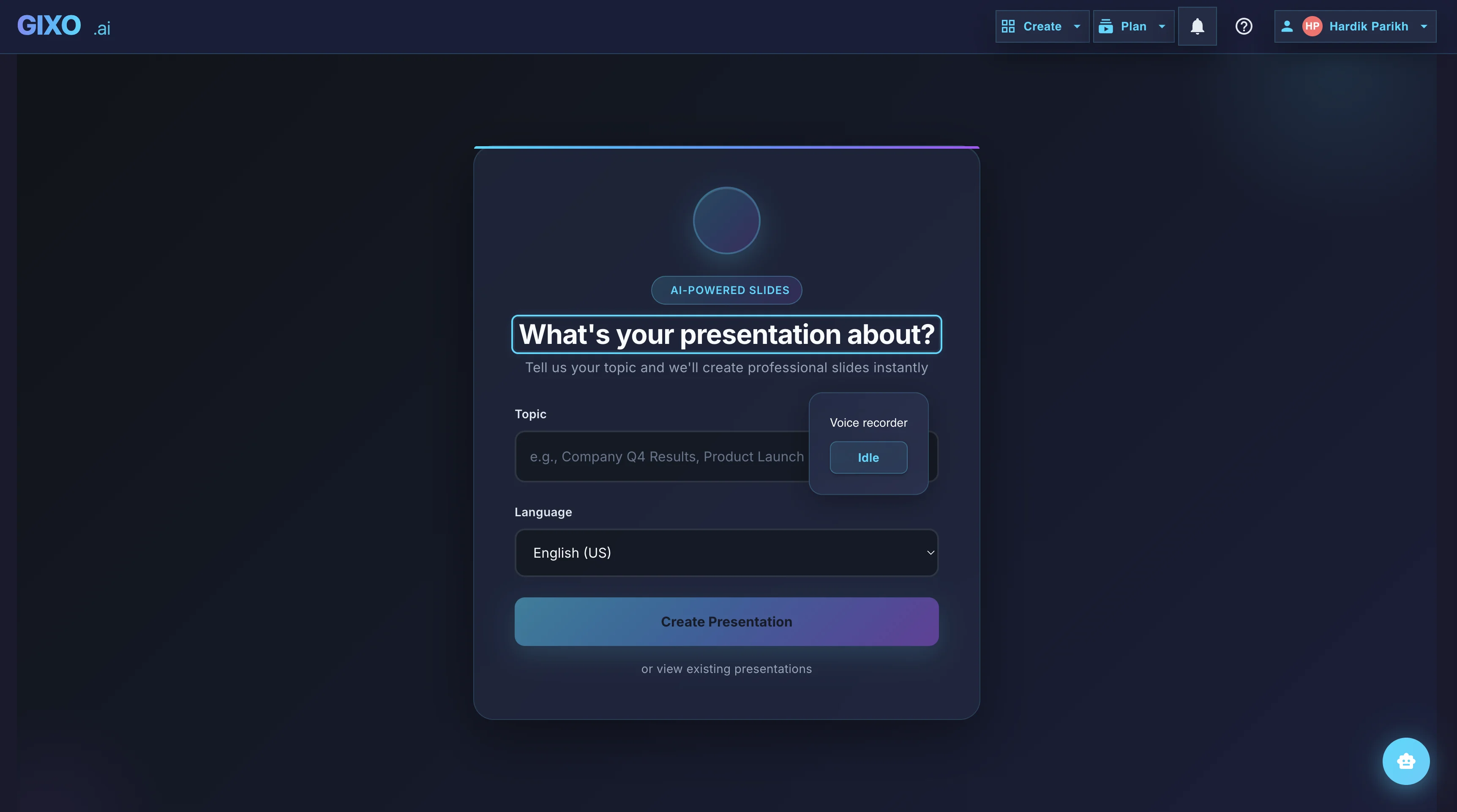
Outline First
Deck creation starts from source material and workflow fit, so the structure is reviewable before the full deck is generated.
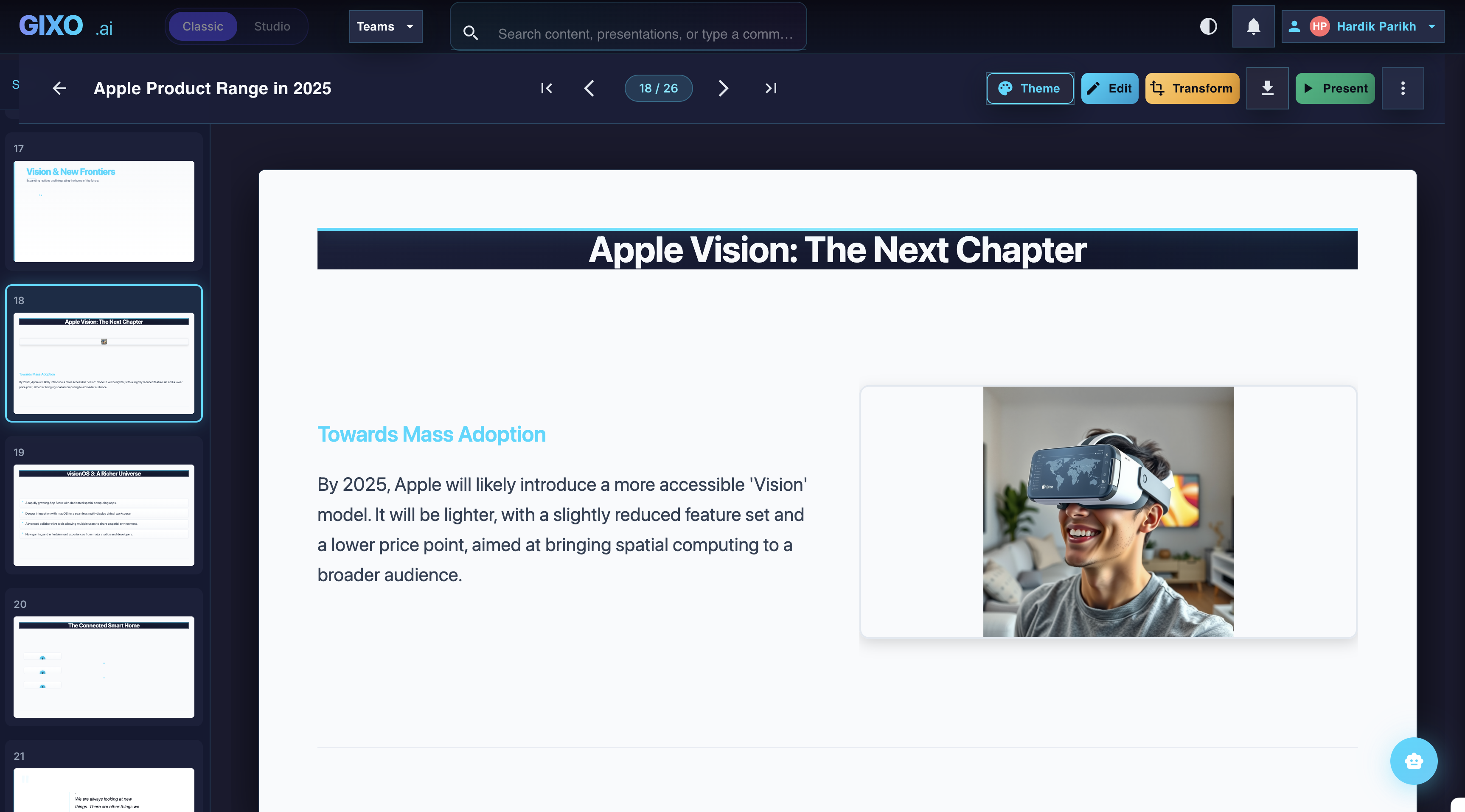
Edit the Finished Deck
Theme changes, slide-level edits, transformations, and layout control stay inside the same workspace after the first pass lands.
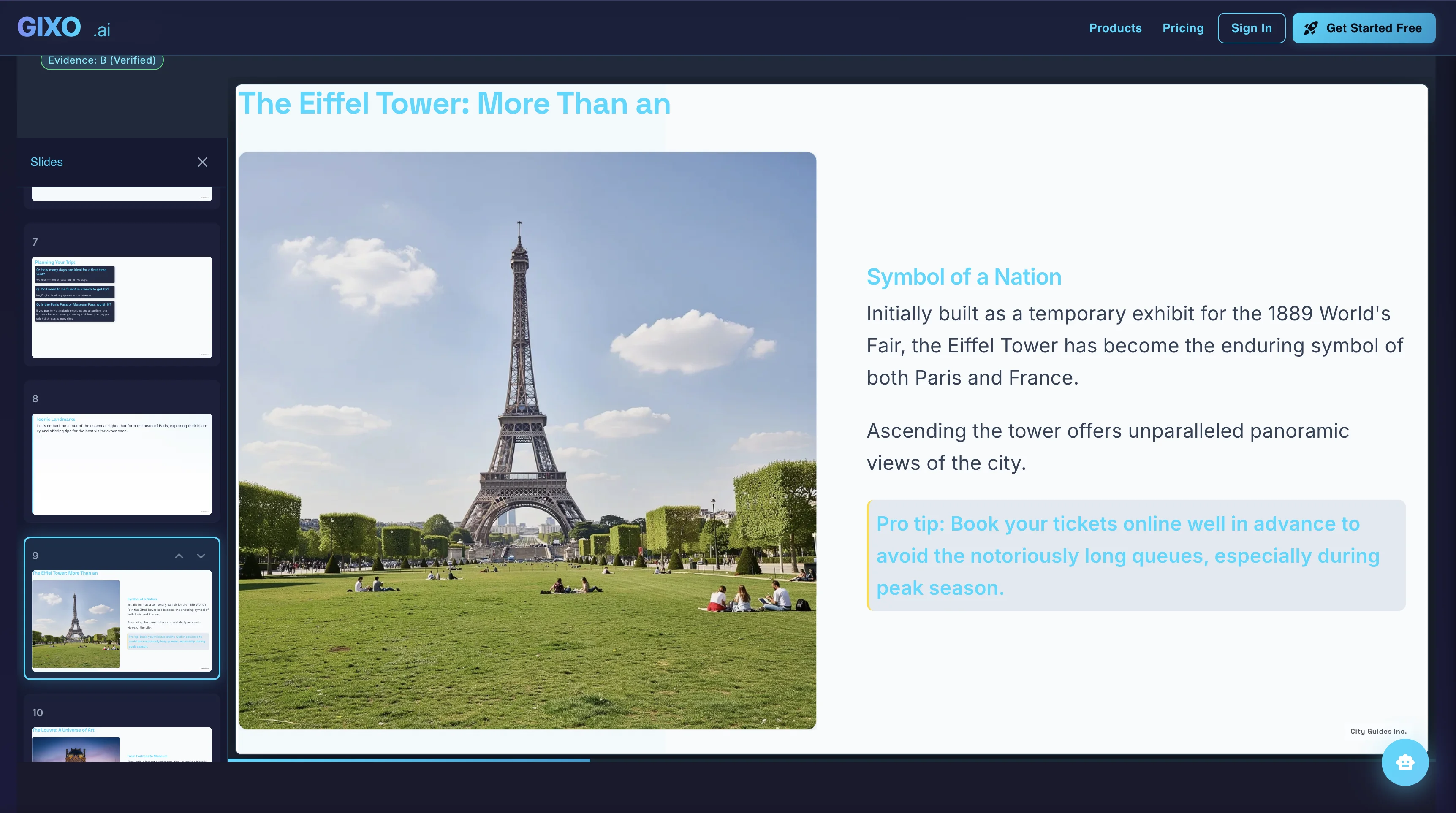
Present and Export
Presenter notes, citations, shareable delivery, and exports belong to the same deck instead of being rebuilt in another presentation tool.
FAQ
Updated