
AI Presentation Governance for Teams
The governance problem is not whether AI can make slides. It is whether a team can use AI without leaking sensitive material, drifting from brand rules, inventing facts, weakening ownership, or losing the review trail before the deck reaches an executive, client, or board.
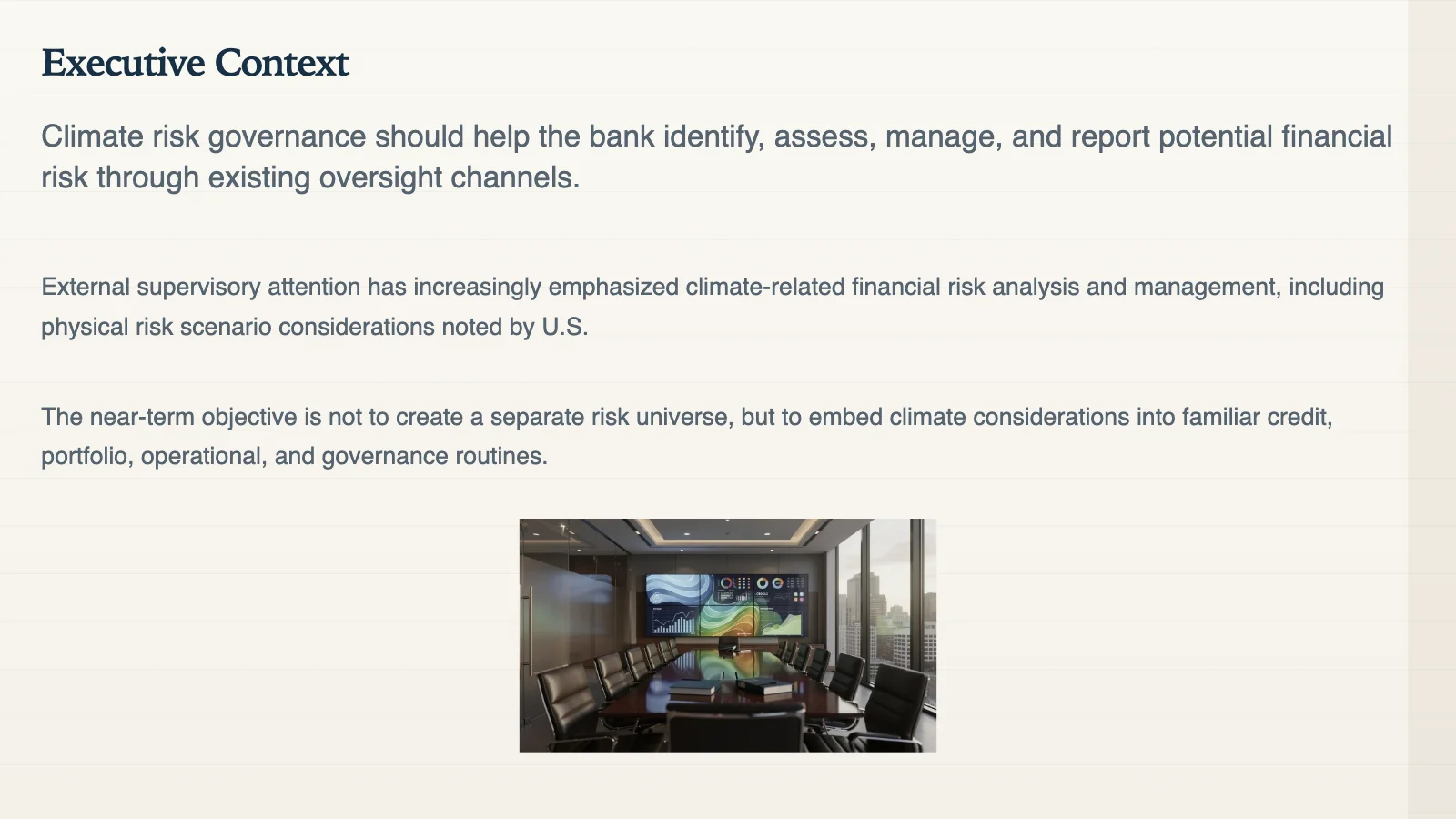
A real Gixo-generated slide — the executive framing a governed presentation workflow should produce, not a mockup.
The governance triangle
A durable AI presentation policy needs people, process, and technology. A tool setting alone is not a governance program.
People
Define who can upload source material, who approves decks for external use, who owns factual accuracy, and who enforces brand or compliance rules.
Process
Decide when to use source-to-deck, how claims are checked, how citations are attached, and what review steps apply before the deck is shared.
Technology
Choose tools that fit the workflow: secure inputs, source-grounded generation, theme controls, export, sharing, and evidence visibility inside the same deck path.
Five governance pillars
Data security and privacy in online presentation tools
Classify what can be uploaded. Separate public, internal, confidential, regulated, and client-owned material. Do not let convenience quietly rewrite security rules.
Brand consistency and compliance
Translate brand rules into themes, approved language, visual standards, review requirements, and escalation paths for external or executive-facing decks.
Content accuracy and IP
Require source checks for data, quotes, claims, legal statements, and reused third-party content. AI output still needs copyright, licensing, and originality review.
Access control and user management
Match permissions to roles. A sales rep, analyst, agency partner, designer, and executive reviewer should not necessarily have the same source access or publishing rights.
Workflow integration and auditing
Keep creation, review, citations, edits, and export close enough that the team can reconstruct how a deck was made and who approved it.
Human accountability
AI can draft, summarize, and suggest. It should not become the accountable owner of audience judgment, factual accuracy, client confidentiality, or final recommendation.
A simple RACI for AI decks
| Activity | Responsible | Accountable | Consulted / Informed |
|---|---|---|---|
| Source collection | Deck owner or analyst | Business sponsor | Legal, security, client owner, or data owner when sensitive sources are involved |
| AI draft and outline | Deck owner | Business sponsor | Subject-matter experts and brand reviewers |
| Fact and citation review | Analyst or SME | Business sponsor | Compliance or legal for regulated content |
| Brand and design review | Creator or design owner | Brand owner | Sales, marketing, or leadership depending on audience |
| Final approval | Deck owner | Decision owner | All stakeholders who will be quoted, represented, or asked to act |
Governance maturity model
Individuals use AI tools on their own. Prompts, sources, brand choices, and citations vary by person. Risk depends on personal judgment.
The team has basic rules: what not to upload, when to cite, which decks need review, and which AI tools are approved.
Source-to-deck workflows, brand themes, citation expectations, and review responsibilities are embedded in repeatable deck creation.
Teams can audit important decks, track who approved them, and improve prompts, templates, sources, and governance rules based on real usage.
Governance needs visible workflow evidence
Citations, source review, present mode, and PPTX, PDF, HTML, and slide-image exports stay attached to the same deck.
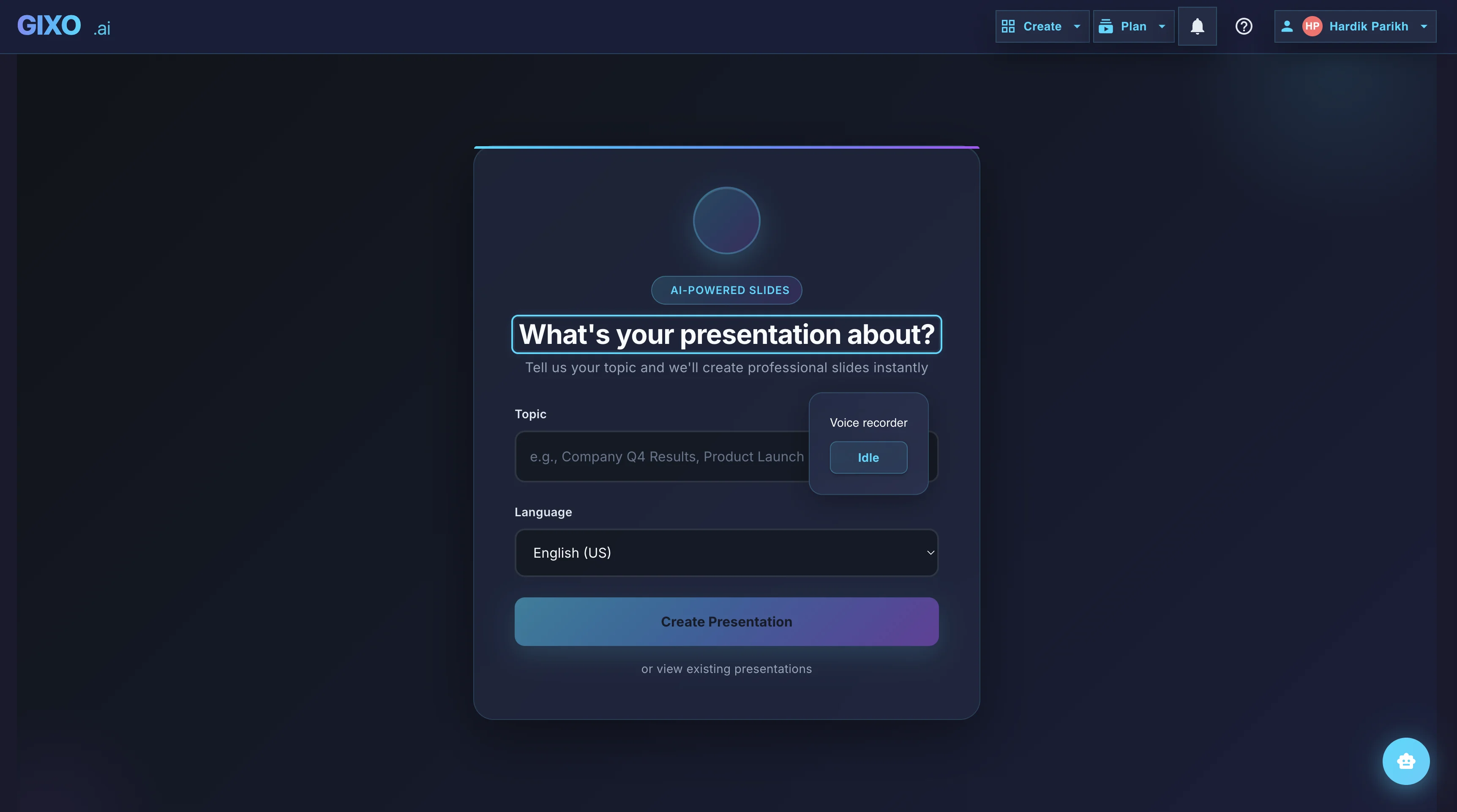
Outline First
Deck creation starts from source material and workflow fit, so the structure is reviewable before the full deck is generated.
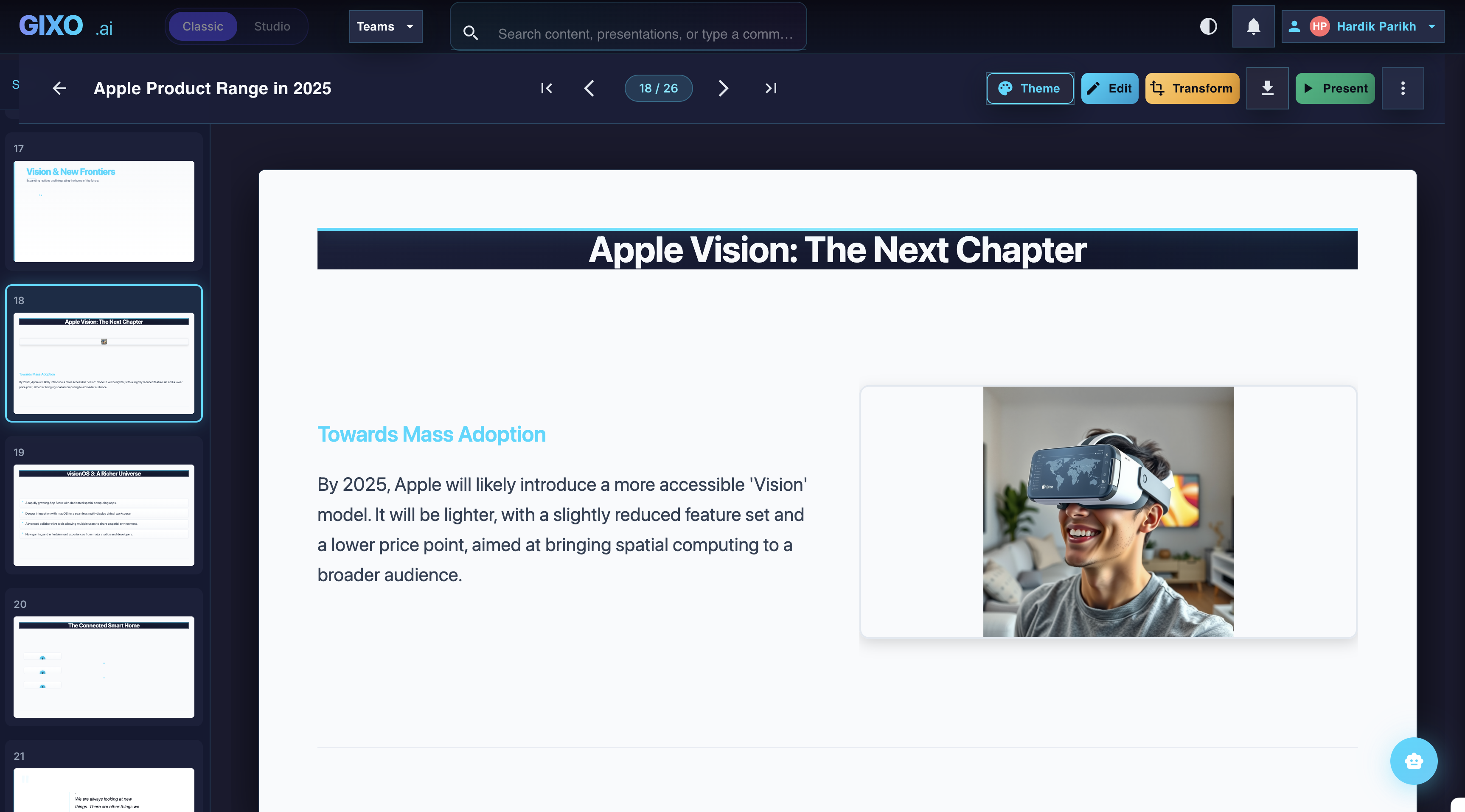
Edit the Finished Deck
Theme changes, slide-level edits, transformations, and layout control stay inside the same workspace after the first pass lands.
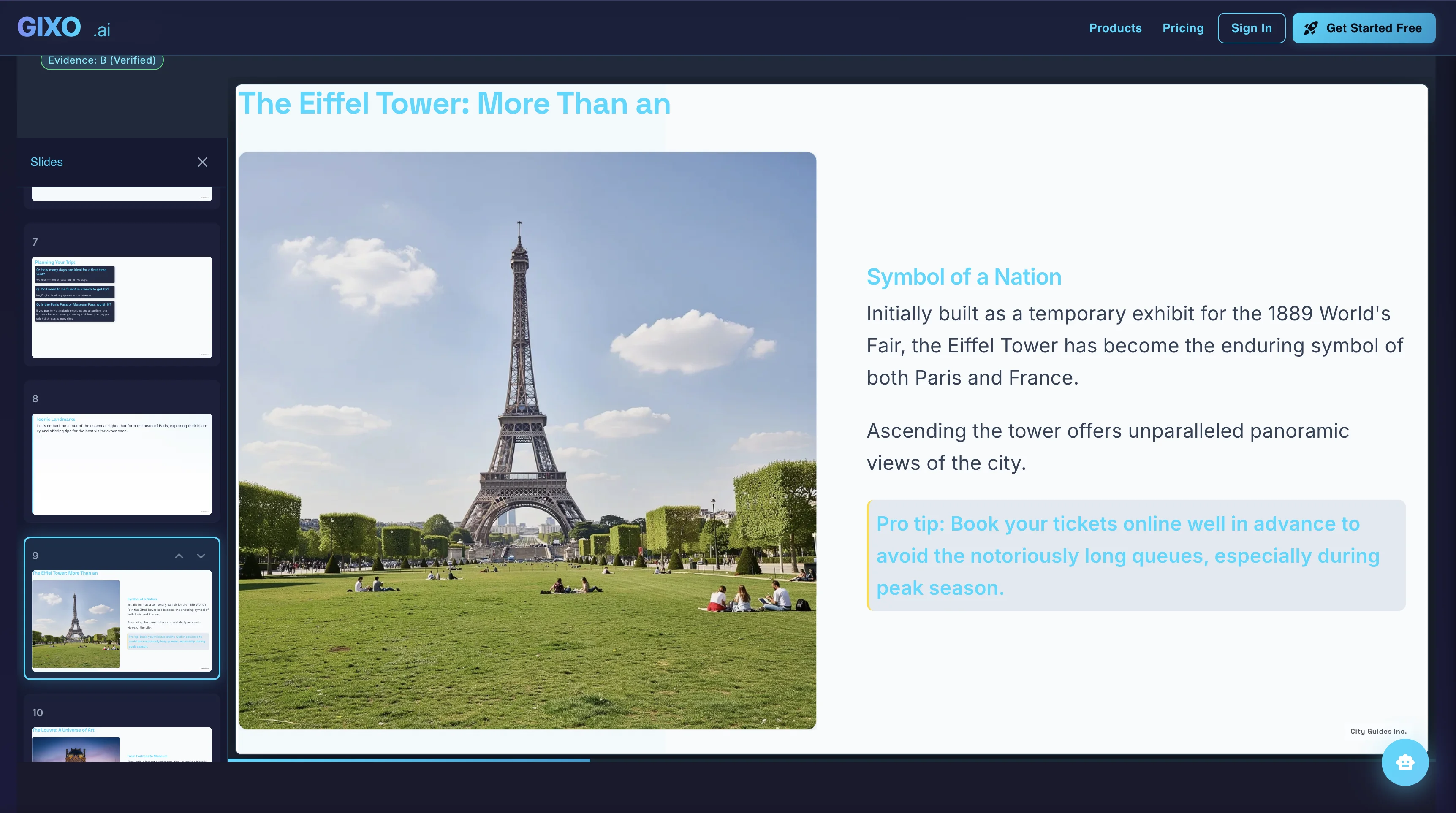
Present and Export
Presenter notes, citations, shareable delivery, and exports belong to the same deck instead of being rebuilt in another presentation tool.
How Lumen supports governed presentation work
Lumen is not a replacement for your internal AI policy. It gives teams a presentation workspace where source material, workflow-specific structure, theme choice, citations, speaker notes, and export are closer together.
That matters because the governance breakdown often happens after the first AI draft: the deck gets copied, citations disappear, visuals drift, and a polished slide hides unsupported claims. One presentation handoff workspace for teams that need a strong first pass, outline control, theme switching, citations, presenter tools, and delivery without rebuilding the deck somewhere else.
Choosing AI presentation software a governed team can live with
The technology pillar in practice: the questions that separate presentation software a policy can survive from a tool that quietly routes around it.
Most comparisons of AI presentation tools are scored on output — how the slides look, how fast the first draft arrives. For a team with a policy, those are the easy questions. The ones that decide whether the tool becomes a governance problem are duller:
- Where does the content come from? A tool that only writes from a prompt gives a reviewer nothing to check against. Source-to-deck generation gives them the material the claims came from.
- Can generation be restricted to supplied material? When sources are provided, Lumen keeps uploaded and pasted material authoritative and lets the user choose uploaded-only generation or allow web context. Lumen records generation-time source provenance and keeps citations and source review attached; it does not automatically verify every claim, so human review remains required.
- Do citations survive the deck? Attribution that lives in a chat transcript is attribution you have already lost.
- Is the export a real file or a screenshot? If slides leave as flattened images, every downstream correction becomes a rebuild — and the reviewed version and the delivered version drift apart.
- Can brand rules be enforced rather than suggested? Themes a team can apply consistently beat a style guide nobody opens.
- Who can see and share what? Roles and publishing rights should match the RACI above, not the seat licence count.
- What does the vendor do with your uploads? Ask for the retention, training and subprocessor answers in writing before you classify a source as safe to upload. This is a procurement question, not a feature question, and no tool page — including this one — substitutes for it.
Score the shortlist on those seven before the design comparison. Best-looking output and best-governed workflow are different rankings, and only one of them shows up in an audit.
FAQ
Updated