
AI Presentation Software for Business Teams
Business teams do not just need faster slides. They need a repeatable way to turn sources, strategy, brand rules, and review feedback into decks that can be edited, cited, presented, exported, and trusted.
Short answer. AI presentation software for a business team is a shared workspace that turns team source material — a topic, notes, briefs, articles, and uploaded reference material — into an editable, brand-consistent deck, and then keeps outline control, slide editing, citations, presenter tools, and export attached to that same deck. Gixo Lumen covers that workflow with 34 active themes, 26 slide layouts, 8 workflow profiles across consulting, finance, startup, sales, executive, product, training, and general business decks, and delivery as PPTX, PDF, HTML, and slide images.
What it costs. Gixo Lumen starts at $10 per seat per month (Lite, or $90 per seat per year billed annually). Starter is $25 per seat per month ($250 per seat per year), Professional $45 per seat per month with a 2-seat minimum, Business $55 per seat per month with a 5-seat minimum, and Enterprise $99 per seat per month with a 10-seat minimum sold through Azure Marketplace or private offer. A no-card 14-day trial comes first; there is no standing $0 Lumen plan. Gixo figures are current as of August 2026 — see Lumen plans for the terms that apply at purchase. Across the wider market, individual and pro plans for AI presentation tools were commonly listed in the $10–$30 per user per month band as of mid-2026, with team and enterprise tiers above that. Those are illustrative market ranges, not vendor quotes and not Gixo prices — confirm the real number with each vendor.
Why business teams need more than slide generation
One presentation handoff workspace for teams that need a strong first pass, outline control, theme switching, citations, presenter tools, and delivery without rebuilding the deck somewhere else.
Deck-shaped first pass
Teams switch when the first pass already understands the workflow, the section order, and the layout rhythm instead of dropping them into blank-slide cleanup.
Real control after generation
Theme changes, slide edits, layout swaps, transformations, and regeneration stay available after the deck exists, so refinement does not mean starting over.
Finish path attached
Evidence checks, citations, speaker notes, present mode, and exports stay on the same deck instead of being rebuilt in a second presentation tool.
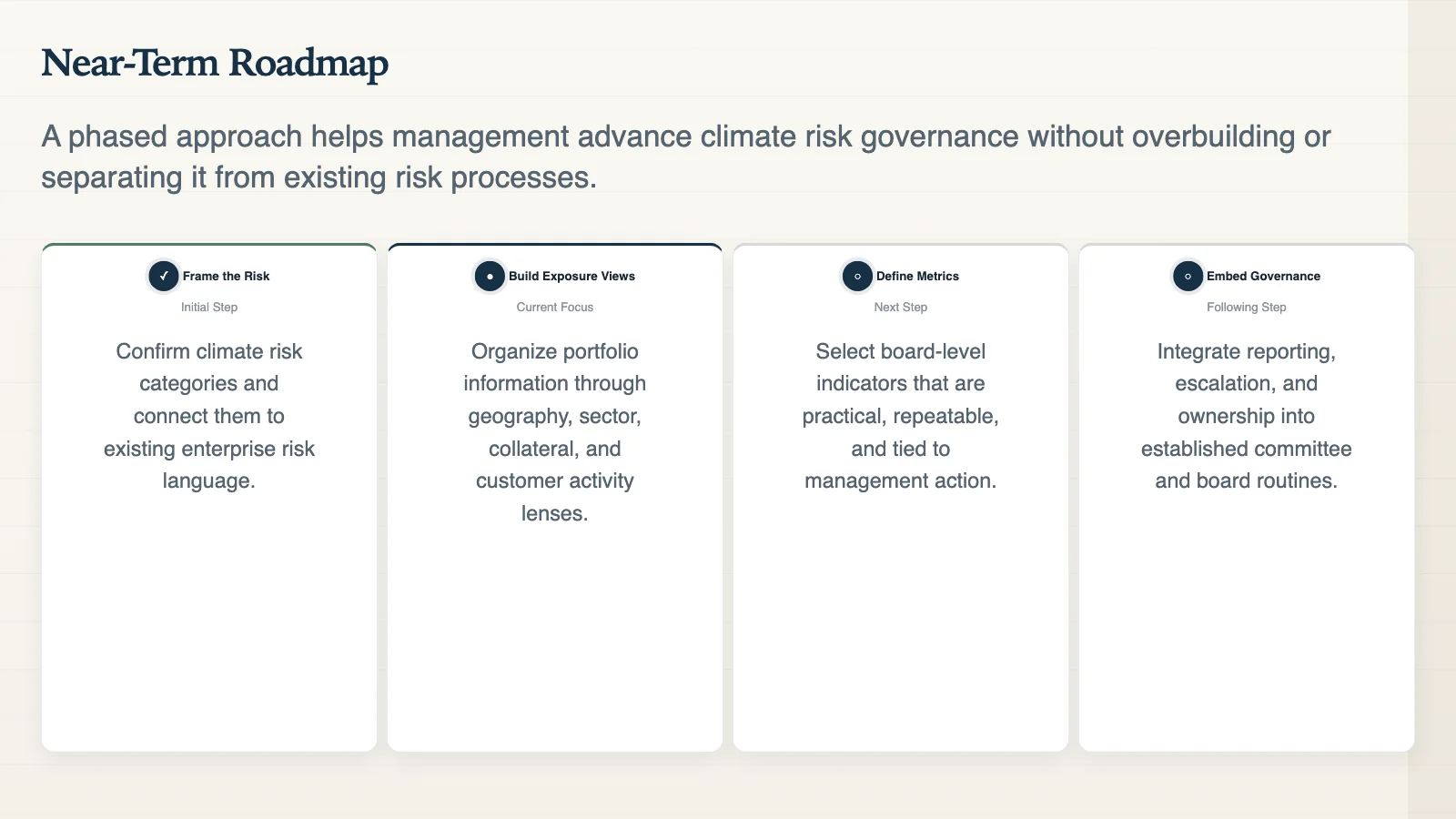
A real deck output from Gixo Lumen — structured roadmap slides built from uploaded source material, not manual formatting.
What is presentation software, and what makes it AI presentation software?
A definition worth agreeing on before a shortlist, because the two categories are bought for different reasons.
Presentation software is the category of tools used to create, edit, and deliver slide-based documents — PowerPoint, Keynote, Google Slides, and the web-native presentation platforms that followed them. Every presentation program in that group shares one assumption: a person supplies the content and the tool supplies the canvas, the layouts, and the delivery.
AI presentation software moves the starting line. Instead of an empty canvas, the tool takes source material — a topic, notes, briefs, articles, and uploaded reference material — and produces a structured first pass the team then edits. That shifts where a team's time goes: less of it on formatting, more of it on the argument, the numbers, and the review. It does not remove the review, and the tools that claim it does are the ones to be most careful with.
So the useful question for a team is not "which presentation tool is best" in the abstract. It is which one removes your actual bottleneck. If the bottleneck is producing slides at all, most AI presentation tools help. If it is turning approved source material into a deck that survives scrutiny and reaches the meeting in the right file format, the criteria in the table below are the ones that separate them.
What AI presentation software should do for a team
The strongest tools support the full deck workflow: source input, narrative structure, brand consistency, review, delivery, and export.
Source-aware deck creation
Teams should be able to start from a topic, notes, briefs, articles, and uploaded reference material, not only from a one-line prompt.
Automated structure, editable output
AI should help create a strong first pass, then leave teams with editable slides, outline control, speaker notes, and human review.
Brand and theme control
Consistent business decks need shared themes, layout rules, visual hierarchy, and brand review. Lumen includes 34 active themes and 26 slide layouts.
Collaboration and review fit
A team workflow should make it easy to review the story, check source claims, edit slides, and prepare the deck for the actual meeting.
Security and governance
Any tool used with internal memos, customer material, financials, or strategy docs needs a clear policy on what can be uploaded and who approves final use.
Export and delivery
Delivery should not require rebuilding the deck elsewhere. Lumen supports PPTX, PDF, HTML, and slide images and present mode, speaker notes, timer, and shareable delivery.
The practical proof is the workflow
Citations, source review, present mode, and PPTX, PDF, HTML, and slide-image exports stay attached to the same deck.
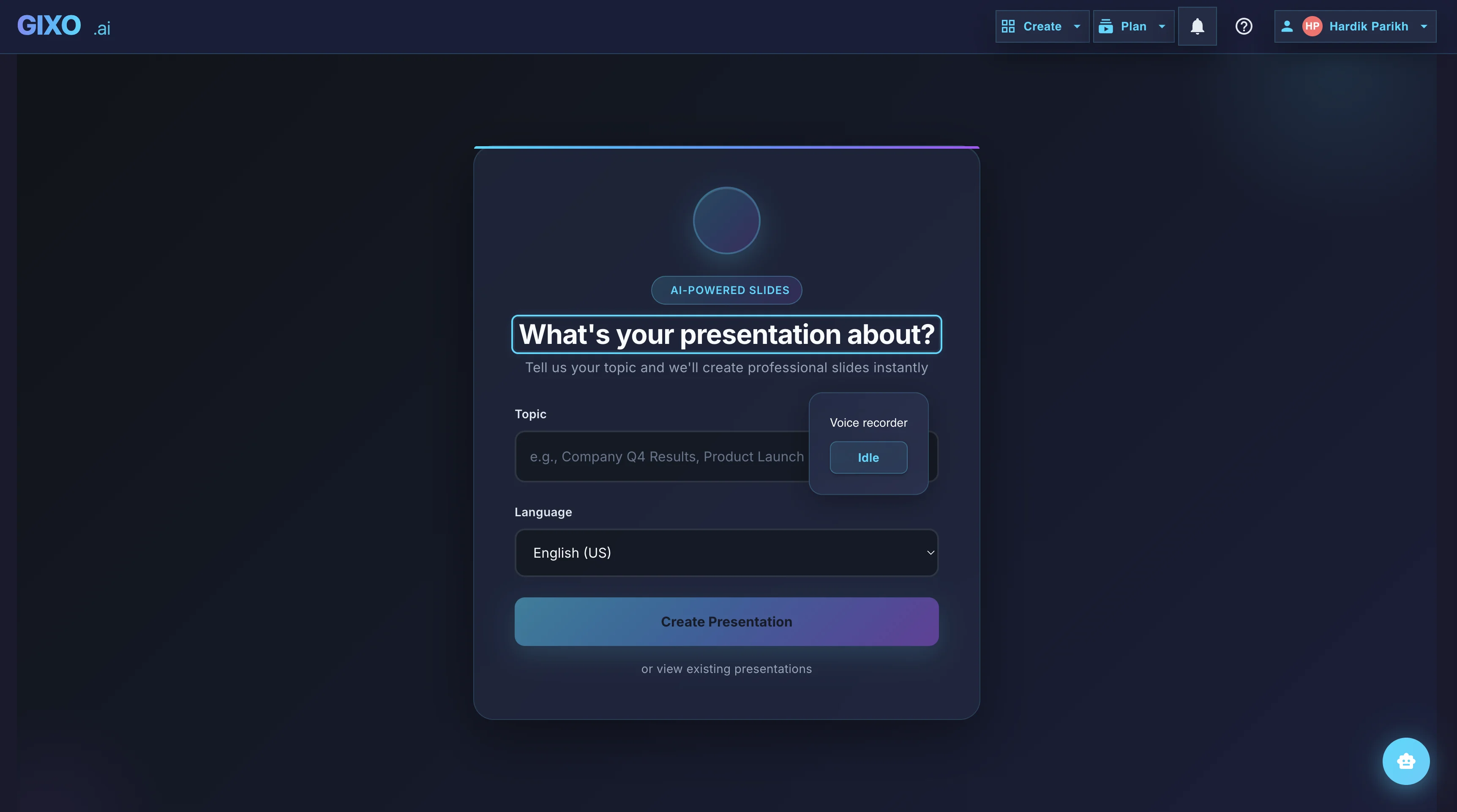
Outline First
Deck creation starts from source material and workflow fit, so the structure is reviewable before the full deck is generated.
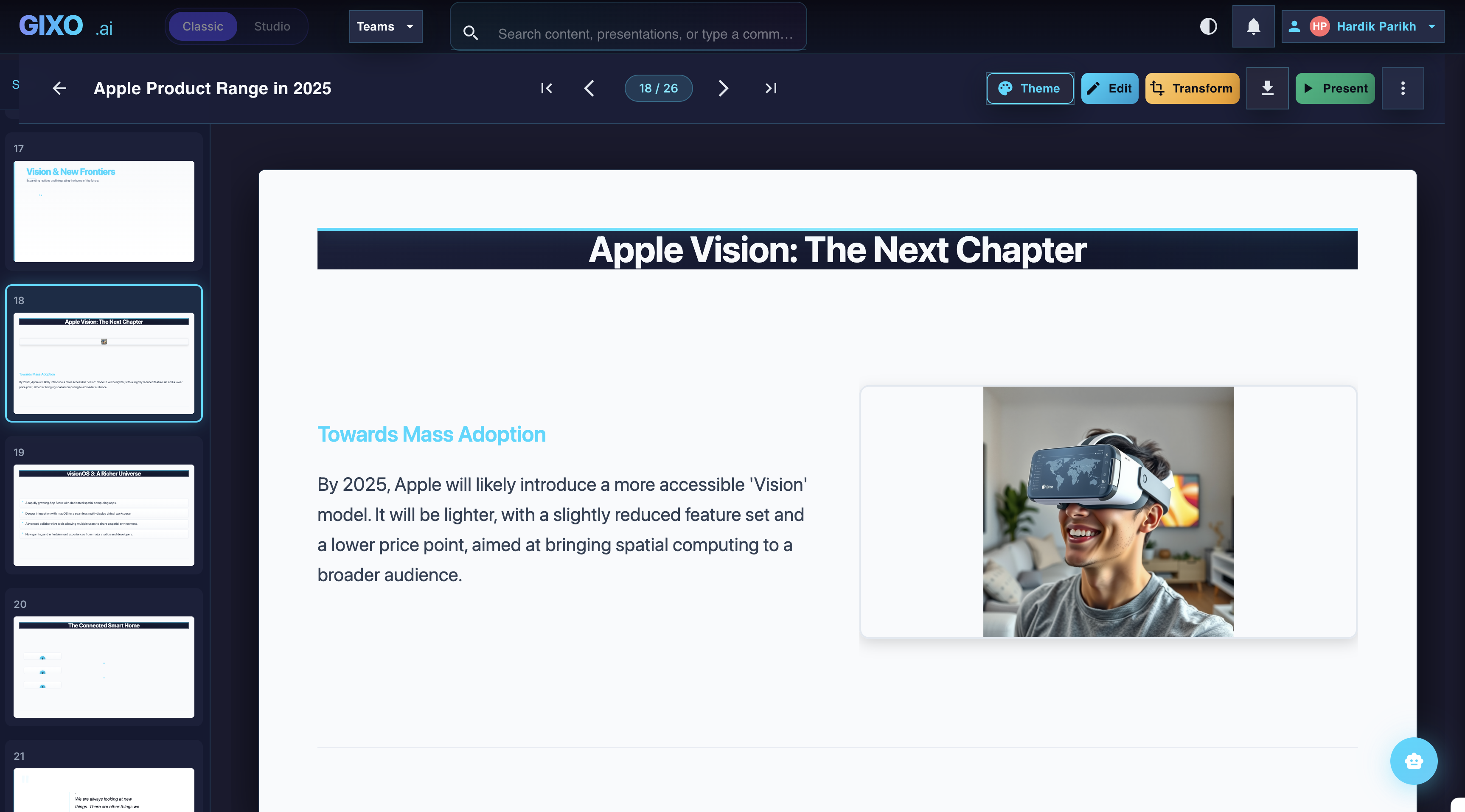
Edit the Finished Deck
Theme changes, slide-level edits, transformations, and layout control stay inside the same workspace after the first pass lands.
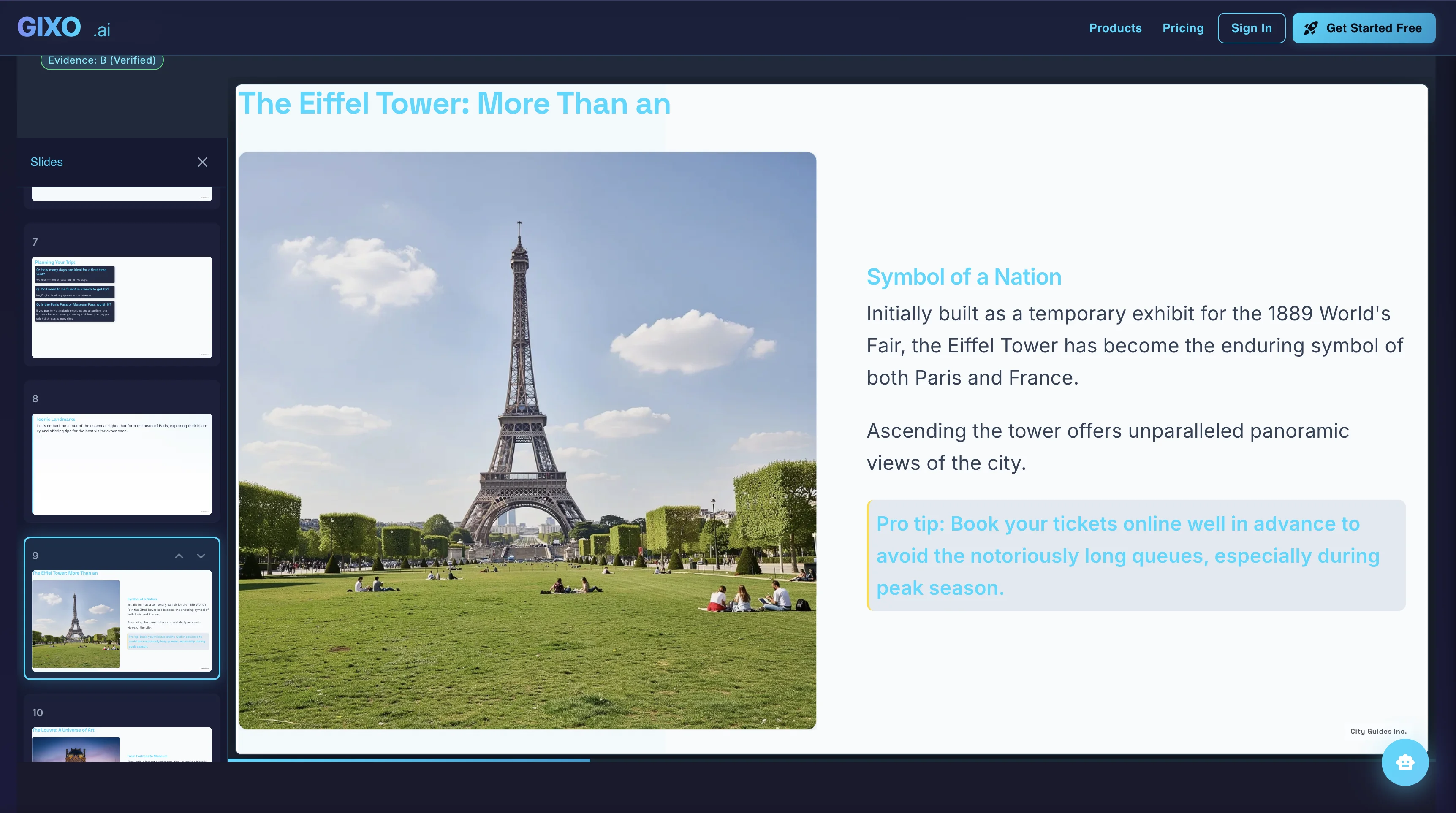
Present and Export
Presenter notes, citations, shareable delivery, and exports belong to the same deck instead of being rebuilt in another presentation tool.
Evaluation criteria for business teams choosing the best presentation software
| Criterion | What to ask | Why it matters |
|---|---|---|
| Source support | Can the workflow use documents, notes, briefs, articles, and uploaded reference material? | Business decks often need evidence, not just topic expansion. |
| Brand control | Can teams keep visual direction, layout patterns, and approved messaging consistent? | AI speed creates risk if every user creates a different-looking deck. |
| Human editing | Can creators revise the outline, edit slides, change themes, and refine the narrative? | AI output should be a workable draft, not an untouchable artifact. |
| Evidence and citations | Can reviewers see source context, citations, provenance, and the remaining human-review boundary? | Polished slides can still be wrong. Evidence needs to stay near the deck. |
| Security posture | Does the team have rules for confidential uploads, account access, and external sharing? | Presentation AI often touches sensitive source material. |
| Export and presentation | Can the deck be presented, shared, and exported without losing structure or notes? | The workflow is only useful if the final deck reaches the real meeting format. |
Team presentation tools compared
How a dedicated AI presentation workspace lines up against the two tools most business teams already have. Competitor rows describe generally available capability as of mid-2026 — check each vendor's current plan terms.
| Capability | Gixo Lumen | PowerPoint + templates | Google Slides |
|---|---|---|---|
| AI deck creation from team source material | Yes — from a topic, notes, briefs, articles, and uploaded reference material | Copilot on eligible Microsoft 365 plans | Gemini on eligible Workspace or Google AI plans |
| Workflow-specific deck structure | 8 workflow profiles | Template-dependent | Template-dependent |
| Shared theme and layout system | 34 active themes, 26 slide layouts, Brand Kit controls | Organization templates and Designer | Theme library |
| Citations and source review attached to the deck | Built-in citation and source-review surface | Copilot can reference supported Microsoft 365 files | Gemini can reference supported Drive and web sources |
| Real-time multi-user co-editing | Shareable delivery rather than live co-editing | Co-authoring in Microsoft 365 | Native multi-user collaboration |
| Delivery formats | PPTX, PDF, HTML, and slide images | Native PPTX | Native Slides document with Google export options |
| Offline desktop editing and advanced animation | Use PowerPoint after export for those jobs | Supported in the desktop application | Limited offline support |
| Entry price | From $10 per seat per month, after a no-card 14-day trial | Included with Microsoft 365; Copilot is a paid add-on | Free editor; Gemini generation needs an eligible plan |
Where presentation AI helps business teams most
High-value uses
- Turning source material into an outline and first-pass deck.
- Creating executive, consulting, sales, product, and internal update structures.
- Testing whether the narrative is clear enough for the intended audience.
- Reducing formatting work so review time moves to story, evidence, and delivery.
Risks to manage
- One-shot drafts treated as final presentations.
- Unsupported data, vague sources, or AI-invented numbers.
- Brand drift when every user chooses their own visual direction.
- Confidential material uploaded without a team policy.
How Lumen is positioned for teams
Lumen is for teams that need Workflow-specific deck creation for consulting, finance, fundraising, sales, executive, product, and general business presentations. It supports a strong first pass, but the product promise is not that AI removes review. The value is bringing outline planning, slide editing, citations, themes, presenter tools, and exports into one workflow.
Create a client-handoff presentation in one workspace, with outline planning, workflow-specific structure, slide editing, citations, presenter tools, and export attached to the same deck. Decks can cite uploaded source material and approved web research, with a built-in citation, trust-check, and source-review surface for reviewers before handoff. That makes Lumen a fit for teams that care about completion and trust, not only generation speed.
FAQ
Updated